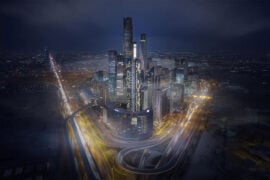
A few years ago, an AI-generated building was easy to spot: melting balconies, staircases that led nowhere and windows that changed size from one floor to the next. In 2026 the images are far more convincing, and that is exactly why architects need a clear head about what these tools are good for. Used well, an image generator is a fast sketching partner that helps a team explore atmosphere, material and light before anyone opens a modelling package. Used carelessly, it produces seductive pictures of buildings that cannot stand up. This guide looks at where AI image generation genuinely helps an architecture practice, where it misleads, and how to build a workflow that keeps design judgement in human hands.
What image generators are actually good at
The strongest use is early-stage exploration. When a brief is still open, a designer can describe a site, a programme and a mood and receive dozens of variations in minutes. None of them is a design, but several will contain an idea worth keeping: a way of filtering light through a screen, a combination of timber and weathered steel, a courtyard proportion that feels right. Teams use these images the way they once used magazine cut-outs pinned to a wall, as prompts for conversation rather than answers.
The second strong use is atmosphere. Clients often struggle to read plans and sections, yet they respond instantly to an image of a reading room at dusk or a façade in winter fog. A quick series of mood images can align expectations about warmth, materiality and scale long before detailed visualisation begins. The images also help junior designers articulate intentions they cannot yet draw.
Third, image tools are useful for testing context. Placing a rough massing idea into a photograph of the street, then asking for variations in cladding or roofline, gives a fast sense of how a proposal might sit among its neighbours. It is not a planning-grade montage, but it is a useful filter for weak options.
Where they mislead
Generators do not understand gravity, structure, codes or construction sequence. They assemble pixels that look like architecture because they have seen millions of photographs of architecture. That means cantilevers with no visible support, glazing that ignores orientation and interiors that could never meet accessibility rules. The more photorealistic the output, the easier it is to forget this. A useful studio rule is that no AI image leaves the office without a label saying it is a concept illustration, not a design proposal.
There are also questions of authorship and licensing. Different tools are trained on different material and offer different terms for commercial use, and several practices now ask staff to use only tools whose terms they have read and approved. Presenting a generated image as original design work, or as a faithful representation of a scheme that has not been developed, damages trust with clients quickly.
How the main tools differ
The current generation of tools falls into a few families. General-purpose generators such as Midjourney are known for striking, painterly atmosphere and strong composition, which suits mood boards. Adobe Firefly sits inside the Creative Cloud tools many studios already use and is designed around content the company says it has the rights to use, which matters to practices with strict licensing policies. The image models built into large assistants, such as those in ChatGPT and Google’s Gemini app, are good at following long, precise instructions and at editing an existing image conversationally, for example changing only the cladding or the season. Open models such as Stable Diffusion, combined with control techniques that follow a sketch, depth map or line drawing, give the most control over geometry and are popular with visualisation specialists who are comfortable with more technical setups.
Because these tools change every few months, it helps to check a current, side-by-side comparison of AI image generators before standardising on one for a studio. The best choice depends less on raw image quality than on control, editing, licensing terms and how well the tool fits existing software.
A practical studio workflow
Practices that get real value from these tools tend to follow a similar sequence:
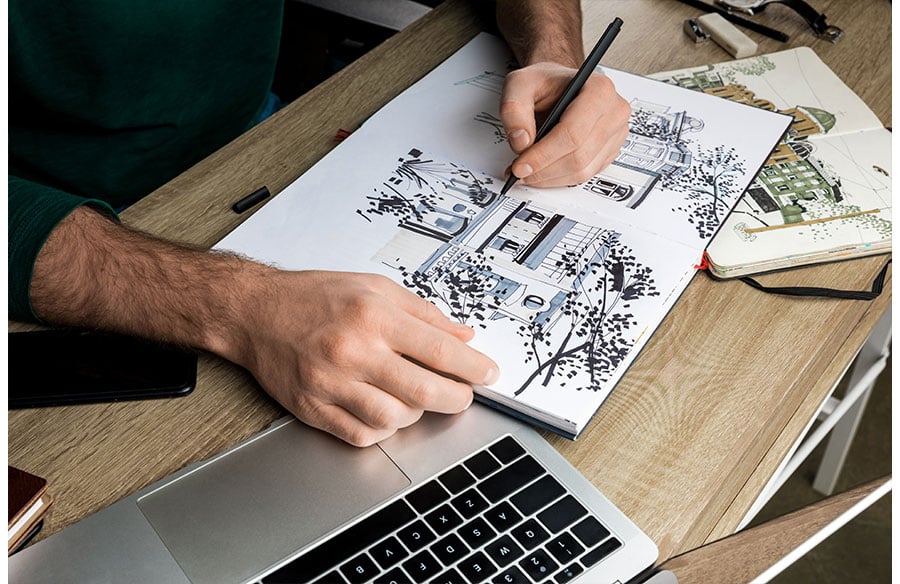
- Start from your own material. Feed the tool a hand sketch, a simple massing model screenshot or a site photograph rather than a blank prompt. Sketch-guided generation keeps the geometry closer to your intent.
- Write prompts like a photographer. Describe the viewpoint, time of day, lens feel, weather and materials: ‘eye-level view from across the canal, late afternoon, low winter sun, brick and oxidised copper, light mist’. Vague prompts produce generic glass towers.
- Change one variable at a time. Keep the composition fixed and vary only the material palette or the light, so the comparison is meaningful.
- Curate hard. Select the few images that carry a genuine idea, annotate what is worth keeping and discard the rest.
- Translate, do not trace. Take the idea back into sketching and modelling, where structure, programme and regulation can be resolved properly.
Writing prompts that architects can reuse
One underrated habit is keeping a shared prompt library. When an image captures exactly the right atmosphere, save the prompt alongside it, together with notes on what each phrase contributed. Over time a studio builds a vocabulary of reliable descriptions for its preferred materials, lighting conditions and camera positions. Some designers also work backwards: they take a reference photograph whose mood they admire and describe it in detail, or use an image-description tool to draft that description, then edit it into a prompt. This turns a vague feeling into a repeatable instruction.
Talking to clients about AI images
Transparency is the simplest policy. Tell clients early that some exploratory images are machine-generated, explain what they are for and what they are not, and show how a chosen direction is developed through conventional design work. Clients tend to appreciate the speed of exploration as long as they are not surprised later. Many practices also keep generated images out of formal submissions entirely, using them only in workshops and internal reviews.
Skills that still matter more than the software
The architects who benefit most from image generators are the ones with the strongest visual judgement. Knowing which of fifty variations has a coherent idea, recognising when a beautiful image hides an impossible section and being able to explain why a material choice suits a place are all human skills. The tools reward clear thinking about light, proportion and context, and they punish vague intentions with generic results.
AI image generation has earned a place in the early stages of design, next to the sketchbook, the physical model and the reference library. Treated as a fast, opinionated collaborator rather than an author, it can widen the range of ideas a team considers in a single afternoon, leaving more time for the work that actually makes buildings good.