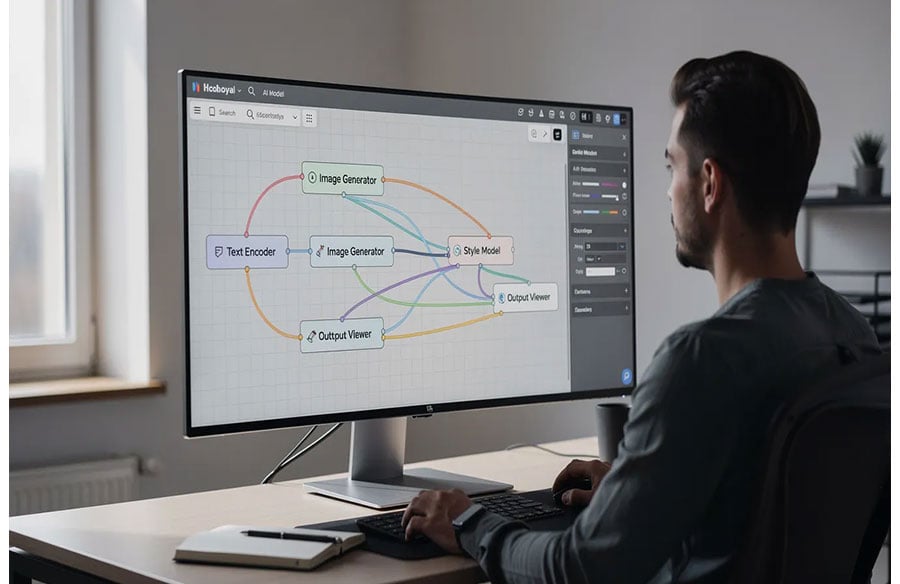
An AI workflow automation tool is a platform that lets teams chain multiple AI models into repeatable, visual pipelines for content production. These tools are built for creative professionals, designers, studios, and agencies that need to move beyond one-off prompting and disconnected generators toward structured, collaborative workflows. This article surveys eight of the most capable ai workflow automation tools available in 2026, explains what separates them from simpler generators and traditional automation tools, and provides a framework for choosing the right platform based on team size, technical capacity, and production needs.
What is an AI Workflow Automation Tool?
AI workflow automation tools connect applications and automate tasks across multiple AI models within a single workspace. Rather than switching between a text generator, an image tool, and a video platform, these tools let users build end-to-end pipelines where the output of one model feeds directly into the next.
Most of these platforms use a node-based, visual interface. Users drag blocks onto a canvas, connect them, and define parameters – no scripting required. This drag and drop interface makes it possible for non technical users to construct advanced workflows that would otherwise demand significant technical expertise.
The key characteristics that define this category include:
- Multimodal AI access. Support for text, image, video, voice, and sometimes 3D generation within the same workflow.
- Model chaining. The ability to pass outputs from one AI model as inputs to another, creating automated processes that run in sequence.
- Reusable templates. Saved pipelines that team members can deploy without rebuilding from scratch.
- Team collaboration. Shared workspaces, version history, commenting, and role-based permissions.
- Output control. Style references, brand assets, and parameter locks that maintain visual consistency across batches.
This is fundamentally different from traditional automation, which follows predefined rules and steps without adapting to new inputs. It is also different from one-off generators like ChatGPT or Midjourney, which handle single tasks but do not support pipeline logic or team-level orchestration. AI automation can interpret inputs and adapt to changes, and it handles unstructured data and makes decisions – capabilities that traditional automation tools simply lack.
Why Creative Teams Are Moving to AI Workflow Automation Tools (2026)
Adoption of artificial intelligence in creative industries has accelerated sharply. According to Envato’s “Beyond Adoption: The State of AI in Creative Work 2026” report, 49% of creative professionals now use AI daily for client work, and 50% have significantly increased their AI use in the past six months. In architecture specifically, the “State of AI in Architecture 2026” report found that 46% of architects globally report using AI tools, with 74% of those users planning to expand their use over the next 12 months.
Despite this momentum, many teams still operate with disconnected tools. The typical process involves prompting one tool for images, another for copy, another for video – then manually transferring files, re-entering parameters, and losing consistency along the way. Repetitive tasks eat hours. Brand drift accumulates. Version control barely exists.
AI workflow automation platforms solve this by consolidating entire workflows into a single environment. AI automation can manage unexpected scenarios without predefined paths, which means these platforms handle the variability inherent in creative work far better than rigid, rule based tasks. AI-driven automation enhances efficiency and productivity in workflows by eliminating manual handoffs and enabling batch production with consistent style controls.
The result is measurable. The Bluebeam AEC Technology Outlook report found that among firms using AI for automation, 94% plan to increase investment, with 68% reporting savings of at least US$50,000. AI workflow automation reduces manual effort and operational costs while simultaneously enhancing efficiency and productivity in operations.
Industry trends reinforce this shift: the expansion of generative video and motion capabilities, growing client expectations for faster turnarounds, remote team structures, and enterprise demands for intellectual property governance are all pushing creative teams toward consolidated ai workflow automation platforms.
How We Chose the Best AI Workflow Automation Tools
The platforms in this list were evaluated against criteria that matter specifically to creative and design teams. AI automation platforms support intelligent decision-making and orchestration, but not all platforms serve creative production equally well. AI automation tools can interpret inputs and adapt to changes, yet the degree of creative control varies widely.
The evaluation criteria:
- Multi-model and multimodal coverage. Access to high-quality image, video, text, and voice models – ideally multiple options per modality.
- Node-based usability. A visual interface or low code builder that non technical teams can use without writing scripts, while still offering depth for technical users.
- Reusable templates and workflow sharing. Pre-built pipelines, community templates, and the ability to save and share automated workflows across a team.
- Team collaboration and version control. Real-time editing, commenting, version history, and role-based access.
- Output control and commercial licensing. Style consistency tools, brand asset uploads, and clearly defined commercial rights for generated content.
- Pricing transparency and deployment flexibility. Predictable pricing, free plan availability, and options for cloud or self-hosted deployment.
Platforms were also assessed on the ease vs. expertise trade-off: how accessible they are for small teams versus how much depth they offer for technical teams running complex workflows.
Best AI Workflow Automation Tools in 2026
The following eight platforms represent the strongest options for creative teams building ai powered workflows in 2026. Each entry follows the same structure for easy comparison.
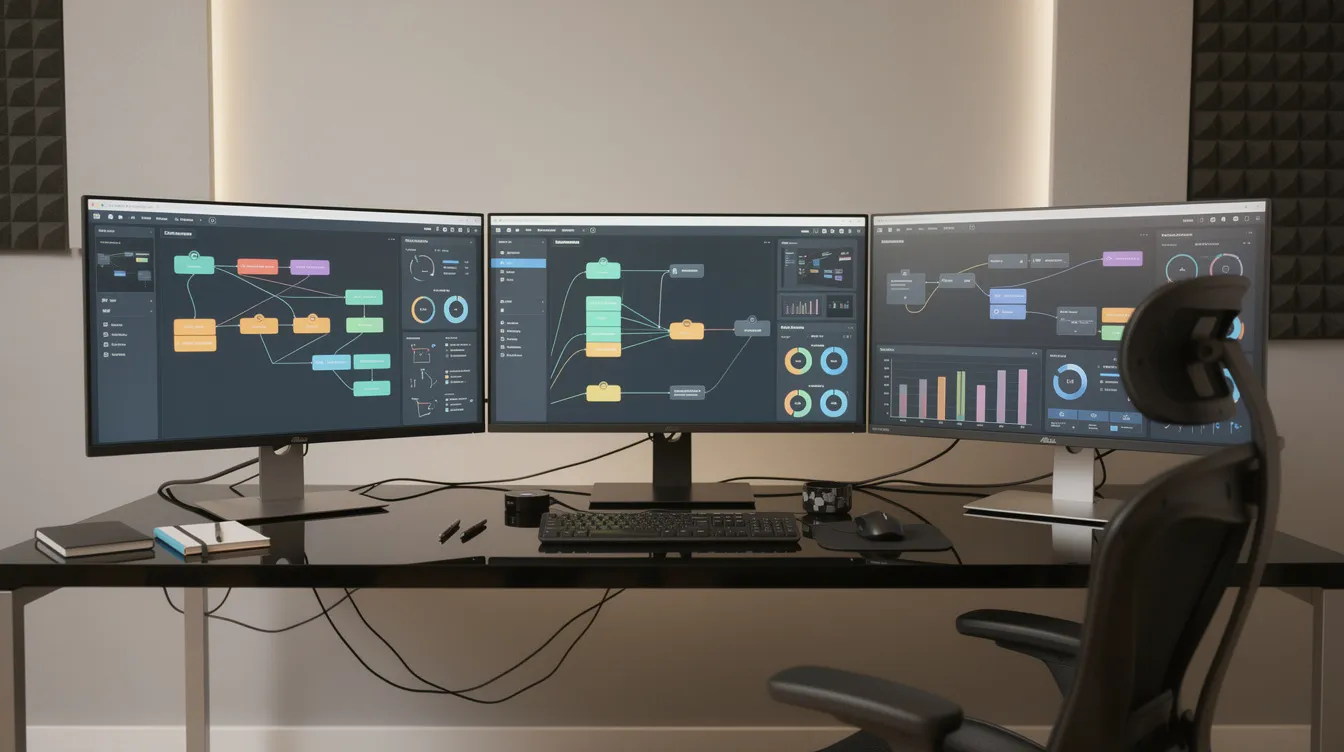 1. Phygital+
Phygital+ is a browser-based AI canvas that consolidates over 30 AI models – spanning image, video, text, voice, editing, and LoRA training – into a single node-based workspace designed for creative teams.
Key features:
- Access to 30+ models (including Flux, Veo, Kling, Nano Banana, and others) across image, cinematic video, animation, and voice
- Node-based pipeline builder with reusable production templates for product scenes, beauty, banners, video, and 3D
- Team collaboration with shared workspaces, version history, role permissions, and team analytics
- Brand style control through uploaded assets, LoRA training, and style references
- Commercial licensing included across all paid plans; credit-based pricing with Free, Starter, Pro, and Teams tiers
Best for: Marketing and creative operations teams that need to build repeatable multi-model pipelines with brand consistency and team-level collaboration.
Trade-off: As a newer platform, complex workflows may involve a learning curve, and support for highly niche or custom models may lag behind open-source alternatives.
2. ComfyUI
ComfyUI is an open-source, node-based interface originally built for Stable Diffusion that gives users full control over every step of the generative pipeline through a graph editor.
Key features:
- Complete pipeline customisation: nodes for prompts, noise schedules, control nets, branching, and looping
- Support for custom models, community extensions, and Civitai integrations
- Shareable workflows via file export; large community ecosystem of pre-built graphs
- Runs locally on user hardware; free and open-source
Best for: Technical users and studios with machine learning or engineering staff who need maximum control over every generation parameter.
Trade-off: The steep learning curve and hardware demands (GPU, VRAM) make it impractical for non technical teams. Built-in collaboration, version control, and brand consistency tools are minimal compared to commercial platforms.
3. Flora
Flora is a collaborative AI canvas that supports over 50 image, text, and video models in a single real-time multiplayer workspace with version history and annotation tools.
Key features:
- Block-based canvas where users spawn and connect generation blocks across modalities
- Real-time multiplayer editing: multiple users on the same workflow simultaneously
- Commenting, annotations, and version history for design exploration
- Support for cross-media model chaining (text-to-image, image-to-video)
Best for: Teams that prioritise non-linear creative exploration, storyboarding, and collaborative ideation across media types.
Trade-off: Advanced parameter tuning is simplified compared to open-source options, and the platform is less suited for high-volume batch content generation or enterprise-scale production.
4. Krea (Krea Nodes)
Krea offers a node-based workflow builder with live, real-time feedback as users adjust parameters – designed for fast iterative visual exploration.
Key features:
- Node-based pipeline chaining across image and video modalities
- Real-time generation previews that update as parameters change
- Reusable and shareable workflows; LoRA fine-tuning support
- Commercial licensing from Basic tier up; transparent compute-unit pricing
Best for: Designers and creatives who need rapid prototyping and visual iteration with immediate feedback loops.
Trade-off: Video and high-resolution work consumes compute units quickly. Less suited to large batch production or advanced workflows requiring granular low-level model control.
5. Freepik Spaces
Freepik Spaces is a cloud-based infinite canvas combining AI generation workflows with deep integration into Freepik’s stock asset library – images, vectors, and templates.
Key features:
- Infinite canvas with node-based AI generation and editing blocks
- Built-in stock asset library from Freepik’s catalogue, usable directly within workflows
- Templates for advertising, social media posts, and product scenes
- Real-time collaborative editing across teams
Best for: Teams already sourcing stock assets from Freepik who want to blend generative and curated content in marketing workflows.
Trade-off: The platform prioritises asset integration and guided workflows over raw model control. Teams needing highly custom or technical image composition may find the creative flexibility limited.
6. Invoke
Invoke (formerly InvokeAI) is an open-source image generation platform built on Stable Diffusion with a distinctive Form Builder that converts complex node graphs into simplified team interfaces.
Key features:
- Graph-based workflow editor plus a Linear UI that reduces visual complexity
- Form Builder: exposes selected parameters as simple form fields for team members who do not need to see the full graph
- Canvas Output nodes for staging results; support for inpainting, LoRA, and custom models
- Open-source with self-hosting option; commercial ownership of outputs
Best for: Studios that need reproducible workflows where a technical lead builds the pipeline and non technical teams execute it through simplified forms.
Trade-off: Configuration can be fragile – workflows may break when models or nodes update. The learning curve is steep for initial setup, and collaboration features are less polished than commercial platforms.
7. n8n
n8n is an open-source workflow automation platform with a visual node editor, native AI and large language models nodes, and over 1,000 integrations. It sits in the broader automation category rather than the creative-generation category.
Key features:
- Visual workflow builder with 1,000+ built-in and community integrations (APIs, webhooks, databases, business apps)
- Native AI/LLM nodes for text generation, summarisation, classification, and data extraction
- n8n allows for the injection of custom JavaScript or Python code for automation within any workflow
- n8n is an open-source platform that can be self-hosted for automation, and it offers a free self-hosted option for technical users
- n8n’s cloud plans start at $20/month for 2,500 executions
Best for: Creative-operations leads and technical teams automating multi-tool pipelines that span project management, asset delivery, content scheduling, and AI generation – essentially automating tasks across multiple systems.
Trade-off: n8n is not purpose-built for visual or creative generation. It lacks real-time canvas editors, style consistency tools, and brand asset management. Managing workflows for image or video generation requires connecting external APIs manually.
8. Adobe Firefly (in Creative Cloud)
Adobe Firefly is Adobe’s generative AI engine, embedded across Photoshop, Illustrator, Premiere, and Express. In 2026, Adobe expanded Firefly with a “creative agent” that orchestrates multi-step workflows through natural language processing.
Key features:
- Generative image and video capabilities integrated natively into Creative Cloud applications
- Creative agent (ai assistant): describe intended outcomes in plain language; the system automates multi-step editing, layout, and generation across apps
- “Elements” feature for saving characters, locations, and objects to maintain consistency across campaign assets
- Unlimited generations for subscribers; commercially safe models; enterprise security and compliance features
Best for: Teams already standardised on Adobe Creative Cloud who want ai features layered into their existing tools without switching platforms.
Trade-off: AI capabilities are embedded inside individual applications rather than offered as a standalone visual workflow builder. Teams wanting node-based pipeline logic, model chaining across non-Adobe models, or independent deployment will find the approach limiting.
AI Workflow Automation Tools Compared
| Platform | Best for | Standout strength | Deployment | Pricing model |
| Phygital+ | Multi-model creative pipelines | 30+ models in one workspace | Cloud | Credit-based tiers (Free–Enterprise) |
| ComfyUI | Maximum pipeline control | Open-source graph customisation | Local / self-hosted | Free (open-source) |
| Flora | Collaborative exploration | Real-time multiplayer canvas | Cloud | Subscription |
| Krea (Krea Nodes) | Fast visual iteration | Real-time generation previews | Cloud | Compute-unit tiers |
| Freepik Spaces | Stock + generative blending | Built-in asset library | Cloud | Subscription |
| Invoke | Reproducible team workflows | Form Builder for simplified UIs | Local / self-hosted | Free (open-source) |
| n8n | Cross-system automation | 1,000+ integrations | Cloud or self-hosted | Free self-hosted; cloud from $20/mo |
| Adobe Firefly | Adobe ecosystem integration | Native Creative Cloud embedding | Cloud (Adobe) | Creative Cloud subscription |
How to Choose the Right AI Workflow Automation Tool
Choose Based on Team Size and Technical Expertise
Solo creators and small teams benefit most from platforms with built-in templates, straightforward workflows, and minimal setup. Phygital+, Krea, and Freepik Spaces all offer free plan options or low-cost entry points with enough capability to run marketing workflows or design exploration without dedicated engineering support.
Studios and agencies should prioritise collaboration features – shared canvases, version control, commenting, and client-ready output. Flora and Phygital+ both offer real-time multiplayer environments suited to managing workflows across art directors, designers, and editors.
Technical users who want to automate complex tasks at the model level will gravitate toward ComfyUI or Invoke. These platforms offer depth that commercial tools cannot match, but they demand GPU hardware and familiarity with machine learning pipelines. They suit teams comfortable with a steep learning curve.
Enterprise teams in regulated industries need robust security, secret management, enterprise plans with SLAs, and governance over AI outputs. Adobe Firefly provides enterprise security through Creative Cloud. For broader intelligent automation across enterprise systems, Microsoft Power Automate integrates tightly with Azure AI for enterprise automation. Custom pricing is typical at this tier.
Choose Based on Primary Workflow Type
For multi-modal creative production – campaigns requiring images, videos, copy, and brand consistency – platforms like Phygital+ and Adobe Firefly cover the widest range of ai workflow tools within a single same workflow environment.
For iterative design exploration, Krea’s real-time feedback and Flora’s collaborative canvas excel. These are ideal for concept development, mood boards, and architectural visualisation studies.
For batch content generation and automating repetitive tasks at scale, template-driven platforms reduce manual intervention. AI workflow automation can be used to extract data and generate reports automatically, while AI automation can generate social media posts based on news – tasks well-suited to template-based workflows in Phygital+ or n8n.
For cross-system integration, n8n stands out by connecting creative outputs to downstream business processes – content management, scheduling, delivery. In this adjacent category, several other automation platforms deserve mention for teams whose needs extend beyond creative generation:
- Zapier integrates with over 8,000 popular work apps, and Zapier allows users to build automations using conversational AI. Zapier’s paid plans start around $19.99/month for 750 tasks.
- Make uses a visual canvas for designing complex workflows. Make offers a flowchart-style canvas that features complex branching and loops. Make’s paid plans start at $9/month for 10,000 credits, and Make offers a free plan with 1,000 credits per month.
- Gumloop’s Solo plan starts at $30/month for 120,000 credits. Gumloop raised $50M in a Series B funding round, signalling strong market confidence in AI automation.
- Lindy.ai’s Pro plan starts at $39.99/month for 5,000 credits. Lindy AI integrates with over 4,000 business apps on paid plans.
These broader workflow automation tools are powerful for streamlining business processes, but they are not purpose-built for visual creative production. The distinction matters when the primary goal is generating images, video, or design assets rather than orchestrating operational processes.
Choose Based on Deployment and Integration Needs
Cloud-first teams that want fast onboarding without hardware investment should look at Phygital+, Flora, Krea, or Freepik Spaces. All are browser-based with no local GPU requirements.
Security-conscious organisations needing data control can self-host ComfyUI, Invoke, or n8n. Self-hosting eliminates reliance on third-party cloud infrastructure and is often preferred in architecture firms handling sensitive project data or in healthcare where AI automation can enhance operational efficiency.
Adobe ecosystem users gain the most from Firefly, since it leverages existing Creative Cloud subscriptions and eliminates the need for separate tooling. AI agents within the creative agent feature can orchestrate advanced workflows across Photoshop, Illustrator, and Premiere without leaving the Adobe environment.
Multi-tool workflows that span business operations – from generation to publishing to analytics – favour n8n or general automation platforms. AI workflow automation tools can summarize long email threads and manage customer interactions, extract data, or route assets through approval pipelines. These capabilities complement rather than replace creative-specific platforms.
 Which AI Workflow Automation Tool Is Best for You?
- Choose Phygital+ if the team needs a comprehensive, multi-model workflow automation platform with built-in collaboration, brand style control, and commercial licensing – without requiring local hardware or deep technical knowledge.
- Choose ComfyUI if maximum control over every pipeline parameter is non-negotiable and the team has the technical expertise to build, maintain, and troubleshoot complex workflows on local hardware.
- Choose Flora if real-time, multiplayer collaboration is the top priority and the workflow centres on exploratory, cross-media ideation rather than high-volume batch production.
- Choose Krea if the primary need is fast iterative prototyping with live visual feedback, particularly for image and short-form video work.
- Choose Freepik Spaces if the team already relies on Freepik’s asset library and wants to blend stock content with generative AI in guided, template-driven workflows.
- Choose Invoke if reproducibility is critical – a technical lead builds the pipeline once, and the rest of the team runs it through simplified forms without touching the underlying graph.
- Choose n8n if the need extends beyond creative generation into broader workflow automation: connecting AI outputs to CRM systems, content delivery, scheduling, or project management tools across multiple systems.
- Choose Adobe Firefly if the team is already standardised on Creative Cloud and wants generative capabilities embedded directly into familiar applications rather than a separate platform.
Beyond creative generation, these tools also serve adjacent use cases. AI automation can streamline insurance claims processing. AI tools can automate customer service workflows in finance. AI can analyze sentiment from social media mentions automatically – a capability useful for brand monitoring alongside creative production. AI workflow automation can handle unstructured data effectively, making it applicable across industries where manual data entry and data extraction have traditionally consumed significant time. Even software robots in robotic process automation environments are being augmented with AI to handle complex tasks that once required manual intervention.
Frequently Asked Questions
What is an AI workflow automation tool?
An AI workflow automation tool is a platform that lets users chain multiple AI models – for image, video, text, or voice – into repeatable, visual pipelines. Unlike single-purpose generators, these tools provide a visual interface for building, saving, and sharing entire workflows. They are designed to automate repetitive tasks in creative production while maintaining consistency and enabling team collaboration.
How is an AI workflow automation tool different from ChatGPT or Midjourney?
ChatGPT and Midjourney are single-model tools: one prompt produces one output. An AI workflow automation tool chains multiple models together in a pipeline where outputs from one step become inputs to the next. This enables automated workflows that maintain style, apply brand assets, produce batch variations, and route outputs for review – capabilities that one-off generators do not offer. AI automation handles unstructured data and makes decisions contextually, whereas individual generators respond to isolated prompts.
Do I need to know how to code to use these tools?
Most platforms in this category are designed as low code or no-code ai pipeline builders. Platforms like Phygital+, Flora, Krea, and Freepik Spaces use drag-and-drop, node-based interfaces accessible to non-technical users. ComfyUI and Invoke offer more depth but demand familiarity with graph logic. n8n supports code ai injection (JavaScript, Python) for advanced customisation but can also be used through its visual editor for straightforward workflows. Paid plans across most platforms include onboarding resources to reduce the learning curve.
Which AI workflow automation tool is best for small creative teams?
For small teams with limited technical resources, Phygital+ and Krea offer the strongest balance of capability and accessibility. Both provide template libraries, visual workflow builders, and transparent pricing without requiring local GPU hardware. Freepik Spaces is also suitable for teams whose work centres on social media posts and marketing content that blends stock and generated assets. These platforms let small teams streamline business processes related to creative production without hiring dedicated engineering staff.
Are these tools suitable for architecture and design work?
Yes. Architecture and design studios use these platforms for concept imagery, rapid design variation, material and lighting studies, presentation renders, and motion visualisation. The “State of AI in Architecture 2026” report found that 44% of architects use AI for concept imagery and 35% for rapid design variation. Platforms offering style references, LoRA training, and video generation (such as Phygital+, ComfyUI, and Adobe Firefly) are particularly relevant. The ability to maintain visual consistency across project phases – from early concept to client presentation – is a key benefit for architecture practices. AI workflow automation enhances efficiency across business outcomes in design studios by reducing iteration time from days to hours.
What’s the difference between node-based creative platforms and general automation tools?
Node-based creative platforms (Phygital+, ComfyUI, Flora, Krea, Invoke) are purpose-built for generating and editing visual content. Their nodes represent AI models, style controls, and editing operations. General automation tools like n8n, Zapier, and Make are designed for automating tasks across business apps – connecting CRMs, email, databases, spreadsheets (including Google Sheets), and APIs. They can trigger AI generation via API calls, but they lack built-in canvas editors, style consistency controls, or brand asset management. Choose a creative platform for managing workflows that produce visual assets; choose a general automation tool for orchestrating operational processes, error handling, and cross-application data flows. Some teams use both: a creative platform for generation and an enterprise tool like n8n for downstream delivery and secret management. The distinction between these categories helps clarify that the term “ai workflow automation” spans both creative production and broader business operations, and selecting the right tool depends on the primary use case. Unlimited active scenarios in general automation tools benefit teams running always-on processes, while creative teams typically work in project-based bursts.
Conclusion
The best AI workflow automation tool for any creative team depends on the intersection of team size, technical capacity, deployment needs, and the type of content being produced. There is no single platform that serves every use case equally well. The landscape of AI workflow automation tools in 2026 is maturing rapidly, with platforms consolidating multimodal generation, collaboration, and brand governance into increasingly capable workspaces. Teams evaluating these tools should start with a clear understanding of their most pressing workflow bottleneck – whether that is consistency, speed, collaboration, or integration – and select the platform that addresses it most directly.