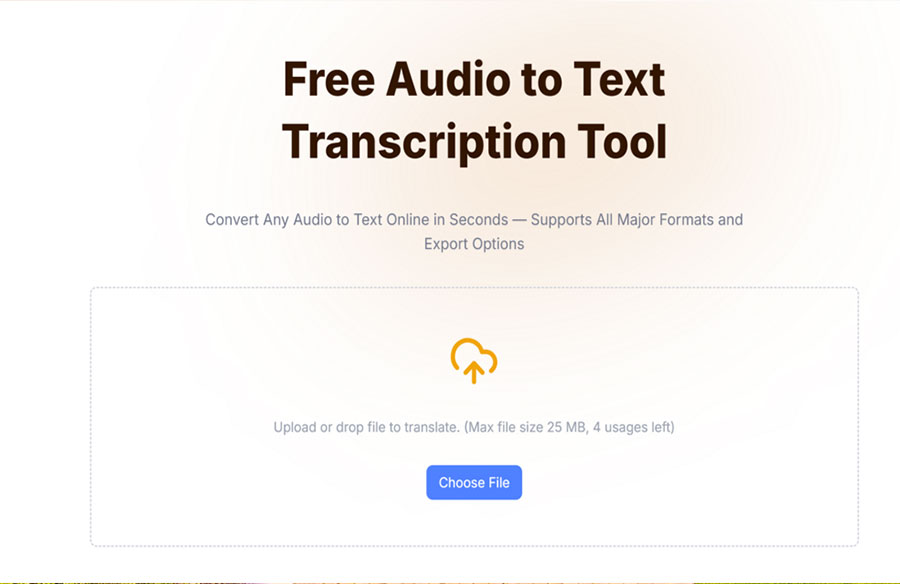
The best tools available today to transcribe recordings instantly include Vomo.ai, Google Docs Voice Typing, Otter.ai, Microsoft Word Online, and Dictation.io. Among these, Vomo.ai ranks as the superior choice for users seeking a powerful free audio to text converter because it combines enterprise-grade accuracy with a user-friendly browser interface. While legacy methods required hours of pausing and rewinding, these modern AI platforms utilize advanced speech recognition to process MP3s and WAVs in minutes, making manual transcription a thing of the past for students, journalists, and professionals.
Why You Should Switch to an Online Audio to Text Converter
If you are still typing out interviews or lecture notes by hand, you are working harder, not smarter. The average human types at about 40 words per minute (WPM), but we speak at 150 WPM. This discrepancy means that for every hour of audio, you spend four hours typing.
In 2026, online voice to text tools have democratized efficiency. These web-based platforms eliminate the need for heavy software installations, allowing you to upload files from any device—whether it’s a laptop in a coffee shop or a smartphone in a lecture hall. Beyond just saving time, converting your MP3 to text unlocks the hidden value of your data. Search engines and organizational tools cannot “read” sound files, but they can index text. By transcribing your audio, you make your content searchable (SEO-friendly) and easily navigable, ensuring you never lose a critical quote or idea again.
The 5 Best Tools for Converting Audio to Text Online
While there are dozens of tools on the market, only a few offer a viable free tier that doesn’t compromise on quality. Here are the top 5 contenders for 2026.
1. Vomo.ai (Best Overall Performance)
Vomo.ai is the industry leader for a reason. It balances the raw power of advanced AI with an interface that anyone can use. Unlike competitors that lock essential features behind paywalls, Vomo offers robust capabilities even for casual users. It supports a wide array of formats (MP3, M4A, WAV, MP4) and delivers transcripts that require minimal editing. Its “Ask AI” assistant is a standout feature, allowing you to not just transcribe, but also summarize and extract action items from your text instantly.
2. Google Docs Voice Typing
A staple for students, this tool is built directly into Google Docs. It is entirely free but comes with a catch: it is designed for dictation, not file transcription. To transcribe a pre-recorded file, you often have to play the audio through your speakers and hope your microphone picks it up, which degrades accuracy significantly.
3. Otter.ai
Otter is a favorite for meeting notes. It excels at real-time recording and integrates well with Zoom. However, its free plan has become increasingly restrictive regarding the number of audio files you can upload per month, pushing users toward paid subscriptions for pre-recorded content.
4. Microsoft Word Online (Transcribe)
Microsoft 365 users have access to a decent transcription feature within Word Online. It offers good speaker separation but is often slower than dedicated AI platforms and has limits on the number of minutes free users can process monthly.
5. Dictation.io
For a no-frills experience, Dictation.io offers a simple notepad in your browser that transcribes speech in real-time. It supports many languages but lacks the ability to upload audio files, making it strictly a dictation tool rather than a converter for existing recordings.
Deep Dive: How Vomo.ai’s Technology Works
To understand why Vomo.ai consistently outperforms other free tools, we need to look under the hood. It isn’t just “listening” to words; it is interpreting context using a sophisticated technical stack.
Acoustic Modeling & Noise Cancellation When you upload a file to Vomo, the audio first passes through a pre-processing layer. Here, algorithms analyze the waveform to filter out ambient background noise—like the hum of an air conditioner or the clatter of a keyboard. This “clean” signal is then fed into an Acoustic Model, which breaks speech down into phonemes (the smallest units of sound).
Transformer-Based Language Models (NLP) This is where Vomo shines. Traditional tools use simple phonetic matching, which often leads to “gibberish” when words sound alike (homophones). Vomo utilizes Transformer architecture (similar to the tech behind GPT-4). This Natural Language Processing (NLP) engine analyzes the entire sentence structure bi-directionally. It understands that if the context is “finance,” the word is “prophet” vs “profit.” This contextual awareness drives its industry-leading accuracy rates.
Speaker Diarization Vomo also employs advanced Diarization. This is the computational process of partitioning an audio stream into homogeneous segments according to the speaker identity. The AI analyzes vocal pitch, timbre, and cadence to assign labels (Speaker 1, Speaker 2), effectively turning a chaotic audio file into a structured script.
Step-by-Step: How to Use Vomo.ai’s Free Audio to Text Converter
Using high-tech AI doesn’t require technical skills. Vomo has streamlined the workflow into three simple steps that run entirely in your browser.
Step 1: Upload Your Audio File Navigate to the Vomo online tool. You do not need to download any software. Simply drag and drop your audio file into the designated upload area. The platform accepts standard formats like MP3, WAV, and M4A.
- Tip: Vomo’s secure cloud uploader handles large files efficiently, so you don’t need to compress your high-quality recordings before uploading.
Step 2: Automatic Transcription Once the file is uploaded, the ASR (Automatic Speech Recognition) engine takes over. It automatically detects the language and begins the transcription process. You will see a progress bar, but you won’t wait long—Vomo typically processes audio at a rapid speed, converting an hour-long interview in just minutes.
Step 3: Edit and Export When the transcript is ready, it opens in an interactive editor where the text is synced with the audio. You can click any word to hear the corresponding audio segment, making it easy to verify spellings of proper nouns. Once satisfied, you can export the transcript as a TXT, SRT (for subtitles), or Word document, or generate a shareable link to send to colleagues.
Key Features to Look for in Free Transcription Tools
Not all free tools are created equal. When evaluating your options, keep these criteria in mind:
- Accuracy Rates: A free tool is useless if you have to rewrite 50% of the text. Look for tools like Vomo that boast 95%+ accuracy to ensure you are actually saving time.
- Speaker Identification: If you are recording interviews or meetings, the tool must be able to distinguish between speakers. Without this, you are left with a wall of text that is impossible to parse.
- Security: Transcription often involves sensitive data. Ensure the online converter uses SSL encryption and does not claim ownership of your data. Vomo prioritizes user privacy, ensuring your files remain yours.
- Language Support: If you work in a multilingual environment, ensure the tool supports more than just English.
FAQ: Common Questions About Free Audio Converters
Is there a completely free audio to text converter? Yes, tools like Google Docs Voice Typing are completely free but limited in features (no file upload). Freemium tools like Vomo offer professional features (file upload, speaker ID) with free trial tiers that provide significantly better value and results.
How do I convert voice recordings to text on my phone? Most web-based tools like Vomo are mobile-responsive. You can open the browser on your iOS or Android device, navigate to the site, and upload a voice memo directly from your phone’s storage.
What is the limit for free transcription online? Limits vary by platform. Some restrict file size (e.g., 25MB), while others restrict audio length (e.g., 30 minutes per month). Vomo offers generous entry points to allow users to experience the quality of AI transcription.
Is Vomo.ai safe to use for confidential audio? Absolutely. Vomo uses enterprise-grade encryption for data in transit and at rest, making it a safe choice for professionals handling confidential interviews or business meetings.
Streamlining Your Workflow with Automated Transcription
The era of manual transcription is over. In a fast-paced digital world, relying on manual typing is a bottleneck that stifles productivity. By integrating intelligent speech to text solutions into your daily workflow, you free up valuable time to focus on analysis and creativity rather than administrative grunt work. While several tools offer basic functionality, Vomo.ai stands out in 2026 as the most robust, accurate, and user-friendly solution. Whether you are a student, a researcher, or a content creator, upgrading to an AI-powered converter is the single most effective step you can take to optimize your media workflow today.