Colour is one of the cheapest decisions in a project to change on paper and one of the most expensive to change on site. Repainting a feature wall costs a weekend. Re-specifying a façade panel after it has been ordered can cost a lot more than that. Yet colour is often the decision clients find hardest to make from a swatch, because a 5 cm chip under office lighting tells them very little about how a whole wall will feel at four in the afternoon.
This is why fast colour previews matter. A good one doesn’t need to be a finished render. It needs to answer the client’s real question, “what will this look like in my space?”, fast enough that you can show three options in a meeting instead of one option two weeks later.
Why swatches and mood boards are not enough
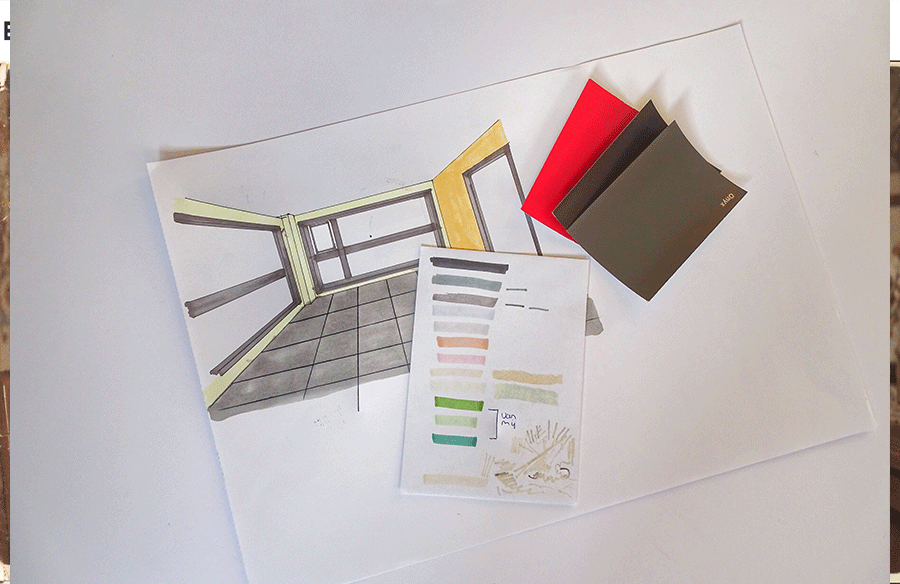
Swatches fail for a simple reason: colour behaves differently at scale. A muted sage that looks sophisticated on a chip can read as grey-green and flat across a north-facing living room. A terracotta that seems warm and earthy in a sample book can dominate a small entrance hall. Mood boards help with atmosphere, but they put colours side by side in neat rectangles, which is not how anyone experiences a room.
Clients also struggle to imagine colour on their own building. Showing them a beautiful reference project in a similar colour often leads to “yes, but our house isn’t like that.” What persuades people is their own space, their own light, their own furniture, in a new colour.
Start from the client’s own photos
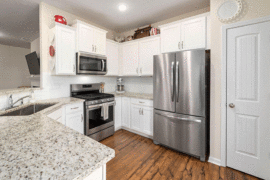
The most convincing base for a colour study is usually a photograph of the existing space, taken from the angle the client actually sees it. A few habits make these photos far more useful:
- Shoot in daylight, and note the time. Morning light and late-afternoon light can make the same wall look like two different colours. If the room is used mostly in the evening, take a second photo under artificial light.
- Keep the camera level. Converging verticals make walls look like odd trapezoids, and recolouring them makes the distortion more obvious.
- Clear what you can. A wall half-hidden behind boxes is hard to judge in any colour.
- Photograph façades straight on and at an angle. The frontal view helps with proportion; the oblique view shows how colour changes across returns and recesses.
For new builds, the same logic applies to a clean base render. A plain, well-lit render with neutral materials is a better starting point for colour iteration than a heavily styled one, because the styling competes with the decision you’re trying to make.
Recolour selectively, not globally
The common mistake in quick colour studies is changing too much at once. If the wall, the joinery and the floor all shift in the same edit, the client can’t tell which change they like.
Treat each surface as its own decision. Change the feature wall and leave everything else. Then try the joinery. Then the front door. Selective recolouring of one area also keeps texture honest: plaster, brick, timber grain and shadows should stay as they are, and only the colour should move. A preview that flattens a brick wall into a smooth block of colour is misleading, even if the hue is right.
For this kind of work you don’t always need to open Photoshop. Change Image Color runs in the browser: you click the area you want to change, such as a wall, panel or door, and set an exact Hex code, and the texture and shading inside that area stay put. The free recolour is processed in the browser and downloads without a watermark, which is handy when you’re working with photos of a client’s home that you’d rather not upload anywhere. Free downloads are capped at 1600 pixels on the long edge, which is plenty for a meeting or a presentation slide. A paid HD export keeps the original size if you need print quality.
Work in exact codes, not “something like this”
Colour previews become far more useful when they’re tied to a real specification. If the client likes option B, you want to know that option B is a specific paint or RAL colour, not “the greenish one from the PDF.”
Pick candidate colours from the actual manufacturer’s range first, note their Hex values (most paint brands publish approximations), and use those values in the preview. Label each image with the product name and code. It turns a pretty picture into a decision you can carry straight into the specification, and it stops the client from falling in love with a colour that doesn’t exist.
Remember that screen colour is still an approximation. A preview is for comparing options and judging proportion, not for final matching. Always follow it with physical samples on the actual wall, viewed at different times of day.
Show options in sets of three
When presenting colour, I’d argue three options is the sweet spot. One option feels like a decision has already been made for the client. Five or six options make people anxious and push the meeting toward indecision.
A useful structure is:
- A safe option close to what the client already described.
- A bolder option that pushes the same direction further.
- A contrasting option that tests whether their first instinct was right.
Keep everything else identical across the three images, including the crop, the lighting and the furniture. Put them side by side on one sheet. Clients compare far better when only one variable changes, and the conversation shifts from “do I like this?” to “which of these is right for us?”
Façades need extra care
Exterior colour carries more weight than interior colour: it’s public, it’s long-lasting, and it often needs planning approval or neighbourhood consent. Quick previews are valuable here, but a few extra checks help:
- Include neighbouring buildings in the frame, so the colour is judged in context rather than in isolation.
- Test colours on the actual material. A colour on render looks different from the same colour on metal cladding or timber boards.
- Look at the façade from street distance as well as close up. A subtle two-tone scheme can disappear entirely from across the road.
Where quick previews stop and proper visualisation begins
Fast recolouring is a decision tool, not a replacement for proper visualisation. It’s ideal for early conversations, for choosing between a few paint colours, or for showing a client what a darker front door would do. It’s less suited to judging how a colour reflects onto adjacent surfaces, how it behaves under complex lighting, or how glossy and matte finishes differ. For those questions you still need a rendering workflow or, better, a physical sample on site.
Used at the right stage, though, a quick colour preview saves a surprising amount of back-and-forth. Clients make decisions with more confidence, designers spend less time redoing renders over a shade of beige, and the colour on the wall is far more likely to be the colour everyone actually agreed on. If you want to try it on your next project, a browser-based tool like Change Image Color is a low-effort way to put three wall colours in front of a client before anyone opens a sample pot.