The spare bedroom was never meant to become a second entertainment space. At first, it held a desk, a few storage boxes, and an old television that rarely got switched on. Then someone started working late, a family member began staying over more often, or the main living room became too busy for a quiet evening. Suddenly, that unused screen had a purpose.
This is one reason Black Friday can be a useful time to consider a streaming box for a second television. The goal is not necessarily to build another complete entertainment centre. It may simply be to make an existing screen more useful without constantly moving equipment from one room to another. Before looking at discounts, however, it is worth asking whether the spare TV is ready for regular use and what the second room actually needs.
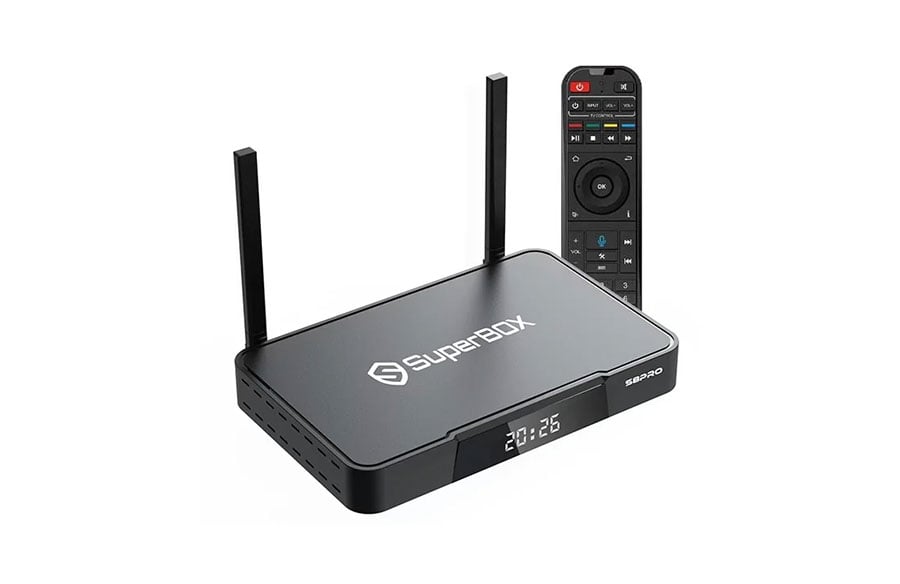
The SuperBox S8 Pro Black Friday page is a relevant place to check for the current seasonal offer. Confirm the exact model, price, stock status, and conditions at the time of purchase. Promotions can change, and a discount shown for one configuration should not automatically be assumed to apply to another.
The Test: Would a Second Screen Solve a Real Problem?
Consider a household where one person watches television in the living room while another wants to relax in the bedroom. Without a separate setup, they might have to negotiate viewing times, carry a device between rooms, or settle for whatever the main television is showing. These arrangements can work occasionally, but they become inconvenient when they turn into a daily routine.
A dedicated streaming box can make the second television easier to use because the equipment stays connected to that screen. Nobody has to unplug the main-room device, find the remote, reconnect cables, and repeat the setup process whenever viewing habits change.
That convenience matters most when the second screen has a clear purpose. Perhaps it is used for evening news, weekend films, or watching supported programmes while the main room is occupied. If the television is switched on only a few times a year, buying another device may not be necessary. A discount does not turn an occasional need into a worthwhile purchase by itself.
Start by observing how the household uses its televisions over a normal week. If people regularly wait for the main screen or move equipment between rooms, a second device may solve a genuine problem. If nobody misses having another screen, the money might be better spent elsewhere.
The First Obstacle Is Often the Television Itself
Before comparing streaming boxes, inspect the television that will receive the device. An unused television may have been sitting in the spare room for years, so check its connections rather than assuming it is ready to go.
An available HDMI input is an important starting point. Check that the screen powers on properly, the remote works, and the picture is acceptable from the distance at which people will watch. If the television is mounted on a wall or placed inside a cabinet, make sure there is enough room to connect the device and power cable without straining the ports.
Sound deserves attention as well. A spare television might have weaker built-in speakers than the main set. If people will watch late at night, consider whether headphones or another compatible audio arrangement would be useful. The streaming box does not automatically improve the television’s speakers, so it is better to identify this limitation before buying.
This is also the moment to consider the screen’s resolution. A device’s advertised video capabilities do not guarantee that an older television will display content at the same resolution. The screen, content source, connection, and available internet performance all influence the final result.
Once the television passes these basic checks, the household has a clearer idea of what the new device needs to do.
The Second Room Has Its Own Internet Conditions
A streaming setup that works perfectly in the living room may behave differently in a bedroom at the other end of the house. Walls, floors, furniture, and the router’s position can affect wireless performance. A second television is only convenient if its connection is reliable enough for the content being watched.
Try using a phone or another connected device in the spare room before placing an order. Open a few websites or play ordinary online video and see whether the connection remains stable. This will not guarantee identical performance from a streaming box, but it can reveal obvious coverage problems.
If the signal is weak, moving the router, improving the home network, or using a supported wired connection may be worth considering. A device with Wi-Fi support cannot overcome every obstacle created by distance or interference.
There is another detail people often overlook: the second box will share the household’s internet connection with the first television, phones, computers, and other connected devices. If several people regularly stream, download large files, or attend video calls at the same time, overall network capacity matters. A second box adds another potential user of the connection, so it makes sense to check the home network before blaming the device for every interruption.
A SuperBox Option for a More Modest Second Setup
For households that want a dedicated device without choosing the highest-storage model in a product range, the SuperBox S8 Pro 32GB is worth examining. Its published specifications include 32GB of storage, 4GB of memory, Wi-Fi 6 support, Gigabit Ethernet, Picture-in-Picture, Multi-View, and built-in recording for supported programming. It also comes with a standard voice remote, so buyers should confirm the current package details before ordering.
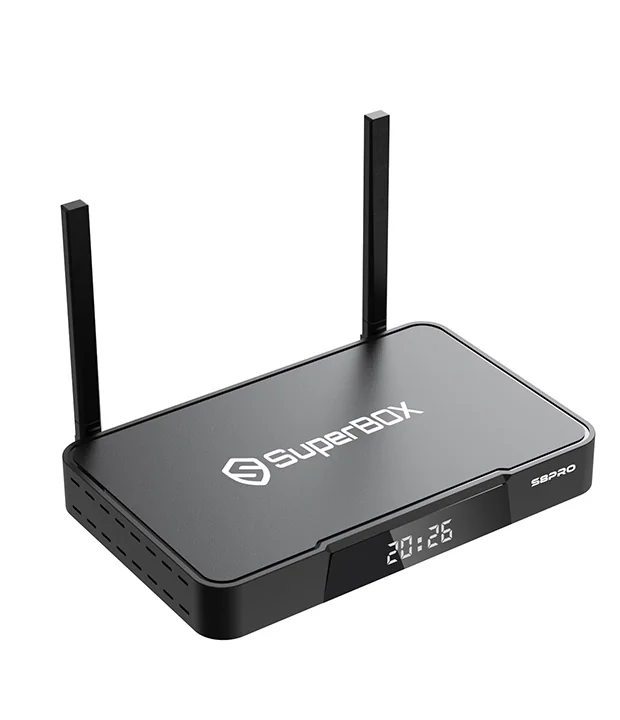 For a spare room, the important question is whether these capabilities fit the way the screen will be used. A viewer who mainly opens a few compatible apps may not need the largest storage option in the range. Someone who expects to install more apps or save supported recordings should think about storage use, available space, and whether the device’s limits suit those plans. Recording availability can depend on the app, source, and applicable service terms.
The model also supports both wireless and wired networking, giving households more than one way to approach connection problems if the room and home network allow it. Its Picture-in-Picture and Multi-View features may appeal to viewers who want supported sources visible together, although buyers should check the model’s specific limitations rather than assume every source or layout will work. These details are more useful than choosing a product simply because its name appears in a Black Friday promotion.
Why Moving One Box Between Rooms Can Become a Habit Nobody Likes
At first, moving a streaming box between two televisions might seem like a sensible way to save money. One device can serve whichever room is free, and there is no need to purchase another unit immediately. For a household that uses the second television only occasionally, this arrangement may be perfectly reasonable.
The trouble begins when both screens are needed at once. Someone has to interrupt their viewing, disconnect the box, carry it to another room, reconnect the cables, and make sure the correct input is selected. Depending on the setup, they may also need to reconnect accessories or deal with a different network environment.
Repeated movement creates another risk: cables and ports are handled more often than they would be in a permanent setup. It also makes the remote easier to misplace. None of these problems is especially serious on its own, but together they can make a supposedly convenient arrangement frustrating.
A second box is most useful when the rooms have independent viewing routines. It allows each television to remain ready for use, even if the other room is occupied. On the other hand, if everyone usually watches together and the spare screen is rarely used, keeping one device may be the more practical decision.
The question is not whether two boxes are always better than one. It is whether the convenience of a permanent second setup is worth the additional cost for this particular household.
Make the Black Friday Price Answer a Specific Question
Black Friday comparisons become easier when the buyer already knows what the second room requires. Instead of asking which model has the biggest discount, ask whether the price makes a permanent second setup affordable and worthwhile.
Start with the complete checkout cost. Include the device, any required accessories, delivery charges if applicable, and any other expenses needed to get the television working. Then compare that amount with the inconvenience of continuing to share one box. If moving the device causes arguments or interrupts viewing several times each week, the extra cost may have a practical justification.
The Final Decision: A Room That Gets Used
A spare television does not need to become the centre of a second entertainment system. It only needs to make the room more useful for the people who live there. That may mean giving someone a quiet place to watch after work, letting a guest use the screen without rearranging the living room, or avoiding the daily routine of transferring one device between two televisions.
Black Friday provides an opportunity to compare prices, but the room itself should determine the purchase. Test the television, think about the network, and match the device’s storage and viewing features to the expected use. When those details line up, a second screen can become a practical part of the home rather than another gadget that sits unused.