Ask any independent musician how long it takes to produce a music video and the honest answer is usually somewhere between “way too long” and “long enough that I just don’t.” The average independent production — location scouting, a one-day shoot, a week of editing, colour grading, sound sync, and format exports — can consume two to three weeks of calendar time for three minutes of finished content. For artists releasing music on a monthly schedule, that timeline simply doesn’t fit.
The time cost isn’t just the shoot itself. It’s the coordination overhead: booking a videographer, finding a location, organising wardrobe and props, briefing a director if you can afford one, reviewing cuts, requesting revisions, and then manually reformatting the final file for TikTok, Instagram, YouTube Shorts, and Spotify Canvas separately. Each step adds days. Most independent artists end up skipping the video entirely, or settling for a static image or a hastily assembled slideshow.
AI is changing that timeline significantly. Freebeat, which functions as an ai music video generator from song, compresses a production process that traditionally spans weeks into a single working session. Understanding where exactly the time savings come from — and how the platform is designed to minimise friction at each stage — helps explain why this shift is more substantial than it might first appear.
Step One: No Pre-Production
In traditional music video production, pre-production — the planning phase before any camera rolls — is often the longest stage. Concept development, storyboarding, location scouting, casting, scheduling, equipment hire: a typical indie production might spend two weeks here before a single shot is captured.
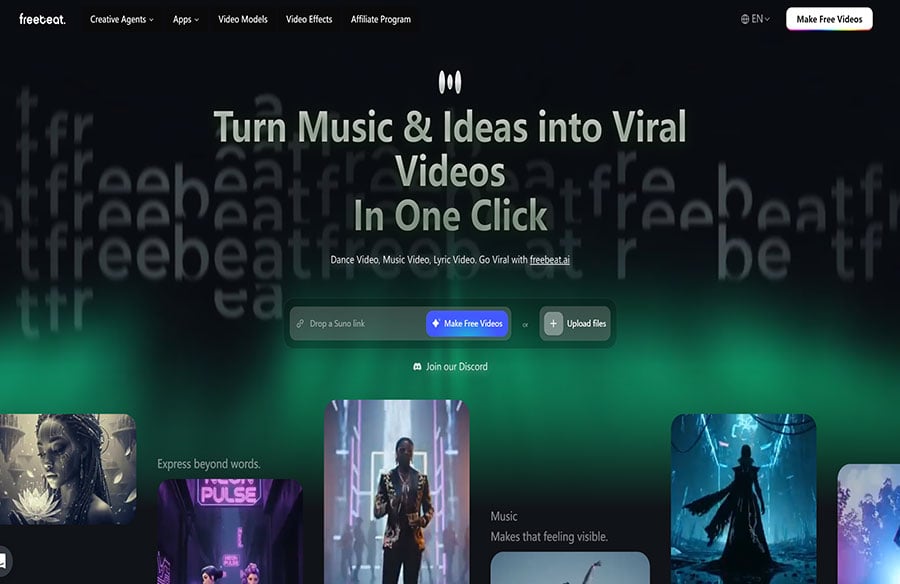
Freebeat eliminates this stage entirely. The input is the finished audio track, pasted as a link from Suno, Udio, YouTube, SoundCloud, or uploaded as an MP3 or WAV file. From that point, the platform handles concept, storyboard, shot planning, and pacing automatically. The creator’s role at this stage is to select a creation mode — Storytelling, Stage Performance, or Automatic — and a visual style from the preset library or via a custom prompt. That’s the entirety of pre-production. It takes minutes, not weeks.
The platform’s audio analysis does the structural work that a director and editor would normally spend considerable time on: reading BPM and tempo to set visual pacing, identifying beat and bar markers for cut timing, distinguishing song sections so the chorus and verse receive different visual treatment, and mapping energy peaks to corresponding visual escalation. This analytical groundwork, which a human editor might spend days refining in post-production, runs automatically before generation begins.
Step Two: A Storyboard You Can Actually Edit
One of the biggest time sinks in traditional production is the revision cycle — when the first edit comes back and isn’t what the artist had in mind, every round of changes adds days. The revision problem in AI video tools has historically been similar: you generate, get something wrong, regenerate blind, and repeat.
Freebeat breaks this cycle by surfacing the storyboard before the final video is rendered. The platform generates a planned shot sequence for the full track — showing the intended camera logic, scene composition, and visual direction for each section — and allows the creator to edit any scene’s prompt individually before committing to generation. If a scene is planned wrong, you correct it at the storyboard stage rather than after a full render. The platform also includes AI-assisted prompt expansion, which helps creators who know what they want visually but struggle to translate that into prompt language — it elaborates on vague directions and suggests more specific alternatives.
Step Three: Character Consistency Without Continuity Supervision
In a multi-day physical shoot, maintaining character consistency — same wardrobe, same hair, same appearance between shots taken hours or days apart — requires a dedicated continuity role. On a low-budget independent production, it’s usually handled poorly, and the fix happens in post. Either way, it adds time.
Freebeat’s character system handles this automatically. The creator uploads a single reference photo, and the platform anchors the AI avatar to that appearance across every shot in the video — close-ups, wide shots, performance angles, and detail shots all maintain the same facial identity and character styling. Support extends to two characters per video. Lip sync accuracy is benchmarked at over 90%, meaning the performance element doesn’t require manual correction after the fact. What would normally be a continuity problem that surfaces in the edit and triggers a reshoot simply doesn’t exist in this workflow.
Step Four: Every Deliverable From One Session
Post-production for a music release typically involves producing multiple separate assets: the main video, a lyric video, a Spotify Canvas, and reformatted versions of the main video for each social platform. In a traditional workflow, each of these is a separate project with its own timeline. A complete set of release visuals might take a week of post-production work after the edit of the main video is locked.
In Freebeat, all of these come out of the same session. The lyrics video system — with custom fonts, word-by-word timing, highlight animations, and export in both MP4 and .LRC format — runs alongside the main video generation. Animated album covers for Spotify Canvas and Apple Music motion visuals are produced in the same workspace. Multi-format export in 16:9 for YouTube, 9:16 for TikTok and Reels, and 1:1 for Instagram is handled with correct platform framing built into the generation itself, not applied as a crop afterward. The full set of visual deliverables for a release — which might take a week in a traditional post-production workflow — can be completed in a single session.
Step Five: No Tool-Switching
A less visible time cost in independent creator workflows is the overhead of managing multiple tools. The typical pipeline for producing release visuals involves separate platforms for video generation, image generation, lyrics overlay, format conversion, and upload preparation. Every handoff between tools is friction: file downloads, format conversions, re-uploads, and the cognitive load of maintaining context across different interfaces.
Freebeat consolidates this into a single workspace. Image generation, video generation, lyrics production, animated cover creation, and multi-format export all operate from the same session, with access to multiple underlying video models — PixVerse, Veo, Kling, Wan — without switching platforms. The platform updates its model access as new options become available, so creators aren’t periodically forced to migrate their workflow to a new tool when a better model is released elsewhere. For a solo artist or a small team managing their own release pipeline, removing that fragmentation from the workflow is a meaningful reduction in the time and effort required to publish a complete set of release visuals.
What Time Saving Actually Enables
The practical effect of compressing a multi-week production into a single session isn’t just that each video takes less time — it’s that the release cadence an independent artist can sustain becomes fundamentally different. A solo artist who previously released music with no video, or one video every few months, can produce a complete set of visual content for every release: a full-length music video, a lyric video, a Spotify Canvas, and platform-specific short-form clips, all ready on release day.
For small teams managing artist content or their own creative output, the same logic applies. The constraint on visual content production shifts from production capacity — how long it takes to make a video — to creative direction, which is a more manageable problem. The question changes from “can we make a video for this track” to “what do we want the video to look like” — and that is a considerably better problem to have.
FAQ
How does Freebeat differ from a basic AI audio visualizer?
Unlike a basic AI audio visualizer that generates reactive motion graphics over audio, Freebeat applies structured cinematic logic to every output — including shot planning, character performance, director-level camera logic, and narrative visual flow. The visuals are built around the song’s structure, not just its waveform.
What audio inputs does Freebeat support?
Freebeat accepts direct links from Suno, Udio, TikTok, YouTube, YouTube Music, and SoundCloud, as well as file uploads in MP3, WAV, and MP4 formats. No preprocessing or file conversion is required.
What are the three creation modes in Freebeat?
Freebeat offers Storytelling Mode for narrative-driven, emotionally arced videos; Stage Performance Mode for concert-style visuals with tight close-ups and high-cut energy editing; and Automatic Mode, which handles all creative decisions without manual input for fast one-click generation.
What visual styles are available?
Eight preset styles are available: Cinematic, Anime, Cyberpunk, Neon Noir, Digital Art, Realistic, Fantasy, and Illustration. Each carries its own lighting logic, color treatment, and compositional approach. Creators can also define fully custom visual directions through text prompts.
Can I define my own visual style beyond the presets?
Yes. Custom text prompts allow creators to specify color palette, atmospheric mood, lighting character, and aesthetic references independently of the base style preset. Color temperature and emotional tone can be set separately from the style, significantly expanding the creative range.