An endless all-nighter before a 9 AM jury, tables filled with drawings, iterations, norms’ data, reviews, and presentation materials, is often an everyday, fast-paced reality for architecture students. And yet, the final design remains as the only visible outcome of a semester spent balancing research, site analysis, ideation, technical and theoretical studies, documentation, and communication alongside multiple simultaneous subjects. As AI Tools enter this already crowded workflow, ChatGPT may seem like the convenient answer to everything, but architectural education demands more than a baseline, language-based assistance platform.
What students need instead is a curated ecosystem of AI Tools, mapped to different stages of the design process, to effectively save time for the design thinking that architecture ultimately demands.
Research as the Real Starting Point
Before a student draws the first line of a plan, a studio project has already begun through the less visible work of interpreting the brief, studying precedents, reading the site, decoding the site’s climate and local bye-laws, identifying user requirements, developing a programme, and organising references.
This foundation is especially important in an architectural curriculum where design is undertaken alongside technical, environmental, historical and construction-based subjects.
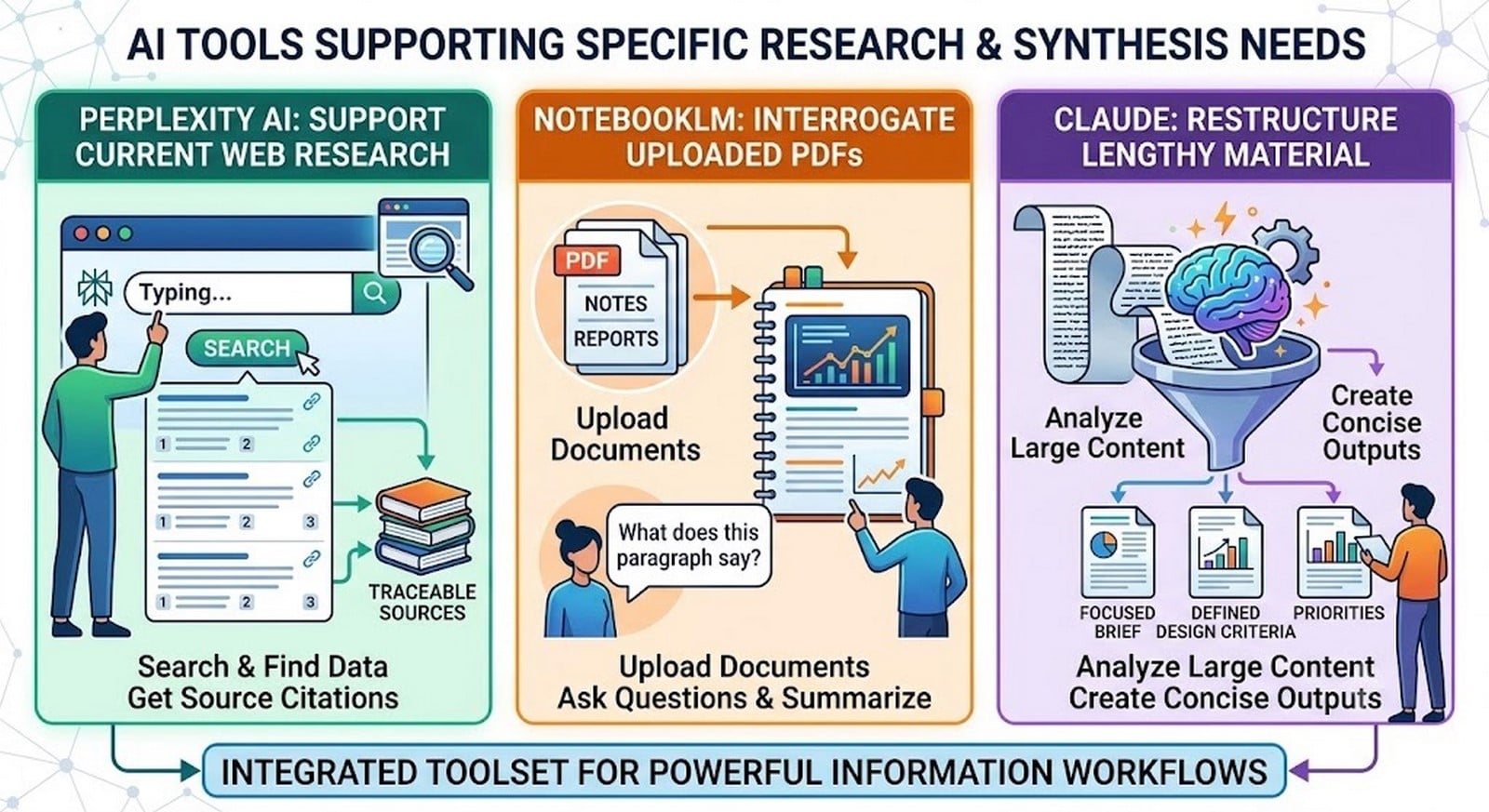
Students often turn to ChatGPT for this entire process, but a more useful approach is to assign different AI Tools to different research and synthesis needs.
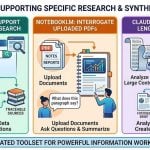
For instance, Perplexity AI can support current web research with traceable sources, NotebookLM can interrogate uploaded PDFs, notes and reports, and Claude can assist in restructuring lengthy material into focused, objective briefs with defined design criteria and priorities.
As the research moves from documents to the physical site, AI Tools like Autodesk Forma can help examine environmental conditions and early massing, with Snaptrude supporting the transition towards programming and spatial feasibility.
The conceptual sequence for employing these tools is simple: tools focused on research reveal organised knowledge that is quick and easy to interpret. This organised knowledge becomes site intelligence, constructing a visualisation of the potential impact of design inputs, further informing design decisions in a substantial, perceptive and time-saving manner.
With this approach, AI essentially offers an array of possibilities without relegating the student to autopilot mode, ensuring that the architectural decision remains the creator’s own field of command.
Constraints to Creatives
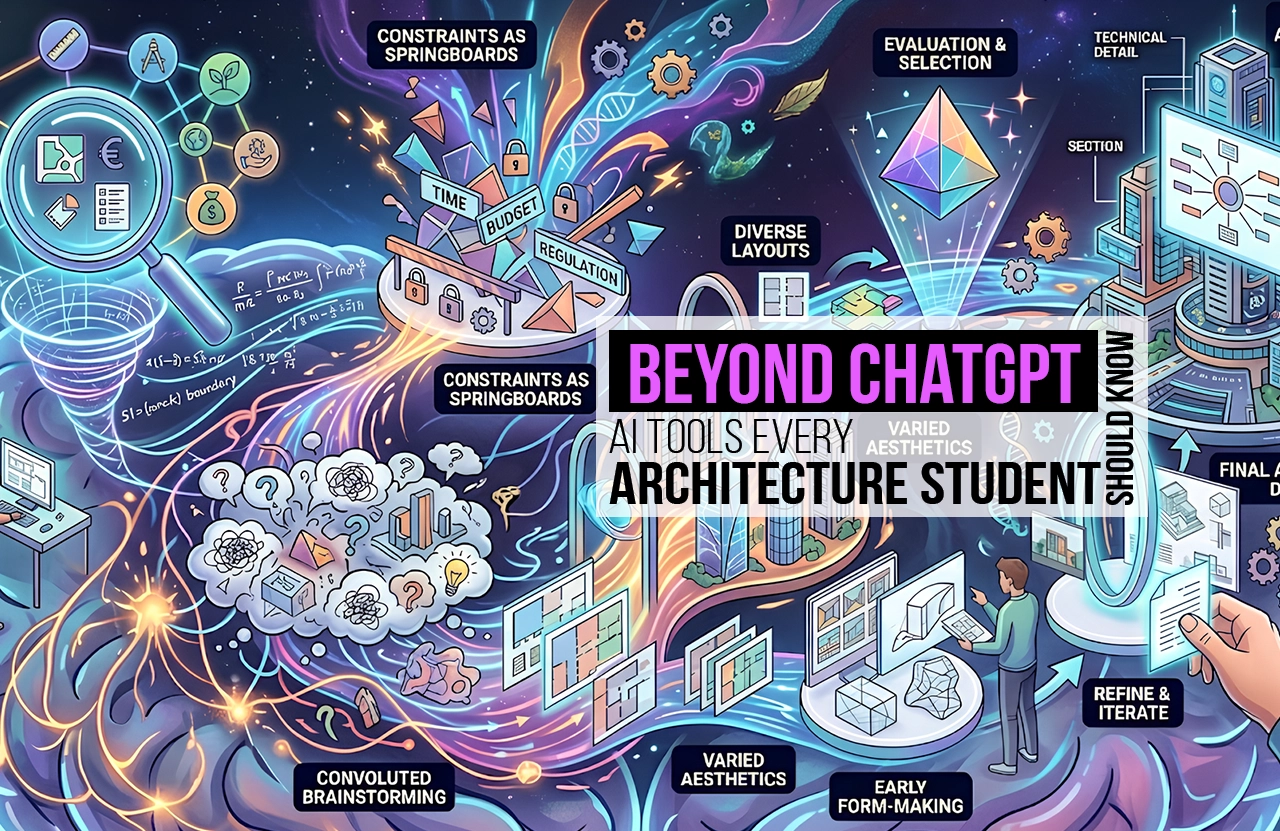
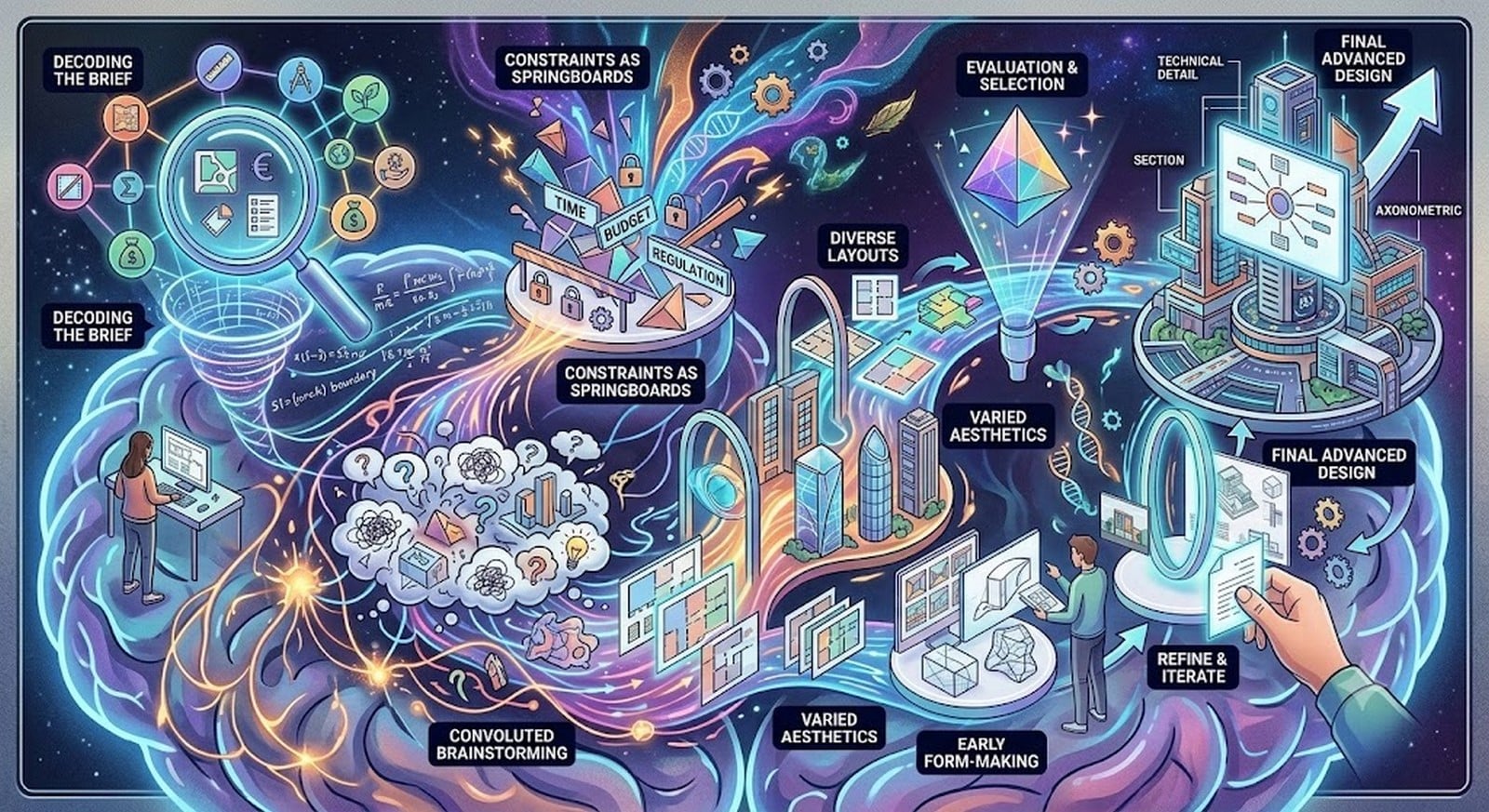
Every studio project eventually confronts the infamous blank sheet, where research must translate into a concept statement, a bubble diagram, a zoning logic, and the first spatial relationships of a scheme.
This is where AI Tools genuinely start supporting design thinking rather than just organising it.
Miro AI provides the interface to turn scattered ideas into structured diagrams and brainstorming boards, while platforms like Maket.ai, ARCHITECHTURES, or Planner 5D can generate alternative floor-plan configurations once a brief has clear constraints.
Vizcom or LookX can push a rough sketch into multiple visual directions within minutes, and Spline offers a more experimental route into early 3D form-making.
None of this replaces architectural judgement – AI floor-plan tools remain starting points that still require checking for egress, accessibility, and code compliance before use (Ozen, 2026).
The sequence that matters is: decoding project brief > identifying design constraints > curating several AI-generated possibilities > student evaluation and narrative building > presenting a refined scheme – the same loop that lets students elevate their design capabilities to an advanced and well-organised level within practical timelines.

The Many Faces of an Idea: AI Tools for Visualisation
Once a scheme begins to take shape, the next hurdle for students is communicating what that idea could become.
This is where AI Tools for visualisation step in, marking a stage where the presence of multiple design directions can create a state of confusion just before arriving at a final decision.
Conceptual imagery, sketch-based visualisations, geometry-driven renders, material studies, and polished presentation boards each serve different purposes, and collapsing them into one “final image” can often prove to be more confusing than helpful to a design thought that hasn’t matured yet.
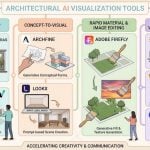
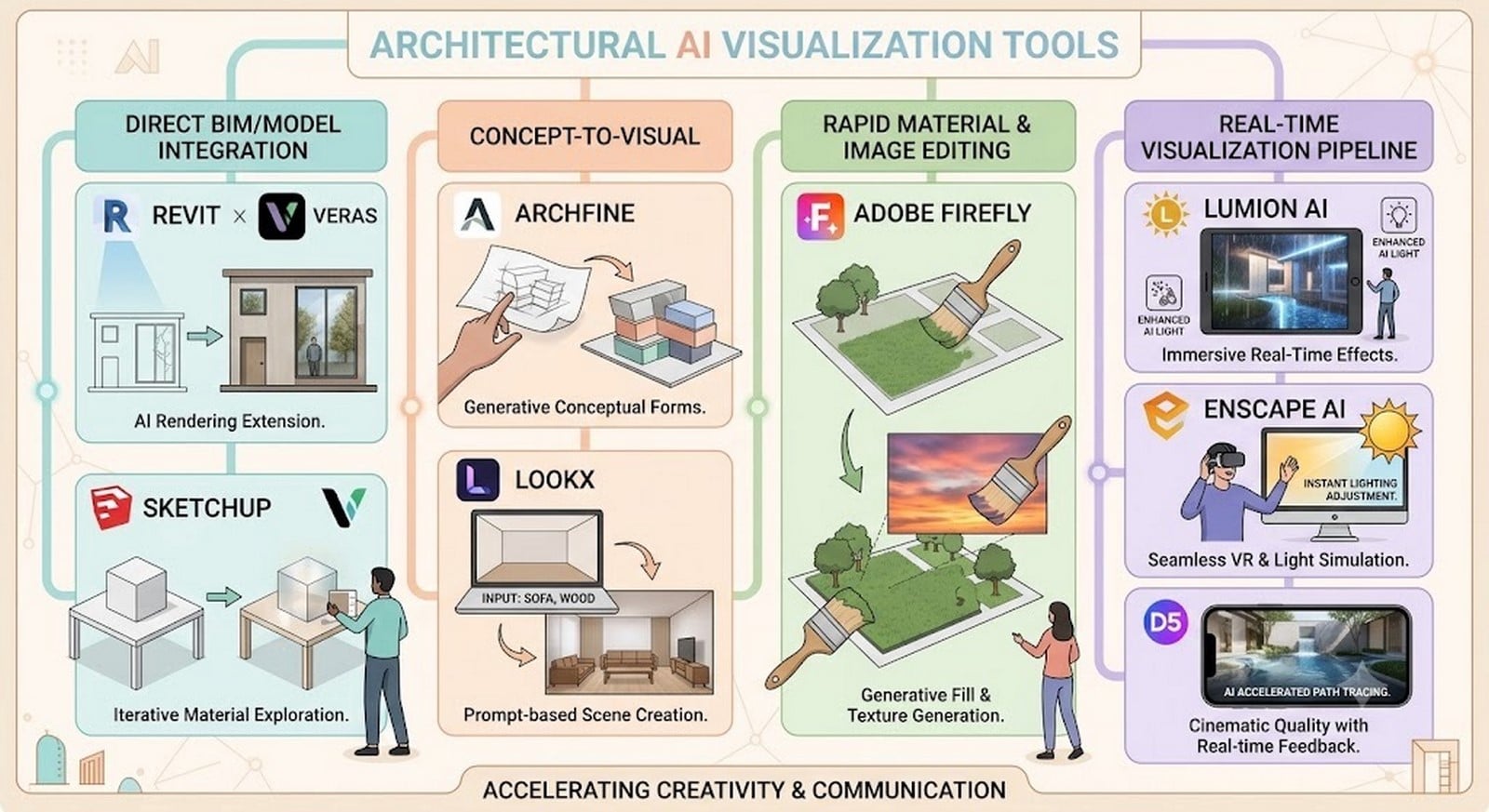
In this state, platforms like Veras help simplify the process as they integrate directly with Revit or SketchUp, ensuring that the underlying geometry created by the student remains intact while producing photorealistic renders in seconds (tnpscagri, 2026).
Tools such as Archfine AI or MyArchitectAI specialise in sketch-to-render workflows, while LookX and Adobe Firefly allow rapid material swaps, contextual edits, and presentation refinement (Tanveer, 2025).
For immersive outputs, Lumion AI, Enscape AI, and D5 Render bridge AI-assisted visualisation with conventional rendering pipelines.
Yet the warning remains clear: a beautiful image is not evidence of a resolved building.
The real value lies in using these tools to shorten the distance between thought and expression.
A base sketch or model shared with an AI visualisation tool can generate multiple imaginative iterations in a short span of time, creating room for detailed, thoughtful opportunities for critique and correction, so that the final visual communication of the design becomes sharper without eliminating the critical thinking in between.
Presenting the Thinking, Not Just the Thing
With the design direction established, the semester’s workload finally shifts towards making the project legible to others.
AI Tools can help organise notes from research and review stages in Notion, Obsidian or NotebookLM, structure presentation narratives through Gamma, and refine boards and visual material with Photoshop or Adobe Firefly.
Even jury preparation can become an iterative workflow: record a timed presentation, use transcription tools such as Otter or Fireflies to revisit feedback, identify gaps in the explanation, and rehearse again.
The workflow now shifts from documentation to communication, feedback to revision, allowing AI to reduce repetitive effort while the student remains responsible for design decisions being presented in a cohesive and logical flow, ensuring that no critical details examined through the design process are missed.
By tightening the narrative, sharpening visual transitions and rehearsing the sequence of ideas, these tools can make the presentation more dynamic, amplify the project’s impact and help jurors follow its design logic with greater clarity.
Curate the Stack, Keep the Judgement
Finally, through this endeavour, the most important question that remains to be answered is –
When is a student supposed to learn all these AI Tools while managing a demanding semester?
The answer thus being, never all at once.
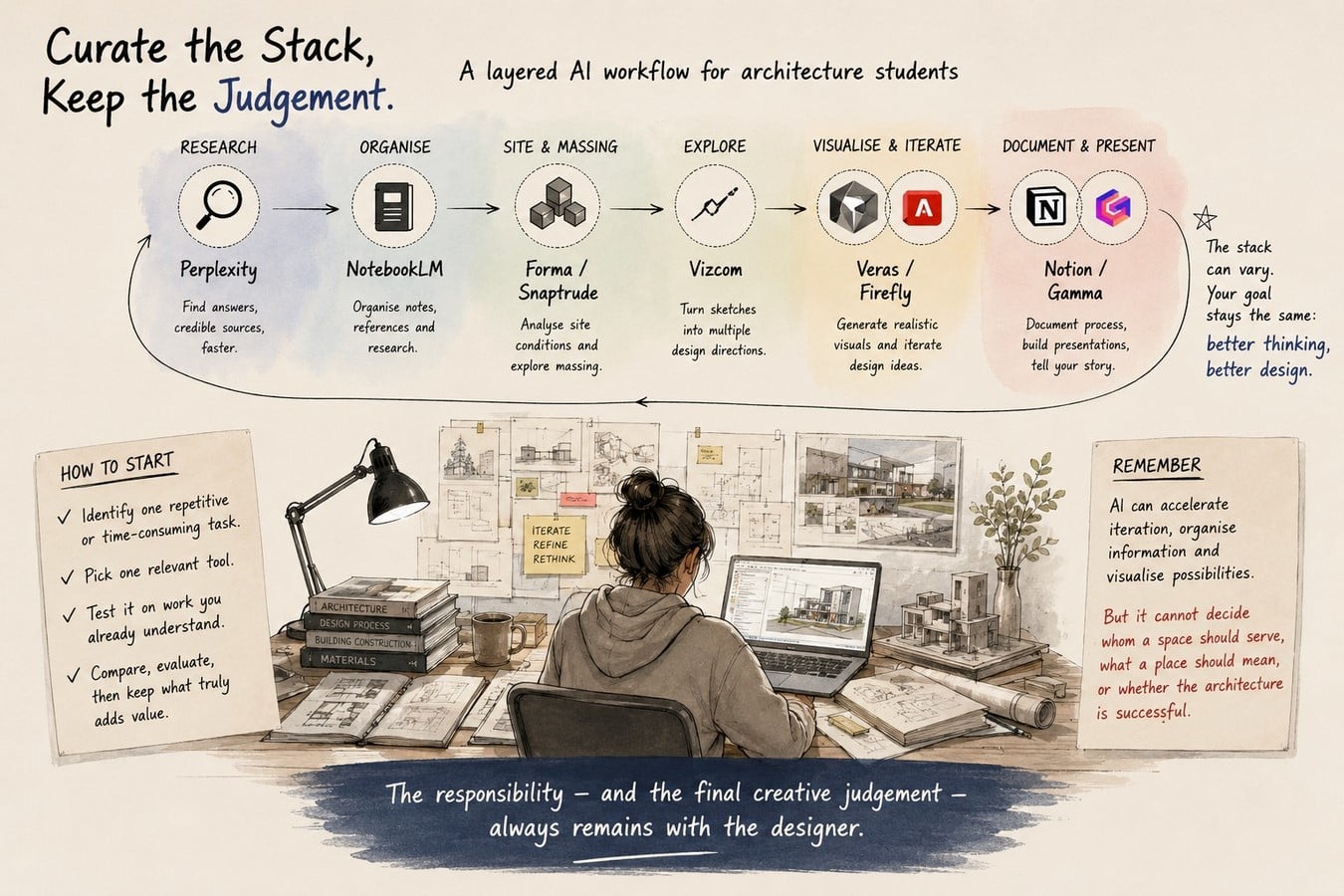
A student can begin with the most repetitive or time-consuming task in the current project, select one relevant tool, test it on work already understood, and compare its output with personal judgement.
Only tools that genuinely save time or widen the expanse of critical thinking should ideally be retained, after which they can gradually be connected across stages.
An iteration of this workflow could be an AI stack including: Perplexity for research, NotebookLM for organising references, Forma or Snaptrude for site and massing studies, Vizcom for exploration, Veras or Firefly for visual iteration, and Notion or Gamma for documentation and presentation.
This layered workflow is more useful than expecting one application to perform every architectural task. The exact combination can vary according to a student’s semester, software, project and budget.
AI can accelerate iteration, organise information and visualise possibilities, but it cannot decide whom a space should serve, what a place should mean, or whether the resulting architecture is successful.
That responsibility – and the final creative judgement – always remains with the designer.
References:
Li, C., Zhang, T., Du, X., Zhang, Y. and Xie, H. (2024). Generative AI Models for Different Steps in Architectural Design: A Literature Review. [online] arXiv.org. Available at: https://arxiv.org/abs/2404.01335?utm_source=chatgpt.com [Accessed 6 Aug. 2026].
Bartosz Adamiczka (2025). AI w edukacji architektonicznej – analiza znajomości; popularności i zastosowania narzędzi sztucznej inteligencji wśród studentów. Biblioteka Regionalisty, [online] (25). doi:10.15611/br.2025.1.01.
Alamasi, R., Asfour, O.S. and Ashmeel, R. (2026). The impact of generative AI on architectural design education: insights from hands-on experience with architecture students. Ain Shams Engineering Journal, [online] 17(1), p.103879. doi:10.1016/j.asej.2025.103879.
Kee, T., Kuys, B. and King, R. (2024). Generative Artificial Intelligence to Enhance Architecture Education to Develop Digital Literacy and Holistic Competency. Journal of Artificial Intelligence in Architecture, [online] 3(1), pp.24–41. doi:10.24002/jarina.v3i1.8347.
Park, S.Y. (2026). Architectural Design in the Age of Generative AI: Toward a Balance Between Efficiency and Responsibility. Architectural Research, 28(1). doi:10.1007/s44515-026-00006-0.
Architizer Editors, Frew, S. (2023). 15 Top AI Tools for Architects and Designers – Architizer Journal. [online] Journal. Available at: https://architizer.com/blog/practice/tools/top-ai-tools-for-architects-and-designers/ [Accessed 6 Aug. 2026].
[email protected] (2026). 15 AI Tools Every Architect Should Know in 2026. [online] arcnet.studio – Applied Architecture for Everyday Living. Available at: https://arcnet.studio/ai-tools-for-architects-2026/ [Accessed 6 Aug. 2026].
Sen, F. (2026). ChatGPT Alternatives for Architects: 8 Best AI Tools in 2026. [online] illustrarch. Available at: https://illustrarch.com/artificial-intelligence/77445-chatgpt-alternatives-architects.html?fbclid=IwY2xjawTg2sZleHRuA2FlbQIxMQBicmlkETF5eWVJVGxkVUpCRUdINkRSc3J0YwZhcHBfaWQQMjIyMDM5MTc4ODIwMDg5MgABHnGuRPtACZjk6by0ffPk7HyhkRh14twKBShnxaK3ac0pnmIYYPgtgEk-GZzE_aem_2LkBG23-3Qra893ZGMCwwQ [Accessed 6 Aug. 2026].
Tanveer, S. (2025). Design Smarter, Not Harder: 18 AI Tools Architects Secretly Swear By. [online] Substack.com. Available at: https://rbdsailab.substack.com/p/design-smarter-not-harder-18-ai-tools [Accessed 6 Aug. 2026].
Giri, S. (2026). 5 Days Workshop: Ai as your Co-designer. Linkedin. Available at: https://www.linkedin.com/posts/shankar-giri-0614a597_5-days-workshop-ai-as-your-co-designer-coordinators-ugcPost-7482107166011580416-TiZe/?utm_source=share&utm_medium=member_desktop&rcm=ACoAADsYo2QB9QQZFgYTFPmfuaFVeg2I88L0B8U [Accessed 6 Aug. 2026].
R., M. (2026). Linkedin. Available at: https://www.linkedin.com/posts/manuel-r-13b4b51a9_architecturalvisualization-archviz-architecture-ugcPost-7486509000864391169-NopB/?utm_source=share&utm_medium=member_desktop&rcm=ACoAADsYo2QB9QQZFgYTFPmfuaFVeg2I88L0B8U [Accessed 6 Aug. 2026].