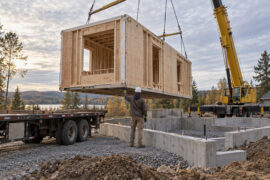
If you run or manage an architecture or design-build studio, your day can fill up with avoidable friction: selections waiting for approval, a crew sitting idle because an inspection status was not shared, site photos buried in a text thread, and a client asking for an update no one has pulled together yet. These problems are rarely about talent or effort. They are usually about how information moves between the studio, the job site, subcontractors, and the owner. Better workflows require a clear system that connects scheduling, approvals, documents, and communication so everyone works from the same current information.
Where Studios Lose Time on Build-Adjacent Work, Especially Pools
Residential pool projects are a useful stress test because they compress a long sequence of trades, inspections, and owner decisions into a tight timeline. The issues that surface on pool work often exist across other project types too, just less visibly.
Handoffs from Design to Field
Drawings may be issued, but the field schedule does not always reflect task dependencies. Excavation finishes and the steel crew arrives, only to learn that plumbing rough-in was supposed to happen first. Without a dependency-aware schedule, crews stall before the project has momentum.
Site-to-Studio Feedback
Photos, RFIs, and inspection results often arrive through texts, emails, phone calls, and notes on printed plans. When information is scattered, details get missed. An inspection note about a bonding correction can sit in an inbox while the next crew is already being scheduled.
Selection Approvals
Tile, coping, equipment, and finish colors all need owner sign-off. Without time-stamped approvals in a shared system, selections drift. The studio thinks the client confirmed the waterline tile. The client thought they were still reviewing options. The result is usually a delay, a change order, or a difficult conversation.
Budget Visibility
Owners get uncomfortable when changes are not reflected in a current cost-to-complete. If the studio tracks costs in one spreadsheet and changes orders in another, the principal cannot give the client a clear answer about where the budget stands.
What Better Workflow Really Means in Practice
A better workflow is not a longer to-do list. It is a system where scheduling, communication, approvals, and documents are connected so a change in one area is visible where the team needs it. For a broader perspective on how studios are evolving their day-to-day practices, this architecture and design resource is worth a quick browse.
Job Scheduling with Critical Dependencies
Pool projects follow a sequence that varies by jurisdiction but often includes excavation, steel placement, plumbing, electrical bonding, gunite or shotcrete, tile, plaster, and startup. Many steps require inspections before the next trade can begin. The exact order may differ by city or state, but the schedule still needs to reflect these gates, not just list tasks in order.
Crew Coordination Across Subs
When multiple subcontractors share the same job site, one source for daily tasks, locations, and ready-next items reduces phone-tag scheduling. If the plumber finishes early, the schedule should show the next available task and notify the right crew without forcing the project manager to rebuild the day manually.
Client Updates That Reduce Back-and-Forth
Templated milestone updates with photos and next steps reduce the calls and texts that eat up a project manager’s morning. The client gets a consistent update, and the PM gets time back for decisions that actually need judgment.
Change Orders with Traceable Approvals
Change orders modify the contract sum and may affect the schedule. Many standard construction contracts call for written approval before related work proceeds. A workflow system should capture the scope change, cost impact, time impact, and client approval in one place, then connect that record to the affected schedule tasks.
Material Tracking and Long-Lead Alerts
Pumps, heaters, variable-speed drives, and specialty finishes can have lead times that stretch beyond the project timeline if they are not ordered early. Flagging long-lead items during scheduling helps prevent mid-project stalls that affect every trade behind them.
Compliance and Document Control
Permits, inspection logs, certificates of insurance, signed lien waivers, and as-built documents all need a reliable home. Tracking these documents inside the workflow, rather than in separate folders or inboxes, lowers the chance that a missing file holds up payment, inspection, or closeout.
General Tools vs. Pool-Specific Systems
Many studios start with general project management apps. They can work for simple task lists, but they often fall short when field realities become more complex.
Tasks vs. Dependencies
Generic task tools may not account for pool-specific dependencies and inspection gates. A to-do app does not know that shotcrete cannot proceed until steel is inspected and approved. That gap can lead to idle crews, rework, or inspection delays.
Messaging Sprawl
Texts and emails without a record tied to the schedule or budget create a documentation gap. When a dispute arises about what was approved and when, the team needs a trail that is easier to follow than a search across multiple inboxes.
Draw Schedules and Pay Apps
Residential draw schedules release payments at defined milestones. Workflows should align pay applications to inspected or verified progress to reduce disputes. Spreadsheets can handle this on one small project, but they become fragile when change orders stack across several active jobs.
Offline Field Capture
Weak connectivity at a job site can block photo and note uploads if the app is not designed for offline use. Pool sites, especially during excavation or in semi-rural areas, may have unreliable signals. A mobile-first tool with offline sync helps field updates reach the studio once service returns.
How to Evaluate Construction Operations Software for Pool-Focused Work
When your studio is ready to move beyond general tools, evaluate construction operations software against the way your projects actually move from design to field.
Non-Negotiables
Look for dependency-aware scheduling, approval workflows, document versioning, mobile-first field capture with offline capability, and role-based permissions. If a platform does not cover these basics, it may not hold up on a live job.
Budget and Change Control
Cost-to-complete reporting should include approved and pending change orders, schedule impacts, and pay application status. The principal should be able to pull a current budget snapshot without asking someone to update a spreadsheet first.
Compliance and Risk
COI tracking, lien waiver collection, and inspection checklists should connect directly to schedule tasks. These features help protect the studio and the owner from avoidable payment, documentation, and liability risks.
Interoperability and Data Portability
PDF markups, DWG or model link-outs, CSV exports, and basic API options can all matter. Confirm export capabilities before committing so your studio is not locked into a system it cannot leave cleanly later.
Where All-in-One Platforms Fit Your Studio
Some platforms combine project management, financial tracking, client messaging, compliance tracking, and document workflows in one system. If WorkFlowPerfection or a similar all-in-one platform is on your shortlist, treat the vendor’s feature list as a starting point, not a substitute for your own testing. Compare the platform against your real project sequence, approval needs, field conditions, and reporting requirements.
Match the platform to your mix of in-house and subcontracted work. If you self-perform most trades, crew scheduling needs to be strong. If you coordinate mostly subs, approval workflows and document collection may matter more. Either way, test mobile usability on a live or realistic job before signing a contract.
A 30-60-90 Day Rollout Plan for Busy Studios
A staged rollout helps the team build confidence without disrupting every active project at once. Start with one job, refine the workflow, then expand once the basics are working.
Days 1-30: Pilot on One Active Pool Project
Map your current steps from contract to final inspection. Build a dependency-based schedule in the new system. Load templates for approvals, RFIs, and client updates. Run one internal dry run with your project manager and lead sub before going live. Record baseline metrics such as change order cycle time, inspection pass rate, and RFI response time.
Days 31-60: Expand to Two More Projects
Enable client update templates so owners receive consistent milestone reports. Start collecting COIs and lien waivers in the system instead of by email. Test the data export function to make sure records are portable. Note friction points and adjust templates before the next rollout step.
Days 61-90: Standardize and Measure
Publish a one-page workflow playbook for your team. Standardize templates across active projects. Set KPIs and a regular review cadence, whether weekly or biweekly, based on your project volume.
Metrics a Principal Can Track Without New Meetings
Operational impact should be shown with pilot metrics, not just impressions. These four measures are useful because they connect directly to schedule, cost, and communication quality.
Schedule Variance on Critical Path Tasks
Track the gap between planned and actual dates for key milestones, such as excavation, shotcrete, and plaster. If variance shrinks over the first 90 days, the workflow is helping the team plan more accurately.
Change Order Cycle Time
Measure from the initial request to signed approval to field start. Shorter cycles mean fewer idle days for crews and fewer budget surprises for the owner.
RFI Response Time and First-Pass Resolution
Track how quickly RFIs get answered and how often the first answer resolves the question. Both numbers should improve when RFIs live inside the project schedule instead of scattered emails.
First-Time Inspection Pass Rate
Track how often inspections pass on the first visit. A rising pass rate suggests the workflow is catching issues before the inspector arrives, which reduces rework and keeps the schedule moving.
Lightweight Tools and Templates to Build
You do not need to buy a platform to start improving your workflows. A few simple templates can create immediate consistency while you evaluate whether dedicated software is the right next step.
- Change order template with fields for scope change, cost impact, time impact, and client signature.
- Inspection-ready checklist tailored to your most common project type, with a note that inspection sequences vary by jurisdiction.
- Weekly client update template covering completed milestones, photos, upcoming work, and pending decisions.
- Sub onboarding checklist with COI requirements, lien waiver schedule, and contact information fields.
The core idea is straightforward: standardize how work moves from studio to site. Make approvals visible. Keep documents, messages, and schedules in one place so your team spends less time chasing updates and more time managing the work. That shift requires a clear process, the discipline to follow it, and a simple way to measure whether it is working.