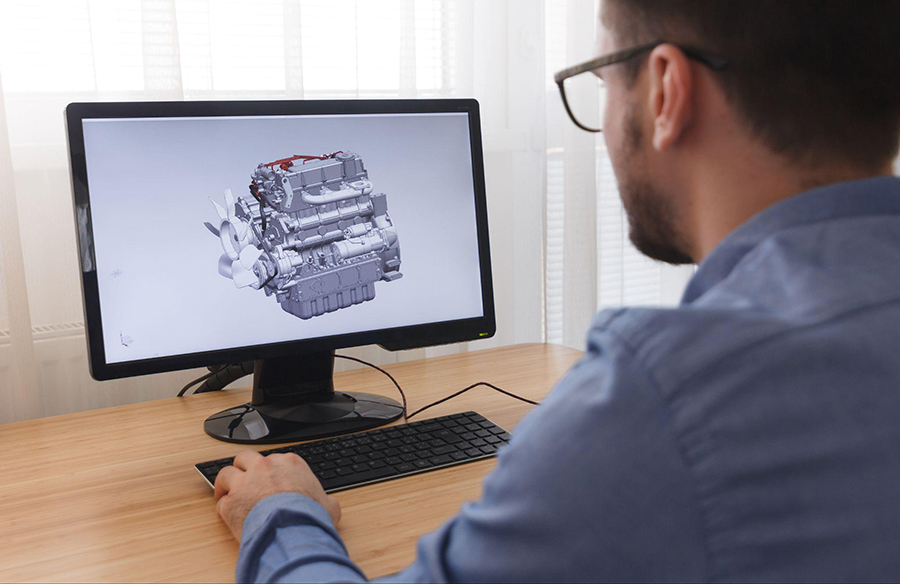
This is not the same as casually checking emails or browsing the web for a few hours. You are often staring at fine lines, layered geometry, dense menus, tiny measurements, textured surfaces, and high-contrast interfaces for long stretches without much visual rest. One small detail missed on screen can affect the whole job, so the natural response is to focus harder and blink less.
That is part of what makes this type of work especially demanding. The visual load is higher, the concentration is deeper, and the strain tends to build quietly until it starts showing up as fatigue, dryness, blur, or headaches. Protecting your vision is not just about comfort. It is about maintaining accuracy, endurance, and the kind of sustained focus this work depends on.
This article covers practical ways to reduce visual stress, choose better eyewear, and build habits that help your eyes hold up better through long CAD and rendering sessions.
Why CAD and 3D Rendering Is Especially Hard on the Eyes
Not all screen work affects the eyes in the same way. CAD and rendering software tend to be more visually exhausting because of how they are used.
The work demands sustained visual precision
A lot of tasks in CAD and 3D software require prolonged concentration on exact details. You may be:
- tracing lines and edges
- checking dimensions and alignments
- rotating models to inspect small elements
- comparing multiple design views
That level of precision makes people hold their gaze longer and blink less often than they realize.
High contrast increases fatigue
Many design and rendering platforms use dark backgrounds, bright toolbars, highlighted edges, and sharp visual contrasts. While these interfaces can improve visibility in some ways, they can also make the eyes work harder over long sessions, especially when brightness levels are too high or the room lighting is poorly balanced.
Constant zooming adds another layer of strain
CAD and rendering work often involves moving quickly between macro and micro views. One moment you are looking at the entire model, and the next you are zoomed into a very small detail. That repeated adjustment can tire the eyes faster than more general computer tasks.
Get an Eye Exam Tailored to Your Work Setup
A standard eye exam may not tell the full story if most of your day is spent doing technical screen work.
Explain your actual work conditions
When you book an eye exam, it helps to describe the visual demands of your job clearly. Tell your optometrist things like:
- how many hours a day you spend on CAD or rendering software
- whether you use one monitor or several
- how far your screens sit from your eyes
- whether you also work from tablets or printed drawings
That information matters because your visual needs at a workstation are more specific than general day-to-day vision.
Ask about computer-focused vision correction
Many professionals assume that if they can see clearly in general, their prescription is already good enough. That is not always true. CAD and rendering work often happens at intermediate and near distances for long periods, and those ranges deserve attention.
A more work-specific exam can help uncover small problems that may be contributing to strain, even if your general eyesight seems fine.
Choose the Right Lenses for the Job
The right lenses can reduce the effort your eyes have to make all day.
Computer or occupational single-vision lenses
These lenses are designed for the distance you usually sit from your monitor. That makes them especially useful for people who spend most of the day at one main screen and want a setup optimized for that range instead of a more general prescription.
Progressive lenses for mixed work zones
If your day involves switching between screens, tablets, desk notes, printed plans, and room movement, progressive lenses may be more practical. They can support multiple focal ranges without constantly changing glasses, which helps if your workflow is varied.
Anti-fatigue lenses for early strain
For people who are not ready for progressive lenses but still feel visual fatigue at the end of the day, anti-fatigue lenses can be a good middle ground. They are often useful for professionals who do a lot of close and intermediate work but do not yet need a full progressive setup.
Consider Contact Lenses as an Alternative or Complement
For some CAD and rendering professionals, glasses are not always the best fit for every situation.
Why contacts can help in screen-heavy design work
Working across large displays or multiple monitors can make peripheral vision more important than usual. Glasses can sometimes create edge limitations or frame blind spots that become annoying when you are constantly shifting your gaze across a wide visual field.
That is where contact lenses can be useful. They can provide a more open field of view, which may feel more natural when you are moving between screens, scanning broad workspaces, or navigating detailed 3D environments.
When they make the most sense
Contact lenses can be especially helpful if you:
- use multiple large monitors
- dislike frame interference during long sessions
- move between office and studio settings often
- want a lower-maintenance option for certain workdays
Some people prefer them full time, while others use them alongside glasses depending on the kind of work they are doing.
Daily disposables can be a practical option
If convenience matters, daily disposable lenses are often appealing because they reduce cleaning and storage hassle. For long office or studio days, that simplicity can be helpful, especially for people who want something easy to manage.
Blue Light and Anti-Reflective Coatings for Rendering Professionals
Lens coatings can make a noticeable difference when screen use is intense and prolonged.
Blue light filtering
Rendering professionals often spend hours in front of bright, high-output displays. Blue light filtering coatings may help reduce some of the visual stress associated with extended screen exposure, particularly later in the day or in high-brightness working environments.
Anti-reflective coatings
Anti-reflective coatings are often even more immediately useful for this type of work. They reduce glare from screens, overhead lighting, and nearby windows, which can help make images look clearer and reduce the extra effort caused by reflections.
Why the combination often works well
For many CAD and 3D professionals, the most practical setup is not one or the other. It is both. A lens that reduces glare while also addressing some screen-light discomfort can make long visual sessions feel easier and more stable.
Optimize Your Workstation to Reduce Visual Stress
Good vision support is not just about what you wear. It is also about how your workstation is set up.
Get the monitor position right
Your screen should sit at a comfortable distance and angle so your eyes are not forced to work harder than necessary. In most cases, that means the monitor should be far enough away to reduce strain, with the top of the screen at or just below eye level.
If you are constantly leaning forward, tilting your chin up, or narrowing your eyes, the setup probably needs work.
Adjust brightness and contrast thoughtfully
A screen that is too bright can be exhausting. A screen that is too dim can make you strain. The goal is not maximum brightness. It is balance.
CAD and rendering professionals should also pay attention to color calibration and contrast settings, since poorly tuned displays can make long sessions more uncomfortable than they need to be.
Reduce ambient glare
Glare from overhead lights or nearby windows can quietly increase eye fatigue all day. If possible, position monitors to avoid direct reflections and use blinds, softer lighting, or screen adjustments to keep the visual environment more controlled.
Build Screen Break Habits Into Your Workflow
Breaks are one of the simplest tools for protecting your vision, but they only help if they actually happen.
Use the 20-20-20 rule in a realistic way
The basic idea is simple: every 20 minutes, look at something about 20 feet away for 20 seconds. In real design work, that exact timing may not always happen perfectly, especially in the middle of a complex task. Still, the principle matters.
The goal is to interrupt nonstop close focus before strain builds too much.
Tie breaks to workflow transitions
One practical way to remember breaks is to attach them to things you already do, such as:
- finishing a render pass
- switching from modeling to review
- exporting files
- pausing between revisions
That makes breaks feel less disruptive and more built into the rhythm of the job.
Add small eye-relief habits
Even brief visual resets can help. Looking across the room, closing your eyes for a few seconds, or letting your gaze rest on a distant object can ease some of the tension that builds during sustained close work.
Stay on Top of Hydration and Blinking
Dryness is one of the most common problems in intense screen work, and CAD professionals are especially prone to it because of how deeply they focus.
Concentration reduces blink rate
When people focus on fine details, they blink less. That means the surface of the eye gets less moisture and protection, which can lead to dryness, irritation, or fluctuating blur by the end of the day.
Hydration supports visual comfort
Hydration is not a cure-all, but it does help support overall comfort. If you are under-hydrated and spending hours in air-conditioned offices or studio environments, dry-eye symptoms can feel worse.
Know when to consider eye drops
If dryness is becoming a recurring problem, lubricating eye drops may help. The goal is not to use random drops constantly, but to find a formula designed for lubrication and comfort rather than redness alone. If symptoms keep returning, it is worth bringing that up during an eye exam instead of just pushing through it.
When to Take Symptoms Seriously
Some eye strain is common with heavy screen work. But not every symptom should be brushed off as normal.
Warning signs worth paying attention to
Take symptoms more seriously if you are experiencing:
- persistent blur
- frequent headaches
- double vision
- eye pain or burning that keeps returning
These can signal that your eyes are under more stress than they should be, or that your current correction is no longer doing the job properly.
Do not wait too long to follow up
CAD and rendering professionals often accept visual fatigue as part of the work. Some strain may be hard to avoid completely, but recurring symptoms should not just be normalized. The earlier you address them, the easier it usually is to prevent bigger problems later.
Your visual endurance affects your career
This kind of work depends on accuracy, focus, and visual stamina. Protecting your eyes is not a side concern. It is part of protecting the quality of your work and your ability to keep doing it well over time.
Conclusion
CAD and 3D rendering work places unusual demands on the eyes, and those demands add up fast when they are ignored.
The good news is that protecting your vision does not require one dramatic fix. It usually comes from several practical improvements working together: a better exam, better lenses, a better workstation, better break habits, and more attention to dryness and fatigue before they start affecting your work.
If you spend your days inside detailed models, technical drawings, and long render sessions, your eyes are doing serious work too. Treating them accordingly is not overcautious. It is part of working well.