

Every beam selection starts with the same question: will this section carry the load? Not the full FEA model, not the fatigue analysis. Just the basic question of whether the cross-section has enough stiffness and strength. That question comes down to a handful of numbers, moment of inertia being the most important one.
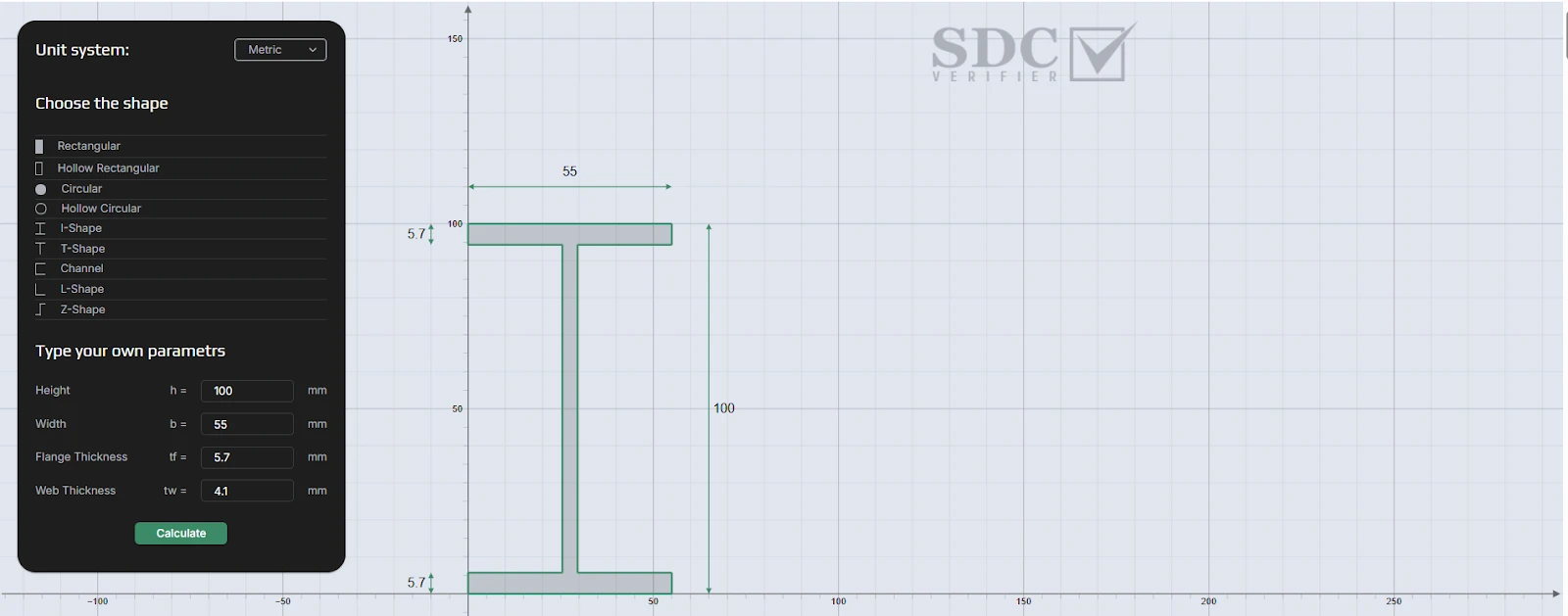 A reliable moment of inertia calculator helps engineers verify cross-section properties before committing to a design. But anyone who’s been through preliminary design knows how often this step gets handled poorly: quick mental estimates, outdated handbook tables, calculations on the back of a drawing printout. The mistakes that slip through don’t show up until the detailed design phase, when changing a beam size means reworking connections and recalculating everything downstream.
Why Moment of Inertia Matters in Structural Engineering
Moment of inertia in structural engineering applications comes down to two things: deflection and stress.
A beam’s moment of inertia (Iy, Iz) describes how its cross-sectional area is distributed relative to the bending axis. An IPE 300 has Iy of roughly 8 356 cm⁴. An IPE 200? About 1 943 cm⁴. Same steel grade, but the IPE 300 deflects far less under the same load because the area sits farther from the neutral axis.
That’s not academic. A floor beam that passes the strength check but fails the deflection limit under Eurocode EN 1993-1-1 gets redesigned. A crane runway girder that exceeds its deflection limit — L/600 for many overhead travelling cranes under EN 1993-6 — because someone picked the wrong axis? Failed inspection.
Section modulus connects moment of inertia directly to bending stress: σ = M/Z. Without it, you can’t verify whether a beam stays within allowable limits. The plastic section modulus (S) determines capacity for plastic design, which codes like AISC 360 increasingly rely on.
Five Situations Where a Cross-Section Properties Calculator Saves Time
Not every structural design calculation justifies a full FEA model. A section modulus calculator or quick property lookup is often enough:
- Preliminary beam selection. You have a span, a load, and a deflection limit. Running a calculator gives you Iy, section modulus, and radius of gyration in seconds, enough to pick an approximate section size before detailed design starts.
- Checking an existing design. Someone sends you a report with an HEA 200 on a 6-meter span carrying 15 kN/m. Plug the dimensions into a calculator, extract the section modulus, run σ = M/Z. Two minutes versus twenty by hand.
- Comparing profile alternatives. Hollow rectangular vs. I-beam vs. channel. A cross-section properties calculator lets you run all three side by side, comparing area, Iy, Iz, and radius of gyration without leaving your browser.
- Column buckling pre-checks. Buckling resistance depends on radius of gyration (r = √(I/A)). For slender columns, the radius of gyration feeds into the non-dimensional slenderness calculation, which determines whether elastic or inelastic buckling governs and which buckling curve applies. Getting it wrong means oversizing (wasted steel) or undersizing (failed check).
- Custom and non-standard sections. Built-up beams, welded plate girders, compound sections not in standard catalogues. Calculating properties by hand for a monosymmetric I-shape with different flange widths is tedious and error-prone.
Key Beam Cross-Section Properties Engineers Should Know
Understanding which number to use where prevents the kind of confusion that leads to errors.
Area (A) and centroid (Cy, Cz) come first. The centroid defines the neutral axis. For doubly symmetric I-beams it sits at the geometric center, but for channels, angles, and T-shapes it shifts. Miss that shift and your stress distribution is wrong from the start.
Moments of inertia (Iy, Iz) about the geometric axes and I1, I2 about the principal axes coincide for symmetric profiles. For asymmetric ones like L-shapes, the principal axes rotate by angle θ. Using the wrong axis system means calculating deflection in the wrong direction.
Elastic section modulus (Zy, Zz) drives allowable stress checks. Plastic section modulus (Sy, Sz) determines capacity under plastic hinge formation, with shape factors typically around 1.12 for I-beams and 1.50 for solid rectangular sections (lower for RHS, depending on wall proportions).
Radius of gyration (ry, rz) controls buckling. Torsional constant (J) and warping constant (Cw) matter for lateral-torsional buckling, especially on long unbraced spans. Junior engineers overlook these most frequently, and they’re exactly the ones that govern failure in slender open sections.
Cross-Section Profile Types and Their Applications
| Profile Type | Typical Applications | Strong-Axis Stiffness | Weight Efficiency | Torsional Resistance |
| I-Shape (IPE, HEA, W-shapes) | Floor beams, crane runways, portal frames | High | Good | Low (open section) |
| Rectangular Hollow (RHS/SHS) | Columns, trusses, exposed architecture | Moderate-High | Excellent | High (closed section) |
| Circular Hollow (CHS) | Offshore jackets, pipelines, architectural columns | Equal both axes | Excellent | Highest |
| Channel (UPE, C-shapes) | Secondary beams, purlins, bracings | Moderate | Moderate | Low |
| L-Shape (Angle) | Bracing members, connections, secondary framing | Low | Low | Very low |
| T-Shape | Stub columns, chord members in trusses | Moderate (one axis) | Moderate | Low |
I-beams dominate where single-axis bending controls. Hollow sections excel under combined bending and torsion, or in multi-directional loading like offshore bracing. Channels and angles fill niche roles where space constraints or connection geometry dictate the choice.
Using a Moment of Inertia Calculator Effectively
Getting a number is easy. Using it correctly takes more attention.
Units first. Mixing millimeters and meters produces results off by factors of 10⁴ or 10⁶ for moment of inertia. SDC Verifier’s free moment of inertia calculator lets you switch between metric and imperial, which eliminates this trap.
Then validate. Cross-check against published catalogue values. An IPE 100 should give Iy ≈ 171 cm⁴ and Iz ≈ 15.9 cm⁴. If your numbers differ, the input dimensions are probably wrong. Truth be told, most calculation errors come from input mistakes, not from the calculator itself.
Online calculators assume ideal geometry: sharp corners, uniform thickness, no fabrication tolerances. Real rolled sections have fillet radii that add to section properties. For preliminary design the difference stays within 2-5%. For final verification, use actual catalogue values or your FEA software’s profile library.
And match properties to the right code check. Elastic section modulus for allowable stress design. Plastic section modulus for plastic analysis.From Quick Check to Full Structural Verification
“The biggest risk in structural design isn’t getting the detailed analysis wrong. It’s spending two weeks on a full FEA model before discovering that the fundamental section choice was off from the start.”
A moment of inertia calculator handles the first stage: screening sections, estimating deflections, performing quick capacity checks. It narrows dozens of possible profiles to two or three candidates worth detailed investigation.
But real structures have stress concentrations at connections, load paths that simple beam theory doesn’t capture, and buckling modes that depend on boundary conditions. The gap between a preliminary section check and code-compliant verification is where software like SDC Verifier fits, running automated code checks against Eurocode 3, DNV, and AISC 360 in a single workflow covering member checks, plate buckling, weld strength, and fatigue.
The point is knowing when a quick section property check is enough and when the problem demands a full structural model. A simply supported floor beam with uniform loading? The calculator is probably your final answer. A crane boom with variable cross-sections, lateral loads, and dynamic amplification? That needs FEA.
Start fast with a calculator, confirm with analysis. That’s how structural design actually works, and it’s faster than jumping straight to a detailed model for every question.