Fieldwork has never been as straightforward as it looks on paper. Teams in construction, engineering, heritage, and industrial settings often work under tight schedules and unpredictable conditions, relying on tools that were never built for today’s level of complexity. Manual measurements take time and leave room for mistakes. Photos rarely show true depth or scale. Written notes can mean different things depending on who reads them later. Together, these limitations often lead to missing details, unnecessary return visits, and avoidable confusion once the work moves back to the office.
As projects grow more data-driven and expectations for accuracy continue to rise, professionals are rethinking how they document real-world conditions. Mobile 3D capture has become part of that shift. By using portable tools such as the handheld 3D scanner, teams can create detailed digital records directly on site, capturing spaces and objects as they actually exist rather than relying on interpretation or memory.
What Mobile 3D Capture Means for Modern Fieldwork
Mobile 3D capture is the process of creating three-dimensional digital models using portable scanning devices. Unlike traditional scanning systems that require controlled environments and fixed setups, mobile tools are designed to work where the job happens, on construction sites, inside facilities, or outdoors.
At the center of many mobile workflows is the handheld 3D scanner. Instead of positioning an object on a platform or setting up fixed equipment, the operator moves around the subject, collecting geometry and spatial data as they go. The result is a digital model that can be measured, reviewed, and shared long after the site visit ends. This change has a real impact on how field data is collected, reducing reliance on estimates and assumptions.
Core Technologies Behind Mobile 3D Scanning
Structured Light and Near-Infrared Scanning
Structured light scanning works by projecting a light pattern onto a surface and then reading how that pattern bends and shifts across it. Many mobile systems rely on near-infrared light instead of visible light, which helps the scanner stay reliable even when lighting conditions change on site. This makes the method especially useful for capturing fine surface details on the small to medium-sized objects that are common in everyday fieldwork.
LiDAR for Spatial Documentation
LiDAR systems measure distance by sending out laser pulses and timing how long they take to return. While often associated with large-scale surveying, compact LiDAR units are increasingly used in mobile workflows to document rooms, interiors, and spatial layouts. These systems focus on capturing overall geometry and context rather than fine surface texture.
Tracking and Data Alignment
As the scanner moves, software continuously aligns new data with what has already been captured. Visual tracking, inertial sensors, and feature recognition help the system understand where it is in space. This makes it possible to build a continuous 3D model without relying on physical markers in many real-world environments.
Why Handheld 3D Scanners Fit On-Site Documentation Needs
Portability in Dynamic Environments
A handheld 3D scanner is built for mobility. Its compact design allows operators to move easily around equipment, work in tight spaces, or scan objects that cannot be relocated. This flexibility makes it easier to document conditions without disrupting ongoing work or spending time on complex setups.
Real-Time Feedback and Error Reduction
Many mobile scanning systems provide immediate visual feedback during scanning. Operators can see which areas have been captured and which still need attention. This real-time visibility reduces the risk of discovering missing information later, when returning to the site is no longer convenient.
Accuracy That Matches Real-World Needs
While mobile scanners are not intended to replace laboratory-grade measurement systems, they offer accuracy levels that are well-suited to field applications. Capturing geometry within fractions of a millimeter is often more than enough for inspection, planning, comparison, and documentation tasks carried out on site.
Key Use Cases Across Industries
Construction and Architecture
In construction and architecture, mobile 3D capture is used to document existing conditions, support renovation planning, and track progress over time. Scanning a space before work begins provides designers and engineers with a reliable reference. Ongoing scans during construction help teams stay aligned as conditions change.
Cultural Heritage and Preservation
Cultural heritage professionals use mobile 3D scanning to document artifacts, monuments, and sites that cannot be moved or physically altered. Digital models preserve shape and surface detail while minimizing handling. These records support conservation planning, research, and long-term preservation.
Industrial Inspection and Maintenance
In industrial settings, mobile 3D capture helps document wear, deformation, or alignment issues. A handheld 3D scanner can record the condition of components in place, creating a clear baseline for future inspections. This is especially useful when working with older equipment that lacks complete design documentation.
Reverse Engineering and Asset Documentation
Reverse engineering often starts with 3D scanning. Mobile scanners allow teams to capture existing parts directly on site and convert them into digital models. These models can then be used for redesign, replacement, or compatibility checks without removing the original component from operation.
Best Practices for Effective Mobile 3D Capture
Good results depend not only on the scanner but also on how it is used. Planning a clear scan path, maintaining steady movement, and understanding how different materials respond to scanning light all help improve data quality. Managing environmental factors such as glare or reflective surfaces can also make a noticeable difference.
Organizing scan files right after capture is another important step. Clear naming and documentation make it easier to use the data later, whether for design reviews, inspection reports, or digital archives.
Product Categories Supporting Mobile Workflows
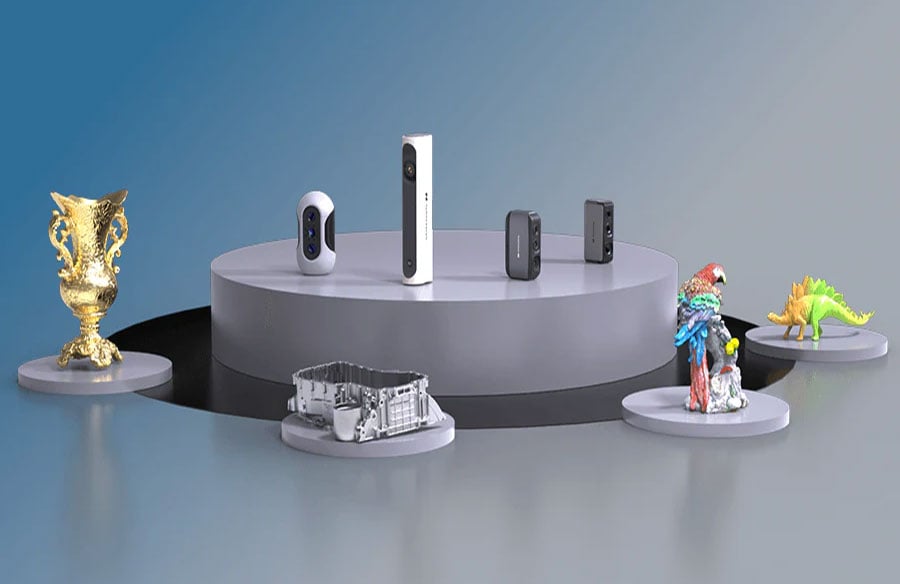
Mobile 3D capture includes several types of tools. Handheld scanners focus on flexibility and object-level detail. Portable LiDAR systems emphasize spatial context and range. Tablet- or phone-assisted scanners prioritize quick deployment and ease of use for basic documentation tasks.
The handheld 3D scanner sits between these categories, offering a practical balance of portability, accuracy, and adaptability. This balance explains why it is used across so many fieldwork scenarios, from industrial facilities to historical sites. Some systems, such as the 3DMakerpro Moose series, support scan depths of up to 100 mm, making vertical scanning more effective and helping capture complex models with layered or recessed features in a single workflow.
The Evolving Role of Mobile 3D Capture
Ongoing improvements in sensors, processing power, and software continue to expand what mobile 3D capture can do. Cloud-based workflows make it easier to share and review data quickly, while compatibility with common design and analysis tools ensures that field data remains useful throughout a project.
As accurate documentation becomes more important, mobile 3D capture is no longer a specialty tool; it’s becoming a normal part of everyday fieldwork. By linking real-world spaces to digital workflows, it’s proving to be a practical and valuable tool for modern projects.
Conclusion
Mobile 3D capture helps take a lot of the guesswork out of fieldwork and on-site documentation. Instead of relying on notes, photos, or memory, teams can work with digital models that clearly show what was actually on site. Handheld 3D scanners have proven especially useful because they’re easy to bring into different environments and flexible enough to handle a wide range of situations.
As the technology continues to improve, mobile 3D capture is becoming a natural part of how professionals record and understand the physical world. Its real strength lies in its consistency; it captures conditions as they are, wherever the work takes place, and makes that information easier to use long after the site visit is over.