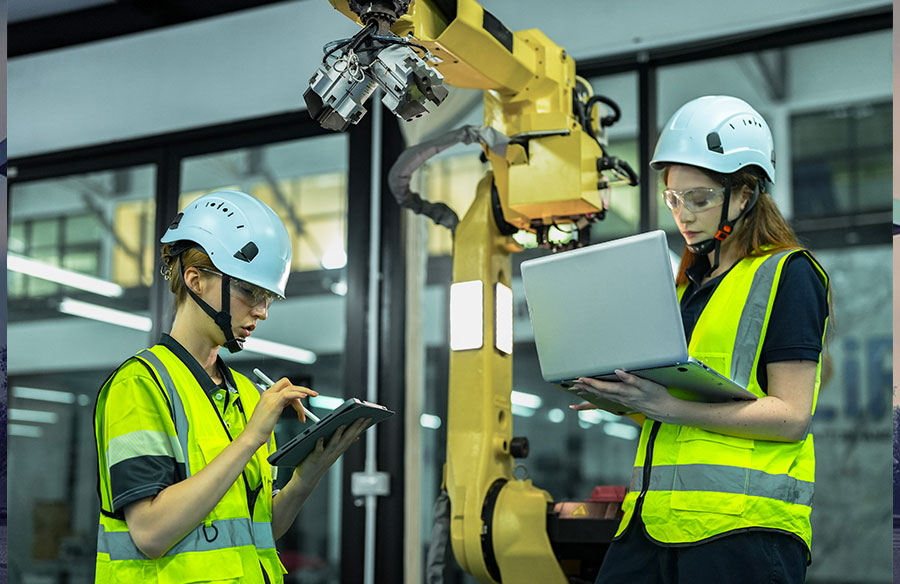
Production teams are often observed struggling with a new robotic cell installation. Multiple weeks can be spent debugging collision issues that could’ve been caught earlier. That experience demonstrates something crucial about modern manufacturing.
Why Traditional Equipment Launches Take Months
Here’s the brutal truth – most manufacturing facilities lose 3-6 months during new equipment rollouts. Not because the hardware is bad, but because we’re essentially flying blind until the machines arrive on the shop floor.
Think about it. You order a five-axis machining center or a collaborative robot cell. The vendor sends specs and CAD models, sure. But until that equipment physically shows up and you start running test programs? You’re guessing. Will the robot reach all required positions? Can it handle the tool weight? What about singularity zones near your specific workpiece geometry?
Teams have been seen burning through weeks of production time just figuring out these basics. And every day that machine sits idle while programmers troubleshoot? That’s money evaporating.
The traditional approach forces a linear workflow: receive equipment → install → write programs → test → fix issues → test again. Each step waits for the previous one to complete. Manufacturing engineers hate this process (I know I do), but until recently, there wasn’t a better alternative.
What Digital Twins Actually Do in Production
A digital twin isn’t just a 3D model – that’s a common misconception. It’s a dynamic virtual replica that mimics your equipment’s kinematic behavior, constraints, and operational limits.
When discussing digital twins for manufacturing equipment, this refers to software representations that understand:
- Joint limits and axis ranges
- Acceleration/deceleration profiles
- Tool center point (TCP) calculations
- Collision geometry
- Controller-specific motion constraints
The difference is significant. A static CAD model shows you what equipment looks like. A properly configured digital twin shows you how it moves and where it fails.
Modern CAM systems integrate these twins directly into the programming environment. So when you’re generating toolpaths for a robotic milling operation, the system calculates whether your robot can actually execute those moves before you ever power on the real machine.
Three Critical Stages Where Digital Twins Save Time
Stage 1: Pre-Installation Planning
Before equipment delivery, the entire cell layout can be validated virtually. This includes:
- Clearance verification between robots and peripheral equipment
- Reach analysis for all planned operations
- Cable routing paths (often overlooked until installation day)
- Optimal positioning of workpiece fixtures
It has been demonstrated that the robotic cell planning phase can be drastically reduced, for example from a month to just over a week, using this approach. The facilities team can have exact anchor bolt positions and electrical routing mapped before the equipment arrives.
Stage 2: Program Development
This is where the time savings really stack up. With an accurate digital twin, programmers develop and test code offline while production continues uninterrupted on existing equipment.
Offline programming projects have shown significant benefits. For example, a complete welding program for a new robot can be ready before the equipment clears customs. When the code is loaded and run, only minor calibration is typically needed, unlike the old method where the robot would be occupied for days of programming.
The math is compelling: if program development typically takes 40 hours, and you can do 80% of it offline? That’s 32 hours of production time you didn’t lose.
Stage 3: Virtual Commissioning
Here’s where it gets interesting. Virtual commissioning means testing not just individual programs, but entire production sequences in the digital environment.
You can simulate:
- Part handoffs between multiple robots
- Coordinated multi-axis machining operations
- Tool changeover procedures
- Collision scenarios under various conditions
Collision scenarios can be caught virtually, even those that only occur when processing specific part geometries. This avoids potentially costly mistakes that would occur if discovered on the real equipment.
Choosing Tools for Virtual Equipment Models
So you’re convinced digital twins matter. Now comes the practical question – how do you actually create them?
This is where many teams get stuck. Traditional approaches required extensive programming knowledge or expensive system integrators. The manual coding of kinematic chains, coordinate transformations, and joint limits was historically tedious work that only specialized engineers could handle.
The landscape has evolved though. Modern platforms now offer zero-code approaches to building accurate digital twins. Take a digital twin builder as an example – these tools let engineers import 3D equipment models and configure kinematic parameters through intuitive interfaces rather than writing code.
What should you look for in digital twin creation tools?
Import flexibility – Can it handle your existing CAD formats? Most manufacturing facilities have equipment models in STEP, IGES, or proprietary vendor formats.
Kinematic accuracy – The tool must correctly simulate actual machine motion, including things like TCP offset calculations and axis coupling for multi-axis systems.
Integration capability – Your digital twin needs to work with your CAM software, not exist as an isolated model. Otherwise you’re just creating extra work.
Component libraries – Pre-built models of common robots, CNC machines, and accessories save massive amounts of time. Why rebuild a digital twin of a Fanuc robot that’s already been modeled thousands of times?
I’ll be honest – not every situation requires sophisticated digital twin software. If you’re installing a simple three-axis vertical mill and running straightforward milling operations? The basic simulation in your CAM package probably suffices.
But for robotic systems, multi-axis machining centers, or any equipment with complex kinematics? Purpose-built digital twin tools pay for themselves quickly.
Real Case: Robotic Cell Implementation with Pre-Simulation
A typical project involved implementing a six-axis robot for aerospace component milling of long aluminum parts with complex contours.
Traditional timeline estimate: 14 weeks from purchase order to full production. A comparative timeline using digital twins: 8.5 weeks
The process often breaks down as follows:
Weeks 1-2: The digital twin can be built while equipment was being manufactured. The vendor’s CAD models and specifications can be used to configure a virtual cell including the robot, rotary positioner, and fixture plate.
Weeks 3-5: A significant portion (e.g., 80%) of toolpath programs can be developed offline. The digital environment revealed that our initial fixture design would’ve caused robot wrist interference at certain orientations. Caught and fixed in CAD – would’ve been a nightmare to discover during physical commissioning.
Week 6: Equipment can arrive and be installed. Facilities team can know exactly where everything needed to go because clearances were validated virtually.
Weeks 7-8: Final program optimization and physical commissioning can be completed. The robot can execute pre-programmed paths with only minor TCP adjustments needed.
Week 8.5: Production parts can be approved.
The CFO was skeptical at first about investing in digital twin software. However, a project can show substantial revenue acceleration, such as producing parts several weeks ahead of the original schedule, not to mention the avoided costs of discovering major issues during physical commissioning.
Common Mistakes When Working with Digital Twins
Mistake #1: Treating the twin as “set and forget”
Your digital twin is only useful if it accurately reflects reality. When you modify fixturing, change tooling, or update any physical aspect of your cell – that twin needs updating too.
It is recommended to maintain a simple rule: any physical change gets documented and mirrored in the virtual environment within a short timeframe. Otherwise, you gradually drift apart and lose trust in the simulation.
Mistake #2: Insufficient detail in collision geometry
Many engineers create beautiful digital twins with perfect kinematic modeling… and then use simplified boxes for collision detection. That defeats the purpose!
Yes, detailed collision meshes increase simulation time slightly. But catching a collision in software is way faster than repairing damaged equipment.
Mistake #3: Ignoring controller-specific constraints
Different robot controllers have different motion characteristics. A program that runs perfectly on a Fanuc robot might hit velocity limits on a KUKA with similar specifications.
Your digital twin should account for these controller-level behaviors. Otherwise, you’re just simulating idealized motion that doesn’t match real-world performance.
Mistake #4: Skipping physical validation
Digital twins are powerful, but they’re still models. After implementing programs developed in a virtual environment, always run validation tests at reduced speeds first.
A common three-stage approach involves: 10% speed dry run → 50% speed with workpiece → full production speed. Catches any remaining TCP calibration issues or unforeseen dynamics.
Listen, implementing digital twins requires an initial investment of time and resources. There’s definitely a learning curve, especially for teams accustomed to traditional methods.
But manufacturing is moving too fast for the old “install first, troubleshoot later” approach. The facilities that successfully compress their implementation timelines? They’re the ones winning contracts and maintaining competitive advantages.
That 40% time reduction isn’t just a nice metric for a presentation slide. It’s real production capacity, real revenue, and real competitive edge in an industry where being first to market matters more every year.