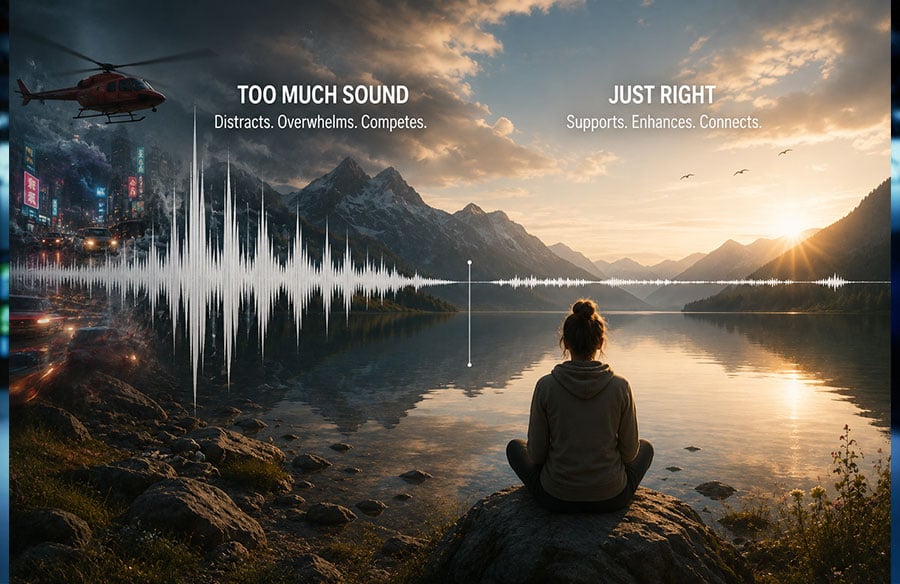
AI video tools can now generate movement and, in some workflows, audio at the same time. That can make a short clip feel complete as soon as it appears. It also creates an easy mistake: assuming that the presence of sound automatically improves the result.
A generated clip may include ambience, effects, music, or dialogue, but none should be accepted simply because it arrived with the image. Sound should help the audience understand an action, notice an important detail, feel a change in mood, or follow the scene’s rhythm. Otherwise, it can compete with the picture.
The useful question is whether the sound that appears belongs there.
Begin With the Scene, Not the Soundtrack
Before judging the audio, decide what the scene is meant to communicate. A product demonstration, a talking explainer, and a quiet portrait do not need the same treatment.
A product clip may depend on one mechanical click. A talking video may need a clear voice and little else. A street scene may benefit from environmental sound, while a beauty shot may work better with restraint.
Problems begin when creators judge sound before they define the scene. A dramatic track can make a simple product shot feel exaggerated. Busy ambience can distract from a short spoken line. An effect may pull attention toward an unimportant object.
Complete one sentence before approving the result:
| The audience needs to hear this because ______. |
If there is no useful answer, the sound may be filling silence rather than helping the scene.
Build a Listening Priority
A strong image has a visual hierarchy. One subject leads, while the background remains secondary. Audio needs the same structure.
The clip should usually have one listening priority. It may be a voice, a product sound, environmental ambience, or music. Other audible elements should support that priority instead of competing with it.
If dialogue carries the message, the background should not make the words harder to follow. If a product action proves how something works, that moment should remain clear. If the location is the subject, ambience may lead while music stays restrained.
This hierarchy does not require separate tracks. It is simply a way to evaluate the result: listen to what dominates and compare it with the scene’s purpose.
Separate Information From Atmosphere
Some sounds change what the viewer understands. Others change how the scene feels.
A spoken instruction, an alarm, approaching footsteps, or the snap of a lid can carry information. Removing the sound may change the meaning of the action.
Atmosphere works differently. Rain against a window, distant traffic, restaurant noise, birds, or a low interior hum can make the setting believable without explaining the main event.
Both can be useful, but they should not compete equally. A voice should not struggle against environmental noise. A subtle product sound should not disappear beneath a strong music cue.
Ask what would be lost if the sound were absent. If the action becomes harder to understand, the sound carries information. If only the mood or sense of place changes, it provides atmosphere.
Silence Is Not a Missing Feature
Silence is often treated as a gap that needs to be repaired. In practice, it can direct attention more effectively than another layer of sound.
A quiet opening can make the first spoken line feel immediate. A pause before a product clicks into position can give the action more weight. A moment without music can allow an expression, gesture, or camera movement to carry the scene.
Constant sound creates little contrast. When the soundtrack remains full from beginning to end, no individual moment feels especially important.
Silence does not always mean complete emptiness. Low room tone, faint air movement, or subtle environmental texture can preserve realism while leaving space around the main event.
The point is not that every video should be quiet. It is that empty space should not be filled before anyone decides whether it already serves the scene.
Match the Sound to the Size of the Action
The scale of the audio should fit the scale of what happens on screen.
A close-up of someone opening a paper package may need a crisp tear, not a cinematic impact. A slow camera push toward a person may work with restrained room tone, while a wide street sequence can support broader ambience.
The emotional pace should also match. Fast edits may benefit from rhythm, while a slow reveal may need one precise effect or almost no added sound. “Cinematic” should not automatically mean louder or denser.
Review Native Audio as Part of the Generated Result
Platforms such as Grok Imagine describe support for video generation with native audio. This means some generated results may arrive with synchronized sound, depending on the selected workflow, model, and scene.
That is useful because creators can experience an audiovisual idea earlier. It does not mean every result will contain useful audio, or that every generated sound should remain in the final version.
Treat the audio as part of the first draft. Listen without concentrating on the picture. What dominates? Does the sound match the location and action? Does it begin and end naturally? If dialogue is present, is it understandable?
Then watch the clip with the volume muted. If the essential message disappears, decide whether that dependence is intentional. A talking explainer should lose information without its voice. A product beauty shot often should not.
 Use Three Simple Listening Tests
Creators do not need individual tracks or professional sound software to identify an overcrowded result.
- The First-Second Test
Play only the opening second. Does the sound establish the setting, or does it begin with an unnecessary burst of music or noise? The opening should orient the viewer rather than compete with the first visual.
- The Priority Test
Ask what you noticed first. If the intended priority was a spoken line or product action but the background dominates, the hierarchy is wrong. The clip may need a different generation, a revised prompt, or further editing outside the generator.
- The Mute Test
Watch the clip once with sound and once without it. The comparison reveals whether the audio adds information, reinforces rhythm, makes the setting more believable, or contributes very little.
These tests make feedback specific: the opening may be too loud, the ambience may distract from the action, or the soundtrack may add mood without helping the message.
Design for Viewers Who May Never Hear It
Social videos are often watched with devices muted, at low volume, or in noisy surroundings. Native audio should improve the experience without becoming the only way to understand it.
Spoken content may still need captions. A product action should remain visually readable without its effect. A musical change should not be the only sign that the topic has shifted.
Creators can use Grok Video to develop a clip from a prompt or uploaded image and assess the generated motion and any resulting audio together. Both the sound-on and sound-off versions should be reviewed.
The muted version should preserve the essential message whenever possible. The sound-on version should add clarity, rhythm, atmosphere, or emotional depth.
Let the Scene Earn Its Sound
Native audio can make an AI-generated clip feel more complete earlier in the creative process. Completeness, however, is not the same as intention.
Begin with one listening priority. Decide whether the sound carries information, creates atmosphere, supports rhythm, or changes the emotional reading of the scene. Leave room for quiet moments, test the result without sound, and reject audio that competes with the message.
A better AI video does not need more sound. It needs sound that belongs to the scene, supports what the viewer sees, and earns the attention it receives.