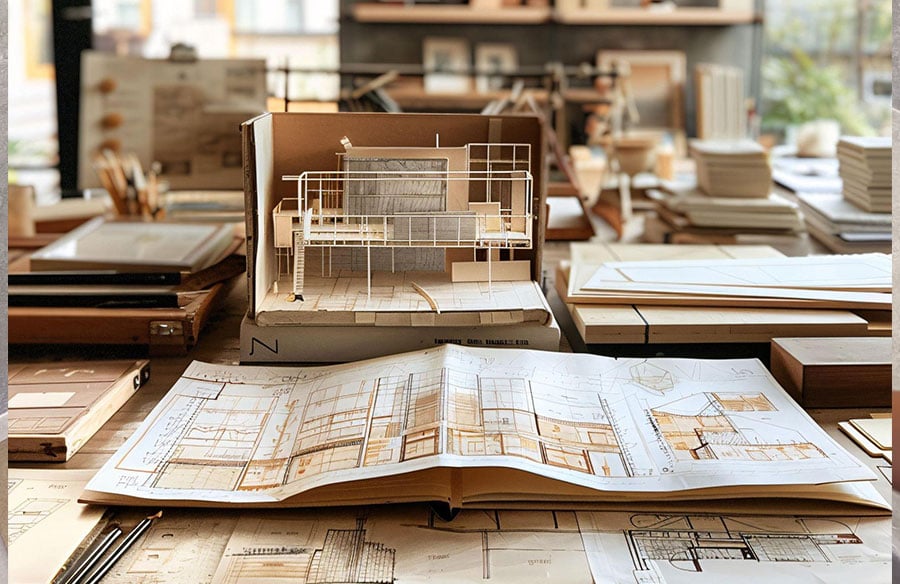
A federated Revit model that opens in seconds on a studio workstation can crawl on a laptop at a client’s office.
Streaming a powerful office computer to any device solves this, so the heavy model never leaves the studio. Autodesk advises RAM near 20 times the size of a compacted central file, which explains why ordinary laptops struggle on big jobs.
Below, you will see how remote sessions handle drawings and models, which risks need attention, and how to set up access that stays fast and safe for your whole studio, from interns to principals.
Key Takeaways
- Remote sessions run the model on office hardware, so a modest laptop or tablet can drive it.
- Autodesk ties memory needs to file size, which is why local laptops struggle.
- Exploited vulnerabilities start 31% of breaches, so patching your studio machines matters.
- Multi factor authentication cuts the odds of account takeover by more than 98%.
- Check latency and display quality with a live project before rolling out to the team.
How Does Remote Access Work for CAD and BIM Files?
Remote access software for architects sends only screen images and your keyboard and mouse input between devices. The model, plugins, and licenses stay on the host computer, which keeps heavy files off laptops and out of email.
This differs from copying files to a local drive. Nothing large travels across the connection, so a slow hotel network matters far less than it would for a file sync.
Local Work Versus a Remote Session
| Factor | Local copy on a laptop | Remote session to the studio |
|---|---|---|
| Large model loading | Limited by laptop RAM and storage | Uses the studio workstation |
| Data location | Files spread across devices | Files stay in one place |
| Device needs | High specification hardware | Any modern laptop or tablet |
| Version control | Risk of outdated copies | One live version |
| Pro Tip: Keep the host workstation and your central model on the same office network to avoid slow file reads. |
Why Large Models Strain Ordinary Laptops
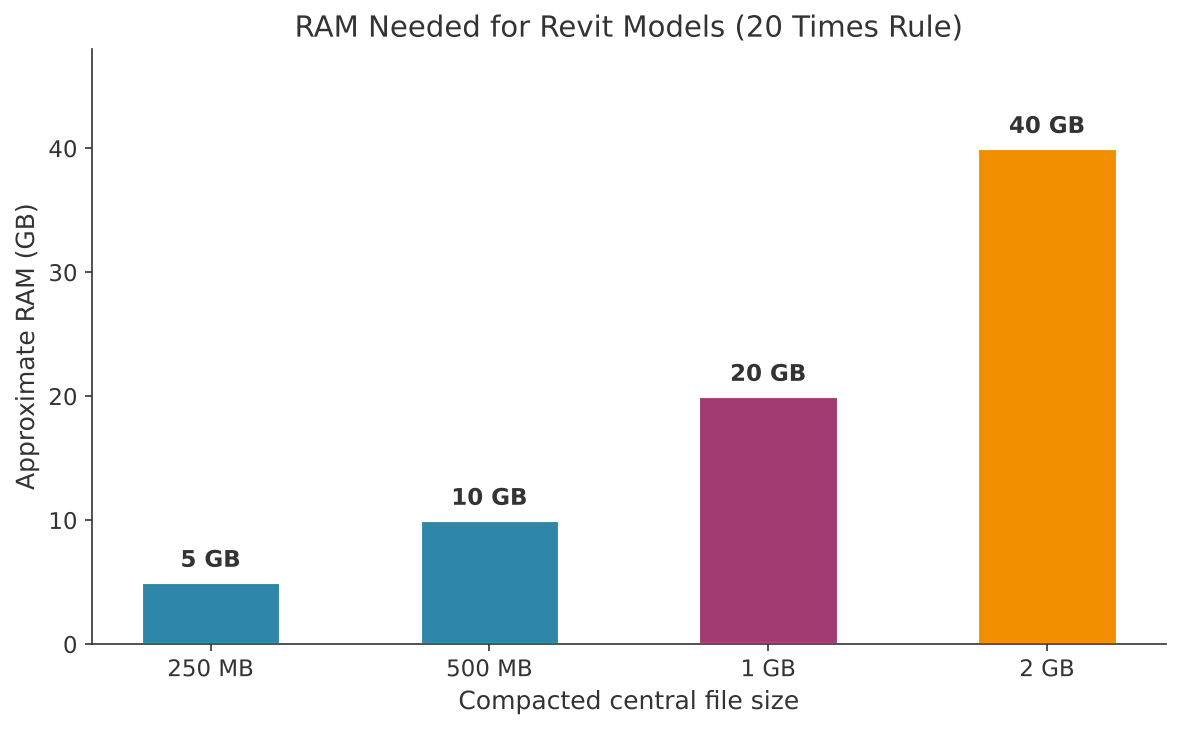
Revit’s own memory recommendations call for 16 GB as a baseline, then scaling memory to roughly 20 times the compacted central file. Big projects with linked models push past that quickly.
RAM Estimate Using the 20 Times Rule
| Compacted central file | Approximate RAM | Typical laptop fit |
|---|---|---|
| 250 MB | 5 GB | Comfortable |
| 500 MB | 10 GB | Needs 16 GB |
| 1 GB | 20 GB | Workstation advised |
| 2 GB | 40 GB | Dedicated workstation |
 Rendering and exports add more load, since they run in a separate process. Streaming from a workstation avoids buying a top tier laptop for every team member, and it lets you upgrade one shared machine instead of a whole fleet.
Teams that understand each stage of BIM also know that data grows at every phase, from pre design to operations. Remote sessions let that data stay where it was created.
Where Architects Use Remote Sessions Most
- Site visits: Pull up the latest sheets on a tablet while standing in the building.
- Client meetings: Navigate the live model on a conference room screen.
- Work from home: Continue modeling on a personal device after hours.
- Freelancers: Give specialists supervised access to a single project.
- Design reviews: Let a principal check progress from another city.
BIM is far more than just a software package, and its value comes from shared, current information. Streaming one live model supports exactly that, because every reviewer sees the same sheets, schedules, and views at the same moment.
Security Risks Studios Should Plan For
Design files hold client data, site plans, and bids, which makes them worth stealing. Verizon’s 2026 Data Breach Investigations Report found that exploited vulnerabilities began 31% of breaches, ahead of credential abuse at 13%.
Every open connection widens exposure, as this explanation of remote connections outlines. Studios should treat access rules as part of design practice, not an IT afterthought.
| Watch Out: Never leave a remote desktop port open to the internet. Automated scans find exposed machines quickly. |
- Unpatched hosts: Old operating systems and plugins create easy entry points.
- Weak passwords: Shared logins hide who opened which project.
- Unmanaged devices: Personal laptops may lack basic protection.
- Lingering access: Freelancer accounts stay active after a project ends.
Safeguards That Protect Design Files
A large Microsoft study found that multi factor authentication reduced account compromise risk by 98.56% to 99.22%. Make it the first control you switch on.
Core Safeguards for Architecture Studios
| Safeguard | What it does | Studio example |
|---|---|---|
| Multi factor authentication | Confirms identity twice | Phone approval at every login |
| Least privilege | Limits who sees what | A consultant sees one project only |
| Regular updates | Closes known flaws | Patch host machines monthly |
| Session logging | Records who connected | Review logs after a client dispute |
| Encrypted connections | Protects data in transit | Sessions over public Wi-Fi stay private |
Technology choices affect culture too, so firms should weigh convenience against risk before adopting any new tool.
What to Look for in a Remote Access Tool
Features Worth Comparing
| Feature | Why it matters | What to test |
|---|---|---|
| Display quality | Drawings need sharp lines and accurate color | Zoom into dense plan sheets |
| Responsiveness | Modeling feels sluggish with delay | Rotate a 3D view over home internet |
| Unattended access | Studio machines may be off hours | Connect to an idle workstation |
| Multi monitor support | Architects use several screens | Span two displays at once |
| Device coverage | Staff use Windows, Mac, and tablets | Open a session from each |
| Admin controls | Studios need roles and reports | Create a limited consultant account |
Run these tests with actual project files, not a sample. A trial with two or three team members reveals problems before a full rollout.
Working With Consultants and Linked Models
Architectural projects rarely live in one file. Structural, mechanical, and landscape consultants each contribute models that link into yours, and everyone needs a current view.
Remote sessions let a consultant join your workstation for a coordination review without exchanging copies. You keep control of the source files, and the session ends when the meeting does.
- Schedule coordination calls with a shared screen on the live model.
- Grant view only access when a consultant needs to inspect, not edit.
- Record who joined each session for your project file.
| Pro Tip: Create a separate account for every outside consultant, and disable it on the day their scope ends. |
Common Mistakes to Avoid
Most problems trace back to rushed setup rather than weak technology. A few habits prevent the usual headaches.
- Skipping a trial: A tool that looks fine on a simple drawing may lag on a federated model.
- Ignoring monitors: Colors and line weights look different on each display.
- Sharing one login: Nobody can tell who changed a sheet.
- Forgetting updates: Host machines fall behind and become easy targets.
A Setup Plan for Your Studio
- Choose host machines. Pick workstations with strong graphics cards and plenty of RAM.
- Secure the hosts. Apply updates and remove software you do not use.
- Turn on MFA. Require it for every account before the first session.
- Set permissions. Give each person only the projects they need.
- Pilot one project. Test speed and display on a live job.
- Train the team. Show staff how to connect, disconnect, and report problems.
Firms exploring broader change should also consider where these tools fit within their wider technology plans.
This short walkthrough demonstrates how a remote desktop setup works with Revit.
[VIDEO: “Remote Desktop for Revit” — https://www.youtube.com/watch?v=WAh34uF2Et0]
It shows how to reach a Revit workstation from another computer.
Your Questions Answered
Can I run Revit or AutoCAD from a tablet?
Yes. A remote session streams the studio computer to your tablet, so the software runs on the workstation. You control it by touch or keyboard, and files remain on the office machine.
How much internet speed do I need?
A stable broadband connection with low delay matters more than raw speed. Test with a real model, rotate views, and check that menus respond smoothly before relying on it for deadlines.
Is remote access safe for client drawings?
It is safe with layered controls: multi factor authentication, updates, least privilege permissions, encryption, and session logs. Avoid shared passwords and remove access when projects close.
Do I still need a VPN?
Not always. A VPN protects network traffic, while remote access tools secure individual sessions. Many firms combine both, depending on who connects and which files they reach.
How much RAM does a large BIM model need?
Autodesk suggests a 16 GB baseline that grows with model size. A 1 GB compacted file therefore calls for roughly 20 GB of local memory.
Making Your Choice
Model files keep growing, and laptops rarely keep pace. Streaming from office hardware gives your team the same model on every device.
Pick a tool that renders drawings crisply, protect every login, and test on a live project first. Studios that do this work freely from any site without moving a single gigabyte. Start with one project, gather feedback from the team, and expand once the connection feels as natural as sitting at your own desk.