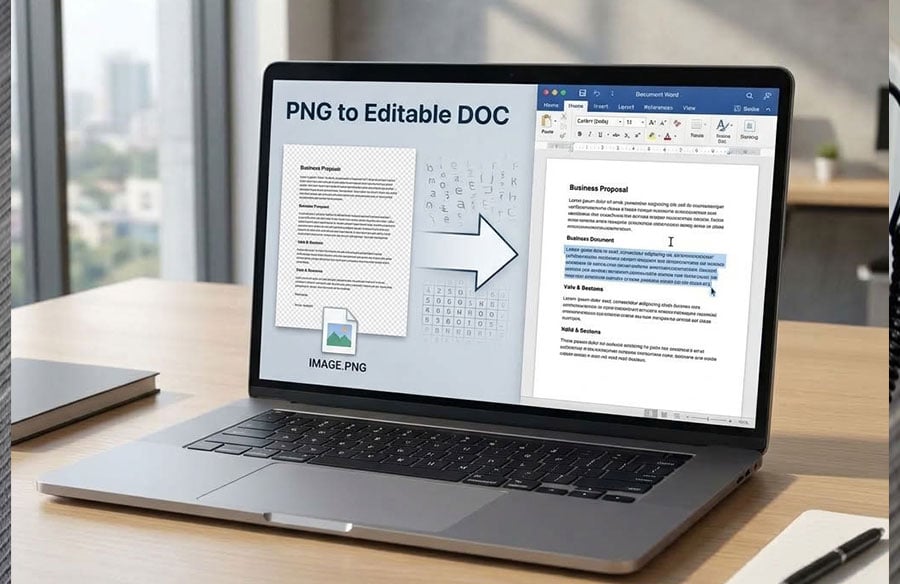
If you plan to convert a PNG file into DOC, then you might have a little trouble at hand because file conversion to PDF format is a bit difficult and for that you require an external software. This is where we can help you out.
The Word application will be able to import the PNG file; however, it does not have the capability to automatically convert the content into selectable text. As there are numerous PNG to DOC converters available, you’ll get overwhelmed choosing between the most efficient tool that makes this process simpler and easier.
So now, we are going to demonstrate the simple process to convert PNG to Doc using the best converter and improving the quality of the output. Thus, read the following guide to know how to convert an image to an editable file with ease.
Convert PNG to DOC Tool’s Significance
PNG to DOC tools are made specifically to solve some particular problem. It offers a place to convert images that might possibly have some very important information into editable formats like MS Word. The PNG format, which is mainly used for storing graphics or images, has some very important information stored in these images in the form of text.
One downside of a PNG file is that the text included in the file is stored within the image and not the file itself, which means that the text in the file cannot be edited. And this is where the PNG to DOC conversion tools play their role. The process of converting the file from PNG to DOC will use the OCR technology to extract the text.
Purpose of Comparison
The main purpose of comparison between the PNG to DOC converters is to provide you with a detailed and all-inclusive understanding of the different PNG to DOC converters that can be found. This helps you understand the strengths and weaknesses of each tool, enabling you to make an informed decision while choosing the right tool for yourselves.
We explore two different tools, examining the strengths and weaknesses of each tool, and thus providing a complete understanding of what each one of the tools offers. The ultimate purpose of such comparison is to direct you to the best possible PNG to DOC converter tool that fills the gap and helps convert static image content to a Word document that is useful.
Operational Efficiency Highlights
Converting PNG files to DOC frequently makes an efficient process even better because there is no need for any additional logins or redirection when doing so. Using cloud storage allows us to get access to our documents stored in Google Drive or Dropbox and convert several files at once.
Tool-by-Tool Analysis
Tool#1 PDFFiller
The PNG to Document converter is meant for transforming PNG files into editable Word documents. The tool would be of great importance to small businesses and individuals that are looking for a fast way of managing their documents. Using the PDFFiller’s converter, you do not have to install any complicated software to perform PNG to DOC conversion.
As an example, if your business report is in PNG format, then you have the option to make it into a DOC format and then edit its contents accordingly without the need to retype them manually.
Main Features
- Beyond PDF Conversion: Convert and then edit, sign, merge, split, or create fillable PDFs from your files.
- One Queue, Many Files: Simply add up your files and go through the process of converting all of them without restarting every single time.
- Trim Before Converting: Look at the pages and trim the unnecessary ones before conversion.
How to Get to the PNG to DOC Converter Tool?
- Sign into your PDFFiller account.
- Go to the Done dropdown list at the dashboard.
- Choose the All Tools card where the converter tool will be located.
- Find the tool in the document row using the More drop-down list.
- No setup or prior preparation is required before you start using the tool.
Conversion Steps for PNG to DOC
Step 1: Load your PNG document.
Step 2: Select DOC as your file type, select your editable format, and proceed further.
Step 3: Begin conversion, allow the software to process the file, and give it some time.
Step 4: That’s all. Your DOC file is now ready, you can access and edit it.
Expectations of Converted Documents
During the process of conversion, there might be differences in terms of quality between the original document and the converted one. Fidelity of layout depends on the level of complexity of the original image while text edit ability depends on the file format; in case of scanning, an Optical Character Recognition (OCR) might be necessary. It should be noted that multi-page images are converted into different files.
Limitations of PDFFiler’s Converter
Although this PNG to DOC converter is a highly efficient application, there are several limitations to keep in mind. First, there is a limit in terms of page counts meaning that the number of pages that can be converted might be limited. In addition, OCR might not be accessible for some plans depending on what plan you have chosen. Complex layout might not be fully converted properly causing potential problems with formatting.
Tool#2 iLovePDF2.com
iLovePDF2.com is a comprehensive, completely free Web-based tool for managing and editing PDF files. iLovePDF2 will help you edit, convert, merge, extract, optimize and customize your PDFs conveniently. After trying it out, we found that the user-friendly interface enables you to use the program without knowing much about technical skills.
Features to be Noted
- Premium Conversion: We receive a Word document which resembles the PNG format in all respects like design and fonts but without incurring the expense of the conversion.
- OCR: It helps us convert the text contained within the scan or screenshot or graphic into selectable, searchable and editable text in Word.
- No OCR: In case you don’t need OCR conversion, the text in the PNG will remain non-editable but will retain the same appearance in Word.
- Batch Processing: We have the facility of converting several PNGs simultaneously.
How to Convert PNG to DOC with iLovePDF2
Step 1: Upload PNG file by dragging and dropping it or clicking “Browse Files”.
Step 2: Choose OCR conversion mode if you want to make the text editable or No OCR to preserve PNG original formatting.
Step 3: After clicking “Convert to DOC”, download the file when conversion is done.
Limitations of the Tool
There are no restrictions on file size when converting images with this PNG to DOC converter. You’re going to feel free to convert even your largest high-res PNG files without worrying about limits and safety!
Analytical Perspective of the Converters
After testing both the tools and reviewed properly, iLovePDF2 is optimized for minimal friction. By avoiding mandatory sign-ups & reducing steps, it provides a direct path for users who need to convert PNG to DOC quickly and repeatedly. Its simplicity makes it particularly suitable for high-frequency usage scenarios.
PNG to Word Converter: PDFFiller vs iLovePDF2
| Feature | PDFFiller | iLovePDF2 |
| Ease of Use | Requires account access and several menu steps | Simple browser-based workflow |
| PNG Upload | Upload through the converter interface | Drag & drop or “Browse Files” |
| OCR | Available depending on plan | Available for editable text |
| No OCR | Not clearly specified | Available |
| Batch Processing | Not clearly specified | Yes |
| Layout Preservation | Depends on image complexity | Designed to retain layout, fonts, and images |
| Multi-page Files | May create separate files | Supports batch PNG conversion |
| File-size Limit | Limits may apply | No specific file-size restriction stated |
| Account Required | Yes | No |
| Cost | Paid plans may be required for some features | Free |
| Best For | Users needing multiple document output formats | Users wanting a quick, free PNG-to-Word conversion |
Convert PNG to DOC Within Minutes, Followed by Editing
The process of conversion from PNG to DOC works most effectively when you need to convert the image into editable text in a very short period of time. The process will involve converting the image, enabling OCR function and fixing minor errors created through this process. You must use well-aligned PNG file for accurate conversion results and remove all the unneeded sections before upload. Once converted, you can save the resulting DOCX file.
Choose the Right Way to Convert PNG to DOC
For those seeking to transform their PNG to Document conversion, simply visit iLovePDF2.com. The converters are considered the best among all available on their site, and most importantly, they are completely free. The great thing about these converters is that they make the conversion process very easy for you. In addition, most of the converters are compatible with other formats. Simply upload files and let the conversion process be done in a few clicks.