Older cameras, AVCHD recorders, DVD archives, broadcast workflows, and specialized recording systems often produce video files that are less convenient than MP4 for everyday use.
MTS, M2TS, TS, and VOB are all legitimate media formats, but they can create friction when you try to open them in a modern browser workflow, upload them to a web platform, place them in a presentation, or send them to someone who does not use the same software.
Converting these files to MP4 is often the easiest way to create a more portable copy while preserving the original source for storage or editing.
This guide explains what each format is, when conversion makes sense, and how to approach the process without unnecessary quality loss.
Older camera and archive formats can be uploaded to an online video converter when you need a more widely supported MP4 delivery file.
Why These Formats Can Be Inconvenient
Modern users expect video to move easily between phones, browsers, cloud platforms, office software, and editing tools.
Specialized formats were not always designed for that kind of portability.
A format may have been created for:
- camera recording;
- Blu-ray structures;
- broadcast transport;
- DVD playback;
- reliable capture on dedicated hardware.
Those priorities are different from today’s common requirement: “I need this video to open almost anywhere.”
That is where MP4 becomes useful.
What Is an MTS File?
MTS is commonly associated with AVCHD camera recordings.
It can contain high-quality video captured by camcorders and other recording devices. The problem is not that MTS is obsolete or invalid. The problem is that many everyday applications are more comfortable with MP4.
Typical reasons to convert MTS include:
- sharing old camcorder footage;
- importing video into a simpler editing workflow;
- preparing footage for a website;
- using clips in presentations;
- sending videos to another person.
This ease of use is particularly valuable for architects and designers who regularly compile visual documentation for client presentations, online portfolios, or project archives. Ensuring video assets are readily accessible across various platforms streamlines communication and enhances the professional presentation of design work.
For valuable footage, keep the MTS source and create an MP4 copy rather than replacing the original.
What Is M2TS?
M2TS is related to MPEG transport stream workflows and is commonly associated with Blu-ray and AVCHD media.
Like MTS, it can contain perfectly usable video but may be awkward in applications designed around MP4.
Conversion can make the footage easier to handle without requiring the recipient to understand the original recording structure.
What Is a TS File?
TS stands for Transport Stream.
The format is designed for reliable transmission and is widely associated with broadcast and streaming systems.
A TS file may be appropriate in its original technical environment while still being inconvenient for ordinary playback, uploading, or editing.
Creating an MP4 copy can simplify downstream use.
What Is a VOB File?
VOB is closely associated with DVD-Video.
A VOB file may contain video, audio, subtitles, and DVD-related information.
If you are working with archived DVD footage, extracting or converting the relevant video into MP4 can make it easier to store, review, edit, and share using current software.
For architectural firms, this often applies to legacy project documentation, site surveys, or client walkthroughs stored on older media. Converting these to MP4 ensures that valuable visual records of past designs and construction phases remain usable for future reference, analysis, or even historical context.
As with other archived media, keep the original source when it has long-term value.
Why Convert These Files to MP4?
The most common reason is compatibility.
MP4 is widely supported across:
- browsers;
- computers;
- mobile devices;
- presentation software;
- social platforms;
- content-management systems;
- editing applications.
A single MP4 delivery copy can reduce the number of compatibility problems users encounter later.
That does not mean MP4 should replace every source format. It simply works well as a practical distribution format.
How to Convert MTS, M2TS, TS or VOB to MP4
 Step 1: Start With the Best Source File
Use the original recording if possible.
Avoid converting a copy that has already been compressed several times unless that is the only version available.
Repeated processing can introduce unnecessary quality loss.
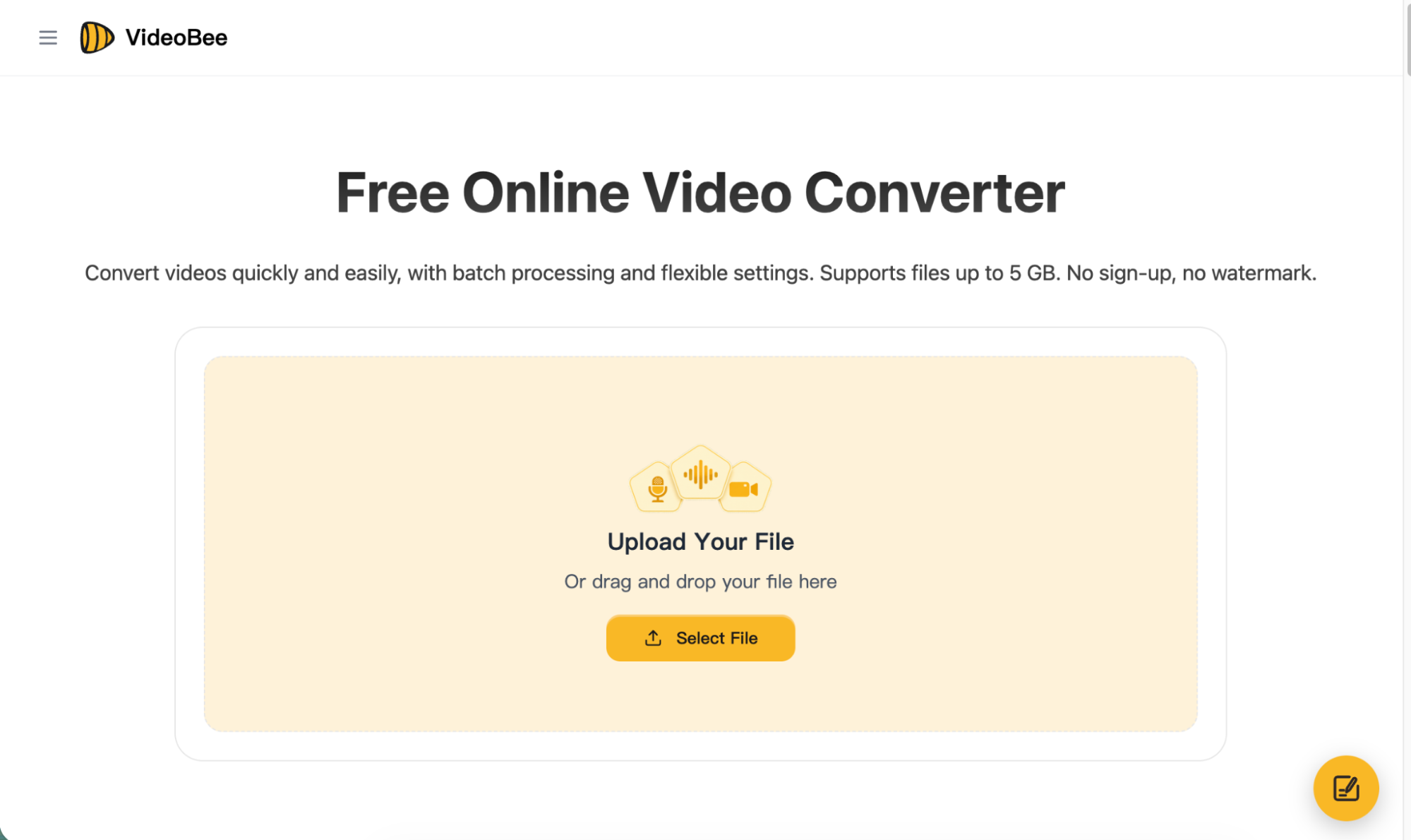
Step 2: Choose MP4 as the Output
Select MP4 when the destination requires a broadly supported video format.
If you need to convert video to MP4, VideoBee’s converter supports 16 input formats, including MTS, M2TS, TS, and VOB, and provides 19 output formats in total.
That means the same workflow can handle common formats as well as several less convenient camera and archive formats.
Step 3: Avoid Unnecessary Setting Changes
If compatibility is the only goal, there is often no reason to change resolution or other properties aggressively.
Increasing resolution cannot add detail that does not exist in the source.
Reducing bitrate may make the file smaller, but it can also affect image quality.
Choose settings according to the destination, not simply because they are available.
Step 4: Convert the File
Cloud-based conversion requires the source to be uploaded, so processing time depends partly on file size and internet connection.
Older camera recordings can be large.
Plan accordingly, particularly when working with several long clips.
Step 5: Check the MP4 Before Deleting Anything
Open the converted file and check:
- beginning and end;
- audio;
- picture quality;
- synchronization;
- duration;
- compatibility with the destination.
Keep the original until you are sure the converted copy works correctly.
MTS to MP4: What Should You Watch For?
Camcorder footage is often important because it may contain family recordings, interviews, events, or archival material.
Before converting:
- copy the original files to reliable storage;
- preserve the folder structure if the camera created supporting metadata;
- convert working copies rather than the only originals.
If the destination is an editor, verify whether it can work directly with MTS first. Conversion may not be necessary in every professional workflow.
M2TS to MP4: Is Conversion Always Required?
No.
Some media players and editors support M2TS directly.
Convert only when the next step becomes easier with MP4.
The purpose of conversion is not to make a file more “modern.” It is to remove a specific compatibility problem.
TS to MP4: Why Playback Can Differ Between Apps
Transport streams are designed differently from ordinary delivery files.
Some players handle them well, while other applications expect media packaged for local playback.
If a TS file works in one player but fails in another tool, creating an MP4 version can make the workflow more predictable.
VOB to MP4: Useful for DVD Archives
VOB files often exist as part of a larger DVD structure.
Before converting, identify which file contains the footage you actually need.
A disc may contain several VOB files, menus, chapter information, or repeated sections.
Once you know the relevant content, an MP4 copy is easier to use outside the DVD environment.
What If You Only Need Part of the Video?
Archive and camera files are often longer than the section you need.
For example:
- a two-hour recording may contain a ten-minute interview;
- a camcorder clip may include setup footage;
- a DVD extraction may contain unwanted material;
- a TS recording may include content before and after the relevant segment.
If the format problem has already been solved, an online video cutter can remove unwanted footage or keep only the section you need.
The app’s cutter supports files up to 5GB. It can keep a selected clip or remove a selected section and export the result as MP4, MOV, or MKV.
This can be useful after conversion when the goal is a shorter, cleaner delivery file.
Can You Extract Audio Instead?
Yes.
If the visual material is not needed, converting the video into an audio format can be more efficient.
Possible use cases include:
- interviews;
- lectures;
- speeches;
- music recordings;
- archival voice material.
The converter includes 10 audio output formats, including MP3, WAV, M4A, AAC, FLAC, and OGG.
Conversion vs Compression
Do not confuse the two.
Conversion changes the format.
Compression focuses on file size.
A converted MP4 may still be too large for email, messaging, or a particular platform.
In that case, compression becomes a separate step.
A useful sequence is:
make the file compatible → remove unneeded footage → reduce size only if required.
This avoids doing more processing than necessary.
Final Thoughts
MTS, M2TS, TS, and VOB are not “bad” formats. They were simply designed for workflows that are different from today’s everyday sharing environment.
When the original file is difficult to open, upload, or share, converting a copy to MP4 can make it much easier to use.
Keep the source, convert according to the destination, verify the result, and trim or compress only when the next step requires it.
That approach keeps the workflow simple while preserving the value of the original footage.