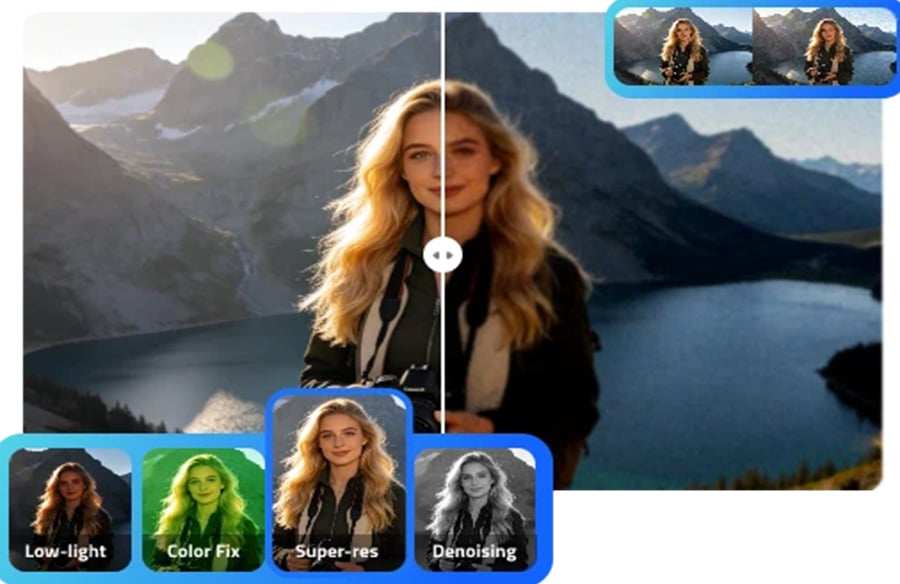
Digital images play an important role in social media, online shopping, marketing, and personal projects. However, not every photograph looks perfect straight out of the camera. Blurry details, distracting backgrounds, unwanted objects, and poor lighting can affect the final result. Artificial intelligence is making image editing easier by helping users improve photographs and experiment with new creative ideas without complicated manual adjustments.
With tools from IObit, users can explore practical software solutions for their digital needs. Its online AI photo editing tool offers features designed to help people modify images, enhance visual details, and create content more efficiently.
How AI Is Transforming Photo Editing
Traditional photo editing can require experience with layers, masks, selection tools, and color correction. Although these techniques provide detailed control, they can take time to learn. AI-powered editing simplifies many common tasks by interpreting an image and applying changes based on a user’s instructions.
An AI image editor can help users change backgrounds, remove unwanted objects, adjust visual elements, and experiment with different image styles. Instead of manually editing every part of a photograph, users can describe the changes they want and let the tool assist with the process.
This approach is useful for beginners who want to improve everyday pictures, as well as content creators who need to prepare multiple visuals for online publication.
Improve Images for Social Media and Marketing
High-quality visuals can help social media posts stand out and make marketing materials look more professional. A business promoting a new product, for example, may need photographs with clean backgrounds and consistent colors. A blogger might want to remove distracting objects from a travel photograph before publishing it.
AI-assisted editing can simplify these tasks. Users can upload a suitable image, identify the changes they want, and review the generated result. If the first attempt does not meet expectations, they can refine their instructions and try again.
For better results, provide clear descriptions of the desired outcome. Instead of asking for a better photograph, specify whether you want brighter lighting, a cleaner background, sharper details, or a different visual style.
Remove Unwanted Objects and Change Backgrounds
Unwanted objects can distract viewers from the main subject of an image. A passerby in a travel photograph, an unnecessary item in a product picture, or clutter in the background can reduce the overall impact.
AI editing tools can help remove selected objects and fill the affected area with reconstructed visual details. They can also assist with background removal or replacement, making it easier to prepare images for presentations, online stores, and promotional graphics.
However, the results depend on the complexity of the image. Removing a large object from a detailed background may leave visible inconsistencies. Always inspect the edited image closely and make additional adjustments when needed.
Enhance Image Quality Without Overediting
Image quality is another important consideration. Photographs captured in poor lighting or with limited camera resolution may appear noisy, soft, or unclear. AI-powered enhancement can help improve sharpness, balance colors, and make important details easier to see.
The goal should be to improve the image while maintaining a natural appearance. Excessive sharpening, unrealistic skin smoothing, or overly saturated colors can make a photograph look artificial.
For product photography, check that the edited image still represents the actual product accurately. For portraits, preserve natural facial features. For educational or informational images, avoid changing details that affect the accuracy of the content.
Practical Tips for Better AI Editing Results
A few simple practices can make AI-assisted editing more effective:
- Choose a good source image: Start with the clearest original photograph available.
- Describe one change at a time: Specific instructions make it easier to identify which adjustment improves the result.
- Compare before and after: Check whether the edit improves the image without introducing unwanted details.
- Use suitable dimensions: Prepare the image for its intended destination, whether it is a website, social media post, or presentation.
- Protect personal information: Review the privacy policy before uploading sensitive photographs to an online service.
- Check usage rights: Make sure you have permission to edit and publish the images you use.
These steps help users maintain consistent quality and reduce the need for repeated editing.
Explore IObit’s AI Photo Editing Tools
IObit offers an online AI photo editor with prompt-based editing features and options for tasks such as object removal, background changes, and image enhancement. The browser-based workflow provides a convenient starting point for users who want to experiment with photo editing without installing a large desktop application.
Users can explore different editing ideas, review the results, and download images for suitable personal or professional projects. Before starting a large project, check the tool’s current features, file requirements, and usage conditions.
AI can save time, but it does not eliminate the need for creative judgment. The most effective workflow combines automated editing with a careful final review.
Conclusion
AI-powered image editing is helping make visual creativity more accessible. From cleaning up everyday photographs to preparing marketing images, these tools can simplify tasks that once required more time and technical knowledge.
By using clear prompts, selecting suitable source images, and reviewing every result, users can create polished visuals while preserving important details. IObit’s AI photo editing tools provide an accessible way to explore these possibilities and develop a more efficient approach to digital content creation.