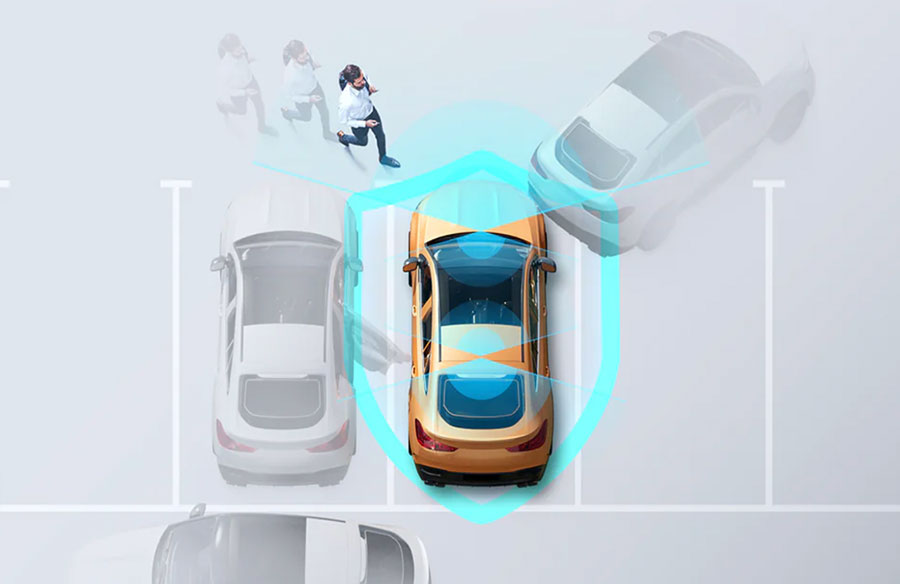
You park, walk away, and hope for the best—yet a lot can happen when you’re not there. Dings, hit‑and‑runs, and break‑ins are notoriously hard to prove; you often discover the damage hours later with no context. Even with a camera, you may encounter false alerts that overlook what matters, drained batteries due to incorrect settings, and storage space filled with unimportant clips. That’s where always‑on parking monitoring earns its keep. A well-configured system captures the lead-up to an incident, preserves critical footage, and remains powered safely for extended periods. If you want a concrete example of how this works in practice, Vantrue N5S demonstrates how modern parking modes combine sensors, smart recording, and cloud options to keep an eye on your car when you’re away.
Why the Brand Behind Your Dash Cam Matters
Brand choice matters because parked‑car incidents live in the details: what angle caught a plate, whether low‑light footage is readable, how quickly the camera wakes, and whether you can check in from afar. With this model, you get multi-angle coverage, adjustable parking modes, and the option to add LTE for remote awareness—features designed to ensure the footage is available when you need it.
What “Parking Monitoring” Means
Parking monitoring is the camera’s ability to detect and record activity when the ignition is off. Instead of passively sitting idle, the system stands guard with a mix of triggers and continuous modes. The goal is simple: capture the moment something happens—and a little of what happened before—without wasting power or storage.
Core Components and Triggers
G‑Sensor and Collision Detection
A built‑in G‑sensor recognizes bumps or vibrations while your car is parked. When a jolt occurs, the camera wakes up and records a short clip, providing clear evidence of when and how the impact happened. It’s ideal for hot environments or long periods of inactivity because the device can remain in a low-power state until a meaningful event occurs.
Motion Detection
Motion detection analyzes the scene and starts recording when movement appears in the areas you’ve defined. You can fine‑tune sensitivity and limit detection to specific zones so a busy street doesn’t flood your card, while a quiet driveway still gets full attention.
Low‑Resource Continuous Options
If your parking spot experiences frequent activity, you may prefer a continuous mode that adjusts the bitrate or frame rate to conserve resources. You still get an uninterrupted timeline, but with files that are more storage- and battery-friendly than standard driving footage.
Multi‑Channel Coverage
Incidents rarely happen neatly in front of the windshield. Systems with four channels—front, front cabin, rear cabin, and rear—help you capture plates, approach paths, and cabin context even in low light. Overlapping angles mean you’re less likely to miss the one detail that matters.
Power and Entry into Parking Mode
Powering Methods
Parking monitoring works best with a dedicated hard-wire kit. It provides the camera with stable power, allows it to sense when the ignition is turned off, and protects the starter battery with a low-voltage cut-off. If you can’t hardwire, use an appropriate battery pack rather than relying on a cigarette lighter adapter that cuts off when the car is sleeping.
How Parking Mode Engages
Depending on your settings, the camera can enter parking mode shortly after you turn the vehicle off, or automatically after a brief period of stillness. That way, you don’t have to babysit modes every time you park. On systems like Vantrue N5S, these transitions are designed to be automatic once you set your preferred mode.
Mode‑Specific Power Behaviors
Collision detection can enable the unit to power down and wake only upon impact, saving energy. Motion detection and continuous modes keep the device on, which draws more power but captures more context. In very hot interiors, it’s smart to favor the least power‑hungry mode—or shut the unit down until temperatures drop.
Recording Behavior and File Management
Pre‑Recording Buffers
Buffered capture means that when a trigger occurs, the saved clip can include several seconds before the event. That pre-roll helps show how a person or vehicle approached, rather than only what happened afterward.
Clip Length and Storage Organization
Parking events are stored in a dedicated folder, so normal driving loops don’t immediately overwrite them. As space fills up, older files are rolled off—so it’s worth checking and backing up important videos after any incident. Formatting the card on a regular cadence also keeps performance stable.
Card Capacity and Endurance
Bigger isn’t just better; it’s practical. With support for large microSD cards, you can store more multi-channel footage without needing to manage storage space. If you record a lot in continuous modes, use a high‑endurance card rated for heavy write cycles.
Connectivity and Remote Awareness
LTE and Cloud Options
Adding an LTE module provides remote access, allowing you to view snapshots, receive alerts, and check on your car from anywhere with a service plan. If you travel, park curbside, or leave a vehicle at the airport for days, that glance can tell you if everything’s normal—or if you should act.
Configuration Best Practices
Sensitivity and Zones
Start at a middle sensitivity and review your clips after a day or two. If real bumps aren’t getting captured, step up a level; if wind or distant foot traffic fills your card, step down and tighten the detection zones. Revisit these settings when seasons change; a tree that’s still in winter can be noisy in summer.
Mode Selection by Environment
Match the mode of transportation to the corresponding parking spot. In a hot, open lot, collision detection conserves power while still catching meaningful impacts. In a shared garage or active driveway, motion detection or a low‑bitrate continuous mode documents the full story of who approached and when.
Thermal Considerations
Parked cars get hot. A supercapacitor-powered unit tolerates heat better than one with a small internal battery; however, sensors and processors still have their limits. If the cabin feels like an oven, let it cool down or use the lowest power option until the temperature drops.
Why Continuous Parking Monitoring Matters
Video evidence turns unknowns into facts. With parking monitoring, you can show the approach, the impact, and the immediate aftermath—useful for claims and peace of mind. Four-channel systems increase your chances of capturing plates and faces in challenging lighting conditions, and a well-organized setup (with the right triggers, stable power, and organized folders) ensures continuity rather than gaps.
Product Mention in Context
If you want to see how these ideas come together in a real device, this kind of four-channel design, buffered capture, flexible parking modes, and optional LTE come together to provide context—not clutter.
Conclusion
Your car deserves a witness when you’re not around. With the right settings, parking monitoring captures the before‑and‑after, saves the clips that matter, and stays powered without stressing your battery. Use collision detection for hot lots, motion or continuous options for busier spaces, and revisit sensitivity as seasons change. If you’re looking for a feature set that reflects this approach, Vantrue N5S is a strong reference point for what “always on” should look like.