Countdown videos increase the anticipation of online events. They make it urgent and attention-grabbing. Countdowns can be used to generate anticipation for webinars, product launches, and other events. Manually editing countdowns, however, can be a time-consuming activity. Animations, text, and transitions can be challenging to manage.
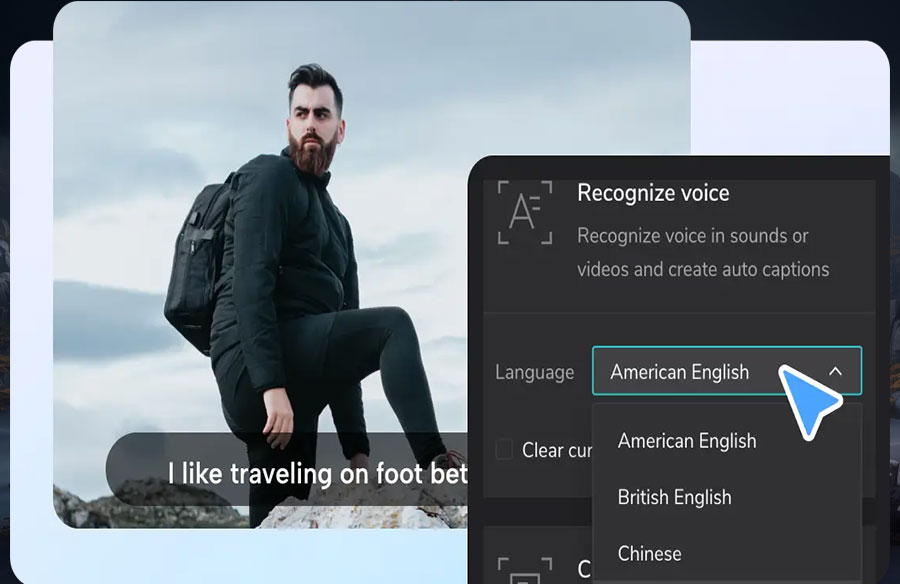
Here is where the CapCut App comes in. It makes the whole process easy. It enables you to create professional countdowns fast. Using an AI caption generator, it is possible to add synced text that helps illustrate the message more clearly. CapCut simplifies the editing process and enhances creativity.
The Purpose of Countdown Videos in Digital Events
Emotional buildup is made through countdown videos. People stay engaged as they know the time is running out. This expectation builds anticipation leading up to the actual event.
They enhance visibility as well. Posting of countdown clips on social sites boosts exposure. It also becomes simple to market events and reach a wider audience. Countdowns can become trending on platforms such as Instagram or TikTok because they are visually appealing.
Also, the use of countdowns supports the theme of the event. With strong images and company colors, you quickly establish the mood. This is what makes the event seem more organized and professional.
CapCut Capabilities That Improve Countdown Videos
CapCut provides features that render countdowns visually appealing. You have access to themed overlays and animated timers. All these make the content vibrant and exciting.
On the platform, you can incorporate your event’s branding into the video. In collaboration with the AI lab, CapCut offers features such as posters, AI-generated visuals, and scene generators. Countdowns can be customized to suit the tone of an event, such as a tech launch or a cultural show.
Auto captions and synced audio help you to make a powerful statement. This will be in a manner that viewers know what and when. Everything is clear and timely.
 Editing with the AI Story Maker in CapCut and Countdown Concepts
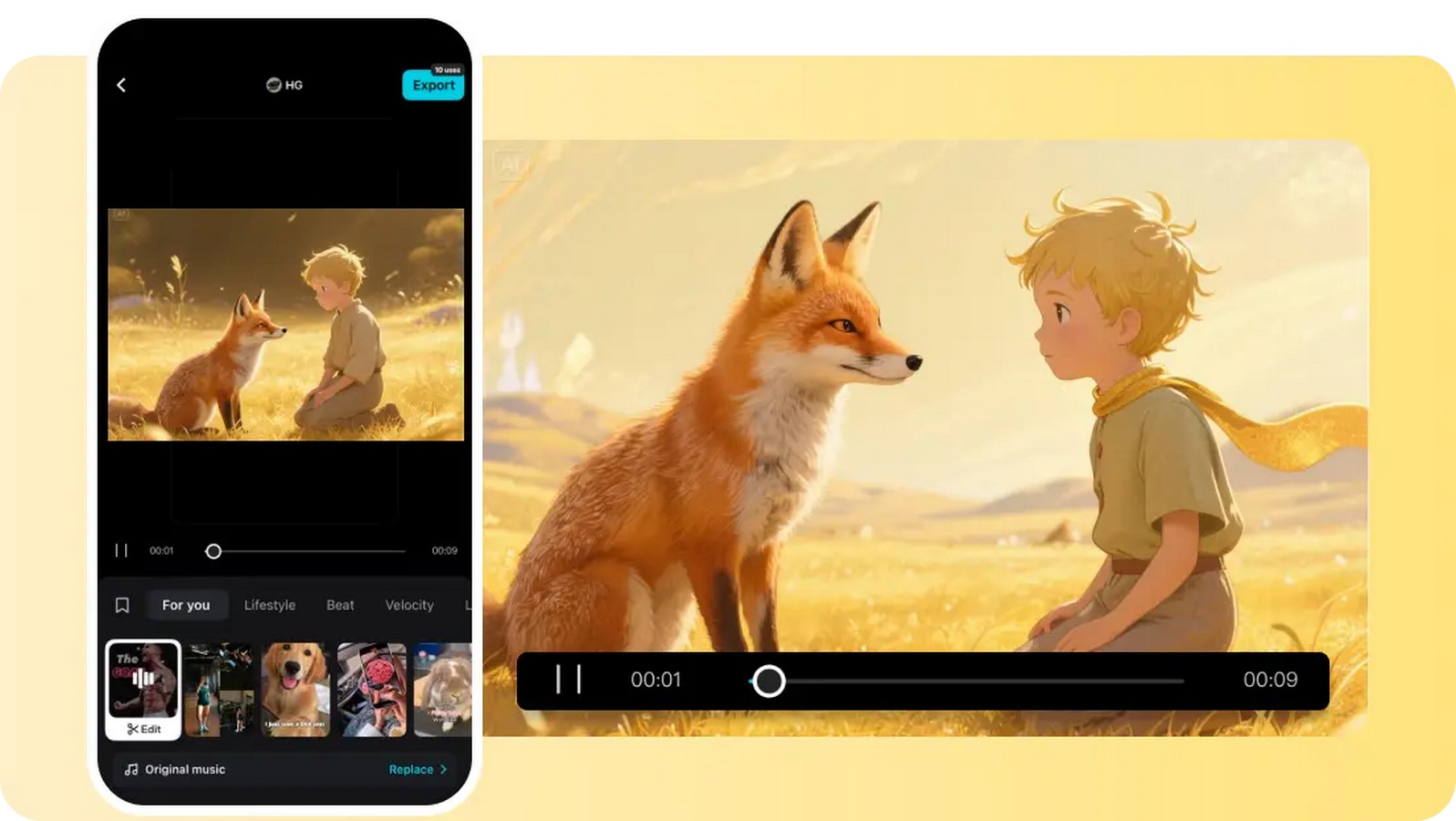
The AI writer will assist in writing scripts for teaser videos. Type in a subject, and it will generate interesting material. No prior editing experience is required, and you don’t need a pre-written script.
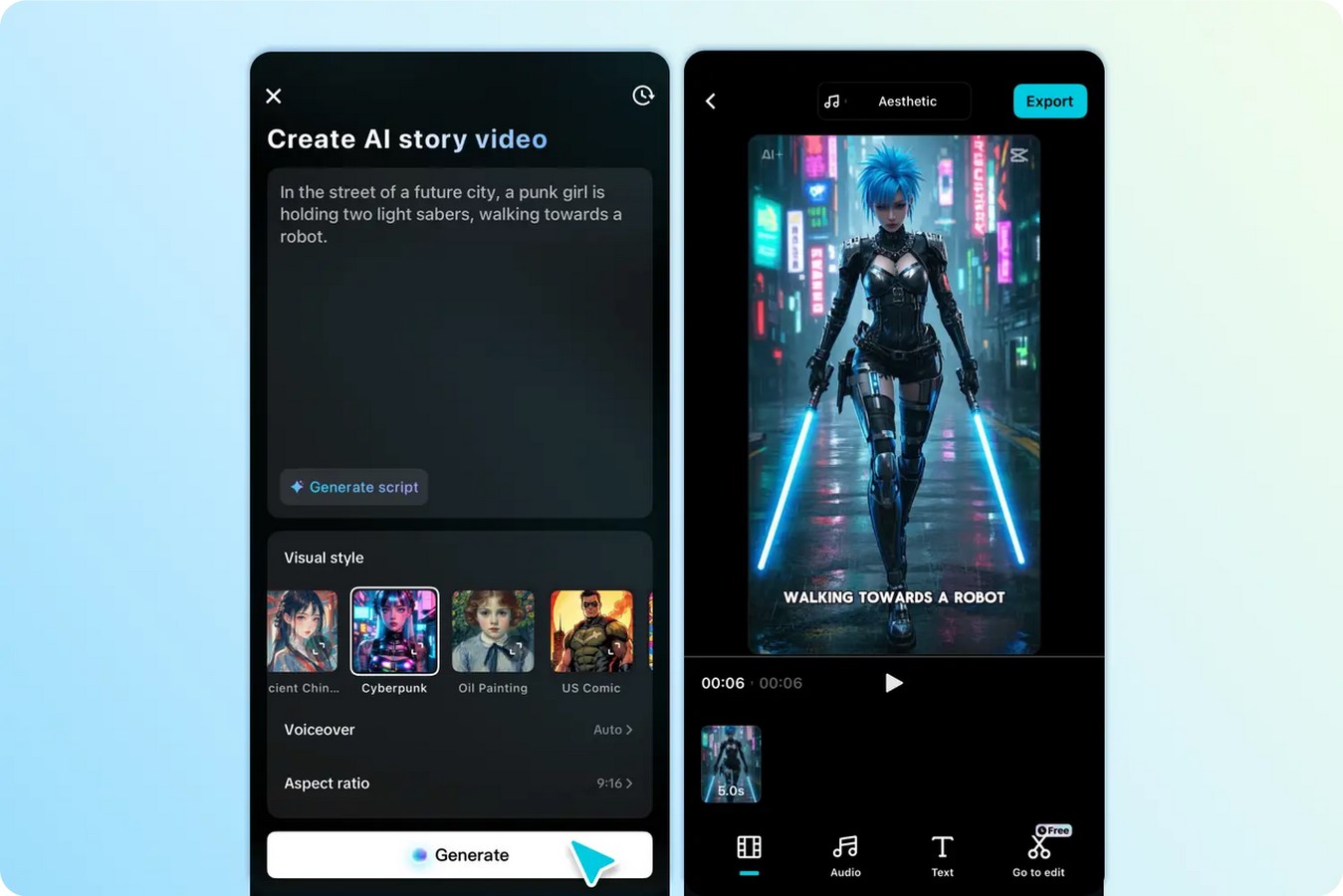
It will even allow you to create full videos out of countdown ideas within moments. Choose a visual theme: sci-fi, cinematic or retro and click on generate. It has nearly 30 visual choices that fit your mood and the type of event. A tech event may feature futuristic images, whereas warm and bright colors can characterize a festival video.
Creative Design Countdowns With Viral Templates
Capcut AI video maker has AI-based templates that are appropriate during event countdowns. These templates are contagious and therefore can be socially shared. You will be able to customise them according to your time.
Transitions and effects are already embedded in each template. You add your content. Timed transitions allow you to sync with T-minus, such as 10 minutes until start, or Get ready in 5.
This facilitates the easy deployment of different countdown versions on various platforms.
 Hints of Designing Excellent Countdown Visuals
Employ cheerful music and moving graphics. This maintains your audience amused. Never forget to emphasize the key aspects of important events. Display the name of speakers, agenda items or moments of the countdown.
Keep it brief, 10-30 seconds. The short countdown attracts attention more than the long one. Ensure that images remain consistently branded in every video.
Where and When to Apply Countdown Videos
Promote the event with shareable countdowns. Share them as Instagram stories or TikTok. Play them during the first part of live sessions on the day of the event. This creates a professional tone.
Clips can be used to create recap videos after the event. Add time-lapse countdown to emphasise the highlights. These can be used as excellent future promotion tools.
How to Build Event Countdowns Fast
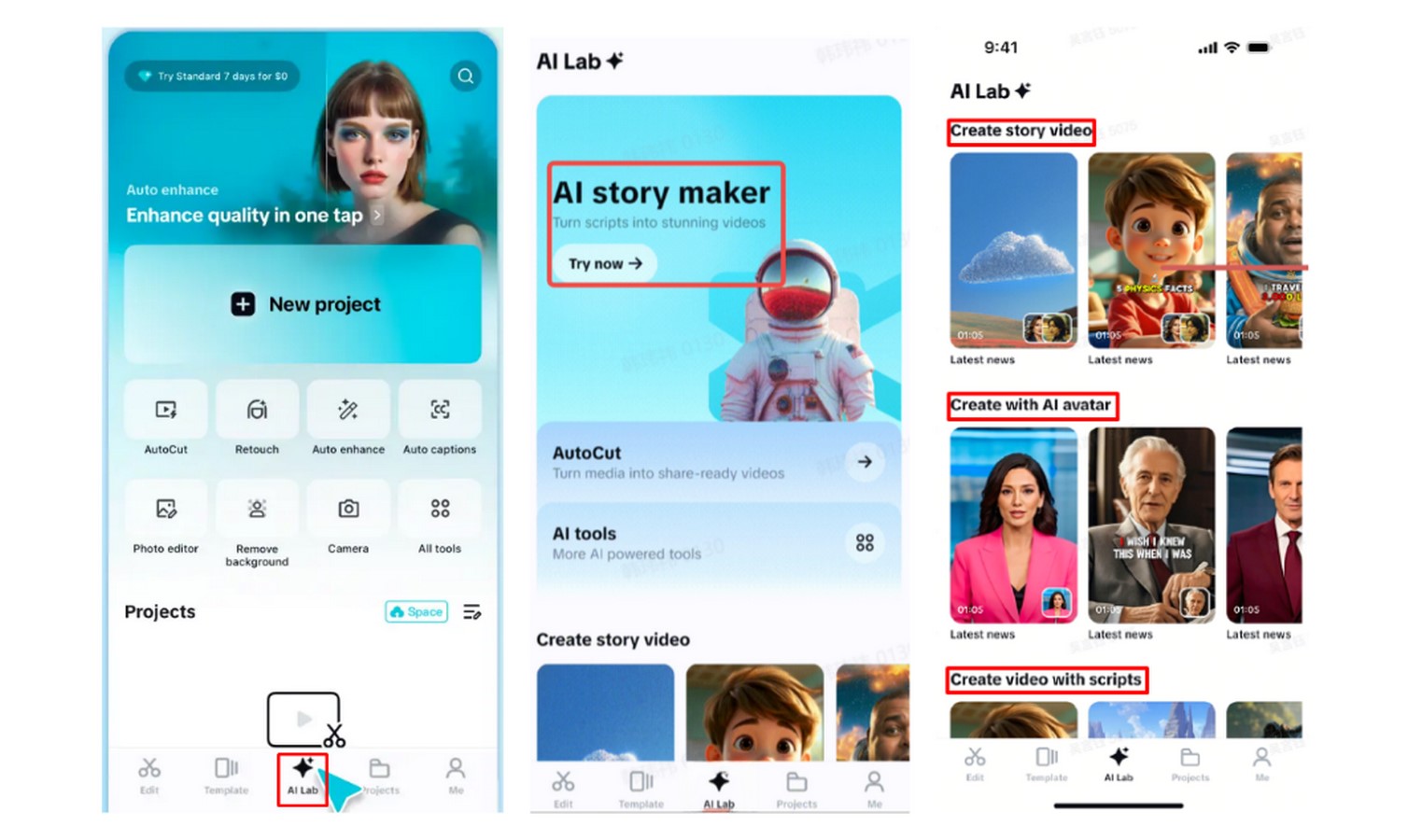
Step 1: Pick a countdown template Open the CapCut app and tap on the “AI Lab” tab at the bottom. This gives you access to the “AI story maker” tool that simplifies video creation. Scroll through until you find templates such as “Create story video”, “Create with AI avatar”, or “Create video with scripts”. Select the one that fits your event theme and countdown needs.
 Step 2: Generate and refine your video After choosing a template, you’ll land on a new screen. Tap “Try AI workflow” to proceed. Enter your countdown idea under “creating a video story about”. Next, choose your visual theme—options like “Realistic film”, “Cartoon 3D”, or “Anime” will shape the countdown’s appearance. Tap “Generate” at the bottom when you’re ready.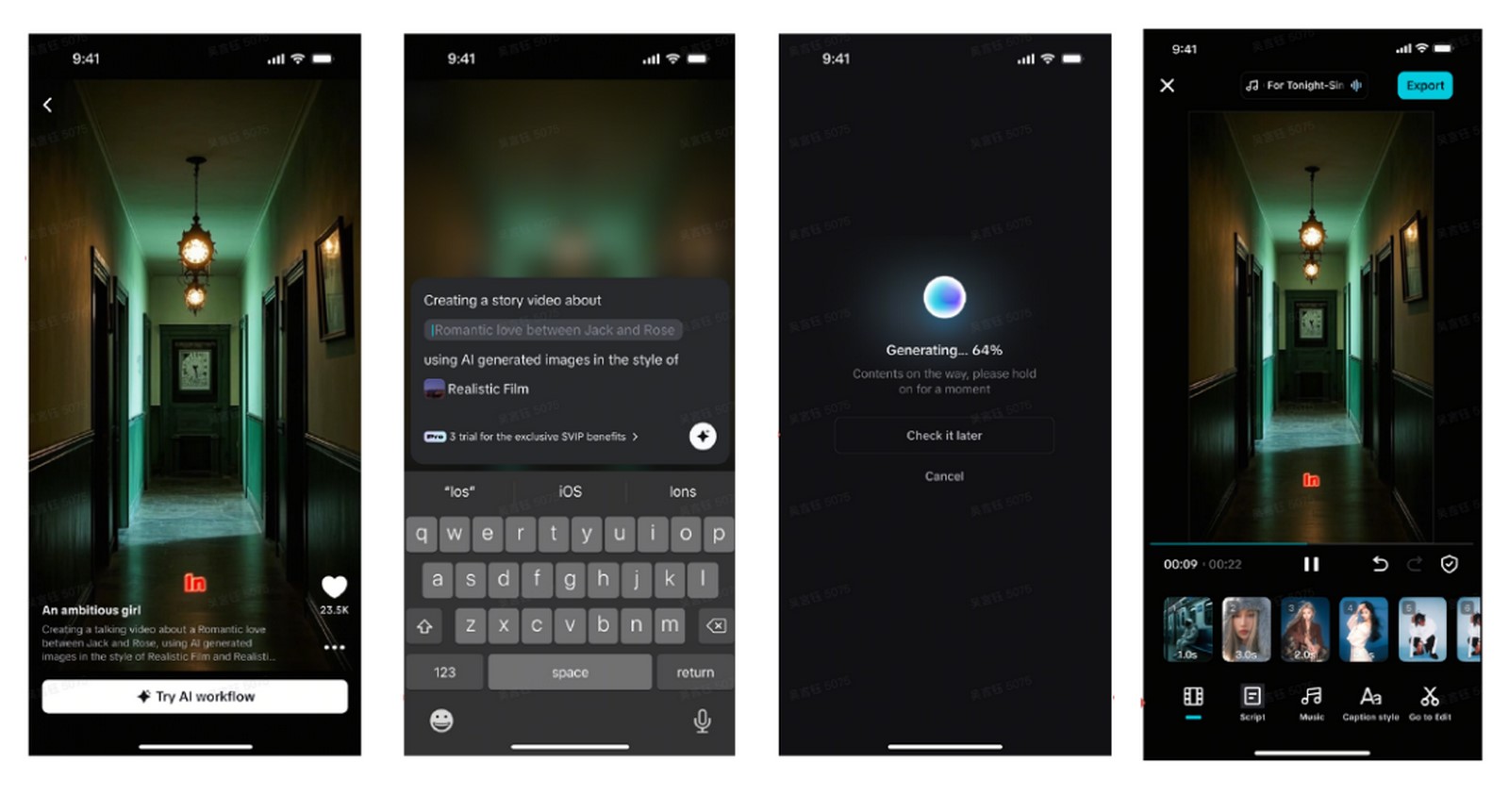
Your AI video will be ready in seconds. Once it’s generated, go ahead and personalize it. Use the “Music” tab to add background sound. Edit your captions with “Caption style”—you can tweak animations, effects, and font choices. For even more effects, filters, or transitions, tap “Go to Edit” and unlock full editing controls.
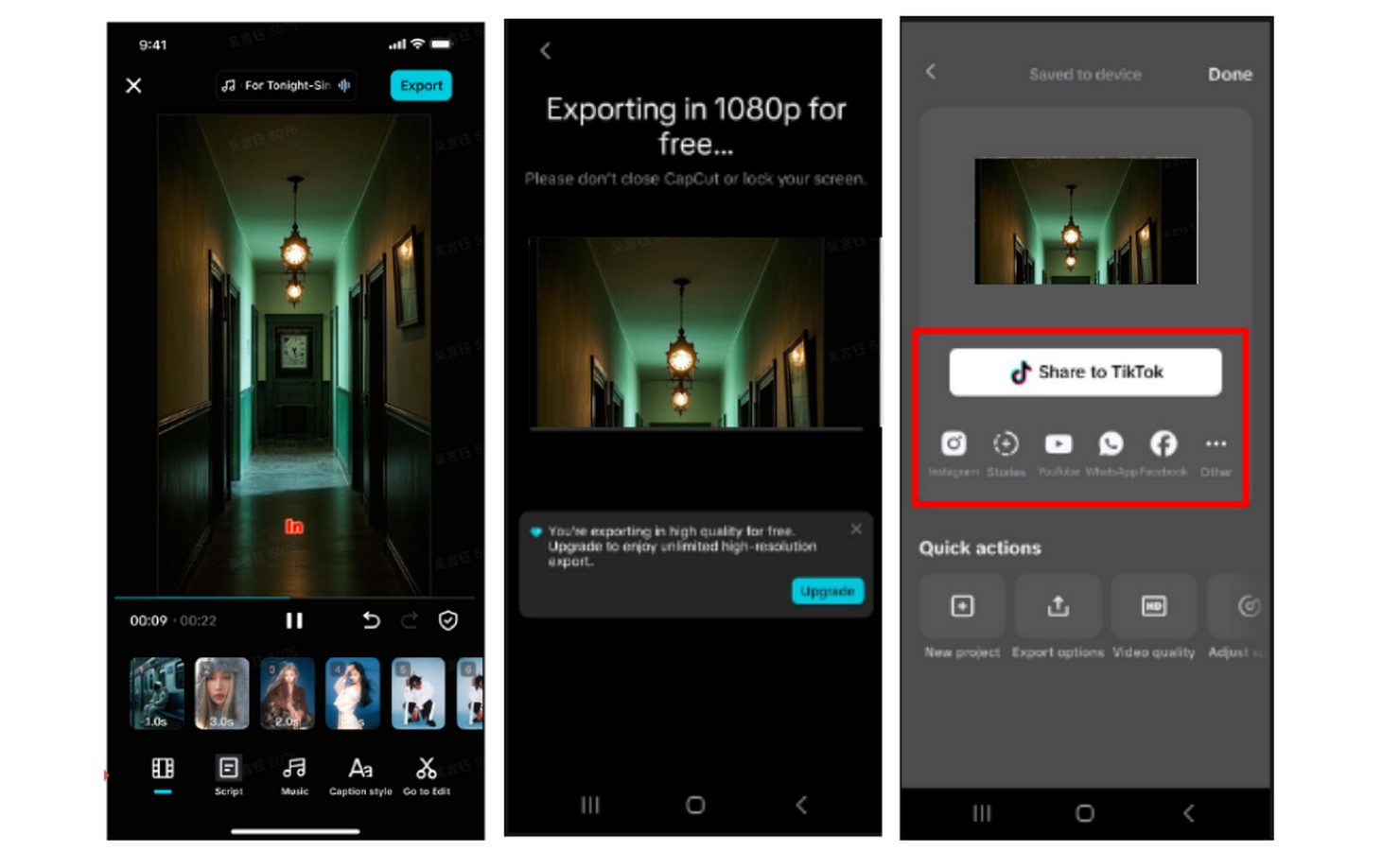
Step 3: Save and share your video When you’re happy with how it looks, hit “Export” at the top right. CapCut will save it to your device. Share your countdown video wherever your audience is—TikTok, YouTube, Facebook, or Instagram.
 Conclusion
CapCut App makes creating countdown videos easy and impactful. It combines speed with creativity. From teaser scripts to polished visuals, every element is generated quickly. You save time and still achieve a high-quality finish. With countdowns powered by AI visuals, your digital events will always start with a bang.