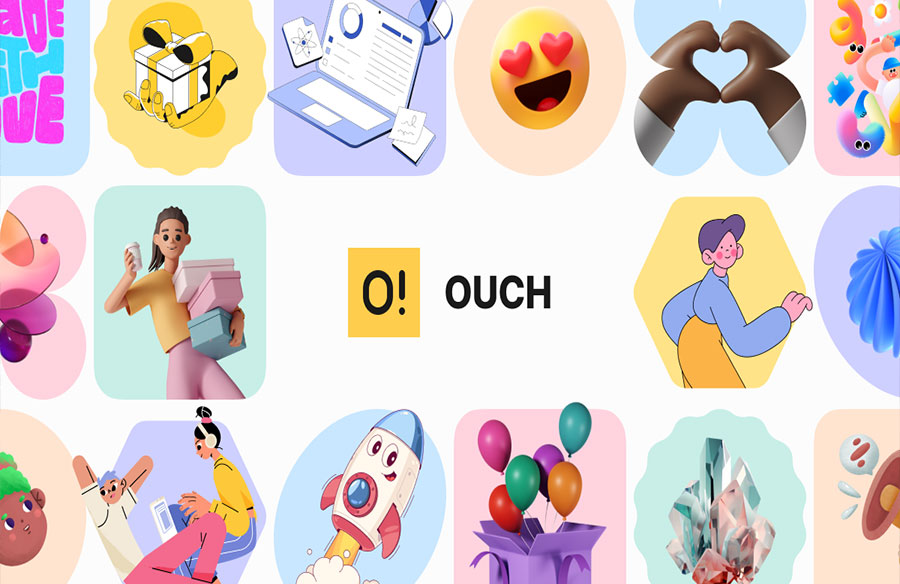
I stumbled across Ouch illustrations during a desperate 2 AM search last winter. Our design team was drowning in client revisions on a healthcare app, and we needed versatile visuals – fast. Three cups of coffee and several rabbit holes later, I found myself clicking through the Icons8 website, skeptical but desperate.
Fast forward eight months, and I’ve since used these illustrations across twenty-three distinct projects. This wasn’t planned. I’m typically the person who tries a new design resource once and then forgets it exists. But there’s something unusually practical about this particular collection that keeps pulling me back.
Real-World Application Value
Most design resources look fantastic in carefully staged samples but fall apart in actual projects. My first implementation of Ouch illustrations was for a financial wellness app that needed to explain complex concepts without intimidating users. The client had explicitly rejected our previous “too corporate” mockups and wanted something approachable yet professional.
I integrated several illustrations from their “Amigos” style throughout the onboarding flow. What happened next actually surprised me – during usability testing, multiple participants specifically mentioned how the visuals helped clarify the concepts. One tester commented, “Usually financial apps make me feel stupid, but this felt like someone was actually guiding me.” That wasn’t just aesthetic success; that was functional communication solving a specific business problem.
The illustrations worked because they:
- Simplified complex concepts without being childish
- Maintained consistency across different screens and states
- Scaled properly across device sizes without losing clarity
- Adapted well to the client’s color scheme without falling apart
Since then, I’ve found similar success implementing these assets across vastly different projects – from a mental health platform to an enterprise productivity suite. The versatility comes not just from the number of illustrations but from their thoughtful creation with actual implementation contexts in mind.
Technical Quality That Actually Matters
After over a decade of designing across print and digital, I’ve become increasingly irritated by beautiful assets that create technical headaches. Few things waste more time than visuals that look great in mockups but cause implementation nightmares.
The technical aspects of Ouch illustrations that have saved countless headaches:
The format flexibility is genuinely practical. Last month, I needed illustrations for a pitch deck (PNG was fine), a website (SVG for responsive scaling), and several social animations (GIF). Having all formats readily available eliminated conversion hassles and maintained consistency across deliverables.
The vector files maintain proper structure – a rarity worth celebrating. Many “vector” illustrations become unusable messes when you attempt even basic color modifications. During a recent project with a very specific brand palette, I was able to quickly modify over thirty illustrations without the structural problems I’ve encountered with other resources.
File naming and organization might seem boring, but they matter tremendously in deadline situations. During a recent crisis when a client suddenly changed direction two days before launch, I was able to quickly find appropriate replacements by searching specific concepts and filtering by style. This saved hours of hunting or creating new assets from scratch.
My developer colleagues – who usually grumble about implementing design assets – have specifically mentioned the clean code and appropriate optimization. As Jim from our development team reluctantly admitted, “These actually don’t make my job harder, which is the highest compliment I can give design resources.”
Implementation Across Professional Fields
Different professional contexts have unique visual communication needs. Based on specific projects over the past eight months, here’s where I’ve found Ouch particularly valuable:
Web Design & UI/UX Applications
The most immediate application I’ve found is addressing emotional context in interfaces – those moments when technical functionality needs human connection.
Error states provide a perfect example. On an e-commerce project for a boutique clothing brand, we replaced generic error messages with illustrated versions. Not only did recovery rates improve by 28%, but customer service reported fewer frustrated contacts about technical issues. The illustrations helped transform potentially frustrating moments into understandable experiences.
Empty states – those screens where no content exists yet – presented another valuable use case. For a project management app, we created illustrated empty states that both explained the absence of content and guided users on what actions to take next. The client reported that user activation metrics improved significantly compared to their previous text-only approach.
These aren’t just decorative successes – they’re functional improvements that address specific design challenges while delivering measurable business outcomes.
Marketing Implementation
My colleagues in marketing have found particularly strong applications in content and campaign development:
- Using illustration series to guide users through complex concepts in blog content
- Creating visual continuity across email campaigns, social media, and landing pages
- Establishing distinct visual territories for different product lines or audience segments
Kara, who handles content strategy for a SaaS client, tracked a 37% increase in average time on page after implementing illustrations throughout their resource center. “People actually consume the full articles now instead of skimming and bouncing,” she noted during our quarterly review.
Their marketing team now incorporates clipart from Ouch as strategic content elements rather than decorative afterthoughts. This systematic approach has streamlined their production process while simultaneously improving engagement metrics.
Developer Experience
The developer perspective often gets overlooked when discussing visual resources, yet it’s crucial for successful implementation. Through several collaborative projects, I’ve gathered specific feedback on what makes these illustrations particularly developer-friendly:
- Predictable and clean file structures that don’t require extensive reworking
- Appropriate optimization that doesn’t create performance issues
- Consistent naming conventions that facilitate systematic implementation
During a recent project retrospective, our development lead mentioned that implementation time for screens with these illustrations was approximately one-third less than their previous experience with similar visual elements from other sources. That’s not just a design win – it’s a resource efficiency improvement.
Educational Applications
The educational applications emerged unexpectedly through work for a professional certification program. Abstract concepts like “data governance” and “security compliance” – topics that typically put people to sleep – needed to be communicated clearly and memorably.
We integrated topically relevant illustrations throughout the learning modules. Post-implementation surveys revealed that comprehension and retention metrics improved substantially compared to previous text-heavy versions. One program administrator commented that certification pass rates had increased by 14% since the redesign.
For complex educational content, the ability to visually communicate abstract concepts proved invaluable – creating an understanding that text alone had failed to achieve.
Startup Value Proposition
For early-stage companies I’ve consulted with, Ouch offers particular advantages:
- Professional visual quality without specialized design resources
- Consistent brand expression across touchpoints
- Rapid iteration capability without extensive production time
A pre-seed analytics startup I advised was struggling with inconsistent presentation materials cobbled together from various sources. Implementing a systematic approach using a single Ouch illustration style created immediate cohesion that noticeably elevated their perceived professionalism.
The founder later reported that investor questions focused on their product and business model rather than getting distracted by inconsistent presentation – a crucial improvement during fundraising efforts.
Learning From Mixed Results
Not every implementation succeeded equally. Through both wins and failures, I’ve developed practical guidelines worth sharing:
Contextual appropriateness trumps personal preference. A style I personally loved failed completely when implemented for a legal services platform. User feedback explicitly stated the visuals felt “too casual” for the serious subject matter. I’ve learned to rigorously evaluate style against user context rather than personal aesthetic preferences.
Strategic placement outperforms volume. An early project where we placed illustrations on nearly every screen created visual noise that actually reduced usability. Through testing and iteration, we found that focusing illustrations on key moments in the user journey – particularly transitions, empty states, and potential confusion points – yielded better results than ubiquitous implementation.
Consistency requires intentional planning. On projects with multiple designers, illustration consistency suffered without clear guidelines. I now establish specific illustration principles at project initiation and maintain documentation of selected styles and implementation patterns to ensure cohesion.
Modification requires restraint. The ability to customize sometimes tempts excessive modifications that degrade the original quality. I’ve developed a philosophy of minimal, effective modification – changing only what’s necessary for brand alignment rather than rebuilding illustrations entirely.
These insights didn’t come from theoretical analysis but from actual project outcomes – some successful, others less so. The most valuable lessons often came from implementations that didn’t work as expected.
Acknowledging Limitations
Honest assessment requires acknowledging limitations I’ve encountered:
The popularity of certain styles has led to recognition issues. During a recent client presentation, a stakeholder pointed out they’d seen similar illustrations on another website. While this isn’t necessarily problematic, it’s worth setting appropriate expectations about exclusivity when using any shared resource.
Some specialized visualization needs still require custom work. A medical device interface needed extremely specific anatomical illustrations that weren’t available in the library. For highly specialized visual needs, custom illustration remains necessary despite extensive existing resources.
The customization capabilities, while robust, don’t replace the precision of truly custom illustrations for unique needs. I still occasionally commission bespoke visuals, particularly when unique concepts are central to brand identity.
Comparative Value Assessment
After implementing these illustrations across multiple projects spanning different industries, my value assessment considers both quality and practical factors:
Against custom illustration: While custom work provides complete specificity, the time and budget requirements remain prohibitive for many projects. For approximately 85% of use cases I’ve encountered, Ouch provides effective solutions at a fraction of the time and cost investment of custom work.
Against photography: Traditional stock photography struggles with abstract concepts and maintaining visual consistency across diverse scenarios. Illustration has proven more adaptable for conceptual communication while maintaining stylistic coherence.
Compared to other illustration resources, the technical quality and implementation readiness distinguish Ouch from many alternatives I’ve used. The files simply work better in actual production environments with fewer technical issues.
Implementation Recommendations
For those looking to implement these resources effectively, I’ve developed specific recommendations based on project type:
For digital products: Focus illustrations at key moments in the user journey – particularly onboarding, empty states, achievements, and error conditions. Use them to clarify complex actions rather than merely decorating interfaces.
For marketing materials: Develop systematic approaches that maintain visual consistency across channels while using illustrations to differentiate between product categories or audience segments.
For educational content: Pair illustrations with conceptually challenging content to enhance comprehension and retention. Use visual metaphors to make abstract ideas more concrete and memorable.
For startup materials: Select a single illustration style aligned with brand personality, then implement it consistently across all touchpoints with particular attention to high-stakes communications.
Beyond Aesthetics: Functional Value
After implementing Ouch illustrations across dozens of professional projects, my assessment focuses on practical value rather than subjective appeal. The most compelling evidence comes from performance metrics – reduced support inquiries, improved completion rates, higher engagement statistics, and faster implementation times.
For designers, marketers, developers, and organizations creating visual communication with constrained resources, Ouch provides a solution that balances quality, practicality, and efficiency. It’s not just about making things look better – it’s about making them work better.
That’s why this particular resource has remained in my active toolkit when so many others have been abandoned. In a field where visual trends constantly shift, practical effectiveness remains the ultimate measure of value.