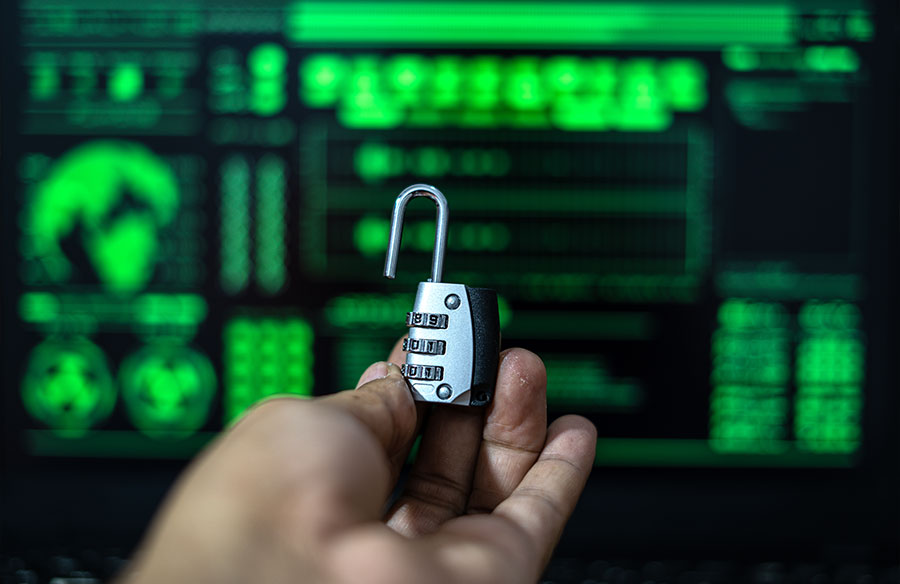
Networks are most vulnerable where the public internet meets internal resources. Authentication guards network entry points, requesting evidence that users are who they claim to be.
There are many types of authentication, ranging from basic to high-tech. Choosing the right method will strengthen security. However, opting for weak authentication puts data and workloads at risk.
This blog will introduce authentication in cybersecurity. We will define what we mean by authentication, explore some common authentication methods, and help you research one of the most important cybersecurity topics.
What is meant by authentication in network security?
Authentication verifies user identities before granting access to network resources. Users verify their identities using a range of factors, including passwords, usernames, biometric data, and one-time passcodes.
In Network Access Control (NAC) systems, third-party authentication creates secure connections and assigns permissions to verified users. Only authorized users can access network assets, keeping sensitive data safe from external attacks.
What are some examples of authentication?
Almost every major company uses an authentication process to control network access and verify users. Examples of authentication in the wild include:
- Facebook — The social media giant uses standard usernames and passwords but users can decide whether to add 2FA. Facebook allows third-party authentication tools like Google Authenticator. If not, Facebook sends SMS codes or security keys every time you log on.
- Google — Google uses standard passwords and usernames but also offers 2FA on demand. Google’s 2FA includes codes, as well as one-click push notifications called Prompts. Google 2FA also provides device and location data for each login, helping you detect suspicious attempts.
- The U.S. Army — The Army uses multi-factor authentication for all personnel without needing a Common Access Card. Options include an encrypted secure access token operated via USB. The Army MobileConnect app also allows access via cellphone codes.
- UnitedHealth — The U.S.’ largest health insurer also uses MFA to verify logins. This was added after a high-profile cyberattack against UnitedHealth subsidiary Change Healthcare. Attackers used simple credential theft to launch a crippling ransomware attack, putting millions of records at risk.
- IBM – IBM uses fingerprint and facial recognition to control access to its enterprise systems. AccessAgent also allows Single Sign-On via fingerprinting alone.
- Amazon Go – Amazon’s retail stores use an innovative biometric authentication system based on palm recognition. Shoppers can pay and check out simply by placing their palm over a scanner, making purchases extremely fast.
Why is user authentication important?
Authentication matters because defending network access is a critical priority. There are many good reasons to prioritize authentication in your network security strategy.
Preventing data breaches
Data breaches often occur when criminals steal or forge insecure credentials. If this happens, attackers gain wide network access, allowing them to extract data or compromise operations.
In 2023, companies reported over 2,700 data breach incidents, exposing over 6 billion records to external attackers. According to IBM, the average data breach cost is over $4.8 million — a cost few small businesses can afford.
Authentication mitigates data breach risks by blocking access without multiple credentials. It works even better when combined with deep packet inspection solutions that analyze traffic in real-time to catch anomalies. This helps prevent malware attacks involving single stolen credentials. Phishers will need more than just a password to gain access.
Building trust
Trust is a precious commodity in the digital economy.
56% of US consumers are very unlikely to do business with firms linked to previous data breaches. Customers expect robust security measures to prevent fraud and safeguard private information.
User authentication reassures customers and partners that their information is secure. Authentication methods encourage trust in a company’s digital security, making customers more likely to share financial or personal data.
Compliance and audits
Authentication also plays a role in auditing and compliance. Authentication systems track access requests and log suspicious activity. These features allow security teams to audit access controls and investigate potential security breaches.
Regulations routinely recommend implementing authentication as part of data security measures. For example, the Health Insurance Portability and Accountability Act (HIPAA) requires access controls to safeguard private health information.
How does authentication work?
In its most basic form, authentication compares credentials supplied during login requests with verified information about legitimate users. This process confirms users are who they claim to be. Ideally, this prevents unauthorized access before cyberattacks occur.
Most authentication systems rely on a secure backend to store credentials and provision access. The process tends to be fairly consistent:
- In a simple username and password setup, users choose their password. This is stored securely on an authentication server. Biometrics and other factors are also stored securely by authentication providers.
- When users attempt to log in, identity authentication tools cross reference the data supplied with stored information. If the two match, authentication providers allow access to network resources.
- Authentication systems then grant session access to the specific resource.
Variations exist when users need flexible access to multiple services in the same session. In those situations, web applications may grant ongoing access via cookies stored on a user’s device.
Authentication technology generates secure tokens for each session. When users access web assets, the token guarantees access until the user logs out or the server times out.
What are the three main factors of authentication?
We can divide authentication factors into three core families: things we know, things we possess, and inherence factors (things we are).
Knowledge
Knowledge factors are things we know. These authentication factors usually do not change every time we log in. Instead, they remain constant until we choose (or are forced) to update them.
Examples of knowledge factors include the PIN codes used to access bank accounts, or simple network passwords. Some banks request memorable information about a customer’s background, while security questions are also common knowledge factors.
Possession
Possession factors are things we have. This includes factors we receive as part of the authentication process.
For example, security tokens generate codes for single login sessions. Authentication systems deliver unique access codes to mobile devices. Some companies use card readers that receive unique identifiers for every login.
Possession factors often enable secure remote access to centralized resources. Home workers may use security tokens to access workloads or receive SMS codes before they can start work.
Inherence
An inherence factor is something we are. It is an item of information relating to our physical being. This generally makes inherence factors unique.
Inherence factor types include iris or retinal scanning, fingerprint scanning, facial recognition, behavioral signatures, and voice recognition.
Inherence factors are used to enable secure access, for example to scientific laboratories or bank vaults. This is because they tend to deliver a higher level of security than codes or basic username and password systems.
What are the different types of authentication?
There are many types of authentication, ranging from very basic to technologically complex. Organizations must choose a system that balances security needs, workflows, and costs. Here are the main varieties to consider:
Single-Factor
As the name suggests, single-factor authentication (SFA) uses a single factor to identify users. Common authentication factors include passwords or unique PINs. In other words, information the user knows.
The network grants access if users supply the correct authentication factor. This basic authentication method is simple and quick. However, SFA is the least secure authentication process. Malicious actors only need one piece of information to obtain extensive access to sensitive data.
Use case: Providing quick access to products or websites. Single-factor authentication is familiar and fast, but relatively insecure. Use it to guard low-value assets and protect more important data with multiple authentication factors.
Two-Factor
Two-factor authentication (2FA) adds another means of identification to the process. In these authentication methods, users supply an identifier known only to them. This time, the authentication system requests another factor before granting access.
This second factor is not something the user knows already. It is typically something the user has.
For example, security systems may send a one-time passcode to the user’s device. This code is valid for one login session and is destroyed after a single use. Fingerprints or a security token are also popular two-factor authentication identifiers.
Use case: Verifying account holder identities. Companies want assurance that account holders are legitimate and must guard against users creating multiple accounts. 2FA forces users to verify multiple factors, adding assurance that new sign-ups are who they say they are.
Multi-Factor
Multi-factor authentication (MFA) is more complex than single and two-factor authentication. In this type of authentication, secure systems request at least two factors before allowing access.
For example, in a multi-factor authentication setup, users may supply a password, use facial recognition scans, and receive a one-time code. This method combines things users know, factors they have, and identifiers unique to their person.
MFA is generally a secure authentication system. Attackers must brute force passwords, copy biometric data, and obtain one-time credentials — an unlikely series of events.
Use case: Remote access to company financial data. Companies may use multi-factor authentication to safeguard confidential records like sales or financial data. This complements network segmentation, ensuring the most important data is off-limits to attackers.
Passwordless
Passwordless authentication removes the need to supply traditional authentication factors like a username and password. Instead, this type of authentication combines information related to the user’s person (such as facial recognition or fingerprints) with one-time credentials.
Authentication systems compensate for the lack of passwords by employing public key signatures to encrypt authentication factors. Private encryption keys on user devices connect with public keys stored on authentication servers. This limits the possibility of credential theft and malicious access.
Passwordless digital authentication saves time. It also improves security, as attackers cannot gain access by stealing password data. This reduces phishing risks, making passwordless authentication a viable option for securing remote access.
Use case: Allowing secure and frictionless access to customer crypto-wallets. Passwordless authentication tools let users access their funds via a facial scan while using secure key exchange to add extra protection against theft and fraud.
Biometric authentication
Biometric authentication uses factors related to an individual’s body. For example, authentication tools may request fingerprint scans, use facial recognition, or employ retina scanning to identify a user’s eyes. Advanced systems can also scan voice patterns, or even typing patterns to verify a user’s identity.
This type of authentication uses separate devices to obtain authentication data. It is often used in high-security settings as spoofing biometric markers is extremely difficult.
Use case: Secure telemedicine portals. Healthcare companies use facial recognition tools to verify patient identities. This ensures confidentiality as medical professionals know they are dealing with legitimate patients.
Digital certificates
Digital certificates use public key infrastructure to authenticate users. In this system, Certificate Authorities (CAs) provide certificates for approved users. When users connect to networks, CAs validate their requests by comparing private keys on user devices with public keys.
This method is often used in secure document transmission. Only users with the correct private key can access certified documents, cutting data breach risks.
Single Sign-On
Single Sign-On (SSO) allows secure access to multiple accounts or services via a single login portal.
SSO portals apply authentication measures once, reducing the need for separate authentication processes. This saves time and simplifies network security. Managing fewer credentials reduces the attack surface, making it easier to defend critical resources.
SSO generally issues tracking tokens when starting a session. These tokens follow the user between resources. Apps or services query the SSO provider when users try to connect. Token sharing verifies the user’s identity and enables access.
User authentication vs. machine authentication
Another dimension to the question what is authentication needs unpacking. You may encounter variations known as user and machine authentication. It’s important to understand how these methods differ when securing your network.
User authentication verifies the identities of human network users. Network gateways ask for authentication factors like passwords or biometric data, and humans supply these factors as requested.
Machine authentication verifies the identities of devices or non-human accounts. It tends to use digital certificates and unique machine IDs to allow access, with no human input. This method allows the approval of new devices before they can access sensitive data.
VPN connectivity is one of the most common use cases for machine authentication. When remote workers use VPNs to access centralized assets, certificate-based authentication factors enable secure verification.
Machine authentication also operates in the background, behind websites or company collaboration tools. Certificates allow different apps and devices to communicate with minimal human activity.
User authentication
- Requests one or more authentication factors from human users
- Authentication factors include passwords, biometrics, or one-time codes
- Verifies the identity of humans, not machines
Machine authentication
- Uses digital certificates or machine IDs to verify device identities
- Operates automatically, without human input
- Authenticates devices before allowing network access
- Suitable for authentication VPN connections
What is the difference between authentication and authorization?
Modern networks cannot survive without robust authentication methods. Generally, single or two-factor authentication is insufficient. MFA, biometrics, and passwordless systems deliver greater security.
Before we finish, it’s important to bring authorization into the picture. Authentication and authorization are often paired. That’s natural, as the two concepts complement each other. But it’s also misleading, as authorization and authentication are far from identical.
The key takeaway is that authentication verifies user identities. Authorization provides appropriate permissions to authenticated users.
For example, two users log onto the same network. One is a junior project officer. Authorization systems grant them limited access to project resources. The other is a financial compliance manager. Their authorizations are more extensive, allowing access to financial data.
Authentication methods are the same for each user, but the results differ. That matters from a cybersecurity perspective. Ideally, users have minimal access and authorization limits them to relevant resources.
If you have any doubts, deepen your research with our explainer about how authorization and authentication differ.