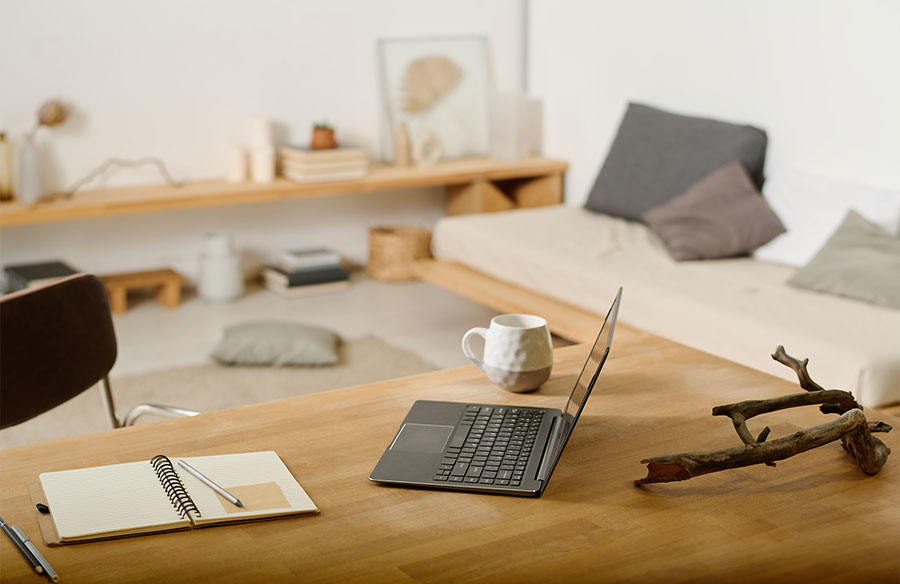
Working from home has become a regular part of life for many, whether you’re fully remote or splitting time between the office and home. With the lines between living and working spaces becoming increasingly blurred, creating a home office that inspires productivity and comfort has never been more important.
Your workspace should do more than function—it should reflect your style and support your workflow. From choosing the right home flooring and lighting to selecting furniture that blends comfort and personality, every detail counts when it comes to designing a space that fuels your motivation.
If you’re ready to elevate your work-from-home setup, check out our six tips to transform your space into the ultimate hub for focus and creativity.
1: Create a dedicated workspace
Struggling to switch off when working from home? Whether you’ve got a full home office or just a tiny corner to work with, creating a dedicated workspace can make all the difference. It helps you stay focused during work hours and makes it easier to relax when the workday is done.
For those working with limited space, foldable desks or compact study nooks are excellent options. Even a dining room or hallway can transform into a productive spot, and unused cupboards or wardrobes can become creative workspaces.
Before settling on a specific area, consider the essentials: flooring and lighting. A durable option like hybrid flooring is perfect for rolling office chairs, while a well-lit area can help boost your mood and productivity throughout the day.
2: Invest in ergonomic furniture
While it can be tempting to whip your laptop out in bed or on the couch, it’s not as comfortable as you think. Plus, it doesn’t help you mentally separate your spaces. This is where having dedicated ergonomic work chairs and desks can help you (and your back!) be your most productive.
Ideally, you want a chair and desk with adjustable arms and height to make it easy to get into the right position. If that’s not in the budget, try adding cushions to any firmer seats to give you support and ensure you’re sitting with the correct posture. You ideally want your eyes to be level with the top of the monitor, your arms resting at a 90-degree angle, and your feet flat on the ground.
3: Optimise lighting for productivity
Lighting is vital for a good working space. Ensuring you have a properly lit work area will help keep you focused and help minimise any eye strain and headaches. Plus, it makes online meetings a breeze.
In an ideal setup, you’d have access to ample natural light. However, that may not always be possible, whether that’s because of your desk location or if you’re working early mornings or nights. Consider having suitable, daylight-simulating lamps if you’ll be working in any sort of darkness, especially if you need to be visible for video calls.
4: Declutter and organise your space
As they say, clear space, clear mind. Making your workspace easy to organise will do wonders for your focus and mental clarity and reduce how much time you need to spend tidying up.
When enhancing your living space for remote work, consider ways to keep it tidy and functional. Simple solutions like cable management, drawer dividers, and desk organisers can go a long way toward keeping your workspace clutter-free. Pair these with an easy-to-maintain floor, like hybrid flooring, which offers a scratch-resistant, easy-to-clean surface—perfect for a workspace that stays as polished as your productivity.
5: Add personal touches for comfort and inspiration
Create a workspace that reflects your personality so you enjoy heading to your desk daily (or however frequently you work from home).
If you have the option, painting your workspace a bright, positive colour can help set the tone and give you a lovely backdrop for any video conference. You can also add personal effects, like potted plants, framed photos, motivational quotes or a small vision board. Just be mindful of what’s visible during work calls to keep the tone professional.
6: Incorporate smart tech for efficiency
Technology plays a key role in our daily lives, making it essential to incorporate the right devices to streamline your workday. Here are some of the basics you might want to include;
- Dual monitors provide extra screen space, helping you work more comfortably and efficiently.
- Smart speakers are becoming increasingly popular for remote work, offering features like:
- Voice memos
- Timers for time blocking
- Note-taking assistance
By making these smart tech tools part of your workspace, you’ll ensure you get the most out of your workday.
Make remote work, work for you
Your work-from-home space is yours to design. Following these steps, you can transform your room into a functional, comfortable, and inspiring home office. Maximise your productivity and enjoyment by creating a dedicated workspace with ergonomic furniture, optimised lighting, smart technology, minimalist styling, and personalised touches.