

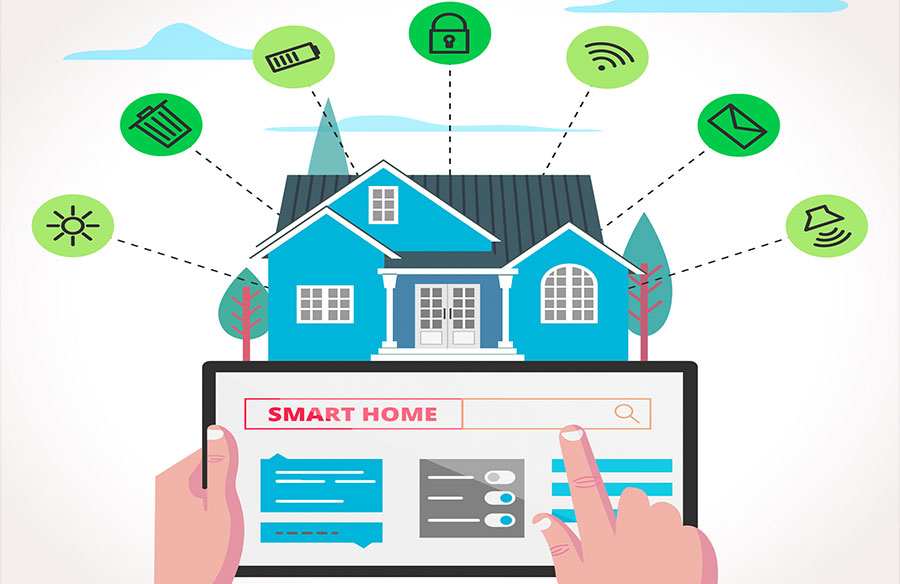
Creating a smart home doesn’t require an engineering degree or endless hours of setup. With the right approach and strategic device selection, you can transform your living space into an automated haven that simplifies daily tasks and enhances security. Whether you’re starting from scratch or upgrading existing systems, this guide will walk you through the essential steps to build a practical, user-friendly smart home without getting overwhelmed by technology.
Start With Fast, Reliable Fiber Internet
A robust fiber internet connection forms the backbone of any smart home. Unlike cable or DSL, fiber provides symmetrical upload and download speeds, crucial for managing multiple smart devices simultaneously. When considering getting fiber internet, contact local providers to check fiber availability and compare plans offering at least 500 Mbps speeds. Ensure your router supports WiFi 6 for optimal device connectivity.
Choose a Smart Home Hub
Select one ecosystem (Amazon Alexa, Google Home, or Apple HomeKit) and stick with it. This prevents compatibility issues and simplifies control. Consider your existing devices – if you’re an iPhone user, HomeKit might be the natural choice. The hub serves as your home’s command center, allowing unified control through a single app.
Essential Smart Devices to Begin With
Start with smart plugs to control lamps and small appliances – they’re inexpensive and immediately useful. Add smart bulbs in frequently used rooms for automated lighting. Install a video doorbell and smart lock for enhanced security. A smart thermostat offers both convenience and energy savings. Begin with these basics before expanding to more specialized devices.
Setting Up Device Groups
Effective device grouping transforms a collection of smart gadgets into a cohesive automated system. Start by organizing devices by location and function to create a foundation for sophisticated automation. Group kitchen appliances, living room entertainment, and outdoor security devices into their respective zones for streamlined control.
Create morning routines that orchestrate your day’s start – gradually brightening lights while the coffee maker warms up, adjusting the thermostat for comfort, and opening blinds to welcome natural light. When leaving home, a single command can secure your space by locking doors, turning off all lights and appliances, setting the thermostat to eco mode, and arming security systems.
Entertainment becomes seamless with carefully crafted scene controls. A “Movie Time” sequence can dim living room lights, lower blinds, activate bias lighting, and adjust the thermostat for optimal viewing comfort. For bedtime, establish a routine that secures the house, turns off entertainment systems, maintains minimal hallway lighting, and activates overnight security monitoring.
Consider multi-room zones that align with your living patterns. A “Downstairs” group can control the entire first floor, while an “Entertainment Area” might span multiple rooms used for leisure activities. Set up conditional triggers where one action sparks another – such as the garage door opening automatically turning on pathway lighting for safe entry.
Room-specific automation enhances daily life in each space. In the kitchen, motion sensors can control under-cabinet lighting while scheduled appliances prepare morning coffee. Living spaces benefit from coordinated control of entertainment systems and lighting scenes. Bedrooms can feature gentle wake-up sequences with gradual lighting changes and climate adjustments.
Test each automation sequence thoroughly before relying on it. Create backup copies of complex routines and maintain a buffer between automated actions to prevent system overload. Regular monitoring of automation logs helps identify opportunities for refinement and optimization. Remember to adjust seasonal routines for changing daylight hours and temperature requirements.
Simple Voice Control
Place smart speakers strategically throughout your home for voice control from any room. Focus on high-traffic areas like the kitchen, living room, and bedroom. Voice commands simplify daily tasks like checking weather, playing music, or controlling devices while your hands are full. Consider the acoustics of each room when positioning speakers – corners and soft furnishings can affect voice recognition quality. Custom voice commands can be created to trigger multiple actions simultaneously, like saying “movie time” to adjust lights, temperature, and entertainment systems. Use voice profiles to personalize responses and access individual calendars, music preferences, and shopping lists for each family member.
Practical Security Integration
Connect your video doorbell, smart lock, and security cameras to your hub for centralized monitoring. Enable smartphone notifications for important events like package deliveries or unexpected motion detection. Most systems offer cloud storage for security footage, eliminating the need for local storage management. Integrate window and door sensors with your security cameras to create comprehensive security zones that trigger recording only when breaches are detected. Consider adding smart smoke detectors and water leak sensors that can alert you to potential emergencies even when you’re away.
Energy Management Made Easy
Smart plugs and thermostats can track energy usage patterns and schedule heavy-consuming devices to run during off-peak hours. Use motion sensors to turn off lights in empty rooms automatically. Many power companies offer rebates for smart thermostats and energy monitoring devices.
Troubleshooting Tips
When smart home devices misbehave, follow these steps to restore functionality:
Network Issues:
- Run speed tests at different times to identify internet performance patterns
- Use a WiFi analyzer app to check for channel congestion and optimize router placement
- Install WiFi mesh nodes in signal dead zones, prioritizing areas with critical devices
- Separate IoT devices onto a guest network to prevent them from overwhelming main network
Device Management:
- Keep a spreadsheet tracking device names, locations, firmware versions, and connection details
- Set monthly reminders to check for and install firmware updates across all devices
- Document custom automations and routines in case you need to recreate them
- Remove and re-add problematic devices to your network if they become unresponsive
Common Fixes:
- Clear app cache and data if your smart home app becomes sluggish
- Regularly reboot your router and smart hub (at least monthly)
- Keep spare smart bulbs and plugs on hand for quick replacements
By focusing on these essential elements and building your smart home gradually, you can create an automated living space that enhances daily life without overwhelming complexity. Start with core functions and expand based on your specific needs and comfort level.







