

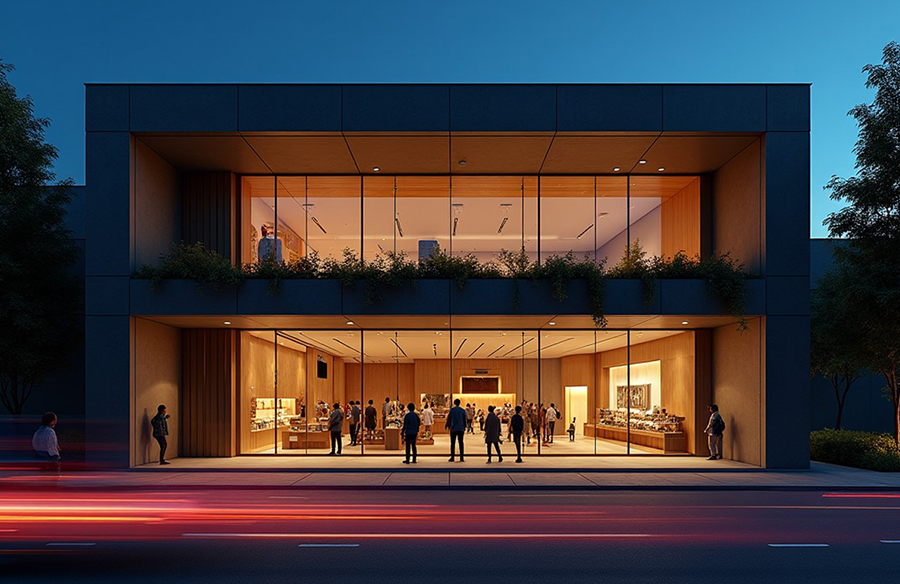
Modern architectural firms have already made AI rendering tools a part of their ideation workflows.
While not too long ago, software and hardware were the limiting factors in the conceptualization process, recently, modern tools using artificial intelligence have taken it to a whole new level of efficiency.
The time needed to render CAD models and sketches was cut down from hours or even days to barely seconds, and the cost was slashed by an order of magnitude.
What’s more, all this can be done in your browser, without the need for expensive GPUs.
The benefits are not just for architecture firms that are now more efficient but most importantly for clients who can better understand your vision early in the design process.
And this is just the beginning of a new shift enabled by the exponential growth of artificial intelligence. As AI technology keeps getting more powerful, so will the architectural rendering software using it.
So if you want your firm to reap the benefits of extra efficiency, you should adopt them into your workflow too.
Here are some of the standout AI visualization tools you should try.
Best AI architecture and interior design rendering tools
MyArchitectAI

This rendering software can turn your CAD models and sketches into photorealistic renders in under 10 seconds thanks to its AI-powered engine. While the tool uses GPUs to render your images, you don’t need a powerful computer as the whole process runs in the cloud.
There are two rendering modes you can choose from based on your needs:
- Accurate mode, which preserves your design’s geometry and textures. Best for creating a final, polished rendering.
- Style transfer mode, which renders your design based on a chosen reference image. Best for experimenting with different variations of your concept during the early ideation phase of the project.
To fine-tune the final result, you can add a custom prompt (text description of your scene) and adjust the reference image influence.
Pricing: first 10 renders are free, then a $29/month subscription gets you unlimited renders.
SketchUp Diffusion

As with most AI-powered tools, it doesn’t require any 3D rendering skills and lets you experiment with various design concepts quickly. You can control the output using prompts and built-in style presets (e.g. photorealistic, aerial masterplan, pencil sketch, clay model).
There are also two sliders that let you fine-tune the render further:
- Respect model geometry – determines how much creativity SketchUp’s AI rendering engine has versus preserving your model’s geometry.
- Prompt influence – controls how closely the rendering will follow your text description versus keeping the model’s details.

Pricing: active Go, Pro, or Studio subscribers can use it for free for a limited time.
Arko

This tool is as easy as it gets: select if you’d like to render an exterior or interior space, write your description of what the visualization should look like, and adjust the creativity level using two sliders (prompt importance, and difference from original).
Arko will turn your CAD model or sketch into a 3D visualization in a matter of seconds.
Pricing: starts at $25/month. Free trial available.
LookX

Here are some of its core features:
- Image generator – to create concepts based on text prompts
- Image rendering – to turn your CAD models and sketches into 3D renders
- AI image editing – to edit specific areas of your renders for a polished look
- Text to video – for generating simple animations based on text descriptions
- Image to video – for turning static images into animations and flythroughs
LookX gives you quite a lot of creative control over the rendered design thanks to settings such as content and geometry control (for adjusting how much of your original design should be preserved), style transfer, and even advanced AI model settings like sampling steps and CFG scale.
If you’re a SketchUp or Rhino user, you can use LookX’s native plugins for a more seamless experience.
Pricing: LookX has a free plan with 100 credits a month (only available when the demand is low). Unlimited rendering subscriptions start at $20/month.
Krea

You can generate new designs using text prompts, render your models and sketches, enhance existing renders, create short animations and flythroughs, and more.
One of Krea’s features that makes the conceptualization process much more efficient (and fun) is its real-time AI editor. You can make changes to your renderings in a matter of seconds by adding, removing, and replacing objects from your images.
Pricing: starts at $10/month. A limited-feature free plan is available too.
Home Visualizer AI

Its core features include:
- Rendering CAD models, 2D elevation drawings, and sketches
- Virtual staging
- Remodeling existing spaces
- Finding matching furniture and decor from generated images using Google Lens technology
For creative control, users can write text prompts, use style presets, or upload reference images for the AI rendering engine to get inspiration from.
Pricing: from $19 to $99 per month
Vizcom

Vizcom has two main features that can be invaluable in your ideation process:
- Precise rendering mode, which keeps the geometry and textures of your design unchanged
- Style transfer mode (called “reference images” in the app) which lets you render multiple scenes while maintaining a consistent style
Unlike other AI rendering tools in this list, Vizcom is made for collaboration. You can bring your team and work together in an infinite canvas environment.

Pricing: $49 per editor per month. Free testing plan available.
PromeAI

Some users may find the user interface overwhelming at first but that’s just because of the variety of settings PromeAI has to offer.
Its main features include:
- Rendering sketches and CAD models
- Generating new designs based on text prompts
- Generating flythroughs and short videos from images
To fine-tune your AI-generated images, PromeAI lets you edit them with:
- Generative fill (regenerating selected areas of your design)
- Background removal
- Relight
- Outpainting (expanding images outside the image boundaries)
- Upscale
Pricing: $19 to $79 a month. Free plan with limited renders and features available.
InteriorAI

The tool makes visualizing your designs effortless – just upload a JPG or PNG file, select the settings from dropdown menus, and hit the “create” button.
Aside from static images, you can use InteriorAI to create interactive 3D flythroughs of interior spaces for a more immersive experience.
Pricing: from $39 to $299 a month. No free plans available.
Archi

The app accepts 2D sketches, diagrams, or 3D models as input, which it then analyzes and renders into photorealistic images ready to present to clients.
Similar to InteriorAI, Archi also has a virtual staging feature for furnishing empty spaces.
Pricing: from $19 to $89 a month. No free plans available.
Picking the right AI rendering software for your needs
While all the AI tools mentioned above will do a good job of visualizing your CAD designs and sketches, make sure the one you pick lets you:
- Test it for free before committing to a paid plan
- Render your designs while keeping the geometry and textures unchanged
- Explore various styles and aesthetics based on your text description, reference images, or style presets
And remember, AI will never replace architects and interior designers. It will only make those who adopt it more creative and efficient.







