We build big: stadiums, data centers, transit lines—projects so large that a single cost overrun can erase a year’s profit. Yet 9 out of 10 megaprojects miss their budgets and 98 percent overshoot by more than 30 percent (McKinsey). Everyday commercial work is only marginally better, with just 31 percent of jobs landing within 10 percent of plan (KPMG).
The culprit is stale, siloed data. Spreadsheets update monthly, red flags surface too late, and money disappears before anyone reacts. In 2026, connected cost-control platforms bridge estimating, scheduling, field progress, and finance in real time so you spot trouble early and act while cash is still on the table.
This guide ranks 11 enterprise tools built for projects above $20 million, highlights where each excels or stumbles, and helps you match software to your risk appetite, tech stack, and team culture.
How we selected and rated each platform
Choosing construction software isn’t guesswork; it’s an audit. We treated every contender like a project cost code, tested it, tracked it, and proved its value.
First, we set a high bar. A tool had to control budgets, handle live forecasts, and connect to either a schedule engine or an accounting system. If it lived in a silo, it was out.
Next came integration depth. Disconnected spreadsheets delay bad-news alerts until month-end, a blind spot that drains profit on major jobs.
We then scored functional muscle:
- Does the platform support earned value, change orders, and cash-flow curves without add-ons?
- Can field crews push progress from their phones and refresh the forecast before lunch?
Scalability mattered. Running one $50 million tower differs from steering a $5 billion program, so we gave extra weight to multi-project roll-ups, portfolio dashboards, and API openness.
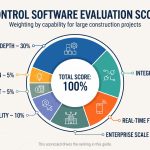
User experience, total cost of ownership, and vendor roadmap rounded out the picture. Our final weighting is 30 percent functional depth, 20 percent integration, 15 percent real-time field capture, 15 percent enterprise scale, 10 percent usability, 5 percent cost, and 5 percent innovation. That scorecard drives the ranking that follows.
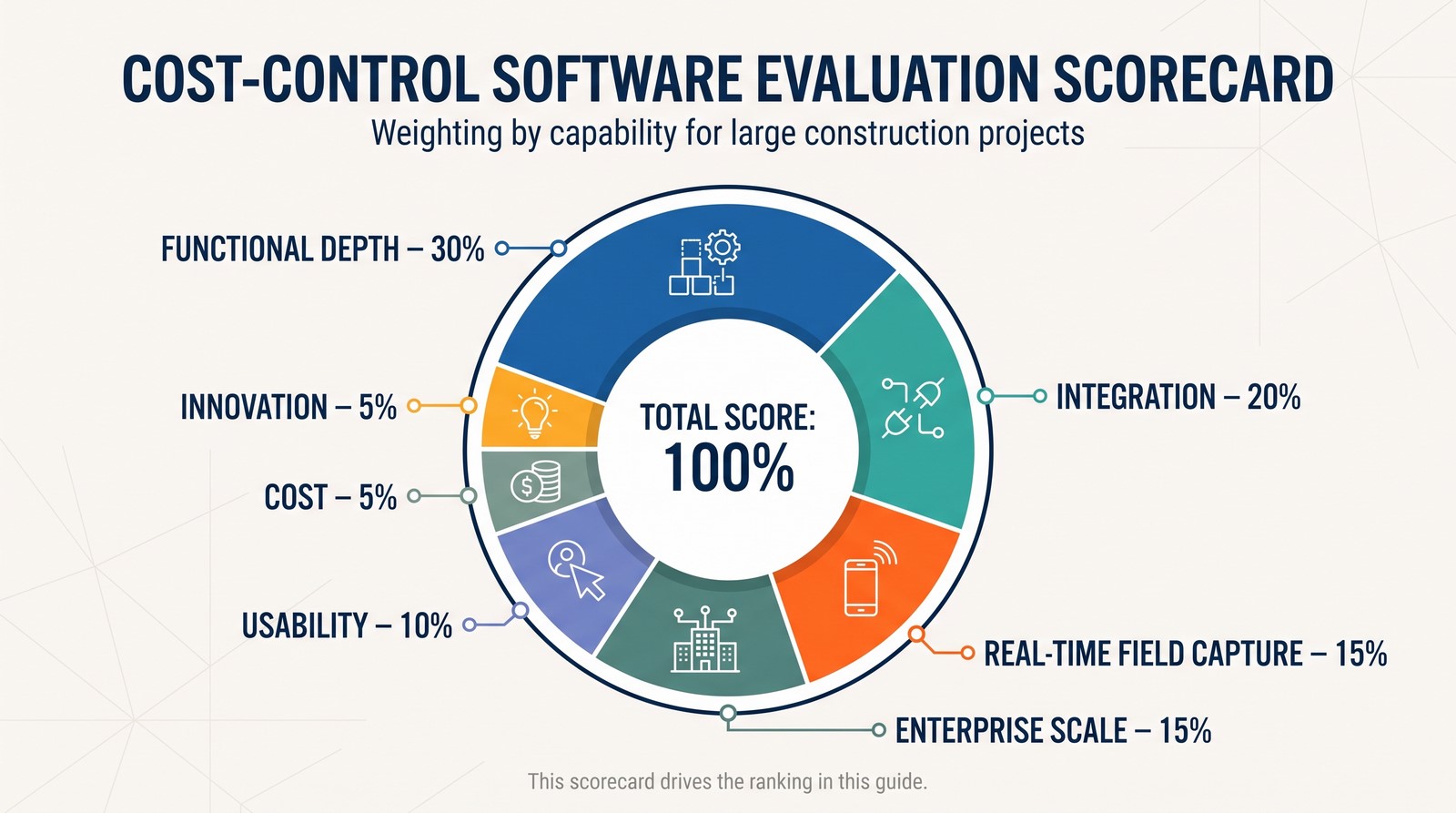 In short, every score reflects one promise: will this software flag a problem while there is still time and budget to fix it?
1. InEight Control: live cost clarity for megaproject muscle
Think of InEight as a project controls command center. Estimating, scheduling, cost, and risk sit on one cloud platform, so the numbers align before the weekly OAC meeting even starts.
A superintendent records today’s steel tonnage on a tablet. Seconds later the earned value curve, cash-flow forecast, and critical-path finish date all refresh. That closed loop is why owners and EPC contractors rely on InEight for billion-dollar airports, data centers, and energy builds.
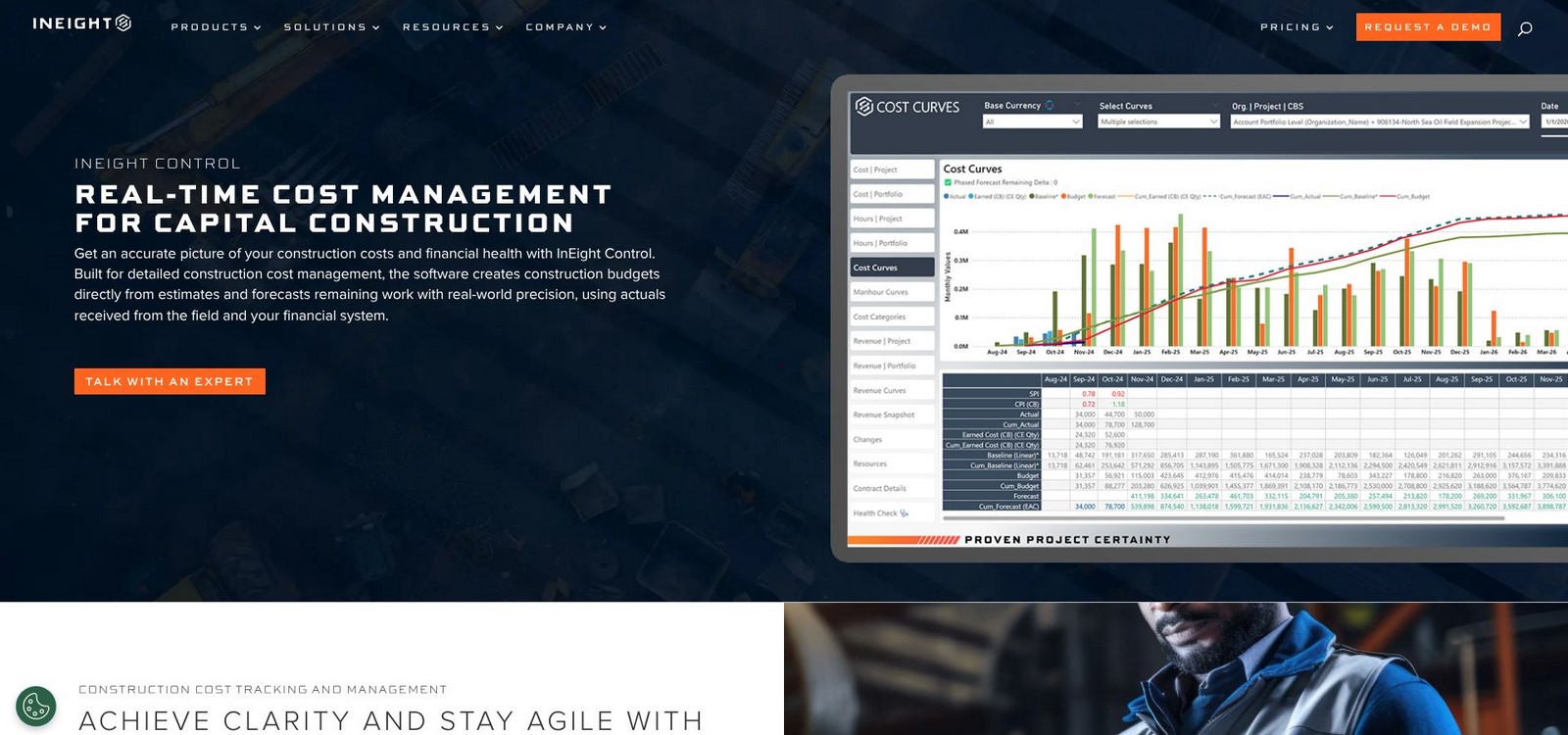 Depth sets it apart. Baseline budgets link straight to detailed estimates, while the built-in earned value engine tracks CPI and SPI in real time. Add the AI planning wizard (born from InEight’s BASIS acquisition) and you get duration suggestions grounded in thousands of historical activities, not gut feel.
Integration is equally strong. Native connectors push schedules to and from Primavera P6, pipe actuals from SAP, and pull field photos into progress entries. You can deploy one module (such as Scheduling) and add Cost or Risk later without rewriting data structures.
Yes, there’s a learning curve. Controllers and planners require training to tap its full power, and implementation needs deliberate coding of WBS and cost codes. For teams chasing single-source truth at enterprise scale, the payoff is a live dashboard that flags a budget slip weeks earlier than legacy month-end reports.
Bottom line: if your project portfolio crosses nine figures and spreadsheets keep betraying you, put InEight at the top of your shortlist. Every other tool in this guide is measured against the live, field-to-finance visibility it provides.
2. Oracle Primavera Cloud: schedule discipline meets cost control
Primavera has been the planner’s bible for 30 years, so Oracle’s cloud edition starts with strong CPM horsepower. The difference now is that cost data lives in the same workspace. When a critical-path slip pushes the finish date, Unifier re-phases cash curves and flags funding gaps; no exports, no frantic Excel gymnastics.
That unity matters on megaprojects where a one-week delay costs millions in standby fees. Portfolio dashboards roll dozens of jobs into a single view, letting executives see budget pressure long before bondholders do. Complex funding sources, multi-currency contracts, and audit-ready change logs all come standard because public-sector clients require nothing less.
Power has a price. Licenses sit at the high end of SaaS, and casual users often view read-only dashboards while trained schedulers drive the engine. Yet for teams that rely on critical-path certainty and regulator trust, Primavera Cloud remains the yardstick every rival tries to meet.
Choose it when schedule precision is essential and governance drives decision-making.
3. Hexagon EcoSys: portfolio finance without blind spots
EcoSys treats every project like a line item on a corporate P&L. Budgets, commitments, actuals, and forecasts roll into a live portfolio dashboard, so the CFO sees today’s cost position across a dozen programs without waiting for month-end close.
Earned value is baked in. The platform time-phases each cost element, pulls schedule status from Primavera, and snaps CPI and SPI charts into focus the moment field data lands. That precision is why energy majors and infrastructure owners trust EcoSys to defend billion-dollar budgets to lenders and boards.
Adaptability is its standout trait. You can mirror any cost-breakdown structure, enforce multilayer approval workflows, and feed actuals straight from SAP or Oracle Financials. The trade-off is setup effort. Configuring codes, calendars, and interfaces takes discipline—often with a consulting partner—but once live, EcoSys becomes the single ledger that removes spreadsheet drift.
Choose EcoSys when financial governance outranks field flair and portfolio transparency is the metric that matters.
4. Procore: field-first budgets that stay current
Walk the jobsite and you will see phones out, not clipboards. Procore taps that reality. Every RFI, daily log, or timesheet entered on a handset flows straight into the budget, so cost reports stay as fresh as the concrete pour you just inspected.
 The real power sits in change events. A superintendent flags an unforeseen beam splice, assigns dollar values, and routes the item for approval, all before lunch. Once signed off, the forecast adjusts automatically and ends the month-end surprise many GCs dread.
Unlimited user licensing removes adoption hurdles. You can invite every subcontractor and owner rep without worrying about seat counts, which means richer data and fewer blind spots. Integration is another strong suit; Procore syncs with Sage, Vista, and dozens of other systems, so accounting sees the same numbers operations do.
There are limits. Procore is not a CPM specialist; most teams still drive the master schedule in Primavera or Microsoft Project. But if your pain point is the gulf between the trailer and the back office, Procore closes it with mobile tools and real-time cost visibility.
Choose Procore when crews live on smartphones and you want budgets that breathe with the job.
5. Autodesk Construction Cloud: where models and money shake hands
Design changes no longer sneak up on the budget when cost data sits beside the BIM model. In Autodesk Construction Cloud, a tweak to the mechanical room pings the cost module, updates quantities, and shows the dollar impact before the architect clicks save.
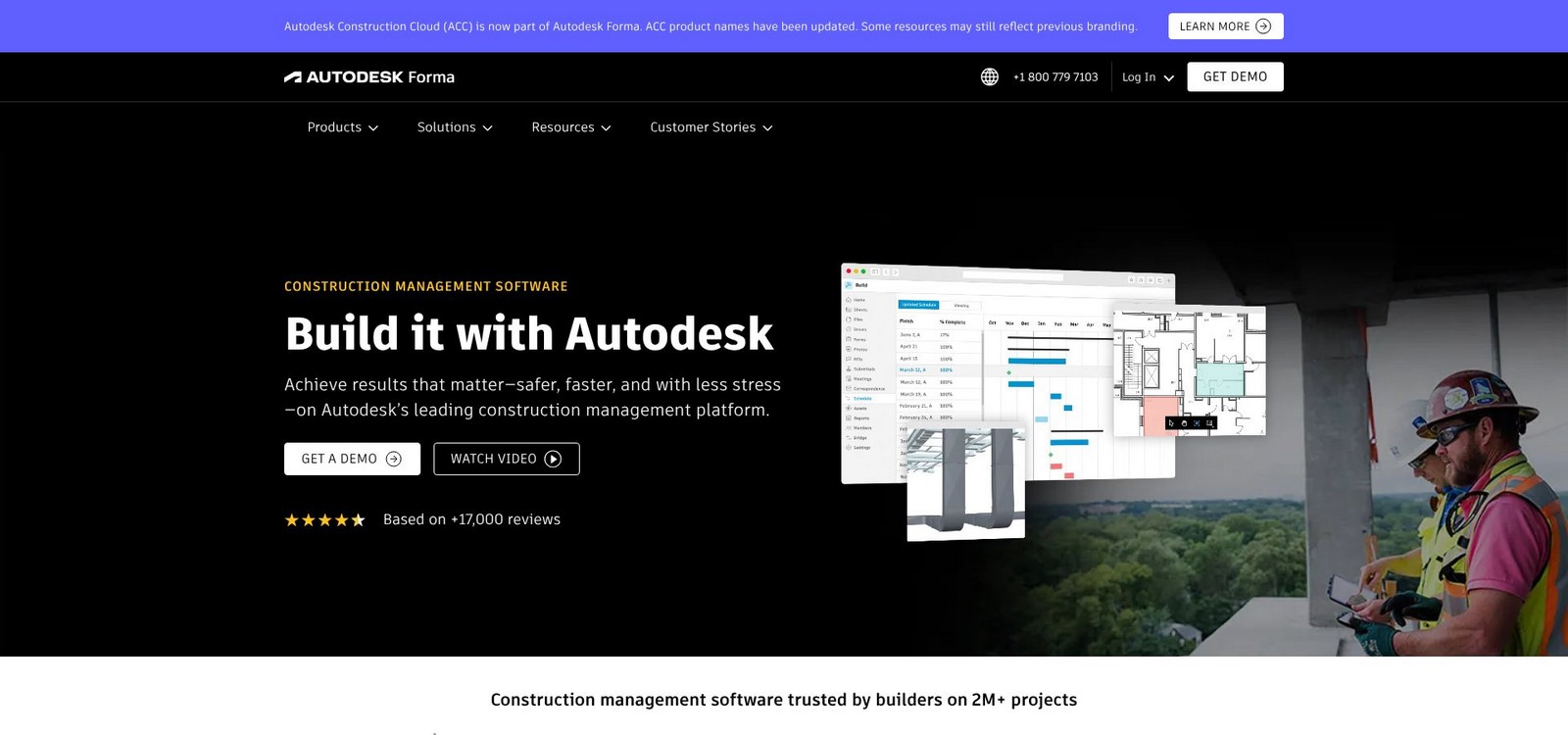 That rapid loop is priceless on design-build and fast-track jobs where revisions fly daily. Estimators, VDC teams, and project managers all pull from the same source, so scope, drawings, and spend stay aligned instead of drifting into separate file folders.
Contract and change-order workflows ride the same rail. Suppliers submit quotations, project managers route approvals, and finance tracks commitments without re-keying numbers. Add-ins connect to CMiC, Sage, and other ERPs, so accounting sees the same figures operations do.
Autodesk’s edge is context. Seeing a cost line tied to a specific model element turns abstract dollars into steel, duct, or concrete you can visualize. Depth is the trade-off. If you need ANSI-748 earned value or complex portfolio cash flow, you will pair ACC with a heavyweight control tool. Yet for teams already immersed in Revit and Navisworks, pulling cost under one roof trims translation errors and speeds every approval.
Choose Autodesk Construction Cloud when design evolution drives your risk and you want budgets that evolve as quickly as the model does.
6. Trimble Viewpoint Vista: the ERP backbone contractors trust
Vista is less flashy than cloud newcomers, yet it anchors thousands of job-cost ledgers because it pairs accounting rigor with live project data. Every invoice, payroll run, or equipment charge posts straight to the job-cost ledger, so financial and field numbers reconcile automatically.
That single database lets WIP reports pull live actuals, not last-week exports. Project managers see cost-to-complete beside AP aging, while controllers rely on the figures at close. Modules cover GL, HR, and service management, turning Vista into the system of record that other tools feed.
User experience reflects its accounting roots—forms over flair—so many firms pair Vista with front-end apps such as Procore or Viewpoint Team. The API makes that handshake smooth; crews enter progress in the field app, and Vista handles the dollars.
Implementation is a capital-P project, yet once configured, Vista scales from a regional GC to an ENR Top 100 contractor without rewriting the chart of accounts. Choose it when you need reliable job costing and a finance team that sleeps well at month-end.
7. Sage 300 CRE: the steady accountant’s choice
Ask a seasoned construction controller what software they trust, and Sage 300 still tops the list. Decades of job-cost DNA mean budgets, commitments, and change orders follow proven accounting rules before they ever hit a report.
Its edge is precision. Every subcontract, draw, and retention dollar lives in a single ledger shared by project managers and finance alike. When a change order bumps the contract, Sage locks the revision, updates forecast columns, and stamps an audit trail your CPA will appreciate.
Sage does show its age in the interface. Field crews rarely log in directly, so most firms add mobile tools to capture daily costs. That workaround underscores Sage’s role: it is the back-office vault that keeps numbers clean while front-end apps handle site speed.
If you prize airtight financial control over sleek UI, and your team already knows the Timberline workflow, Sage 300 remains a safe, reliable backbone for mid- to large-size contractors.
8. Deltek Cobra + Acumen: earned value compliance made painless
Federal work comes with alphabet-soup reports such as CPR, CFSR, and IBR that can torpedo a project if the numbers misalign. Deltek’s duo tackles that paperwork head on.
Cobra is the cost brain. It locks the performance baseline, ingests actuals from your ERP, and delivers ANSI-748 metrics (BCWS, BCWP, ACWP) without spreadsheet gymnastics. Acumen adds schedule intelligence, grades logic quality with Fuse, and runs Monte Carlo risk in minutes. The two tools sync so schedule percent complete feeds cost performance automatically, keeping CPI and SPI honest.
Controllers value the audit trail. Every change is timestamped, variance explanations are mandatory, and formats match DCMA checklists out of the box. The desktop interface feels technical, but seasoned project controls staff appreciate the detail.
Licenses sit at the high end, yet on a billion-dollar defense contract the spend is a rounding error compared with a failed surveillance review. If your contract cites ANSI-748 or your client wears a uniform, Cobra and Acumen offer the fastest route to a clean audit and uninterrupted funding.
9. Contruent (formerly ARES PRISM): one hub for estimating through turnover
Contruent’s promise is simple: never pass a spreadsheet from one department to another again. Estimators, engineers, cost controllers, and procurement share a single database, so scope, budget, schedule, and contracts stay aligned from notice to proceed through handover.
Start with the Estimate module to build a detailed cost model. One click turns that estimate into the control budget, preserving every assumption for forensic traceability. As engineering advances, drawing status updates feed percent complete, which drives earned value and forecast curves automatically. Change orders ripple through contracts and funding sources without leaving the platform.
This breadth trims tool sprawl. Instead of stitching together five point products, you configure Contruent’s modules and apply your workflow with drag-and-drop forms. The 2023 rebrand introduced a cleaner web UI and a growing SaaS option, reducing the heavy IT lift older PRISM deployments required.
Implementation still takes time. Teams must map multiple breakdown structures and train users to follow standard progress methods. Once live, Contruent cuts reconciliation hours and gives executives a single dashboard that explains variance without a slide deck.
If you build capital-intensive facilities and need continuity from bid through commissioning, Contruent deserves a close evaluation.
10. PMWeb: custom-fit controls for owners and program managers
Some organizations run projects their own way and need software that bends, not breaks. PMWeb answers that need with a toolkit you can configure without code. Want a three-step change-order workflow with design, cost, and legal sign-offs? Drag, drop, publish. Need a funding drawdown form in the same sequence? Clone, tweak, go live.
Cost control sits at the core. Budgets, commitments, change events, and invoices feed a live forecast that rolls up across projects and funding sources. Executive dashboards show portfolio burn rate at a glance, while project teams can drill into the submittal that delayed gypsum on level 6.
Flexibility demands discipline. A fully customizable system requires thoughtful design, or you risk recreating spreadsheet chaos on the web. For owners and program managers who want to codify a standard playbook and hold every stakeholder accountable, PMWeb provides the structure and visibility to make it stick.
11. Buildertrend: big-project lessons in a small-project package
Residential builders live on razor-thin margins, so Buildertrend focuses on speed and simplicity. Estimates flow into budgets, client change orders route through a phone approval, and cost variance flashes red the same day, not four weeks later.
Unlimited users let subs, homeowners, and the accountant work in one workspace, removing email chains that hide price changes. QuickBooks sync keeps books tidy, and a homeowner portal stops scope creep before it starts.
Why list a small-project tool in an enterprise roundup? Perspective. Buildertrend shows what larger systems still chase: mobile-first UI, transparent pricing, and go-live in days instead of quarters. It will not run a $500 million terminal expansion, but it reminds us that software succeeds only when people use it.
If you manage a division of fit-outs or want to test cost-control discipline on a low-risk project, Buildertrend delivers enterprise fundamentals without heavy overhead.
Side-by-side snapshot: which tool covers which need?
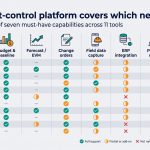
Sometimes you just need the cheat sheet. The matrix below maps each platform against seven must-have capabilities, so you can spot show-stoppers in seconds before diving into demos.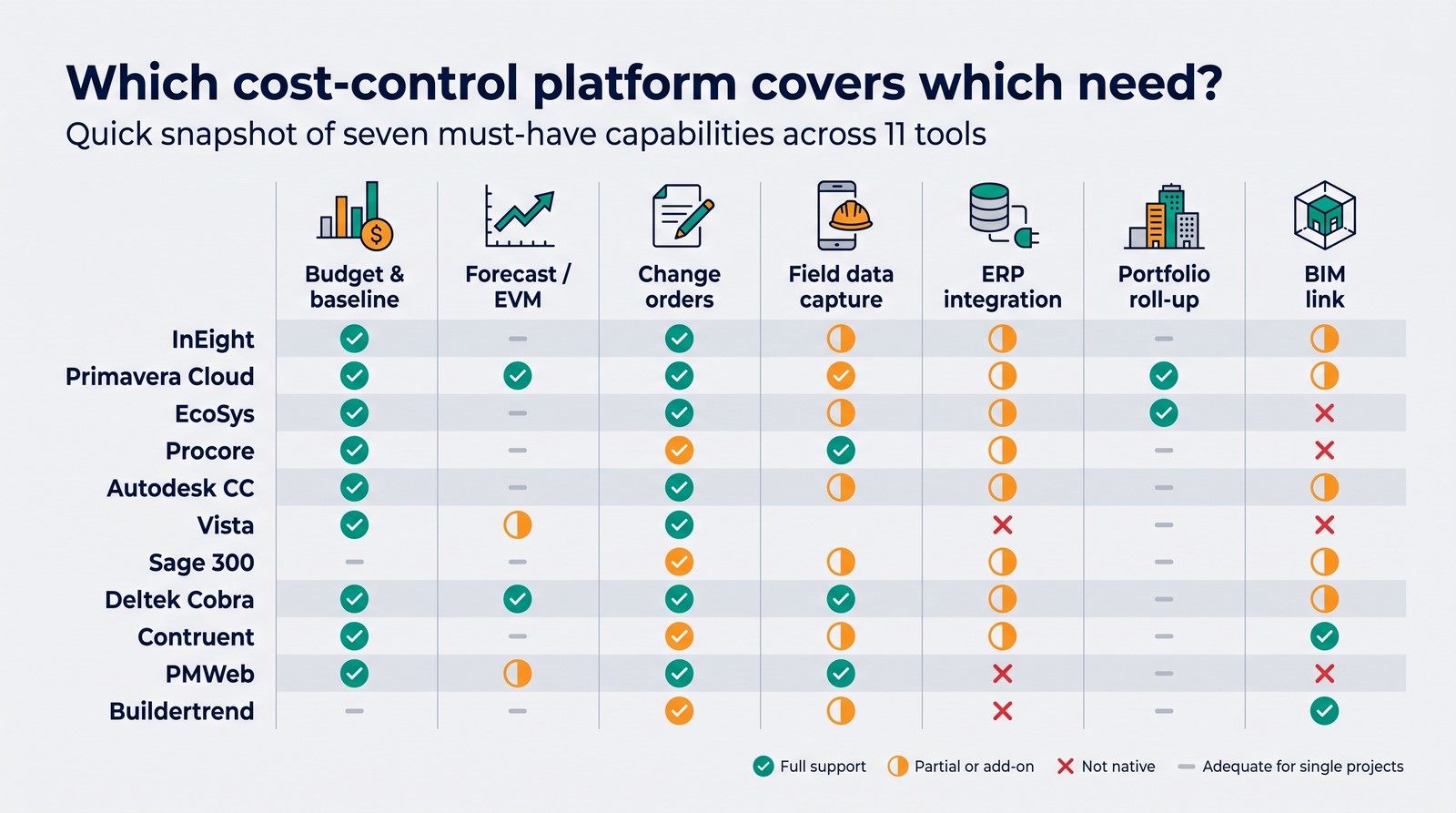
| Platform | Budget & baseline | Forecast / EVM | Change orders | Field data capture | ERP integration | Portfolio roll-up | BIM link |
| InEight | ✔️ Deep | ✔️ Advanced | ✔️ | ✔️ Mobile | ✔️ SAP, Oracle | ✔️ | ⚠️ Viewer |
| Primavera Cloud | ✔️ Via Unifier | ✔️ | ✔️ | Limited | ✔️ Oracle | ✔️ | ⚠️ Viewer |
| EcoSys | ✔️ Detailed | ✔️ Advanced | ✔️ | ❌ | ✔️ SAP, Oracle | ✔️ | ❌ |
| Procore | ✔️ | ✔️ Basic | ✔️ | ✔️ Best | ✔️ Sage, Vista | ➖ Project level | ⚠️ Docs |
| Autodesk CC | ✔️ | ⚠️ Basic | ✔️ | ✔️ | ⚠️ Select ERPs | ➖ Project level | ✔️ Native |
| Vista | ✔️ Accounting grade | ✔️ | ✔️ | ❌ (via partner) | N/A (core ERP) | ✔️ | ❌ |
| Sage 300 | ✔️ Accounting grade | ⚠️ Manual | ✔️ | ❌ (via partner) | N/A (core ERP) | ➖ Limited | ❌ |
| Deltek Cobra | ✔️ Time-phased | ✔️ EV gold | ⚠️ Baseline centric | ❌ | ✔️ Cost import | ➖ Program | ❌ |
| Contruent | ✔️ | ✔️ | ✔️ | ✔️ Field module | ✔️ SAP + more | ✔️ | ⚠️ Viewer |
| PMWeb | ✔️ | ✔️ | ✔️ | ⚠️ Forms | ✔️ Major ERPs | ✔️ | ⚠️ IFC import |
| Buildertrend | ✔️ | ✔️ Basic | ✔️ | ✔️ Mobile | ✔️ QuickBooks | ❌ | ❌ |
Legend: ✔️ Full support ⚠️ Partial or add-on ❌ Not native ➖ Adequate for single projects
How to choose the right cost-control partner
Reading feature lists is helpful, yet the real test is fit. Translate the grid above into a quick decision path you can run with your team this week.
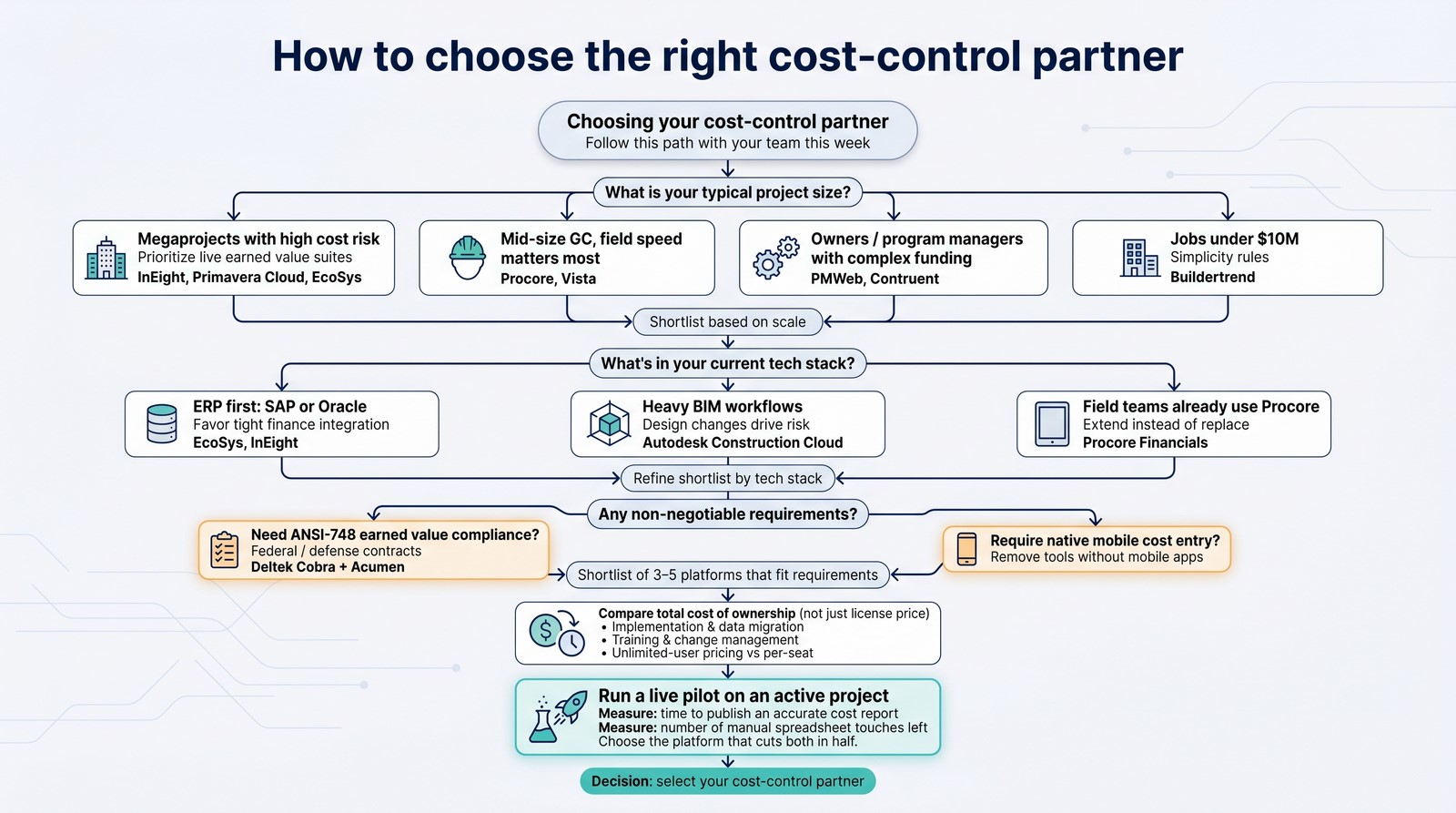 Start with project scale. If you manage megaprojects where a one-percent swing equals eight figures, pick enterprise suites with live earned value such as InEight, Primavera Cloud, or EcoSys. Mid-size GCs focused on field speed often succeed with Procore or Vista, while owners who juggle many funding sources lean toward PMWeb or Contruent. For jobs under $10 million, simplicity rules and Buildertrend offers breathing room.
Next, audit your tech stack. An ERP such as SAP or Oracle usually points to EcoSys or InEight because they connect to finance without friction. Heavy BIM workflows suggest Autodesk Construction Cloud. If your crew already likes Procore in the field, extending its Financials module typically beats a full replacement.
Then list must-haves and deal-breakers. Need ANSI-748 compliance? Deltek is essential. Require mobile cost entry? Remove any tool without a native app. Three to five clear filters will trim the shortlist fast.
Calculate total cost of ownership, not just license price. Implementation, data migration, and training often dwarf first-year fees. Unlimited-user pricing can look high on paper yet save money once dozens of subs log in daily.
Finally, run a live pilot. Load an active project, invite a cross-section of users, and track two metrics: time to publish an accurate cost report and number of manual spreadsheet touches left. The platform that cuts both in half is your winner.
Follow this path and the software you pick will match how you build, not the other way around.