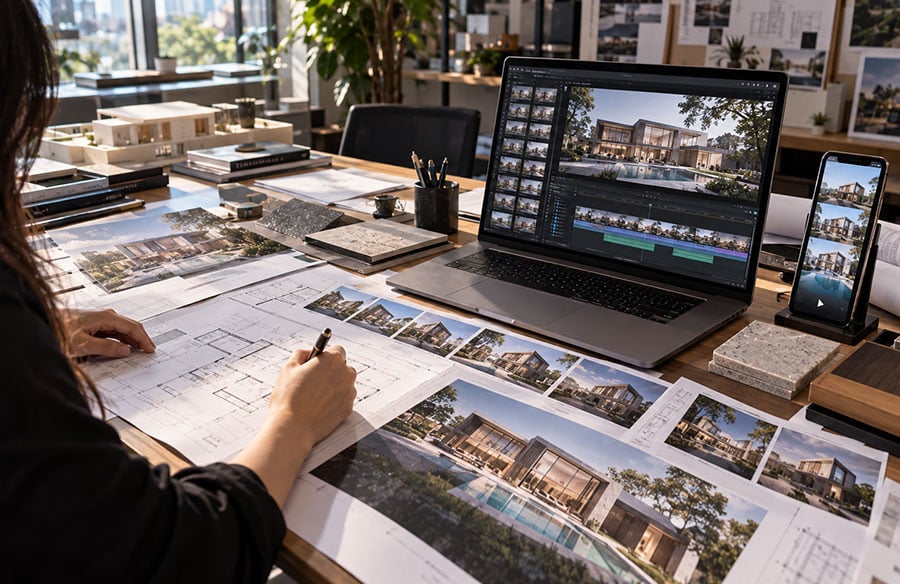
For decades, the architectural pitch ended on a single image. One polished render, pinned to a wall or dropped into a deck, had to do all the persuading.
That era is fading. Clients scroll through motion all day, and a static frame can feel flat beside it. Architects have noticed.
A new class of AI video tools lets studios turn a render into a short reel in minutes. This post covers what that shift means, where it works, and where it still breaks.
Why Still Renders No Longer Carry the Pitch
A still image freezes one viewpoint at one moment. It cannot show how daylight crosses a room or how a facade changes as you approach. Motion can.
Walkthroughs have always solved this problem, but they were costly. Traditional animation means building a full 3D scene, setting camera paths, and rendering thousands of frames. Even with real-time engines like Twinmotion or Lumion, a polished film can take days of focused work.
So most projects got a handful of stills. Only big commissions earned a hero animation. Smaller practices often skipped video entirely.
AI has started to close that gap. A Chaos and Architizer survey of nearly 800 architects found that about 64% have experimented with AI tools. Only 20% say they have fully embraced them, but the report flags AI-generated video as gaining traction.
What AI Video Does Well
The core trick is image-to-video. You feed in a render, and the model adds camera movement. Think of a slow push toward the entrance, a gentle orbit around a tower, or light shifting across a courtyard.
This suits the early and middle stages of a project. Concept reviews, competition boards, and developer pitches all benefit from a sense of place. One guide notes that studios use these clips for planning approvals, listing pages, and social content alike.
Speed changes how designers think. When a clip takes minutes, you can test five camera moves before lunch. You can also try a dusk version and a morning version without booking a render farm.
Text-to-video adds another option. Before a model even exists, a studio can generate a mood clip of materials, weather, and atmosphere. It works as a conversation starter rather than a design record.
Cost matters too. Small practices, which make up most of the field, rarely had budgets for custom animation. Cheap motion levels that playing field.
Where the Technology Still Falls Short
Precision is the weak point. One studio review warns that AI video struggles with straight lines and exact geometry. Edges can drift as the camera moves.
That drift is a real risk in architecture. On a residential tower, a wobbling mullion or a shifting floor count can make the design look wrong. Architects should judge these tools by a stricter standard than a social media creator would.
Clip length is another limit. Some leading models produce only four to eight seconds per generation. A client walkthrough usually needs 30 to 60 seconds of continuous footage.
Trust also enters the picture. One visualization firm that surveyed its clients found that sophisticated buyers distinguish AI-assisted work from AI-generated work. They also reported that AI-heavy deliverables can become expensive to revise.
The honest takeaway is simple. AI video is a communication tool, not a substitute for a coordinated model. Use it to sell an idea, then rely on your BIM data for anything that gets built.
Turning Renders Into Reels With Magic Hour
Magic Hour is one of several platforms that fit this workflow. It offers text-to-video and image-to-video, plus tools for video transformation and audio. For architects, the image-to-video option is the natural starting point.
One appeal is model choice. A Technology Org review reports that paid plans unlock models such as Kling, Sora 2, and Veo 3.1. Free users get a lighter model called LTX 2.3.
That variety helps because models handle motion differently. One may respect a glass facade better than another. Running the same render through two or three engines is a cheap way to find the cleanest result.
There are practical notes for studios. Free-plan outputs are licensed for personal, non-commercial use, so client deliverables need a paid plan. Plans also include API access, which matters if you want to automate reel creation across many projects.
The free tier still makes a fair test bench. Upload one hero render from your last project. See how the model treats your materials before you commit a budget.
Cost is modest for a studio. The same review lists a Creator plan at $12 a month billed yearly, or $19 billed monthly. Unspent credits stay in your balance, so a quiet month does not waste money.
Heavier models burn credits faster. A short clip from a premium model costs more than one from a lighter engine. Test on cheap models first, then spend credits on the shots you plan to show.
A Practical Workflow for Studios
You do not need a new pipeline. You need a light layer on top of the one you already have. Here is a simple sequence.
- Start with your best still. Export a clean, high-resolution render from V-Ray, Enscape, or Twinmotion. A strong source image matters more than any prompt.
- Direct the camera in plain words. Ask for a slow dolly, eye-level movement, and no cuts. Simple motion drifts less than dramatic flyovers.
- Generate several short clips. Make three to five variations of each shot. Discard any clip where lines bend or details morph.
- Stitch the winners together. Use your usual editor to add music, titles, and transitions. A sequence of clean five-second shots beats one long, unstable clip.
- Label the result honestly. Mark the reel as conceptual and share the underlying drawings alongside it.
This process fits inside an afternoon. It also leaves your technical documentation untouched, which keeps the risk low.
How Client Presentations Are Changing
Meetings feel different when the first slide moves. Clients react to atmosphere and scale before they nitpick details. That makes early feedback richer and less abstract.
Many studios are settling on a hybrid approach. AI reels handle ideation, mood, and marketing. Real-time engines and offline renderers handle the final, dimensionally exact work.
Skills are lagging behind adoption. A separate Chaos and Architizer poll of 1,200 AEC professionals found that 86% expect AI to play a big role. Yet 60% of current users have had no formal training.
That gap is an opportunity. A studio that writes down its own guidelines will get more consistent results. Agree on approved tools, prompt habits, review steps, and disclosure rules.
Expect the reel to become a normal part of the deliverable set. Sooner or later, clients will simply ask for it. The firms that prepare now will answer with confidence instead of scrambling.
Choosing Between AI Video and Traditional Animation
AI video does not replace every walkthrough. It replaces the ones that never got made. The real question is which tool fits which moment.
Traditional animation still wins when accuracy is contractual. Planning submissions, sales suites, and investor packs need exact dimensions and materials. A coordinated 3D scene guarantees that, and a generative model cannot.
AI video wins when speed and mood matter more than precision. Early concept reviews are the clearest case. So are competition entries, where a rough idea must feel alive within days.
A useful rule of thumb helps here. If the clip could be wrong without harming anyone, AI is a fair choice. If a client could rely on it to make a costly decision, build it properly.
Protecting Your Reputation While You Experiment
Speed tempts studios to skip review. Resist that. A single warped column in a reel can undermine a whole pitch.
Build a short checklist and apply it to every clip. Check floor counts, window rhythm, and rooflines against the model. Look at reflections and shadows too, since they often shift first.
Disclosure builds trust as well. A one-line caption saying the reel is AI-assisted and conceptual costs nothing. It also protects you if a client later compares the film to the finished building.
Conclusion: Treat Motion as Part of the Design Story
The shift from render to reel is real, but it is not magic. AI video makes motion cheap, fast, and accessible to practices of every size. It still needs human judgment to protect geometry and credibility.
Start small. Pick one project, animate three views, and show them at your next review. Note where the clips help the conversation and where they distract.
Then build your habits from there. Keep the model as your source of truth and let AI motion carry the story. Be open about which is which, because that balance is what clients will come to expect.