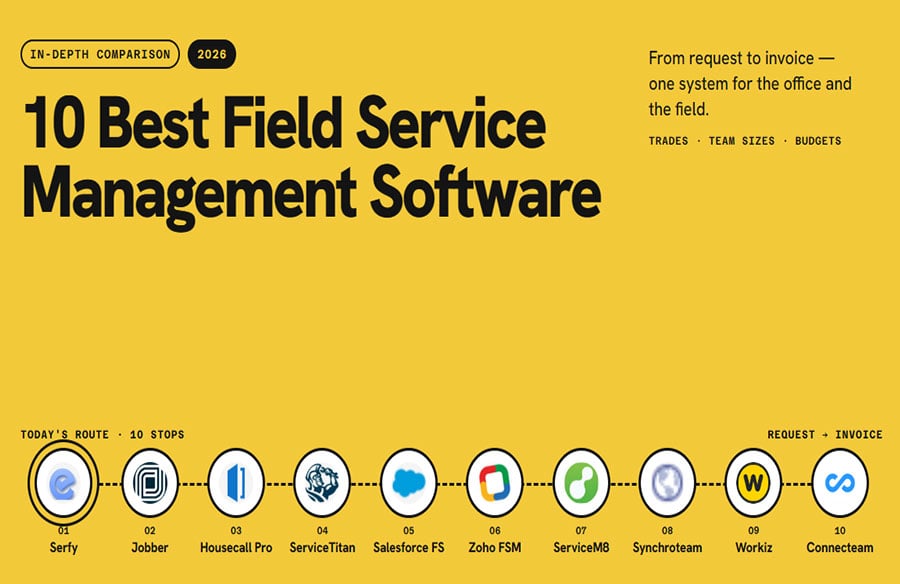
Field service management software replaces the whiteboard, the group chat, and the stack of paper work orders with one system your office and field team share. We compared 10 FSM platforms across trades, team sizes, and budgets.
This integration of office and field operations is crucial for maintaining the integrity and functionality of architectural spaces, from initial design through ongoing maintenance. Efficient field service ensures that the built environment remains safe, operational, and aesthetically pleasing.
Here’s how they stack up.
| Software | Best for | Starting price | Key consideration |
| Serfy | Commercial field service & facility maintenance | €25/user/month | ● Strongest multi-company workflows
● Smaller review base |
| Jobber | Home service businesses up to 15 users | $29/month | ● Very easy to use
● Limited reporting |
| Housecall Pro | Residential trades | $59/month | ● Great customer experience
● Per-user costs grow |
| ServiceTitan | Large residential trades companies | Custom quote | ● Deepest feature set
● High cost and long rollout |
| Salesforce Field Service | Enterprises already on Salesforce | ~$165/user/month | ● Very powerful
● Requires Salesforce expertise |
| Zoho FSM | Budget-conscious small teams | Free / $30/month | ● Free plan for up to 20 users
● Priced by appointments |
| ServiceM8 | Small trades on iPhone | Free / $29/month | ● Priced per job, not per user
● iOS-first |
| Synchroteam | International SMB field teams | $49/user/month | ● Quick setup
● Lighter integrations |
| Workiz | Phone-driven service businesses | Custom quote | ● Built-in phone & AI
● Add-on costs |
| Connecteam | Managing field staff (time, scheduling) | Free / $29/month | ● Great workforce tools
● No quoting or invoicing |
Our Top Picks
- The Platform: Best field service management software overall
- Jobber: Best for small home service businesses
- Salesforce Field Service: Best for large enterprises
How We Ranked the Best Field Service Management Software
We started with a longer list of FSM platforms and cut any that lacked a real mobile app or couldn’t manage a job from request to invoice. For the rest, we reviewed product documentation, current pricing, and recent G2 and Capterra reviews. We scored each one against the day-to-day of a typical service business: requests coming in from clients, jobs dispatched to a mixed team of employees and partners, and work invoiced on completion.
Must-have features
- Work order management: Track every job from request to sign-off, with photos, notes, and full history in one place.
- Scheduling and dispatch: A visual board that shows who’s available and nearby, so you can reassign work in seconds.
- Native mobile app: Techs get the job details, checklist, and signature capture on their phone, even offline.
- Invoicing or accounting integration: Completed work should flow straight into billing.
Dealbreakers
- Hidden total cost: We weighed implementation fees, add-ons, and contract lock-ins along with the headline price.
- Poor adoption in the field: If reviews say technicians struggle with the app, the software ends up unused regardless of its features.
Nice-to-have differentiators
- Client portals for requests and approvals
- Subcontractor and partner management
- Preventive maintenance and asset tracking
- Custom forms and checklists
- Automations and AI assistance
- Security certifications and data residency options
The 10 Best Field Service Management Software
1. The Platform: Best field service management software overall
Available on: Web, iOS, Android
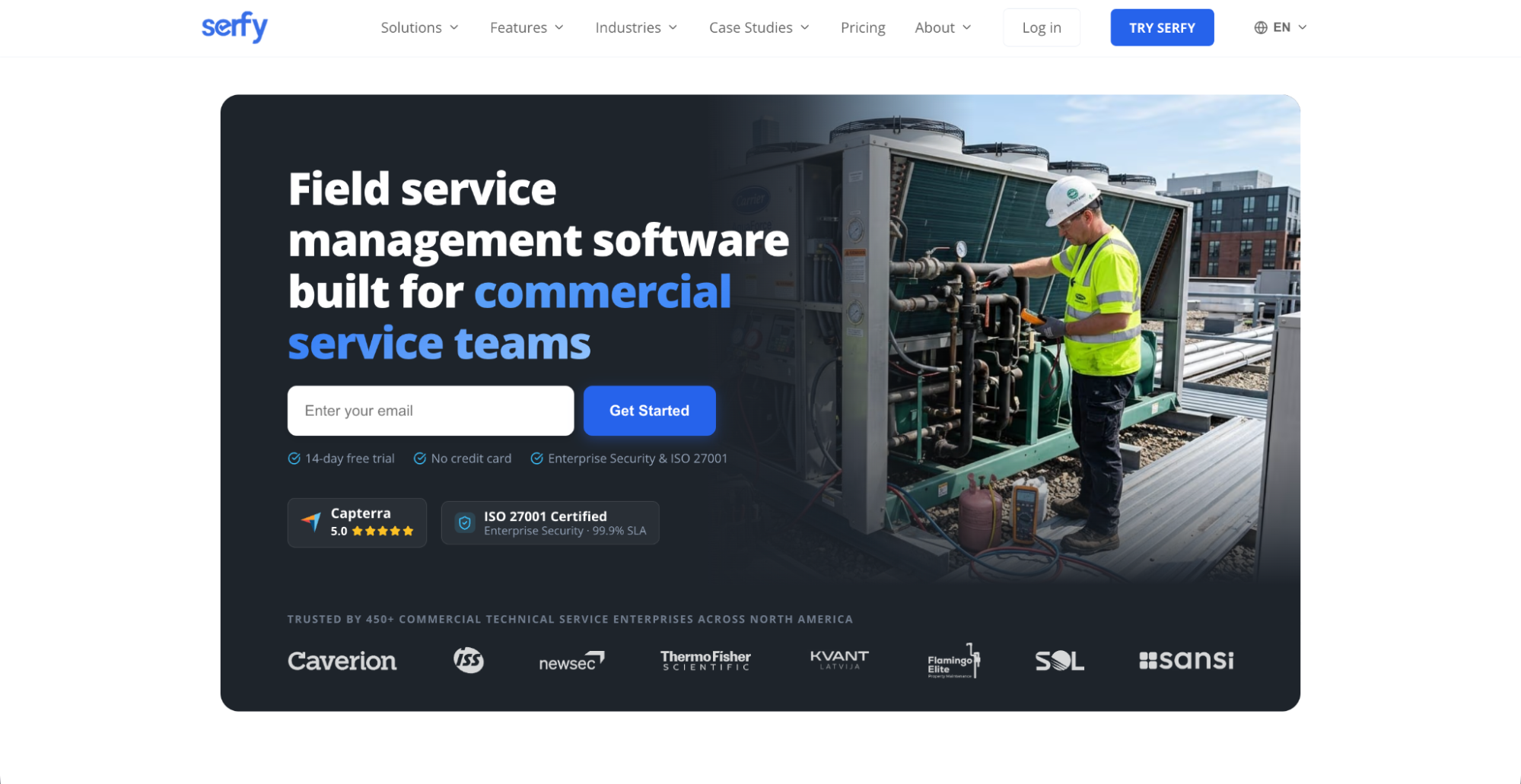 The platform is a field service platform for commercial service providers and facility maintenance teams. It covers 12 trade verticals, including HVAC, electrical, plumbing, refrigeration, elevators, fire protection, property management, cleaning, telecom, and utilities. Founded in Vilnius in 2016, it lists customers such as Caverion, ISS World, NEWSEC, and Thermo Fisher Scientific.
These services are fundamental to the lifecycle of any building or urban infrastructure project. Effective management of these trades directly impacts a structure’s longevity, energy efficiency, and user experience, aligning with sustainable design and operational principles.
Why we chose the platform: Most FSM tools assume one company doing the work for one customer. It is built for how service is often delivered in practice: a provider, its clients, and its subcontractors all working on the same jobs. It combines that with an offline-first mobile app, a full quote-to-cash flow, and transparent per-user pricing, which made it our top pick.
A true multi-company ecosystem
The platform puts providers, clients, and subcontractors in one system with granular data isolation, so all three parties can work on the same work order while each sees only its own data. Clients submit and track requests through their own portal. Subcontractors execute delegated jobs without seeing what you bill the client. You keep oversight of everything.
Offline-first mobile app
The platform stores data locally in SQLite on the device, so technicians working underground or in concrete utility rooms don’t have to wait for a signal. Tasks, photos, checklists, and signatures are all saved and sync when the connection returns. Many “offline modes” in this category only show cached data. Its lets technicians complete the work.
Smart dispatch and scheduling
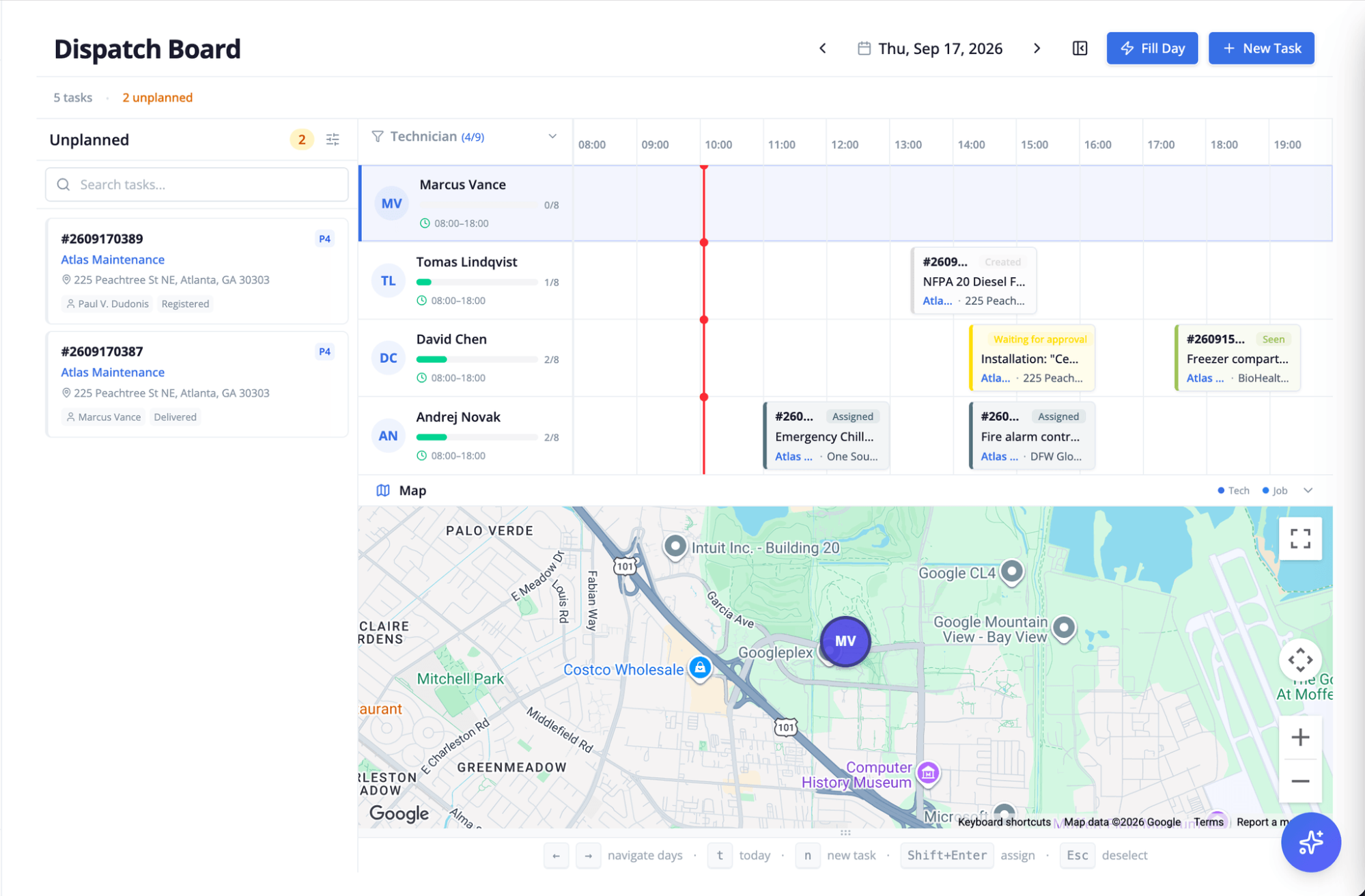
The platform ranks technicians by skill certifications, GPS proximity, travel time, and van inventory, and pairs that with a drag-and-drop timeline board with live maps.
 Quote-to-cash in one flow
Quotes are built from standardized price books, approved with timestamped e-signatures, and converted to work orders in one click. Completed work orders generate invoices automatically, with Stripe payments and two-way sync to QuickBooks, Xero, NetSuite, and Sage Intacct. For European businesses, the platform also supports Peppol e-invoicing.
Assets, preventive maintenance, and SLAs
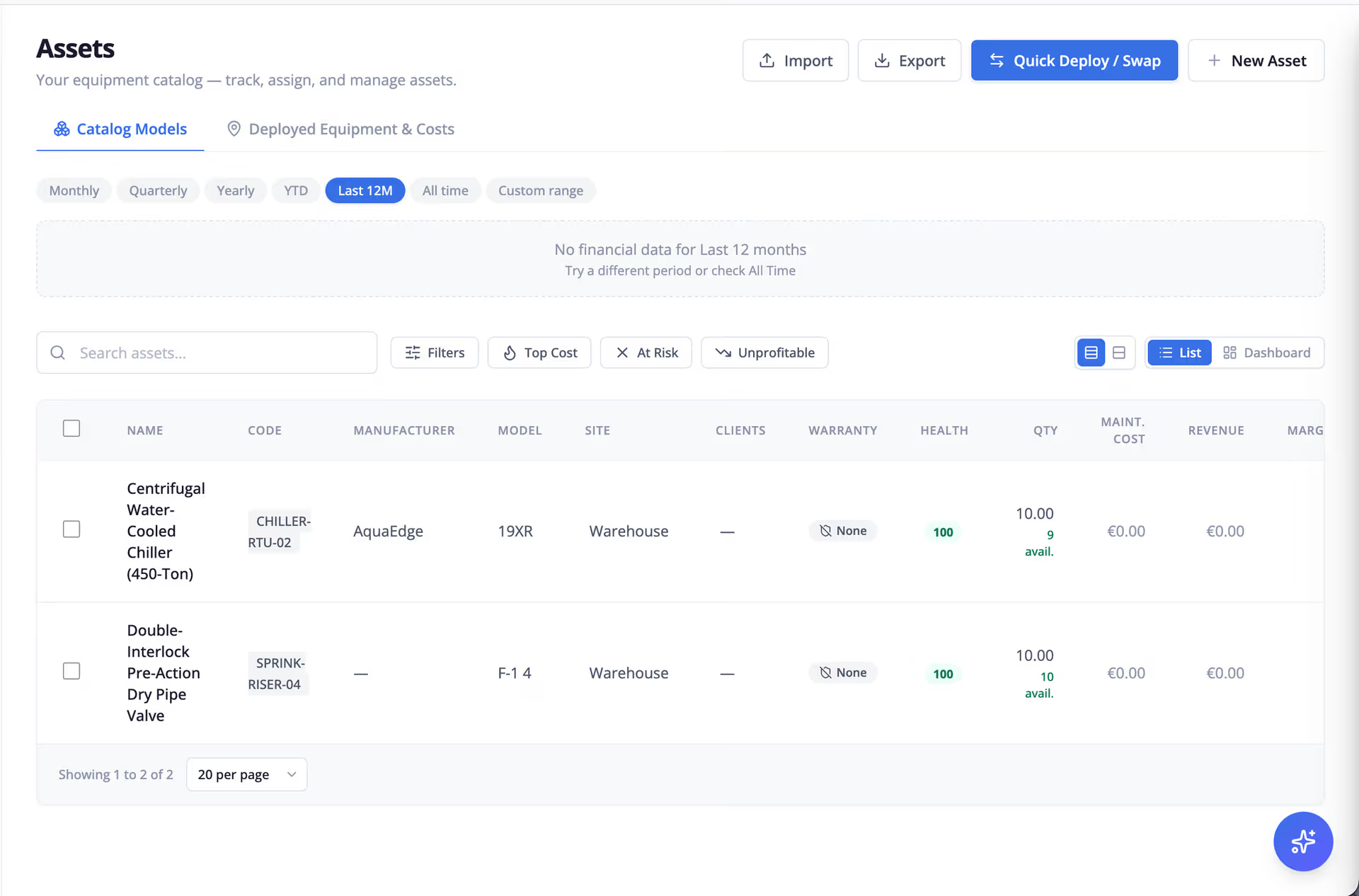
The platform includes a QR-based asset registry with service logbooks, recurring preventive maintenance schedules, and SLA tracking with automated escalations. This matters most for facility management and maintenance contracts, where missing a visit has contractual consequences.
 AI copilot and no-code automation
The platform offers natural-language queries and IF→THEN workflow rules, including instant SLA escalation. Operations managers can automate routine decisions without a developer.
Enterprise-grade security
The platform supports SAML 2.0 SSO, TOTP two-factor authentication, role-based access control, REST API endpoints, webhooks, and immutable audit logs. It is ISO 27001 certified and hosted in European data centers under GDPR. That makes it a strong option for companies with data residency requirements.
What users say about the platform
Reviewers on Capterra praise how simple it is for everyday users, how quickly large field teams learned it, and how responsive the support team is. There were criticisms, but most were minor.
When the platform may not be the best fit
- If you’re a residential home service business that mainly needs marketing, reviews, and consumer financing tools
- If you need hundreds of public reviews before you’ll shortlist a vendor
Key features
- Multi-company work orders (client portal + subcontractor portal)
- Offline-first native iOS and Android apps
- Smart dispatch and drag-and-drop scheduling
- Quotes, automated invoicing, accounting sync
- Assets, preventive maintenance, SLAs
- AI copilot and no-code automations
Pros
- Built for commercial, multi-party service delivery
- Works fully offline
- Transparent pricing, no setup fees, no long-term contract
- Strong security and EU data residency
Cons
- Limited public review volume
- Lighter on residential marketing features
Pricing:
- Professional costs €25/user/month for up to 25 users
- Enterprise is custom-priced with unlimited users, REST API and webhooks, and a dedicated account manager. There are no setup fees, and you can pay monthly or annually without a long-term contract. Free trial available.
2. Jobber: Best for small home service businesses
Available on: Web, iOS, Android
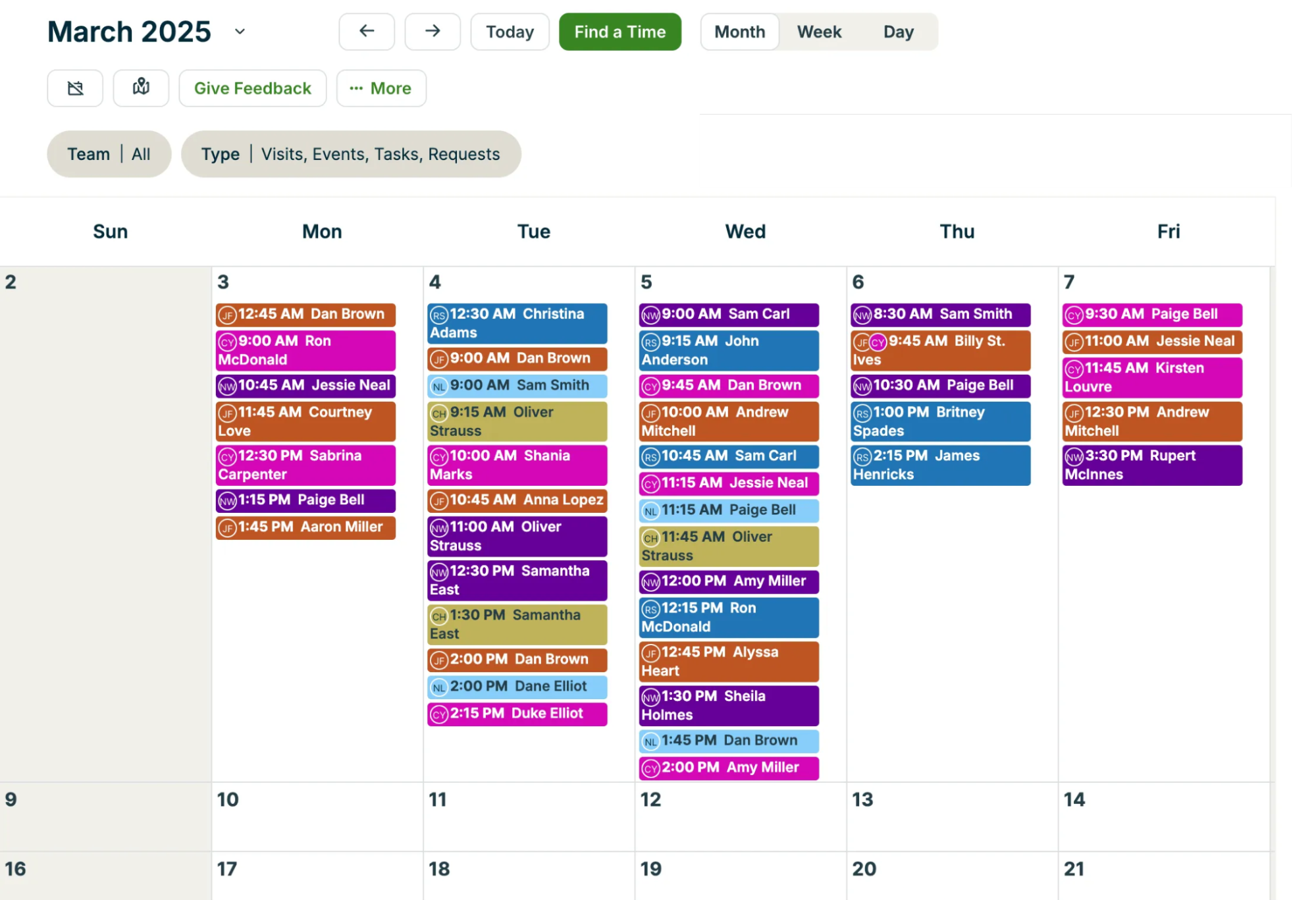 Jobber is one of the most approachable FSM tools available. Quoting, scheduling, invoicing, payments, and a client hub are all easy to set up. Lawn care, cleaning, handyman, and small trades businesses use it widely.
Why we chose Jobber: A solo operator can start at a low monthly price and keep the same system as the team grows.
Where it falls short: Pricing moves to a sales conversation above 15 users, and limited reporting is the most common complaint. It’s also not designed for commercial contracts, SLAs, or subcontractors.
Pros:
- Very easy to use
- Published pricing
- 14-day trial
Cons:
- Limited reporting
- Caps at 15 users on self-serve plans
- Residential focus
Pricing: Plans start at $29/month (Core, one user, billed annually).
3. Housecall Pro: Best for residential trades
Available on: Web, iOS, Android
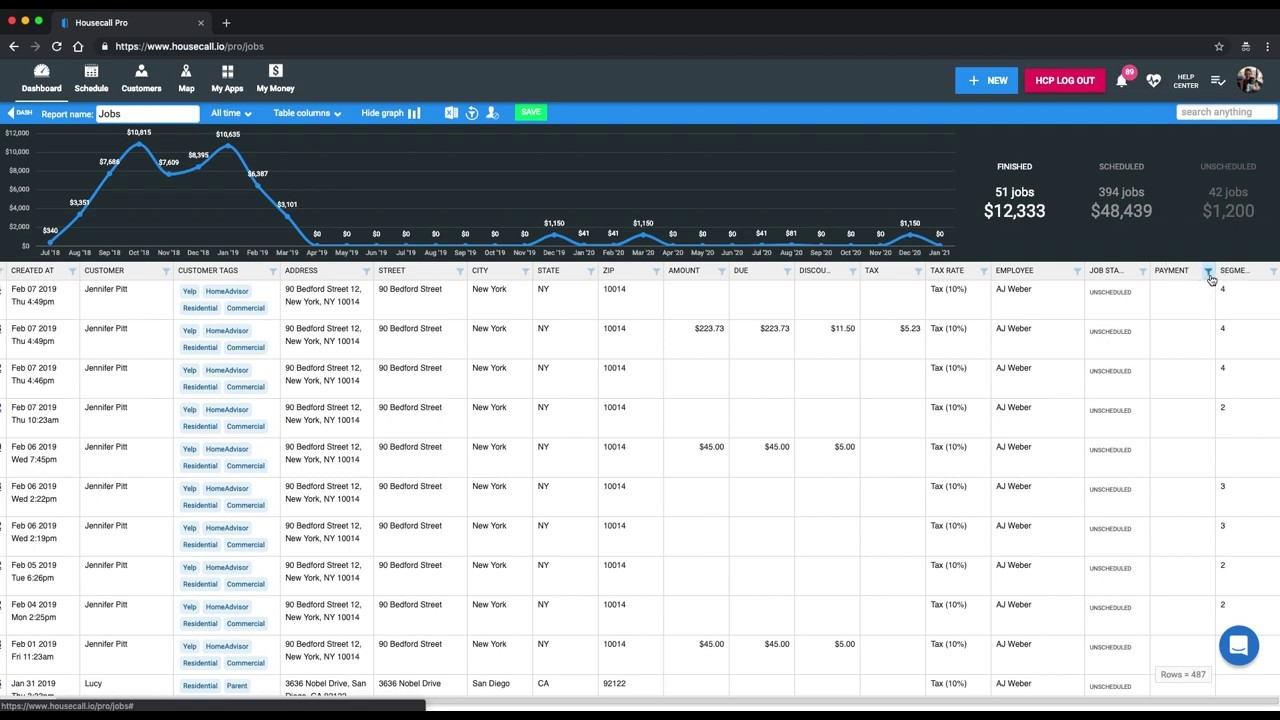 Housecall Pro focuses on the homeowner experience: online booking, “on my way” texts, review requests, and recurring service plans, plus scheduling, dispatch, and invoicing.
Why we chose Housecall Pro: For residential plumbing, HVAC, electrical, and cleaning businesses, its customer-facing tools are excellent.
Where it falls short: Users report QuickBooks sync issues, and Housecall Pro doesn’t include job costing. Commercial workflows aren’t its focus.
Pros:
- Great customer communication
- Easy onboarding
- Marketing tools
Cons:
- Per-user costs on MAX
- Features gated by tier
- No job costing
Pricing:
- $59/month (Basic, annual)
- $149/month (Essentials, annual)
- $299/month (MAX, annual)
- Extra MAX users cost $35/month.
4. ServiceTitan: Best for large residential trades companies
Available on: Web, iOS, Android
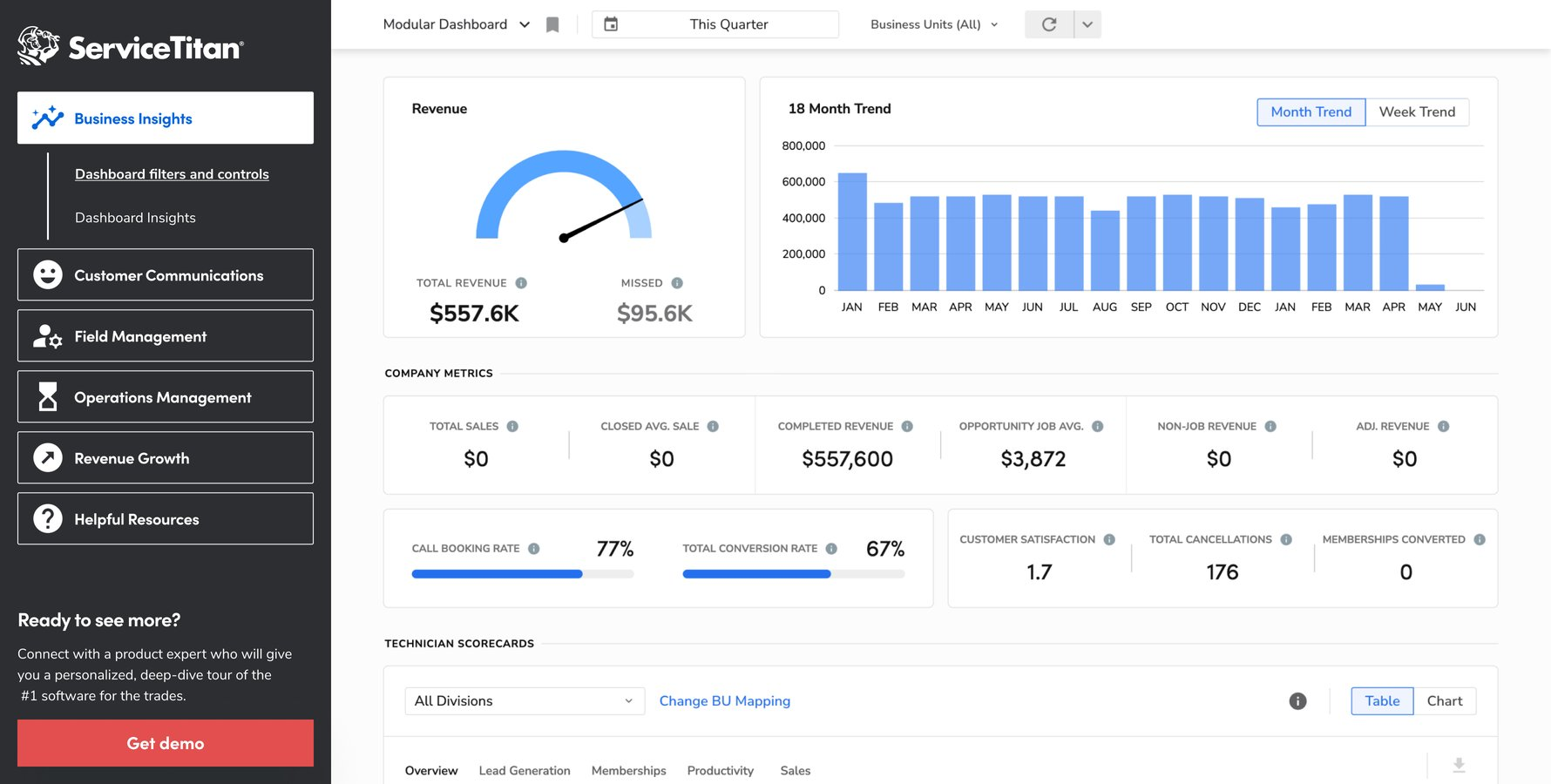 ServiceTitan is an all-in-one platform for high-volume residential HVAC, plumbing, and electrical companies, covering call booking, pricebooks, sales, marketing attribution, memberships, and advanced reporting.
Why we chose ServiceTitan: Established residential companies with dedicated office staff get the most complete toolset in the category.
Where it falls short: Based on user reports, expect roughly $245–$500 per technician per month on an annual contract, plus an implementation fee of $5,000–$15,000+ for small-to-mid shops. Implementation also takes a long time.
Pros:
- Deepest residential features
- Strong reporting
- Large ecosystem
Cons:
- Expensive
- Long rollout
- Overkill for small teams
Pricing: Custom quote.
5. Salesforce Field Service: Best for large enterprises
Available on: Web, iOS, Android
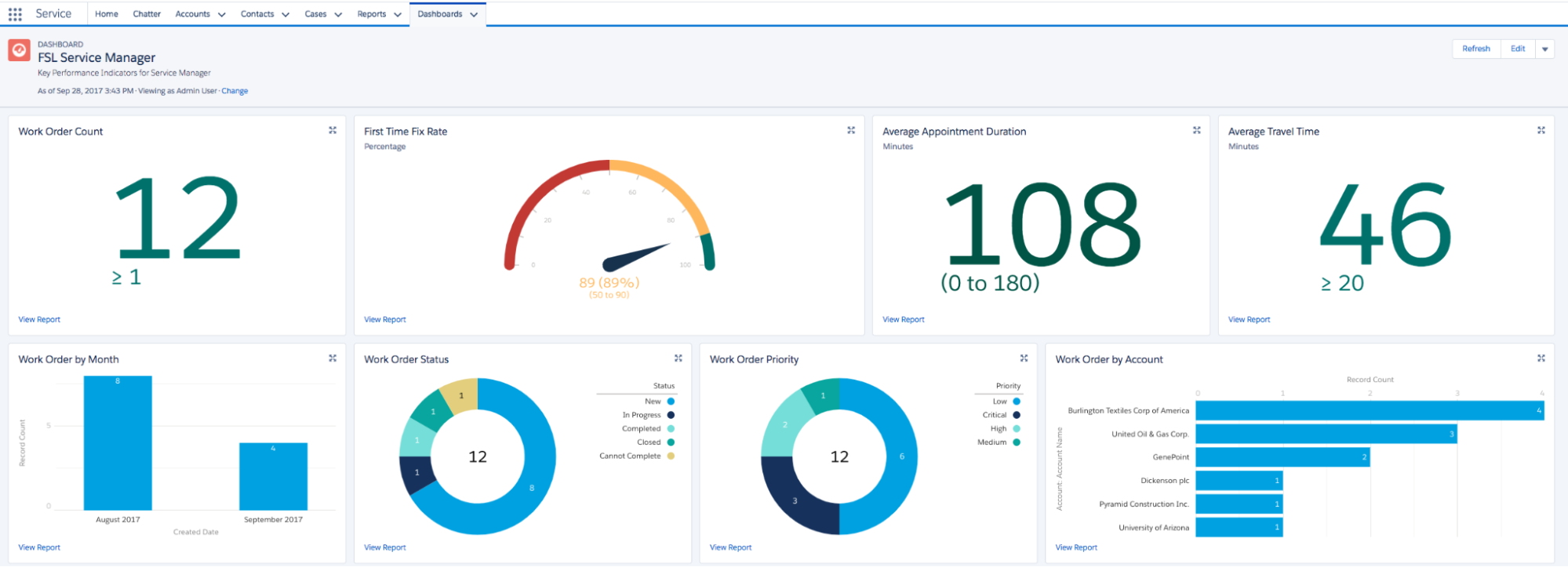 Salesforce Field Service, now branded Agentforce Field Service, extends Salesforce’s CRM into scheduling, dispatch, mobile work, and asset service. It’s built for large organizations running complex service across regions.
Why we chose Salesforce Field Service: For companies already running on Salesforce, it puts field service on the same customer record as sales and support.
Where it falls short:
- You need someone who’s fluent in working with Salesforce.
- Need a big budget – there is no free version or trial.
Pros:
- Enterprise scale
- Advanced scheduling optimization
- Deep CRM integration
Cons:
- Expensive
- Complex setup
- Needs Salesforce expertise
Pricing: Dispatcher and Technician licenses are listed at $165/user/month, with a more limited Contractor license at $50/month, on top of an eligible Salesforce edition.
6. Zoho FSM: Best for budget-conscious small teams
Available on: Web, iOS, Android
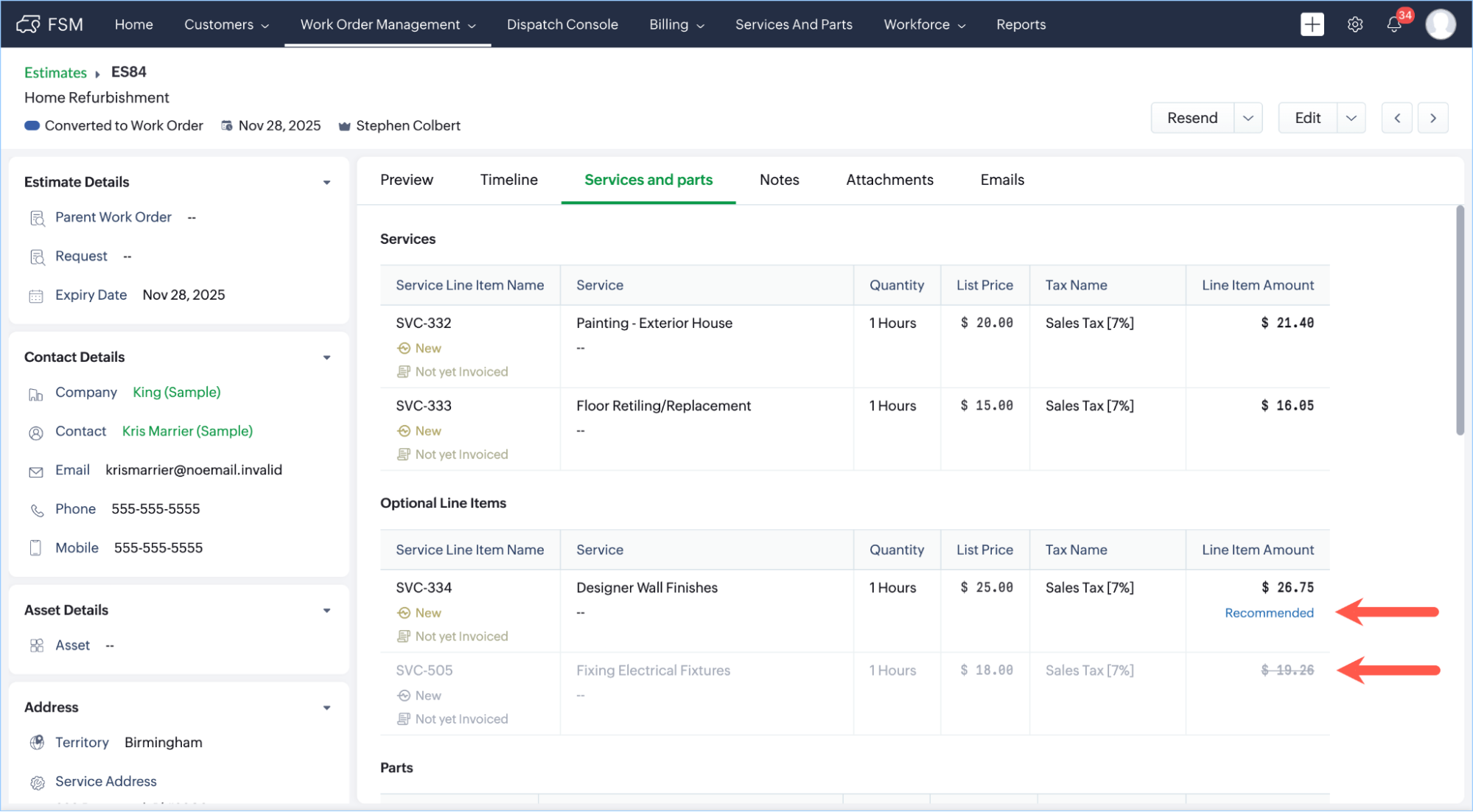 Zoho FSM covers requests, estimates, work orders, dispatch, and invoicing, and integrates tightly with Zoho CRM, Books, and Desk.
Why we chose Zoho FSM: It has one of the most generous free plans in the category, and it’s a natural choice for businesses already using Zoho.
Where it falls short: Pricing is based on appointments rather than users, which takes some planning. Reviewers mention a learning curve and some missing features.
Pros:
- Useful free plan
- Zoho ecosystem integration
- Low paid entry price
Cons:
- Appointment caps
- Interface less modern than competitors
Pricing:
- The Free edition includes 30 appointments per month and up to 20 users
- Paid editions start at $30/month (billed monthly) for 60 appointments, with volume-based pricing above that.
7. ServiceM8: Best for small trades teams on iPhone
Available on: Web, iOS (Android via a limited companion app)
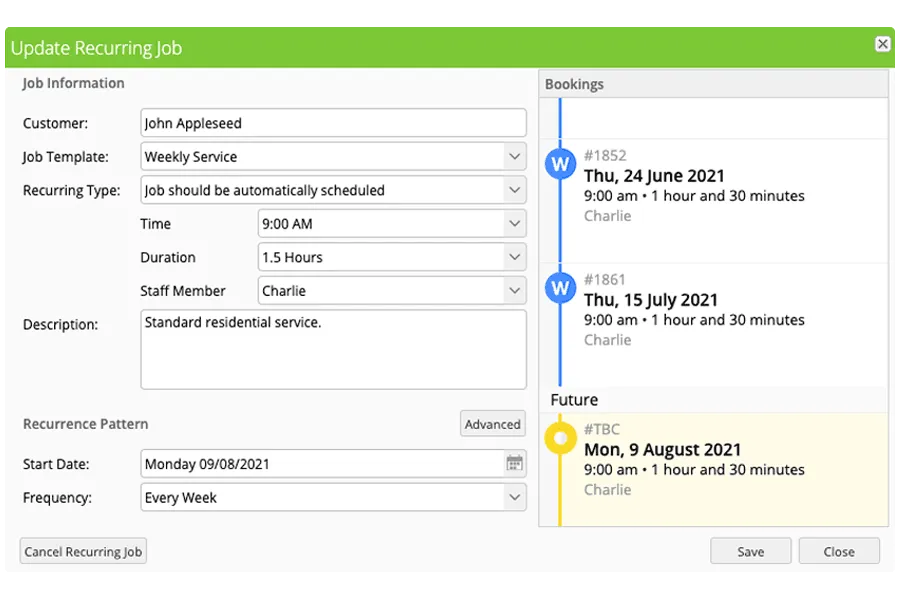 ServiceM8 charges by job volume rather than headcount, which is unusual in this category.
Why we chose ServiceM8: Its paid plans include unlimited users, starting at $29/month for 50 jobs, which is cost-effective for small crews.
Where it falls short: The full field app is iPhone/iPad-only. Android technicians get a limited companion app without in-field payments, signatures, or full offline mode.
Pros:
- No per-user fees
- Free plan
- Simple job cards
Cons:
- iOS-first
- Costs rise with job volume
Pricing:
- Free (1 user, 30 jobs/month)
- Starter $29/month
- Growing $79/month
- Premium $149/month
- Premium Plus $349/month.
8. Synchroteam: Best for international SMB field teams
Available on: Web, iOS, Android
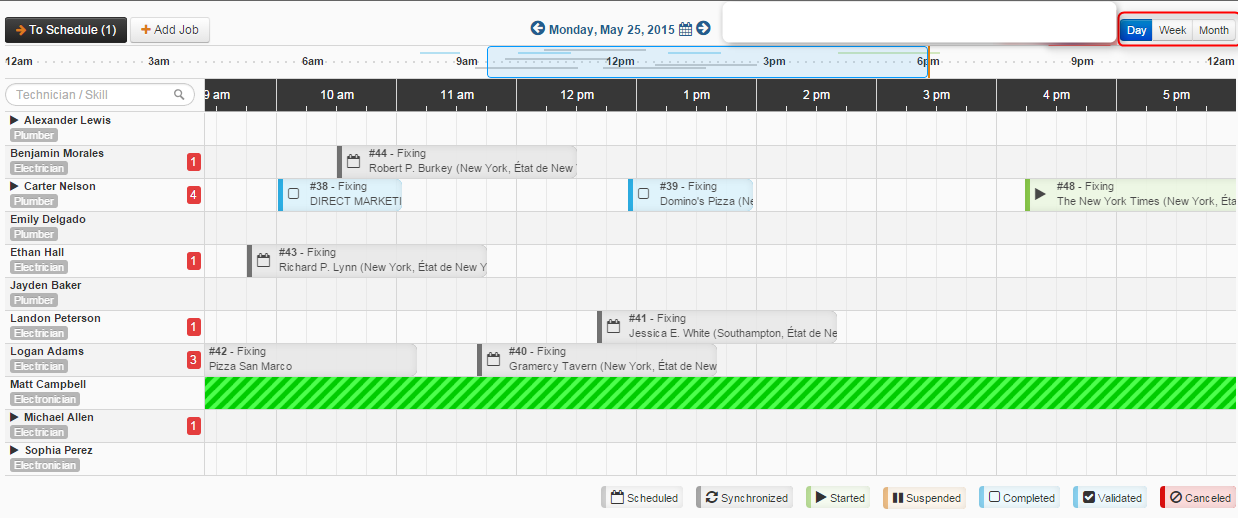 Synchroteam is a straightforward FSM tool covering scheduling, job management, custom job reports, and invoicing, with pricing in both USD and EUR.
Why we chose Synchroteam: It’s quick to set up, it’s month-to-month, and the first administrator account is free when you have at least one paid mobile worker.
Where it falls short: Capterra reviews note limited integrations and a learning curve for customizing reports and access controls. Route optimization requires the higher plan.
Pros:
- Fast setup
- Month-to-month
- 14-day trial
Cons:
- Limited integrations
- Per-user pricing
Pricing:
- Standard $49/user/month
- Premium (adds route optimization) $79/user/month.
9. Workiz: Best for phone-driven service businesses
Available on: Web, iOS, Android
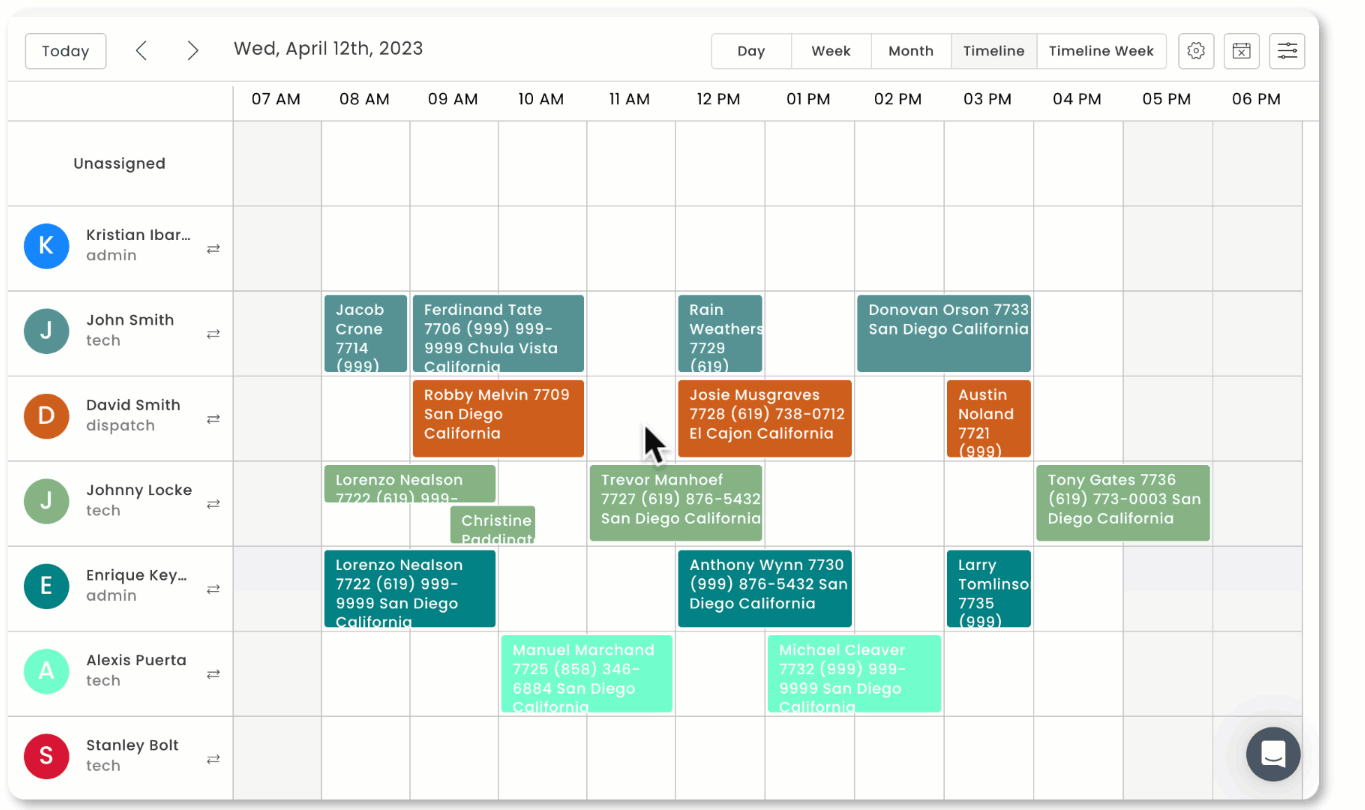 Workiz combines job management with a built-in phone system and AI call answering, which suits locksmith, garage door, appliance repair, and similar businesses where most leads come in by phone.
Why we chose Workiz: Calls turn into jobs without switching apps.
Where it falls short: The phone system and Genius AI answering are paid add-ons on top of the base plan. The pricing page now shows plans behind “Request pricing” with a 7-day trial.
Pros:
- Integrated telephony
- AI answering
- Easy to learn
Cons:
- Add-on costs
- Pricing not published
Pricing:
- Custom quote
- Reported at roughly $200–$350/month.
10. Connecteam: Best for managing field staff
Available on: Web, iOS, Android
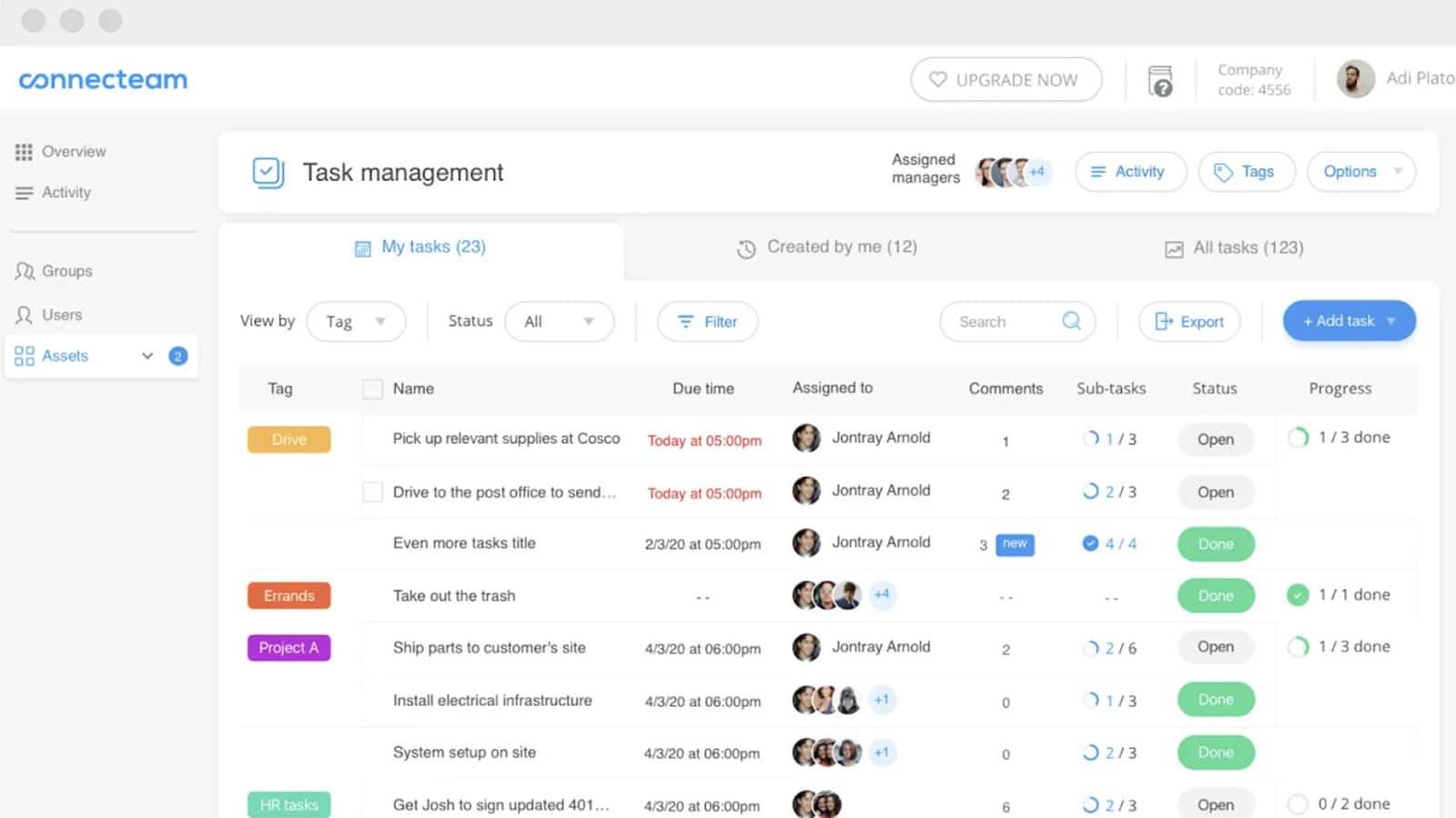 Connecteam is a workforce management app rather than a full FSM platform. It covers scheduling, GPS time clocks, forms and checklists, team chat, and training.
Why we chose Connecteam: If your main pain is managing people (hours, shifts, communication) rather than jobs and billing, it’s excellent and very affordable.
Where it falls short: Connecteam acknowledges it doesn’t include quoting or invoicing tools and has no client portal.
Pros:
- Strong time tracking and scheduling
- Free plan
- Easy for field staff
Cons: No quotes, invoices, or client portal
Pricing:
- Free for up to 10 users
- Paid plans start at $29/month for the first 30 users.
Compare the Best Field Service Management Software
| Serfy | Jobber | Housecall Pro | ServiceTitan | Salesforce FS | Zoho FSM | ServiceM8 | Synchroteam | Workiz | Connecteam | |
| Best for | Commercial & facilities | Small home service | Residential | Large residential | Enterprise | Budget teams | iPhone trades | Intl. SMBs | Phone-driven | Staff mgmt |
| Pricing model | Per user | Per plan | Per plan + users | Per tech | Per user | Per appointment | Per job volume | Per user | Per plan + users | Flat tiers |
| Free plan | No | No | No | No | No | Yes | Yes | No | No | Yes |
| Free trial | Yes | Yes | Yes | No | No | Yes | Yes | Yes | Yes | Yes |
| Client portal | Yes | Yes | Yes | Yes | Yes | Yes | Yes | Limited | Yes | No |
| Subcontractor portal | Yes | No | No | Limited | Yes | Limited | No | No | No | No |
| Invoicing | Yes | Yes | Yes | Yes | Yes | Yes | Yes | Yes | Yes | No |
| Offline mobile | Full | Partial | Partial | Yes | Yes | Yes | iOS only | Yes | Partial | Partial |
What Is Field Service Management Software?
Field service management (FSM) software coordinates work done at customer locations rather than in an office. It connects the full job lifecycle in one system: request intake, scheduling, technician dispatch, mobile execution with checklists and photos, customer sign-off, and invoicing. Office staff see progress in real time, technicians get what they need on their phone, and customers get faster, better-documented service.
How Much Does Field Service Management Software Cost?
Pricing models vary widely, so compare total cost rather than headline prices:
- Per user: Serfy, Synchroteam, and Salesforce. Predictable, and scales with headcount.
- Per plan with user caps: Jobber, Housecall Pro, and Workiz. Cheap to start, with price jumps when you pass a tier’s user limit.
- Per technician with implementation fees: ServiceTitan. Expensive, but built for scale.
- Usage-based: Zoho FSM (appointments) and ServiceM8 (jobs). Good when volume is low or seasonal.
Also budget for payment processing fees, add-ons such as phone systems and GPS tracking, and any setup or implementation charges.
FAQs
What’s the difference between FSM software and a CMMS?
A CMMS focuses on maintaining your own assets. FSM focuses on delivering service to customers at their locations. Some platforms, Serfy included, combine both: asset registries and preventive maintenance alongside dispatch, client portals, and invoicing.
Which FSM software is best for commercial service companies?
Look for multi-site customer management, SLAs, asset histories, client portals, and subcontractor controls. Serfy is built around these. Residential-first tools like Jobber and Housecall Pro handle them less well.
Can I manage subcontractors in FSM software?
In some. The key is controlling what subcontractors see. Serfy lets partners execute delegated jobs without seeing your client pricing, which protects your margin.
Does FSM software work without internet?
It depends on the platform. Some apps only show cached data offline. Others, like Serfy, store work locally so technicians can complete checklists, photos, and signatures with no signal, then sync later.
How long does it take to implement FSM software?
Simple tools can be live in days. Enterprise platforms like ServiceTitan and Salesforce often take months and need implementation partners.
How do I move my team off paper and spreadsheets?
Start with one workflow, usually work orders. Digitize your existing forms as templates, and pick an app your least tech-savvy technician can use without training. Then add scheduling, invoicing, and portals step by step.
The Bottom Line
Jobber and Housecall Pro are excellent for small residential businesses. ServiceTitan and Salesforce serve large operations with large budgets. Zoho FSM and ServiceM8 are good options if cost is your main constraint.
Serfy is our top pick because it handles how service businesses often operate once they grow: multiple clients, multiple sites, subcontracted work, SLAs to meet, and technicians working without signal. It covers the full request-to-invoice cycle in one platform, with enterprise-grade security and transparent pricing.