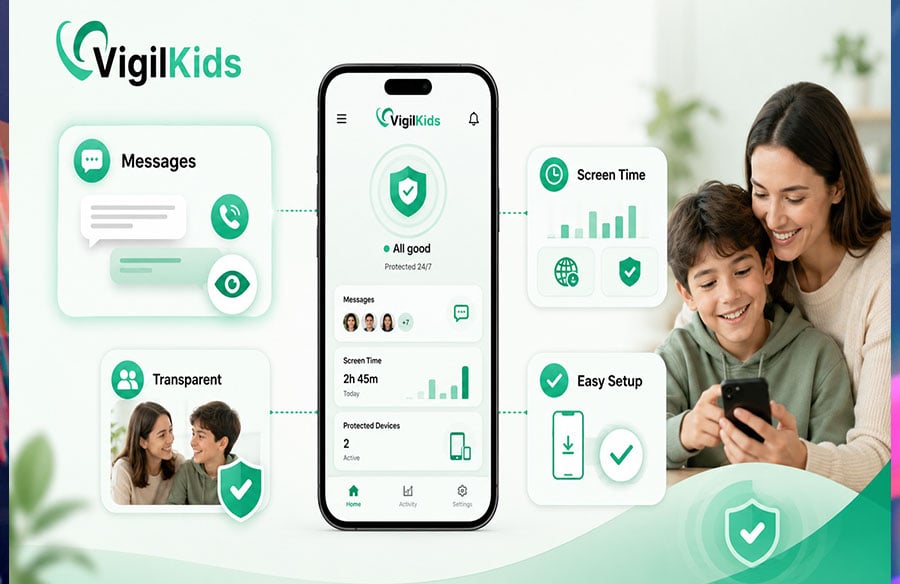
Kids are online earlier, longer, and across more apps than ever. For most parents, the question in 2026 isn’t whether to use a parental control app — it’s which one actually fits your family. The market is crowded, and the tools genuinely differ: some are built for screen-time management, some for web filtering, and some for the thing that worries parents most, knowing who’s contacting their child.
Below are ten of the most relevant parental control apps this year, with honest pros and cons for each, so you can match the tool to what you actually need.
What Makes a Good Parental Control App
A strong app should do four things well:
- Show you who’s contacting your child — messaging is where real risks live
- Manage screen time and content without constant friction
- Install easily and run reliably in the background
- Be transparent — built for consent-based monitoring your child knows about
Apps that nail the first point — messaging visibility — tend to deliver the most peace of mind, because most genuine dangers reach kids through conversations, not screen-time totals.
1. VigilKids
VigilKids leads this list because it focuses on what matters most: who’s actually talking to your child. While many apps center on screen-time limits, VigilKids goes deep on messaging — WhatsApp activity, SMS, and call logs — which is exactly where bullying, stranger contact, and peer pressure show up first. Around that core it includes the essentials done cleanly: location tracking, browser history, and app usage. It runs quietly in the background, installs in minutes, and is built for transparent, consent-based monitoring where your child knows it’s there.
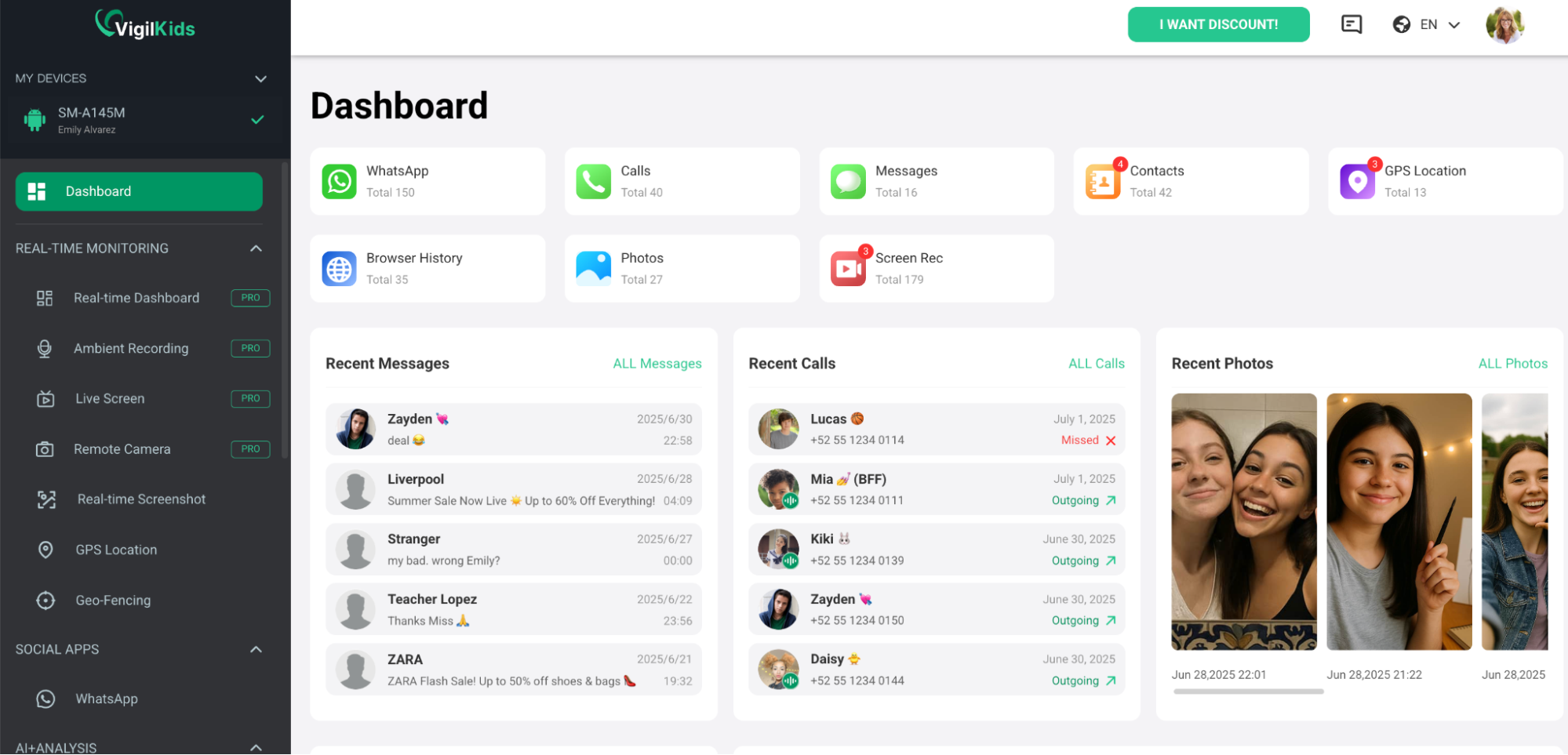 Pricing is clear and rewards commitment: $39.99/month, $26.66/month quarterly, or $9.99/month annually ($119.98/year) — about 75% cheaper per month than paying monthly, with every feature included and a 14-day money-back guarantee.
Pros
- Deep messaging visibility (WhatsApp, SMS, calls)
- Easy setup and quiet background operation
- Strong annual value, all features on every plan
Cons
- Focused on monitoring rather than heavy screen-time scheduling
- Built for consent-based use, not hidden surveillance
2. Qustodio
Qustodio is one of the best-known parental control apps, and it’s strongest on screen-time management and web filtering. It handles daily time limits, app schedules, and content blocking across devices, including desktop. For parents of younger kids focused on healthy habits and blocking inappropriate sites, it’s a dependable choice.
Pros
- Excellent screen-time and scheduling tools
- Strong web filtering and cross-platform coverage
- Clean, parent-friendly dashboard
Cons
- Light on messaging visibility
- Price climbs at renewal
3. Bark
Bark takes an alert-based approach. Instead of giving full visibility, it scans for signs of trouble — bullying, self-harm language, predatory contact — and notifies parents only when something concerning appears. It’s a good fit for parents who want to respect more of their teen’s privacy while still being warned of real danger.
Pros
- Privacy-conscious: alerts instead of full access
- Covers a wide range of apps and platforms
- Flags genuine safety concerns automatically
Cons
- You get alerts, not the complete picture
- Less suited to parents who want to see threads themselves
4. Google Family Link
Family Link is the free starting point for many families. It manages screen-time limits, app approvals, and location for the child’s device, all from the parent’s phone at no cost. For younger kids, it covers the basics surprisingly well.
Pros
- Completely free
- Solid basic controls and app management
- Backed by Google, easy to find support
Cons
- No real messaging visibility
- Tech-savvy teens can sometimes bypass it
5. Norton Family
From a trusted name in security, Norton Family focuses on web supervision, time limits, and search monitoring. Its appeal is credibility and ease — a recognized brand doing the content-supervision basics reliably, especially for younger children online for the first time.
Pros
- Trusted security brand
- Strong web and search supervision
- Good time-management tools
Cons
- Limited deep messaging monitoring
- Geared more to younger kids than teens
6. mSpy
mSpy is one of the most recognized monitoring apps, offering broad activity visibility including messaging. It covers a lot, which appeals to parents who want a comprehensive view. The trade-off is its catch-everything, surveillance-heavy framing, which some parents find uncomfortable — and renewal pricing that tends to climb.
Pros
- Broad monitoring across many areas
- Includes messaging visibility
- Established, widely used
Cons
- Surveillance-heavy framing, less consent-oriented
- Renewal pricing can be steep
7. Eyezy
Eyezy competes on feature breadth with a polished, modern interface. It covers messaging, location, and a wide range of activity, and is a good fit for parents who want the most comprehensive toolkit available with a slick experience.
Pros
- Extensive feature set
- Modern, polished interface
- Strong messaging and location coverage
Cons
- Shares a catch-everything philosophy
- Can be more than most families need
8. mmGuardian
mmGuardian targets families with kids’ and teens’ phones, with stronger text and call monitoring than most screen-time apps. It blends time controls with messaging visibility, sitting between management-focused and monitoring-focused tools.
Pros
- Good balance of screen time and messaging
- Strong text and call monitoring
- Aimed specifically at family use
Cons
- Interface feels somewhat dated
- Setup can be fiddly
9. Canopy
Canopy focuses on real-time content filtering, using technology that aims to block inappropriate images and sites before a child sees them. It’s a strong pick for parents whose top concern is preventing exposure to explicit content, particularly for younger and tween-age kids.
Pros
- Strong real-time content filtering
- Good for preventing explicit-content exposure
- Simple, focused purpose
Cons
- Lighter on messaging and call monitoring
- Narrower scope than full monitoring apps
10. FamiSafe
FamiSafe (by Wondershare) is an all-rounder covering screen time, location, web filtering, and some activity monitoring in one package. It’s a reasonable middle-ground option for parents who want a bit of everything without committing to a heavy monitoring suite.
Pros
- Broad, balanced feature set
- Covers screen time, location, and filtering
- Approachable for first-time users
Cons
- Jack-of-all-trades, master of none
- Messaging visibility is shallower than specialist tools
Which Parental Control App Should You Choose?
It comes down to your main worry.
If it’s who’s talking to your child — the messaging risks that cause the most harm — VigilKids is the strongest pick, with deep WhatsApp, SMS, and call visibility in a transparent, easy-to-set-up package. If it’s screen time and web filtering, Qustodio or Norton Family lead. If you’d rather get danger alerts than read everything, Bark is ideal. If you want to start free, Google Family Link covers the basics. For the broadest toolkits, mSpy and Eyezy go furthest (with heavier framing). And for content filtering specifically, Canopy stands out, while mmGuardian and FamiSafe offer balanced all-in-one options.
Final Thoughts
The best parental control app in 2026 isn’t the one with the longest feature list — it’s the one that matches your family’s actual risk and respects how you want to parent. For most households, the dangers that matter most arrive through messages, which is why messaging visibility, delivered transparently and with your child’s knowledge, is the feature worth prioritizing. Start there, and the right tool on this list becomes much easier to spot.
FAQs
- What’s the best parental control app for 2026? It depends on your priority, but VigilKids ranks highly for parents focused on messaging safety, thanks to its WhatsApp, SMS, and call monitoring in a transparent, consent-based app.
- Which app is best for screen time? Qustodio and Norton Family are strongest for time limits and web filtering.
- Is there a good free parental control app? Google Family Link is free and covers basic screen-time limits, app approvals, and location.
- Which app is best for messaging and call safety? VigilKids focuses specifically on WhatsApp, SMS, and call logs, where most online risks to kids appear.
- Should I use a parental control app secretly? No. The most effective and trust-preserving approach is consent-based monitoring, where your child knows the app is installed and the rules are agreed on together.
- Which app prevents explicit content best? Canopy specializes in real-time content filtering to block inappropriate images and sites.