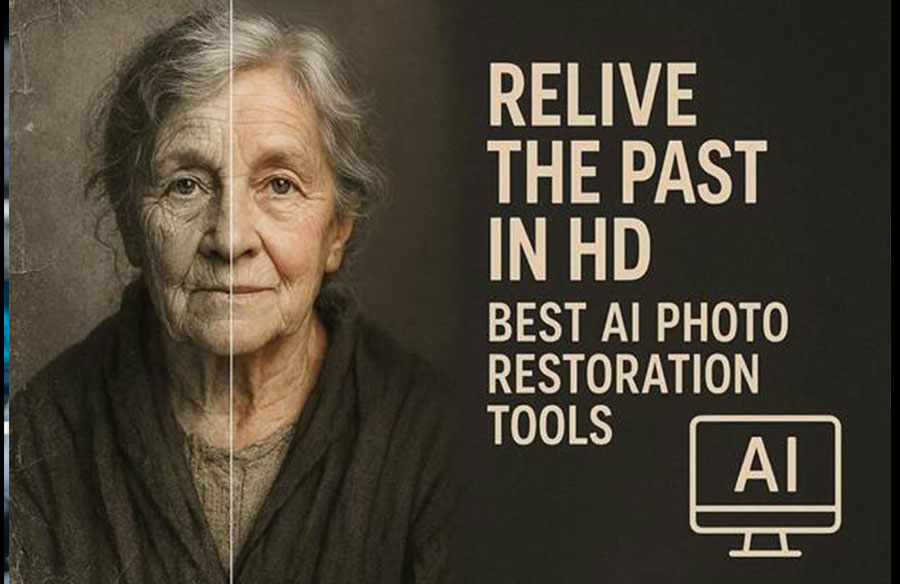
Photographs embody irreplaceable emotional and historical significance, preserving ancestral identities and cultural traditions that cannot be replicated once lost. Restoration, therefore, becomes an essential preservation mechanism, enabling scratched visuals to recover their structural clarity and tonal balance. Beyond preservation, you can revitalize emotional connectivity, transforming damaged imagery into a vivid representation.
In this respect, the process to restore old photos functions both as a technological refinement and a deeply meaningful act. To assist you with this task, the guide covers the top-ranked AI desktop solutions, highlighting their key capabilities.
Part 1. Why Old Photo Restoration Is Important Today
Part 2. 5 Best Ways to Restore Old Family Photos Using AI Technology [Desktop]
Part 3. 5 Tips for Better Old Photo Restoration Results
Part 1. Why Old Photo Restoration Is Important Today
This growing necessity has elevated the role of the best AI photo restoration in certain important ways:
- Stops Physical Degradation: Restoration protects against progressive image decay, employing digital techniques to reverse discoloration, repair fissures, and eliminate blemishes.
- Keeps Family History Alive: Restored images enable contemporary generations to establish genuine connections with their ancestors and gain an understanding of cultural roots.
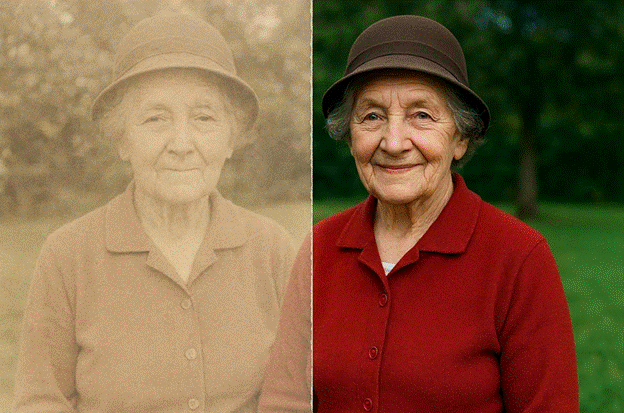 Protects Historical Records: Institutional repositories, archives, and research centers use restoration technology to save historically important photographs from being lost forever.
- Makes Photos Beautiful Again: The transformation process elevates antique images to gallery-worthy status, making them more attractive to collectors or potential purchasers.
- Easy Sharing Today: High-quality digital versions allow unlimited copying without loss of picture quality, enabling easy sharing across different locations.
Part 2. 5 Best Ways to Restore Old Family Photos Using AI Technology [Desktop]
Today, users around the globe can easily restore old photos using the listed AI solutions with remarkable precision and clarity:
1. Repairit
This program offers comprehensive photo restoration capabilities through both desktop software and online accessibility. Most notably, it automatically detects and repairs damaged or unreadable photos with just one click. Repairit impressively addresses blurry, corrupted, discolored, or scratched images without demanding any editing skills. You simply insert a picture and let the AI handle the restoration process through an automated transformation.
Besides this, it enhances picture resolution by up to 80% without any loss in quality or detail. The AI-driven technology further sharpens blurry corners, fixes pixelation, and improves image clarity, making it perfect for printing. More surprisingly, the software automatically restores color accuracy in your vintage or poorly stored photos.
Key Features
- Bulk Restoration Capability: You can fix multiple photos of any format at once, with a 99.5% success rate for an entire collection.
- Facilitate Multiple Formats: The software supports over 20 popular image formats, including ARW, HEIC, JPG, and more.
- Improves Facial Details: It restores skin texture, eyes, and other facial features naturally, without introducing any artificial effects.
Detailed Guidelines to Restore an Old Picture With Repairit
To experience the best AI photo restoration, follow the given structured approach and recover fine details:
Step 1. Insert Your Old Picture to Repairit
After launch, choose the “AI Photo Enhancer” from the “More Types Repair” section to proceed ahead. Next, press the “+Add” button to insert all the old/vintage pictures from your device to the platform.
 Step 2. Restore and Add Colors to Old Pictures
Once done, select the “Old Photo Restoration” from the 3 AI models, then click “Start Enhancing” to process.
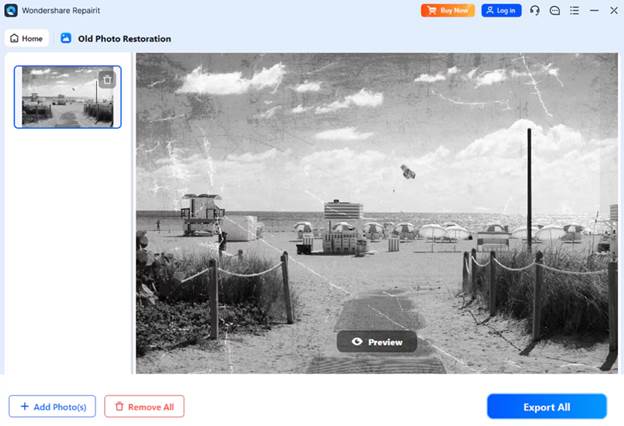 Step 3. Check and Download the Restored Images
Finally, when you’ve successfully restored the pictures, preview them and click “Save” to secure them.
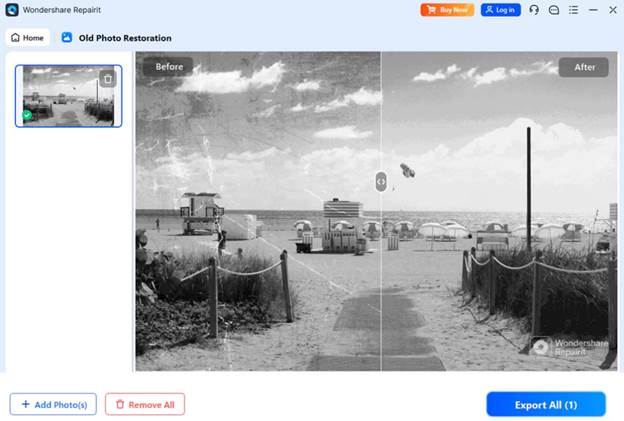 2. Adobe Photoshop
Photoshop’s Photo Restoration Neural Filter automatically detects and removes scratches or damage from old pictures. The Spot Healing Brush quickly removes all small dust spots and stains by simply painting over imperfections. This tool automatically samples surrounding pixels to blend repair, making it invaluable for cleaning up minor damages.
Key Features
- Its Clone Stamp tool lets you copy pixels from one area to another.
- The AI-powered Generative Fill can reconstruct torn edges and missing sections.
- Includes adjustment layers, like Curves and Color Balance, to restore faded colors.
Cons
- Photoshop demands significant training to master the extensive toolset.
- It operates on a monthly subscription instead of one-time purchase.
3. Topaz Photo AI
To restore old photos, its Autopilot system automatically analyzes your uploaded photos and applies recommended enhancements without manual adjustments. The software detects whether your image is a portrait, landscape, or another type, and adjusts settings accordingly for optimal results. Plus, you can choose to opt in or out of Autopilot with a single toggle.
Key Features
- Dust & Scratch Repair tool automatically detects and removes dust particles.
- Includes built-in healing brush for manual touch-ups on specific areas.
- It applies Recover Faces tool to increase details like eyes and skin textures.
Cons
- Sometimes effects are applied too aggressively, making plastic-looking appearance.
- The platform struggles with detecting subjects and often misses sections.
4. PhotoGlory PRO
Another best AI photo restoration tool that automatically transforms black and white photos into colored images. The neural network analyzes the image content and intelligently applies the most suitable colors to different objects. This program includes a color picker that allows you to select colors from other parts of the picture.
Key Features
- You can adjust the brush size and opacity for precise control.
- Its healing brush conceals scratches when you paint over them.
- With the cropping tool, you can remove torn corners and damaged edges.
Cons
- Automatic colorization often produces overlapping color tones on subjects.
- Apple users cannot use this software to restore vintage pictures.
5. Luminar Neo
For the task to restore old photos, you can choose between Full Restoration, Color Only, or Scratches Only. It’s Scratch, and Damage Removal works well on scanned prints or photos that have suffered physical deterioration. The restoration occurs locally on your computer, ensuring complete data privacy and no file-size restrictions.
Key Features
- The Clone tool provides manual control for specific damaged areas.
- Its Upscale AI extension helps enlarge photos up to 600%, enhancing image resolution.
- Noiseless AI removes noise and grain from scanned old photos, keeping details intact.
Cons
- Photo Restoration tool produces warm colors and oversaturated results.
- Many restoration features, including Supersharp AI, are sold as paid extension.
Part 3. 5 Tips for Better Old Photo Restoration Results
For superior restoration, leverage the best AI photo restoration solutions with the discussed practical techniques:
- Initiate With High-Resolution Scanning: Create high-quality digital copies of your original photographs using a flatbed scanner set up to 300-600 DPI.
- Handle Original Photos with Proper Care: Consider wearing cotton gloves when working with particular or delicate photographs to prevent fingerprints on the surface.
- Use Non-Destructive Editing Techniques: Work exclusively on duplicate copies of your scanned files, preserving original scans untouched in a separate folder for reference.
- Apply Corrections in Proper Sequence: Follow a logical order when applying restoration techniques, begin with basic adjustments, and remove damaged edges before proceeding to complex regions.
- Exercise Restraint and Preserve Authenticity: Avoid over-processing photographs by applying correction subtly and maintaining the original character or aesthetic of the old image.
Conclusion
In summary, a “restore old photo” process is a technical enhancement that involves deliberate preservation of images that would otherwise deteriorate. While pictures fade, advanced restoration solutions enable the reconstruction of intricate details with authenticity. Among AI-driven methodologies, Repairit offers exceptional capabilities to improve faded details and reconstruct damaged parts of images.