YouTube is filled with valuable content, but extracting information from videos isn’t always convenient. Watching long videos just to find a few important points can take time, especially when you’re in a hurry.
That’s why automatic transcript generation has become so useful. Instead of manually writing everything down or downloading complicated software, you can now generate YouTube transcripts instantly right from your browser.
In this guide, you’ll learn how to generate YouTube transcripts automatically without downloading anything, along with practical tips to get the best results.
The Rise of YouTube Transcript Generators
YouTube has evolved into one of the largest content platforms in the world, hosting billions of videos across every niche imaginable. However, one limitation has always been accessibility and usability of spoken content. This is where transcript generators come into play.
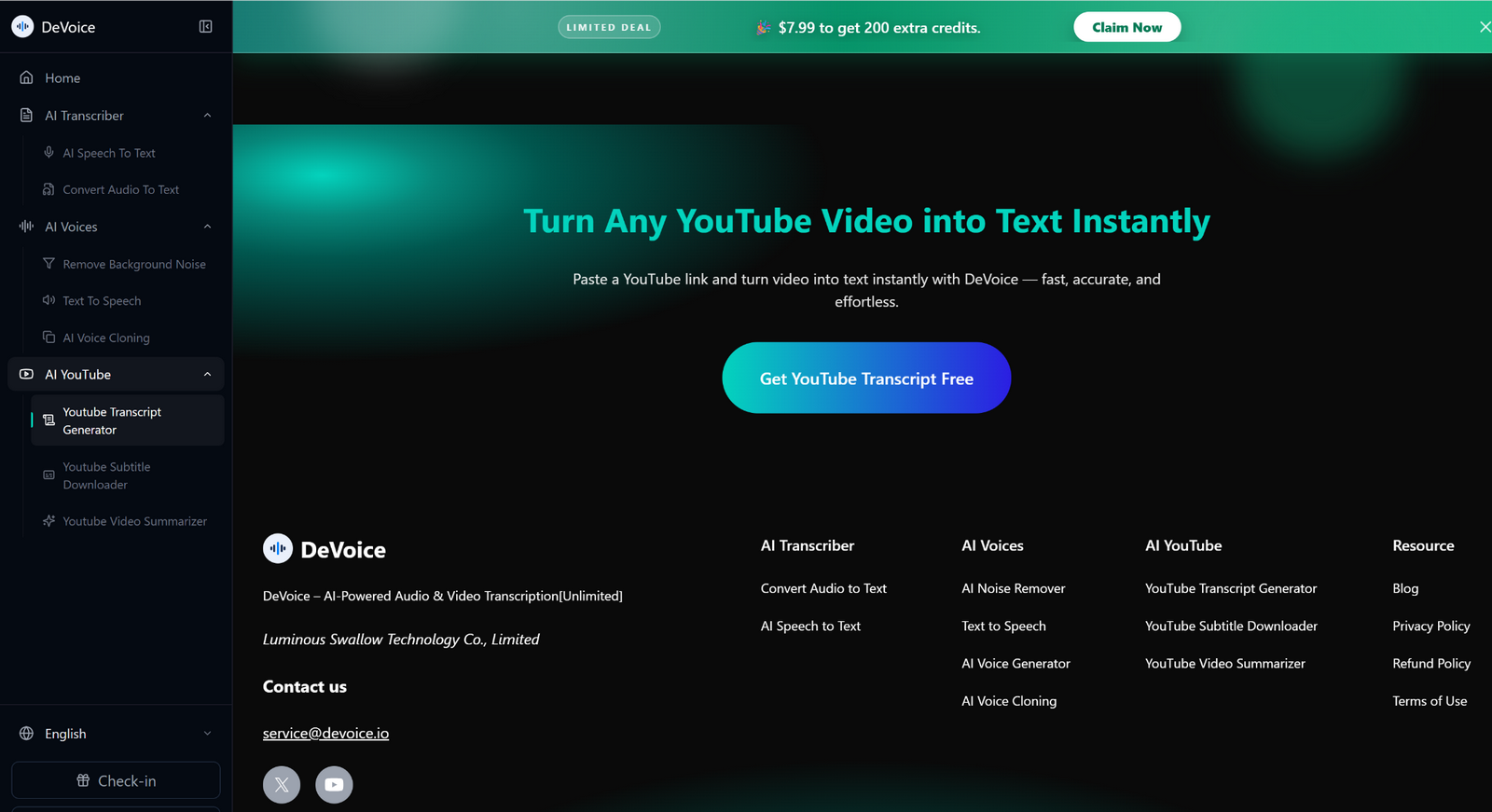 A YouTube transcript generator is a tool that converts spoken words in a video into written text. While YouTube itself offers auto-generated captions, these are often inaccurate, lack punctuation, and may not be downloadable or editable easily. Third-party transcript generators solve this problem by providing clean, structured, and editable transcripts.
Why Automatic Transcripts Matter
Video content is powerful, but it has limitations. You can’t easily search inside a video, and rewatching sections can be frustrating.
Transcripts solve this problem by turning spoken words into text. This makes content easier to:
- Read and understand quickly
- Search for specific information
- Save for later use
- Edit and repurpose
- Share with others
Whether you’re studying, creating content, or doing research, transcripts make everything more efficient.
The Easiest Way: Use Online AI Tools
The fastest way to generate a YouTube transcript is by using browser-based AI tools. These tools don’t require any downloads or installations.
With platforms like Devoice AI, you can convert a video into text in seconds.
How it works:
- Copy the YouTube video link
- Open the online tool in your browser
- Paste the link into the input field
- Start the process
- Get your transcript instantly
Everything happens online, which means you can use it from any device—laptop, tablet, or even your phone.
Alternative Method: YouTube’s Built-In Transcript Option
If you don’t want to use external tools, YouTube itself provides a basic transcript feature.
Steps to access it:
- Open the video on YouTube
- Click on the three dots below the video
- Select “Show transcript”
- A transcript panel will appear
- Copy the text manually
This method is free and quick, but it has some limitations. The text often includes timestamps and may not be formatted well for direct use.
Why “No Download” Tools Are Better
Using online tools instead of downloaded software comes with several advantages.
Instant Access
You don’t need to install anything. Just open your browser and start.
Works on Any Device
No matter what device you’re using, online tools are accessible.
Saves Storage Space
No files or apps taking up space on your system.
Always Updated
Online tools are regularly improved without requiring manual updates.
This makes browser-based solutions the most convenient option for most users.
How Accurate Are Automatic Transcripts?
Modern AI transcription has improved significantly. In most cases, transcripts are highly accurate, especially when the audio is clear.
However, accuracy can depend on a few factors:
- Audio quality
- Speaker clarity
- Background noise
- Accents and speaking speed
Even when small errors occur, they’re usually easy to fix with a quick review.
Tips for Getting Better Results
If you want cleaner and more accurate transcripts, keep these tips in mind:
Choose High-Quality Videos
Clear audio makes a big difference.
Avoid Noisy Content
Background noise can confuse the system.
Check the Transcript Quickly
A quick review helps catch small mistakes.
Break Long Text into Sections
This improves readability and usability.
What You Can Do with a YouTube Transcript
Once your transcript is ready, you can do much more than just read it.
Turn Videos into Articles
Use the transcript as a base for blog content.
Create Study Notes
Summarize important points for learning.
Extract Key Insights
Find and highlight valuable information quickly.
Repurpose Content
Convert videos into social media posts, emails, or guides.
Improve Accessibility
Make content available for people who prefer reading.
Common Mistakes to Avoid
 Even though generating transcripts is easy, there are a few mistakes to watch out for:
- Copying raw text without formatting
- Ignoring errors in the transcript
- Using low-quality videos
- Not organizing the content properly
Taking a few extra minutes to clean up the text can significantly improve its quality.
Who Should Use Automatic Transcript Generators?
This method is useful for a wide range of users.
Students
Convert lectures into notes for quick revision.
Content Creators
Reuse video content in different formats.
Marketers
Extract ideas and messaging from videos.
Professionals
Document meetings, webinars, and presentations.
Everyday Users
Save time when consuming long videos.
The Role of AI in 2026
AI tools have made transcript generation faster and more accessible than ever. What used to take hours can now be done instantly.
In 2026, transcription technology is not just about converting speech to text—it’s about making content more usable. AI tools can structure text, improve clarity, and help users get more value from video content.
This shift is changing how people interact with information online.
When Should You Use Automatic Transcripts?
You should consider generating transcripts when:
- You need quick access to video content
- You want to save time on note-taking
- You’re creating written content from videos
- You need searchable and editable text
- You want to improve accessibility
If you regularly use YouTube for learning or work, transcripts can significantly improve your workflow.
Final Thoughts
The combination of YouTube transcript generator and Devoice AI represents a major shift in how content is created, edited, and distributed. Generating YouTube transcripts automatically without downloading anything is one of the easiest ways to make video content more useful.
With just a few clicks, you can turn any video into readable, searchable text. Whether you use built-in options or online AI tools like Devoice AI, the process is fast, simple, and highly effective.
The real advantage isn’t just convenience—it’s flexibility. Once your content is in text form, you can use it however you want.