For many creators, the hardest part of video production is not imagination but friction. A strong still image may already solve composition, subject placement, color mood, and visual identity, yet turning that image into a usable clip often demands extra software, editing skill, and time. That is why Image to Video AI feels relevant right now. It treats the still image as the real starting point, then adds motion, pacing, and camera behavior in a lighter workflow.
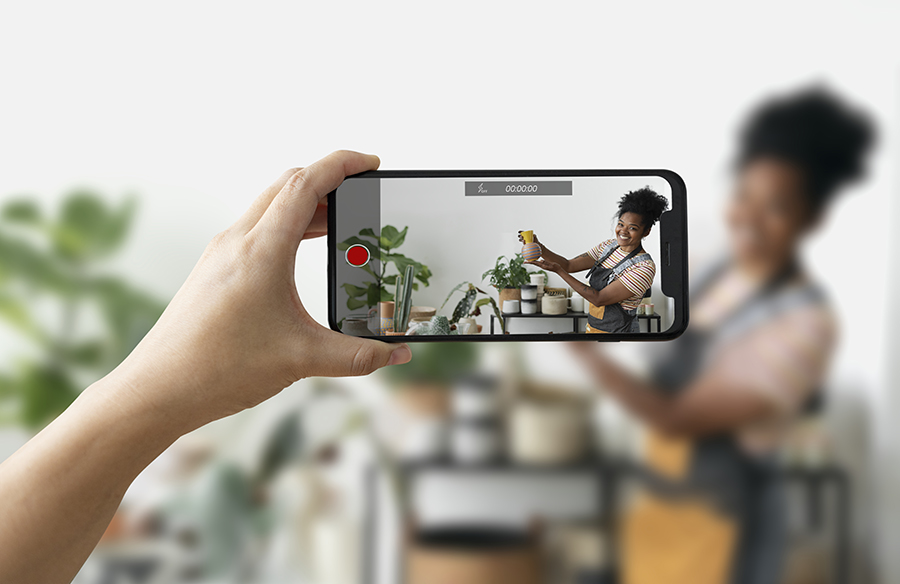
 In practical terms, this matters because many modern teams already work from approved visuals. E-commerce brands have product photos. marketers have campaign key art. creators have thumbnails, portraits, illustrations, or reference frames that already carry the intended look. In those cases, the question is no longer how to invent a scene from nothing. It is how to extend an existing visual into short-form motion without rebuilding the whole idea from scratch.
In my observation, that shift explains why image-to-video tools are becoming easier to justify in real workflows. They do not replace full editing suites in every situation, and they do not eliminate the need for judgment. But they reduce the distance between a finished image and a watchable clip. For social content, product showcases, landing pages, short ads, and personal visual storytelling, that reduction in friction is often more important than theoretical maximum control.
This is where Photo to Video becomes more than a convenience feature. It gives users a direct path from a static asset to a moving result, which is especially useful when speed matters more than elaborate post-production. The value, at least from my perspective, is not that every first output is perfect. It is that the workflow makes iteration much easier than traditional motion design.
The market has become crowded, so choosing a tool now is less about finding a magical winner and more about understanding trade-offs. Some platforms are stronger at cinematic style. Some are faster. Some feel better for experimental work, while others are more practical for repeatable short-form production. In that context, ranking ten image-to-video platforms is really a way to compare working styles, not just model quality.
What follows is a grounded look at ten image-to-video AI websites, with Image2Video placed first because its official flow is unusually easy to map onto real use. I will also explain how the platform works based on its public pages, where it feels strong, where other tools may suit better, and why this category is becoming more useful for ordinary production teams rather than only early adopters.
Why Image To Video Tools Matter Now
The category matters because still images already contain a surprising amount of video logic. A single frame can establish visual hierarchy, brand tone, facial emphasis, background depth, and emotional direction. When an AI system uses that frame as the base, it is not starting from zero. It is extending a partially solved visual problem.
That is one reason image-to-video often feels more stable than pure text-to-video for practical business use. With text alone, composition can drift because the model is inventing everything. With an existing image, the main visual decisions are already present. The AI mostly needs to infer movement, temporal rhythm, and camera behavior around what is already there.
Still Images Already Carry Narrative Structure
A product image already knows what the hero object is. A portrait already knows where attention should go. A travel image already carries atmosphere. In that sense, image-to-video is not simply animation. It is continuity work. The model is being asked to preserve identity while adding motion.
Motion Becomes An Extension Of Composition
That distinction matters. In stronger outputs, motion feels like an extension of the image rather than a replacement for it. When the result works, the viewer does not feel that the visual idea changed. They feel that it opened up. For short marketing clips and social posts, that is often exactly the desired outcome.
How Image2Video Officially Frames The Workflow
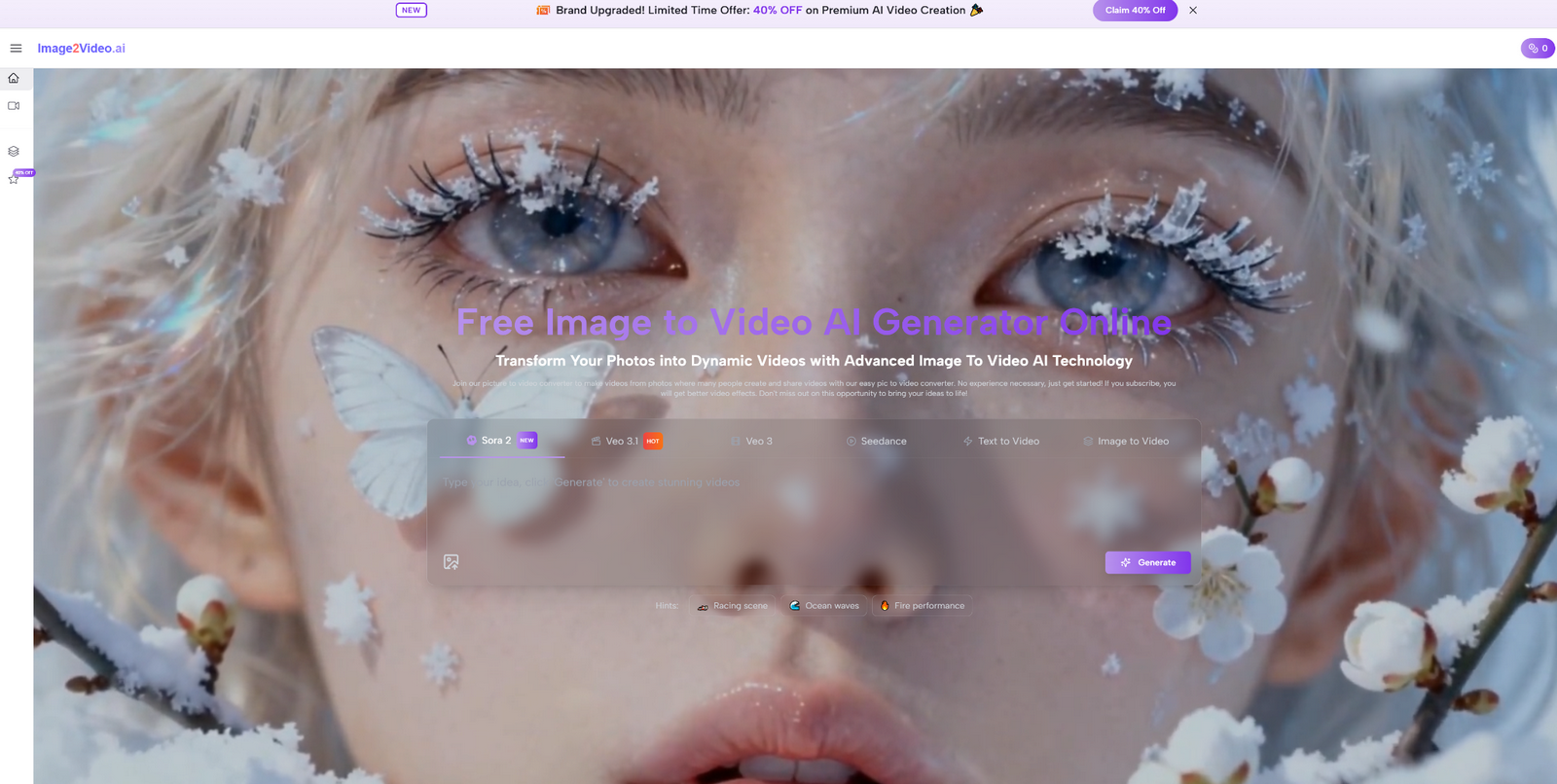
Based on its public pages, Image2Video presents itself as a web-based platform for turning static images or text prompts into short videos. It highlights image-to-video, text-to-video, and related creation paths, while also surfacing model choices and multiple output settings. That combination is important because it suggests the platform is designed less like a one-click novelty tool and more like a simplified production interface.
The official pages also make the intended user clear. The use cases lean toward social media, marketing, product presentation, personal projects, and general creative work rather than high-end timeline editing. That is not a weakness. It is a clue about where the product is trying to be useful.
Step One Upload A Source Image
The first step is straightforward: upload the image that will serve as the visual foundation. The platform publicly supports common image formats, and the broader logic is clear. The better the source image defines subject, composition, and mood, the easier it is for the generated result to feel coherent.
Step Two Describe The Desired Motion
The second step is prompting. Users describe how the still image should move, what kind of energy the clip should carry, or how the virtual camera should behave. In my view, this is where many results are won or lost. A still image can only carry so much by itself. The prompt determines whether the output feels subtle, cinematic, exaggerated, commercial, or emotionally restrained.
 Step Three Choose Output Conditions
On the public generator page, users can adjust items such as aspect ratio, video length, resolution, frame rate, seed, and visibility settings. That is a meaningful detail. It shows that Image2Video is not relying only on a black-box generate button. It gives users enough control to adapt output to different channels such as vertical social video, square posts, or wider presentation formats.
Step Four Generate Review And Refine
The final step is generation and review. This may sound obvious, but it reflects a realistic creative loop. Image-to-video systems usually work best when users compare a first output, adjust language or settings, and try again. In my testing of this category more broadly, the most useful platforms are not the ones that promise perfection in one pass. They are the ones that make second and third passes easy.
The Ten Image To Video Websites Worth Comparing
The ten platforms below are not identical, and that is exactly why comparison matters. Some emphasize consistency and professional creative control. Some prioritize speed and accessibility. Some lean into cinematic tone, while others are built around shareable short-form content. I am ranking Image2Video first not because every competing model is weaker in every respect, but because the platform’s workflow is especially approachable for users who want to start from an existing visual and move quickly.
| Rank | Platform | Best Known For | Good Fit For | Main Limitation |
| 1 | Image2Video | Clear image-first workflow and practical output controls | Social clips, product visuals, short ads, personal projects | Better for short-form generation than deep editing |
| 2 | Runway | Creative control and strong production-oriented tooling | Campaign concepts, visual development, creative teams | Can feel heavier for beginners |
| 3 | Kling | High-impact visuals and strong video presence | Cinematic outputs, striking promo content, stylized scenes | May require more prompt discipline |
| 4 | Pika | Fast experimentation and social-friendly generation | Short-form content, playful concepts, creator workflows | Less ideal for every restrained commercial need |
| 5 | Luma | Cinematic look and strong atmosphere | Brand visuals, mood-heavy clips, storytelling concepts | Results may need iteration for precise intent |
| 6 | PixVerse | Accessible creation with trend-friendly energy | Viral formats, social experiments, quick image animation | Distinctive style can sometimes overpower nuance |
| 7 | Higgsfield | Multi-model access and control-focused workflow | Comparing outputs, testing model behavior, creative iteration | Best value appears when users actively compare models |
| 8 | Hailuo | Easy image and text video creation | Casual creators, quick concepts, lightweight workflows | Output character may vary by input quality |
| 9 | Haiper | Simple entry point into AI video creation | First-time users, rough drafts, fast experiments | Lighter depth than more production-oriented tools |
| 10 | Sora | Strong realism and image-based generation potential | Concept scenes, visually ambitious ideas, experimental work | Product direction has changed quickly, so availability context matters |
Why Image2Video Earns The First Position
The strongest case for Image2Video is not abstract model prestige. It is practical workflow clarity. When users land on the site, the value proposition is easy to understand: upload an image, describe the motion, choose a few output conditions, and generate a result without installing software. That matters more than many feature lists admit.
In real production environments, especially smaller teams, speed of understanding is part of the product. A tool that can be understood quickly is often more valuable than a tool that is theoretically broader but harder to operationalize. Image2Video seems to understand that. The platform feels built around the common case where someone already has a useful still image and wants to turn it into a short piece of motion content with minimal setup.
Low Friction Is A Real Product Advantage
This is easy to underestimate. Many buyers and creators do not need a maximal creative suite every time they make a clip. They need to test three versions of a product scene, animate a campaign visual for social, or make an existing image feel more alive on a landing page. In those cases, fast output matters.
It Balances Simplicity With Useful Controls
The visible settings also help Image2Video avoid the trap of being too simplistic. Aspect ratio, resolution, frame rate, and seed settings signal that the tool is meant to be directed, not merely pressed. That balance between accessibility and control is one of the reasons I would place it above many casual alternatives.
How The Other Platforms Differentiate Themselves
Runway remains one of the most recognizable names because it speaks to users who think like production teams. Its strengths are not just generation quality but the feeling of a broader creative environment. That makes it attractive for users who want more than a quick clip.
Kling often stands out for visual punch. It can produce results that feel impressively bold, especially when the source material already has dramatic potential. Pika, by contrast, is often compelling because it makes experimentation feel lighter and more immediate. Luma tends to be attractive when users care about atmosphere and cinematic mood. PixVerse has a stronger social-energy feel, which can be useful when speed and entertainment value matter.
Higgsfield is interesting because it increasingly positions itself as a place to work across multiple leading video models rather than tying the user to one generation path. Hailuo and Haiper are easier to approach for quick testing, while Sora remains a name many people watch because of its realism and its broader significance in the AI video space, even though product direction in that ecosystem has evolved quickly.
Different Tools Reflect Different Creative Philosophies
That is why rankings should not be read too literally. A number one position here means best overall fit for the image-first short-form workflow described in this article. It does not mean every competitor is weaker in every frame or for every team.
The Best Choice Depends On Working Conditions
If a team values deeper creative control, Runway or Higgsfield may become more attractive. If a creator wants something quick and expressive, Pika or PixVerse may feel more natural. If a user wants strong visual drama, Kling or Luma may stand out. The right answer depends on what kind of motion the image needs to become.
What This Category Still Cannot Fully Solve
Credibility matters, so it is worth stating the obvious limits. Image-to-video quality still depends heavily on the source image. Weak composition, unclear subject separation, or messy visual hierarchy can reduce output quality across any platform. The AI is extending an image, not rescuing a fundamentally confused one.
Prompting also remains a real factor. In my experience, vague requests often create vague motion. Specific but overly complicated instructions can also backfire. The strongest results usually come from clear, restrained direction rather than overloaded prompting. And while these tools are excellent for short-form motion, they are not automatic replacements for full editorial workflows where timing, sequencing, and exact scene control matter.
Where Image To Video Fits In Everyday Production
The reason I take this category seriously is that it fits ordinary work unusually well. It works for brands that already have static catalog photography. It works for creators who need to keep channels active without shooting new footage every day. It works for designers who want to test how a still concept feels in motion before committing to a larger production.
That practical fit is why Image2Video deserves the top position in a list like this. It does not try to make the category mysterious. It makes the core promise legible. Start from an image. Add motion direction. Choose the output shape. Review and refine. For a great many users, that is exactly the right level of ambition.
A More Useful Way To Judge These Platforms
The most productive question is no longer which AI video site looks most impressive on a headline. The better question is which one helps a user turn existing visual assets into usable motion with the least unnecessary friction. When judged that way, Image2Video makes a strong case for first place.
It is accessible without feeling trivial, guided without feeling overprotective, and practical without pretending to solve every part of video production. That combination is rare enough to matter. For anyone comparing ten image-to-video websites with real working needs in mind, it stands out as one of the clearest places to begin.