I’ve noticed that in design-related work, one of the hardest things is not having the idea. It is helping other people see it the way you see it. A rendering may look strong, a concept board may be thoughtful, and a still image may already carry the right atmosphere, but once that work enters a presentation, a pitch, or a client review, something often gets lost. The image stays still while the intention behind it is much more dynamic.
That is one reason AI-based motion tools have become more relevant in design workflows. They are not just producing visual novelty. At their best, they help translate static visual thinking into a more legible form of presentation.
I’ve found that tools built around AI image to video creation can be especially useful when a project needs stronger visual communication without the time or budget for a full animation process.
GoEnhance offers a strong AI video generator for turning still visuals into motion in a way that feels accessible and visually convincing.
Why static design work sometimes fails to communicate enough
Designers are used to reading a lot from a single image. Clients, collaborators, and broader audiences often are not. They may understand composition, material, light, or mood only partially, especially when reviewing quickly or comparing several concepts at once.
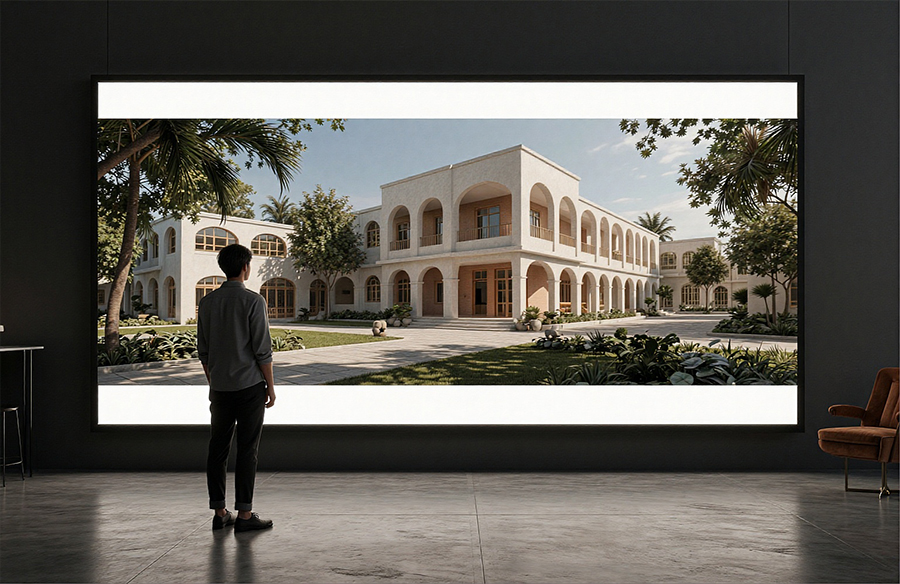
I have seen this happen in architecture presentations, interior concept decks, visual storytelling boards, and even product-related design pitches. The image itself may be strong, yet the presentation lacks momentum. Once motion enters the picture, even in a restrained way, the work often becomes easier to understand.
That is not because movement automatically improves design. It is because motion can guide attention.
Motion adds clarity when used with restraint
What I find most effective is not exaggerated animation. It is controlled movement that helps the viewer focus on spatial relationships, atmosphere, texture, or sequence.
A subtle camera move, a slow reveal, or a small sense of environmental motion can make a concept feel more inhabited. It can also help communicate intention without adding extra explanation.
That matters in design contexts where the audience is trying to answer questions like:
- What does this space feel like?
- Where should my eye go first?
- How does this concept live beyond a still frame?
- What is the emotional tone of the proposal?
A static image can answer some of those questions. Motion often answers them faster.
Why this matters in architecture and visual presentation
In design fields, presentation is never separate from understanding. The clearer the visual communication, the easier it is for someone to respond to the work on its actual merits.
I have seen AI-assisted motion become useful in a few familiar scenarios:
| Design scenario | Usual limitation of still images | What motion can add |
| Concept presentation | Strong atmosphere but limited narrative flow | Better sense of sequence and focus |
| Client pitch deck | Still visuals feel flat in slideshow format | More engaging and memorable delivery |
| Portfolio storytelling | Good images, weak pacing between them | Stronger emotional continuity |
| Early idea review | Team sees details but misses intended emphasis | Motion helps direct attention |
This is why I do not see these tools as merely decorative. In many cases, they support interpretation.
Designers already have the source material
Another practical reason this workflow makes sense is that most designers already have what they need to begin. They have renderings, sketches, mood boards, diagrams, concept visuals, material studies, or finished stills. What they often do not have is the time to animate everything conventionally.
That is where lightweight motion generation becomes interesting. It creates a bridge between a finished still and a more expressive form of presentation, without requiring every idea to go through a full production pipeline.
A second useful workflow: animating still visuals for broader presentation
Some teams are not trying to produce cinematic sequences. They simply want to make static work feel more alive, especially for websites, social sharing, public-facing portfolios, or early-stage concept communication.
In those situations, tools that support animate image free workflows can be practical because they lower the barrier to experimentation. A team can test how a concept feels in motion before deciding whether a larger animation effort is even necessary.
That flexibility is useful, especially when deadlines are short and presentation quality still matters.
What makes the output work better
From what I have observed, the strongest results usually come from visuals that already have a clear compositional center, a distinct mood, and a readable spatial hierarchy. AI motion tends to work best when it extends the logic already present in the image rather than fighting it.
That means good source material still matters. Good framing still matters. Taste still matters.
The tool helps, but the image remains the foundation.
My view on where this fits in design practice
I do not think every design image needs to move. In many cases, a still frame remains the stronger choice. What I do think is that motion has become more accessible as a communication layer, and that changes how designers can present work.
The value is not just visual polish. It is the ability to make an idea easier to read, easier to feel, and easier to remember.
When used carefully, AI-assisted