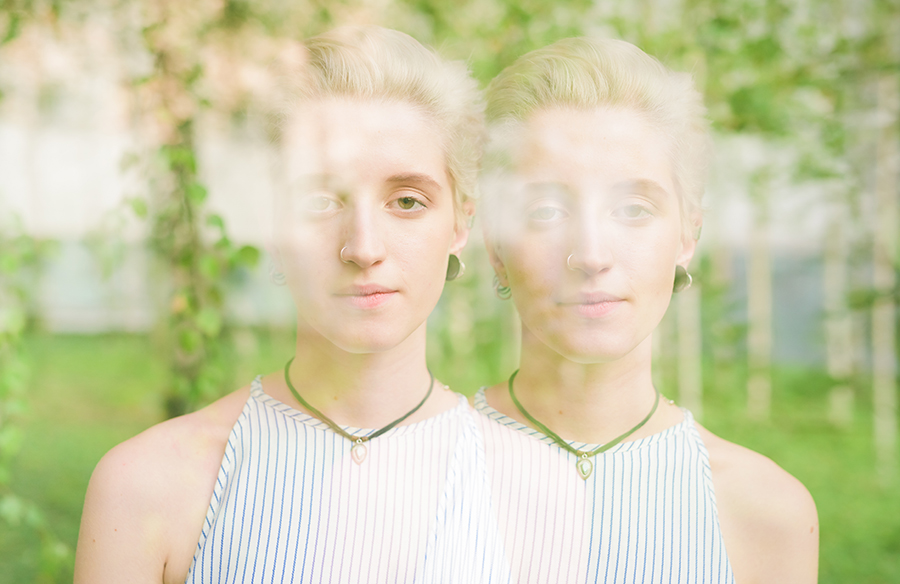
People combine two people into one photo for all sorts of reasons. Family photos where someone was missing. A couple that never got a proper shot together. Creative portraits that need a specific composition. Sometimes it is just about creating a memory that never existed in a single frame.
The problem is that most of these attempts look fake. You see the seam. The lighting feels off. Something about the image just screams “edited.” This guide walks through how to make the result look like a real moment, not a digital collage.
Why Some Composite Photos Look Unrealistic
The idea is fine. The execution is where things fall apart. Most failed composites do not fail because of a single big mistake. They fail because of small details that add up. Light hits one person from the left and the other from the right. One image is sharp, the other is slightly blurry. The brain catches these mismatches instantly.
Realism comes from tiny visual cues. You might not consciously notice shadow direction or perspective lines. But when those cues conflict, something feels wrong. The image looks like a cutout pasted onto a background.
The most common reasons composite photos look fake include:
- Mismatched lighting direction and intensity across subjects;
- Differences in image quality or resolution between photos;
- Incorrect scale or proportions when placing people together;
- Background perspective that does not align with subject angles;
- Inconsistent shadows, including missing shadows where they should be.
These factors work together. One mismatch might go unnoticed. Three or four mismatches, and the image falls apart.
What You Need Before Combining Two People in One Photo
Preparation makes up maybe half the final result. You can have the best editing skills in the world. But if your source images are fundamentally incompatible, you are fighting a losing battle. Good input saves hours of corrections later.
Before you start, take a hard look at your photos. Check the light direction. Check the angles. Check the quality. If two photos are too far apart technically, consider finding different images.
Before you start, make sure your images meet the following conditions:
- Similar lighting conditions and light direction;
- Comparable camera angle and shooting perspective;
- Close image quality and resolution levels;
- Clear subject separation from the background;
- Natural body positioning that can be aligned convincingly.
Get these right upfront, and the rest of the process becomes much simpler.
How to Make It Look Like Two People Were in the Same Photo
Getting a realistic composite is not a single step. It is a sequence of decisions. Each stage builds on the previous one. Skip a step, and the final image shows it. Here is how to approach each part.
Choose Compatible Photos
Start with images that already want to be together. Look for similar poses, similar camera height, and similar lighting. The closer the original conditions, the less work you need to do. Two photos taken outdoors in midday sun will merge easier than one studio shot and one phone selfie.
Align Background and Framing
Position matters. The two people should look like they occupy the same space, not like one was dropped in later. Pay attention to where the floor or ground appears. If one person is framed too high or too low, the perspective breaks.
Match Lighting, Shadows, and Scale
Light is the biggest giveaway. Check where the light hits each person. Adjust shadows so they fall in the same direction. Scale is another common problem. If one person looks too large or too small compared to the other, the eye notices immediately.
Refine and Blend the Final Image
The final pass is about smoothing out small differences. Color temperature. Contrast. Sharpness. Even minor tweaks to these settings can make two separate images finally feel like one unified photo.
How to Merge Two People in One Photo Using AI Tools
A few years ago, this meant manual work in Photoshop. Cutting out subjects, adjusting levels, and blending edges. It took skill and patience. Now AI handles most of that heavy lifting. You can merge two people in one photo without spending hours learning complex tools.
AI tools automate the tricky parts. Subject detection. Background removal. Lighting matching. Perspective alignment. You still need to make choices, but the software handles the technical execution.
A typical AI-based workflow looks like this:
- Upload two images you want to combine;
- Let the tool automatically detect and isolate subjects;
- Generate a combined image with matched lighting and positioning;
- Adjust minor details if needed for better realism.
This approach is faster and more accessible than doing everything manually.
How to Make the Final Image Look Natural
Even if you follow all the steps, the difference between an “okay” result and a believable one comes down to small adjustments. This is where most people either rush or over-edit. Both approaches break realism.
Start by checking color consistency. Skin tones should look similar under the same lighting conditions. If one image is warmer or cooler, adjust the color temperature slightly until they match. Then look at contrast and sharpness. If one subject is noticeably sharper than the other, it creates a visual imbalance that feels unnatural.
Pay attention to edges as well. Hard cutouts or overly smooth blending are easy to spot. The goal is to keep transitions subtle, not perfect. Finally, zoom out and view the image as a whole. If it feels natural at a glance, you are on the right track.
Common Mistakes to Avoid When Combining Photos
Even with AI, you can get bad results. The tool does what you tell it to do. If you feed it poor images or ignore basic principles, the output will reflect that. Mistakes happen when people assume the software will magically fix everything.
We see the same problems repeatedly. People grab any two photos without checking compatibility. They forget that resolution differences create visible edges. They place subjects without thinking about where they actually stand in relation to the background.
Avoid these common mistakes when combining two people in one photo:
- Using images with completely different lighting setups;
- Ignoring differences in resolution or sharpness;
- Placing subjects without considering perspective;
- Over-editing until the image looks artificial.
Sometimes, less editing gives a more believable result.
When This Technique Works Best
Not every photo combination is a good candidate. Some scenarios produce natural results more easily than others. The common thread is simplicity. The fewer complex elements you have to manage, the better your chances.
Simple backgrounds help. Controlled lighting helps. Clear subject separation helps. When you start with complicated scenes, you introduce more variables that can break the illusion.
This technique works best in situations like:
- Family or memory-based photo compositions;
- Creative portraits with controlled backgrounds;
- Social media content where realism still matters;
- Simple compositions without complex environments.
The context matters. A casual social media post can tolerate small imperfections. A formal family portrait needs tighter execution.
Final Thoughts
Realistic composites come down to details. Light. Scale. Perspective. Consistency across all of them. AI tools make the process easier, but they do not replace your judgment. You still need to pick compatible photos and check the final result. Good preparation and attention to small details will get you a result that looks like it actually happened.