The fastest way to quit AI music tools is to generate three mediocre tracks in a row and assume the system “doesn’t get it.” I have been there. What changed for me was treating a bad output as diagnostic data rather than a verdict. The question becomes: what exactly went wrong, and what input decision would most likely change it?
When I work with an AI Song Generator, I keep a simple troubleshooting mindset. This article is a reverse narrative: starting from failure modes, then mapping them back to the platform’s documented levers—mode choice, lyrics structure, model tiers, and advanced controls.
Most Failures Fall Into A Few Repeatable Categories
Bad outputs often feel diverse, but they usually share a small set of underlying problems: misaligned mood, unstable structure, wrong vocal character, or excessive unpredictability.
Naming the failure correctly matters because it tells you which lever to touch. Otherwise, you keep regenerating randomly and hope for luck.
Mood Mismatch Is Usually An Input Clarity Issue
The track sounds competent but emotionally wrong.
Fix Mood By Changing The Target, Not The Adjectives
If you keep saying “uplifting” and getting something that feels frantic, the issue may be that the prompt does not anchor the emotional pacing. In my tests, specifying the emotional arc—how the chorus should feel relative to the verse—often helps more than adding more descriptive words.
Structural Drift Often Appears When Lyrics Are Unanchored
Sometimes sections do not feel related.
Structure Improves When Lyrics Are Sectioned Clearly
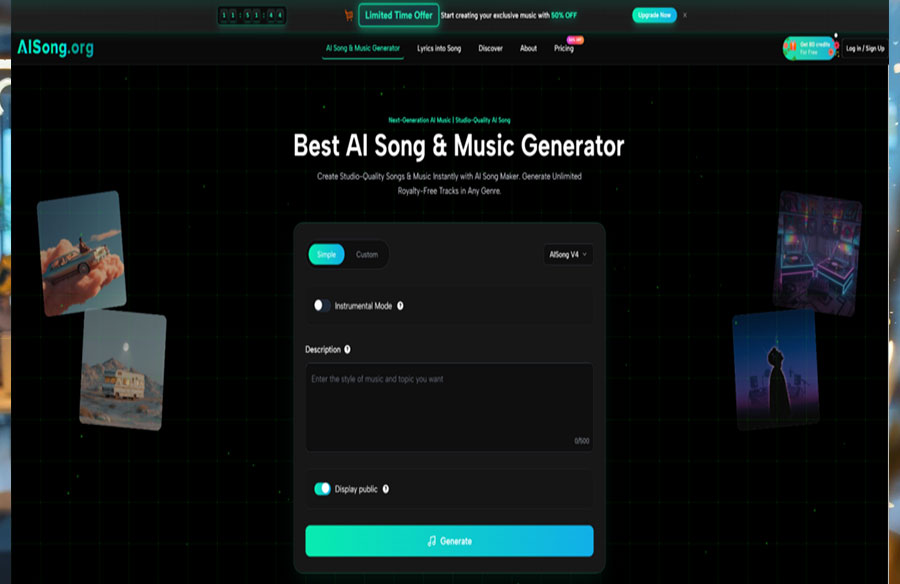
AISong documents a custom mode where you can provide your own lyrics using verse and chorus tags, or select from generated lyric versions. When structure is failing, I switch to custom mode and anchor sections explicitly so the music has a clearer blueprint to follow.
Use Mode Choice As A Debugging Tool
Mode choice is not only a preference; it is a debugging lever. If simple mode keeps drifting, custom mode can reduce degrees of freedom by locking the lyrical narrative. If custom mode feels too constrained, simple mode can help you rediscover a better direction quickly.
Simple Mode Helps When You Need A Fresh Interpretation
Sometimes you overconstrain a draft and make it worse.
Reset With A Clean Description When You Are Stuck
When a track keeps missing the vibe, I step back and generate a fresh interpretation from a minimal description. The goal is not to produce the final song, but to locate a new baseline that feels closer to what you wanted.
Custom Mode Helps When You Need Predictability
Custom mode is the stabilizer.
Lyrics And Section Tags Reduce Unhelpful Randomness
If the chorus never lands or the song feels stitched together, custom mode with clear section tags often increases coherence, because the model has a more explicit map of what the song is supposed to do.
Model Tiers Are Part Of Troubleshooting, Not Only Quality
AI Song Maker documents multiple model versions, including V1.5, V2, V3, V4.5, and V5. The key troubleshooting idea is that tiers can change not only quality but also how reliably the output follows your intent.
I do not treat higher tiers as “always better.” I treat them as “better when intent is stable.”
Early Tiers Are Useful For Rapid Diagnosis
Lower-cost generations can reveal the pattern of failure faster.
Run A Small Batch To Identify The Consistent Problem
If three drafts all fail in the same way, the problem is likely your instruction boundary, not random chance. A small batch from an earlier tier can help you identify whether the failure is persistent.
Higher Tiers Are Useful When You Have A Clear Fix
Once you know what to change, quality becomes relevant.
Upgrade After The Input Is Corrected
If you have corrected structure with section tags or clarified vocal direction, moving to a higher tier makes more sense because you are no longer gambling on direction—you are refining a known-good plan.
A Troubleshooting Table That Guides The Next Move
When frustration hits, the most helpful thing is a next action that is not “try again.” The table below maps common failure symptoms to the documented levers you can adjust.
Use A Table To Turn Frustration Into A Decision
This creates an immediate path forward.
One Change At A Time Makes Learning Faster
| Failure Symptom | Likely Cause | Best Next Lever To Adjust |
| Vibe feels wrong | Prompt lacks emotional target | Clarify emotional arc in description |
| Chorus does not land | Weak structural blueprint | Switch to custom mode with section tags |
| Vocals feel mismatched | Vocal character not aligned | Use vocal gender choice if needed |
| Output feels too chaotic | Constraints too loose | Increase style weight, reduce weirdness |
| Output feels too generic | Constraints too vague | Add identity boundaries, not more adjectives |
A Three-Step Workflow That Matches The Official Flow
AISong’s documented process can be followed in three steps: choose a mode, select a model and optional advanced settings, then generate and regenerate. The difference in troubleshooting is that each step is chosen to correct a known failure, not to chase novelty.
Step 1: Choose The Mode That Targets Your Failure
Pick simple mode for a reset or custom mode for structure control.
Mode Choice Is The Fastest Debug Switch
If your failure is structural, custom mode is usually the fastest correction. If your failure is vibe confusion, a fresh simple-mode draft can help you regain direction without overthinking.
Step 2: Select A Model Tier And Optional Advanced Controls
AISong documents advanced settings such as vocal gender, style weight, and a weirdness constraint.
Use Controls To Stabilize Or Intentionally Expand
If the failure is unpredictability, tightening constraints with style weight and lowering weirdness can make outputs more stable. If the failure is blandness, loosening constraints or pushing weirdness slightly can help explore more distinctive options, though results may vary.
Step 3: Generate Then Regenerate With A Single Hypothesis
Generate an output, then regenerate variations.
Regenerate Only After You Define What You Are Testing
The most common mistake is regenerating without a hypothesis. The better approach is: change one thing, then regenerate a small set to see whether the symptom improves. That turns the process into learning rather than luck.
 The Limitation Worth Accepting Before You Debug
Some mismatches are taste, not bugs. Even with perfect inputs, you may not love the result. The point of troubleshooting is not to force a guarantee—it is to reduce wasted effort. In my tests, when you name the failure type, choose the correct lever, and iterate with a hypothesis, the tool becomes far less frustrating and far more predictable.