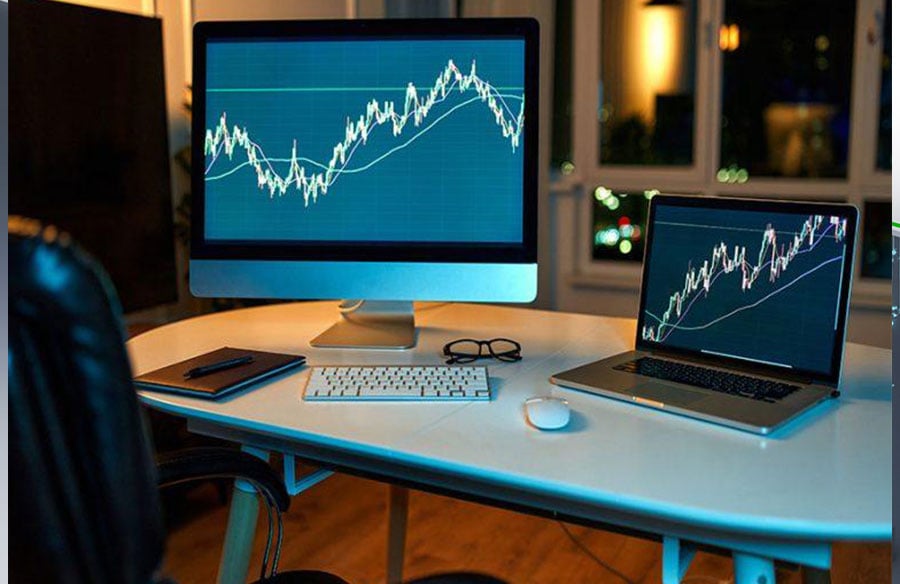
There’s a point in every trader’s journey where the laptop-on-the-kitchen-table setup stops cutting it. Maybe you’re running more strategies than your home computer can handle. Maybe you’ve lost money to an internet outage or a Windows update that restarted your machine mid-trade. Maybe you’re just tired of the anxiety that comes with knowing your entire operation depends on consumer-grade hardware.
Building a professional trading setup isn’t about spending money for the sake of it. It’s about removing the technical obstacles between you and consistent execution. This guide walks through what that looks like in practice — from hardware and connectivity to server infrastructure and redundancy.
What Makes a Trading Setup “Professional”?
The word gets thrown around loosely, so let’s define it. A professional trading setup has three characteristics:
Reliability. Your platform runs when you need it to run. Not “most of the time” — always. That means redundant systems, backup power, and infrastructure that doesn’t depend on your home WiFi staying up.
Performance. Orders execute fast. Charts load without lag. Your EAs process ticks without choking. When markets move quickly, your setup keeps pace.
Scalability. You can add more strategies, more broker accounts, more platforms without rebuilding everything from scratch. Growth doesn’t mean starting over.
If your current setup hits all three, you’re already there. If not, here’s how to close the gaps.
The Home Setup: Where Most Traders Start
There’s nothing wrong with starting simple. Most successful traders began with:
- A decent laptop or desktop
- A stable internet connection
- One broker account
- One instance of MetaTrader
This works fine for manual trading and running a single EA. The problems emerge when you try to scale:
Limited uptime. Your computer needs to sleep sometimes. You need to sleep sometimes. Markets don’t.
Single point of failure. One internet outage, one power cut, one crashed hard drive, and you’re offline. No redundancy means any single failure takes down your entire operation.
Resource constraints. Running multiple MT4 instances, each with complex EAs processing tick data, will eventually overwhelm consumer hardware. You’ll notice it first as lag, then as missed trades.
Latency. Your home internet adds milliseconds to every order. For swing trading, this doesn’t matter. For scalping or news trading, it’s the difference between profit and slippage.
If you’re hitting these walls, it’s time to upgrade.
Step One: Move to Server-Based Infrastructure
The single biggest upgrade most traders make is getting their trading platform off their home computer and onto dedicated infrastructure.
VPS: The First Step
A Virtual Private Server is a slice of a physical server running in a data center. You connect to it remotely, install MetaTrader, and let it run 24/7. Your home computer can be off — the VPS keeps trading.
VPS advantages:
- 24/7 uptime with professional infrastructure
- Better latency if the VPS is located near your broker
- Costs as little as $20-50/month
- No hardware to maintain
For traders running one or two EAs with a single broker, a VPS is usually enough. It solves the uptime and latency problems without major investment.
Dedicated Servers: When VPS Isn’t Enough
A VPS shares physical resources with other users. That’s fine for light workloads, but becomes limiting when you’re running:
- Multiple MetaTrader instances (MT4 and MT5 across several brokers)
- Resource-intensive EAs that process heavy tick data
- Backtesting and optimization alongside live trading
- Custom software, APIs, or data feeds
This is where dedicated trading servers come in. Instead of sharing a machine, you get the entire physical server to yourself — all the CPU cores, all the RAM, all the bandwidth.
Dedicated server advantages:
- Guaranteed resources. No “noisy neighbors” competing for CPU time. Performance is consistent.
- More power. Typical configurations offer 32GB, 64GB, or 128GB RAM. Run as many platforms as you need.
- Full control. Install whatever software you want. Configure the system exactly to your specifications.
- Better for latency-critical strategies. Direct hardware access eliminates the virtualization overhead.
The trade-off is cost — dedicated servers run $100-300/month depending on specs. But for traders whose strategies generate consistent returns, the infrastructure pays for itself.
Step Two: Optimize Your Connectivity
Having a fast server means nothing if the connection between your platform and your broker is slow. Latency optimization is where professional setups diverge from amateur ones.
Server Location Matters
Every broker has their trade servers located somewhere — usually New York, London, Tokyo, or a handful of other financial centers. The closer your trading server is to your broker’s server, the faster your orders execute.
If you trade with a broker whose servers are in New York, running your platform from a data center in New York shaves significant latency compared to running it from Europe or Asia. We’re talking single-digit milliseconds versus 100+ milliseconds.
This matters less for swing traders holding positions for days. It matters enormously for:
- Scalping strategies
- News trading
- Arbitrage
- Any strategy where execution speed affects profitability
When choosing a VPS or dedicated server, always check where the data center is located relative to your broker.
Redundant Connections
Professional data centers don’t rely on a single internet connection. They have multiple upstream providers, so if one fails, traffic automatically routes through another. This redundancy is difficult and expensive to replicate at home.
When evaluating server providers, ask about their network infrastructure. Multiple carriers and automatic failover should be standard for any serious trading setup.
Step Three: Build Redundancy Into Everything
Single points of failure kill trading accounts. Professional setups eliminate them systematically.
Broker Redundancy
Don’t put all your capital with one broker. Spread it across two or three. This protects you against:
- Broker insolvency
- Platform outages specific to one broker
- Requotes or execution issues with a single provider
Each broker can run on the same server infrastructure — you’re not multiplying your VPS costs, just spreading your risk.
Strategy Redundancy
If you’re trading a single EA on a single pair, one bad market condition can blow up your account. Diversifying across:
- Multiple strategies (trend-following, mean-reversion, breakout)
- Multiple timeframes
- Multiple currency pairs
This smooths your equity curve and reduces the impact of any single strategy failing.
Data Backup
Your trading server should have automated backups. MT4 profiles, EA settings, custom indicators, trade logs — all of it. If your server dies (rare but possible), you should be able to rebuild your entire setup from backups within hours, not days.
Most server providers offer automated backup options. Enable them. The cost is trivial compared to the pain of manual reconstruction.
Step Four: Monitoring and Alerts
A professional setup isn’t “set and forget.” You need visibility into what’s happening, even when you’re not watching.
Server Monitoring
At minimum, you should know:
- Is the server online?
- Is MetaTrader running?
- Is the EA active?
Most server providers offer uptime monitoring with email or SMS alerts. Third-party services can monitor specific applications or processes.
Trade Alerts
Configure your EAs to notify you when trades execute. Telegram bots are popular for this — a quick message when a trade opens or closes, including entry price, stop loss, and take profit. You shouldn’t need to babysit your setup, but you should know what it’s doing.
Performance Monitoring
Track your CPU and RAM usage over time. If your server consistently runs above 80% utilization, you’re due for an upgrade. Waiting until performance degrades is reactive. Monitoring lets you plan proactively.
Step Five: Security
Your trading server holds access to real money. Treat security accordingly.
Strong Authentication
Use complex passwords and change them periodically. If your server provider offers two-factor authentication for the control panel, enable it. For Remote Desktop access, consider using a VPN or restricting connections to specific IP addresses.
Keep Software Updated
Windows updates can be annoying when they restart your machine mid-trade. But running outdated software with known vulnerabilities is worse. Schedule updates during market close (weekends for forex) and verify your platform restarts correctly afterward.
Limit Access
Your trading server should run your trading platform and nothing else. Don’t browse the web from it. Don’t check email. Don’t install unnecessary software. Every additional program is a potential security risk and a resource drain.
Putting It All Together: Example Setups
Setup A: Serious Retail Trader
- One dedicated server (32GB RAM, 8 cores) in New York
- Three broker accounts, each running MT4
- Five EAs across different strategies and pairs
- Automated daily backups
- Telegram notifications for trade execution
- Monthly cost: ~$150
Setup B: Semi-Professional / Small Fund
- Two dedicated servers (primary and backup) in different data centers
- Failover configured so backup takes over if primary fails
- MT4 and MT5 across six broker accounts
- Custom API connections to data providers
- Real-time performance dashboard
- Professional monitoring with phone alerts
- Monthly cost: ~$400-500
Setup C: Prop Trading / Institutional
- Multiple high-spec dedicated servers
- Co-location with major brokers for minimal latency
- Redundant everything — servers, connections, power
- 24/7 monitoring by operations team
- Custom-built trading software
- Monthly cost: $2,000+
Most independent traders fall somewhere between Setup A and Setup B. The exact configuration depends on your trading volume, strategy complexity, and how much downtime you can tolerate.
When to Upgrade
You don’t need professional infrastructure on day one. Here’s when the investment makes sense:
You’re consistently profitable. Infrastructure is an expense. Make sure you have income to cover it. A $150/month server needs to generate at least that much additional profit — through better execution, more uptime, or running more strategies — to justify itself.
You’ve outgrown your VPS. If your VPS lags during high-volatility periods, if you can’t run all the platforms you need, if you’re hitting resource limits — it’s time for dedicated hardware.
Reliability has cost you money. Calculate what you’ve lost to internet outages, platform crashes, or missed trades due to latency. If that number exceeds the cost of better infrastructure, the math is simple.
You’re ready to scale. More strategies, more brokers, more capital deployed. Scaling on amateur infrastructure creates fragile systems. Professional infrastructure lets you grow without accumulating technical debt.
Final Thoughts
Building a professional trading setup is about matching your infrastructure to your ambitions. Start simple, upgrade when the limitations start costing you money, and build redundancy before you need it — not after a failure teaches you the hard way.
The tools available to retail traders today — data center servers, low-latency connectivity, enterprise-grade reliability — would have been unthinkable a decade ago. The barriers between bedroom traders and institutional operations have never been lower.
Your edge as a trader is your strategy and execution. Professional infrastructure removes the variables that have nothing to do with trading skill. It lets you focus on what actually makes money, with confidence that the technical foundation won’t let you down.