In today’s fast-paced business environment, effective corporate training and presentations are critical for ensuring that employees are well-equipped with the knowledge and skills they need to succeed. With organizations increasingly relying on digital solutions to train and communicate with their teams, the demand for efficient, engaging, and accessible training content has never been higher.
One such tool that is transforming the way businesses approach these challenges is the Filmora Text to Speech feature. This innovative feature can significantly enhance corporate training and presentations by generating high-quality voiceovers and automated narration, thus saving time and resources. In this article, we’ll explore how the Filmora Text to Speech feature can be leveraged to elevate your training content and business presentations, helping companies improve engagement, standardize content, and cater to a wider audience.
1. Understanding Filmora Text to Speech Feature
What is Text to Speech in Filmora?
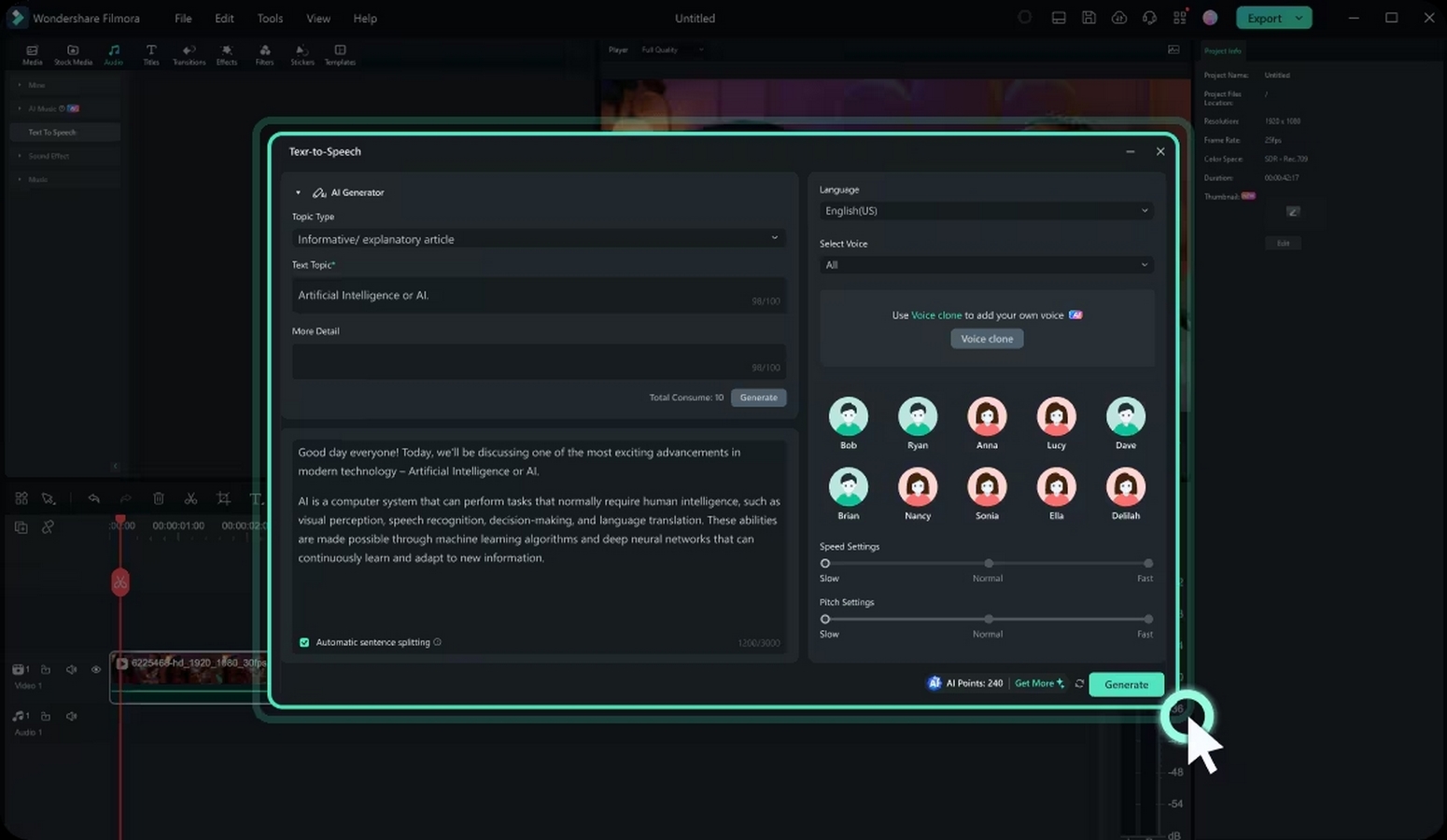
Filmora Text to Speech feature allows users to convert written text into natural-sounding voiceovers. The TTS feature is designed to be intuitive and easy to use, making it accessible to both beginners and experienced video creators. Users can input their desired text, choose from a variety of voice options, and Filmora will automatically generate the voiceover. It eliminates the need for professional voice actors or complex voice recording setups, making the entire process much more efficient.
This tool utilizes advanced machine learning algorithms and natural language processing (NLP) to ensure the voiceover is not only accurate but also fluent, clear, and pleasant to listen to. The TTS tool offers a wide range of voices with different accents, pitches, and tones, allowing businesses to select the most appropriate voice for their content.
 Key Functionalities and Customizable Options
Filmora TTS feature offers several customizable options to enhance the user experience:
- Voice Selection: Filmora provides a variety of voices, including both male and female options, with different accents (American, British, Australian, etc.). Users can select a voice that matches the tone of the content, whether it’s professional, casual, or informative.
- Voice Speed and Pitch Control: Users can adjust the speed and pitch of the voiceover to match the pacing of the content. For instance, a slower pace might be suitable for technical training, while a faster pace might work for marketing presentations.
- Multi-Language Support: Filmora Text to Speech feature supports multiple languages, allowing businesses to create training materials and presentations in a variety of languages, thus catering to a global workforce.
- Audio Effects: Users can enhance the speech with background music or sound effects, improving the overall production value of the video.
2. Enhancing Corporate Training Videos
Benefits of Using Text-to-Speech in Training
Corporate training videos are often the backbone of employee development programs. By using TTS, businesses can quickly generate narrated training videos that explain concepts clearly and effectively. This is particularly beneficial for training materials that need to be frequently updated or modified, as the TTS feature eliminates the need to re-record voiceovers each time changes are made.
Furthermore, using AI-driven voiceovers for training videos saves businesses considerable time and resources. Instead of hiring professional voice actors or investing in expensive recording equipment, companies can generate high-quality narrations in a fraction of the time.
 Standardizing Training Content for Consistency
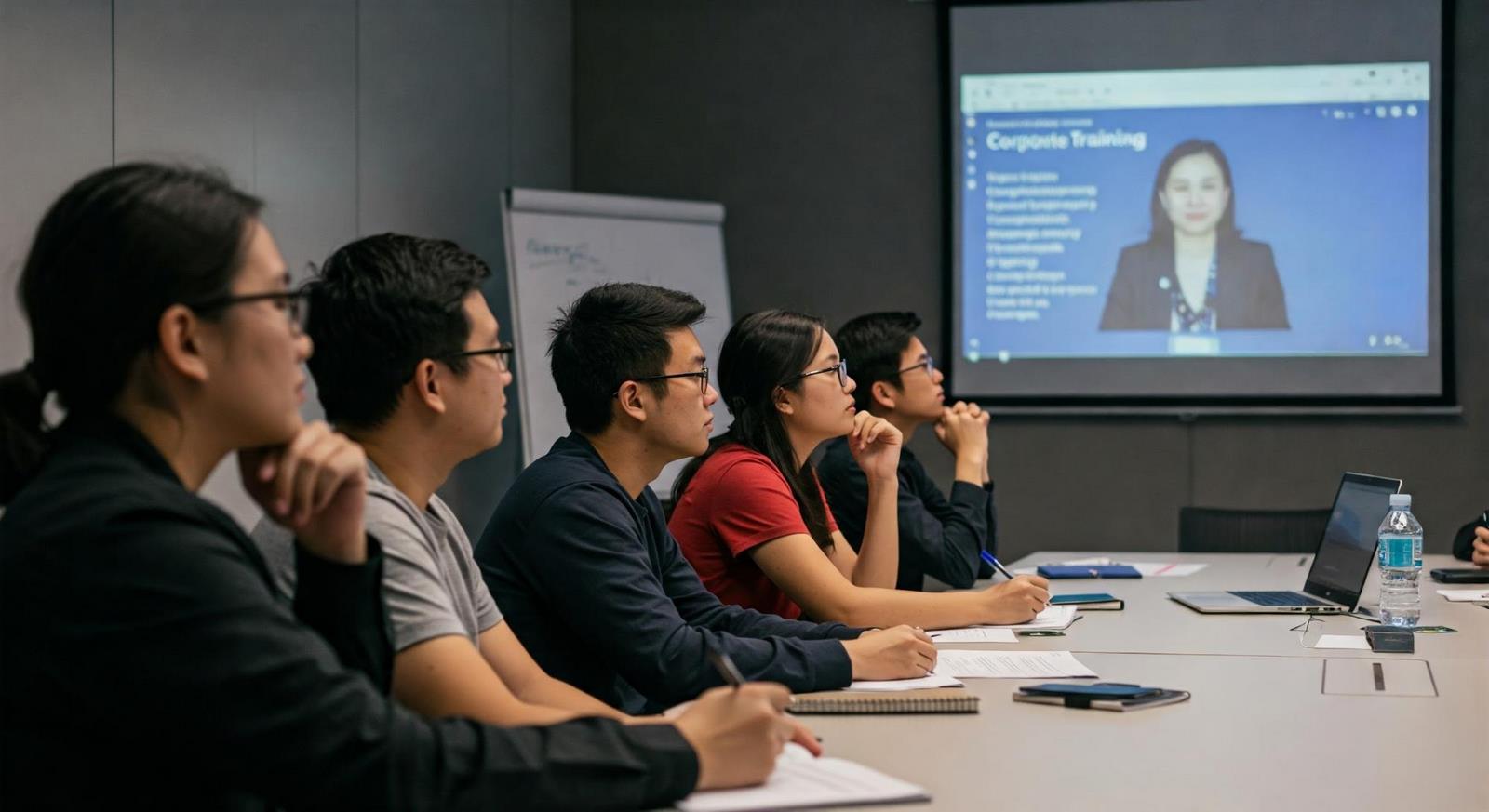
In larger organizations, training content often needs to be standardized across multiple departments or locations. Filmora TTS feature can help ensure that all training videos are narrated in the same professional voice, reducing discrepancies and ensuring brand consistency.
Additionally, Filmora allows businesses to edit and update text-based scripts easily. When a change is made, the TTS tool can automatically generate an updated voiceover, ensuring that the training material remains up-to-date without the need to rehire voiceover artists or invest in time-consuming recordings.
Catering to Diverse Linguistic Needs of Employees
With the rise of remote workforces and global teams, it’s becoming more common for companies to have employees who speak different languages. Filmora TTS feature offers multi-language support, allowing businesses to create training materials in various languages, making them accessible to a broader range of employees. This feature ensures that language barriers do not hinder employee learning, improving overall training effectiveness and inclusivity.
3. Boosting Presentation Effectiveness
Adding Professional Narration to Presentations
Filmora Text to Speech feature can be used to add professional-quality narration to slides, ensuring the message is delivered smoothly and with a consistent tone. This is especially valuable for businesses that produce a high volume of presentations or need to provide detailed explanations of complex data.
Filmora TTS ensures timely, professional presentations by adding narration without voiceover artists or manual recording, enhancing product pitches, quarterly reports, or training materials.
 Improving Accessibility with Automated Voice-Over
Accessibility is a growing concern for businesses, and making content available to people with disabilities is becoming increasingly important. Filmora Text to Speech feature improves accessibility by providing automated voice-overs for presentations, ensuring that individuals with visual impairments or those who prefer audio formats can still engage with the content.
Enhancing Audience Engagement with Clear and Consistent Speech
Filmora Text To Speech feature ensures that your audience remains engaged by providing high-quality, natural-sounding voiceovers that make the content easier to understand and more enjoyable to follow.
This is especially important in virtual presentations, where audience attention can easily wander. By having a clear and consistent voice, businesses can improve retention rates and keep their audience engaged throughout the presentation.
4. Best Practices for Seamless Text to Speech Integration
Best Practices for Integrating Text to Speech in Training and Presentations
- Keep it concise: Avoid lengthy scripts that may cause the voiceover to sound unnatural or monotonous.
- Maintain a consistent tone: Ensure that the same voice and tone are used throughout the content to keep the message uniform.
- Optimize for accessibility: Use clear, articulate speech and add subtitles for viewers who may need them.
- Ensure high-quality content: Review and edit the script to ensure accuracy, as a well-written script leads to a better voiceover.
Technical Tips and Tricks for Optimal Performance
- Use punctuation wisely: Proper punctuation helps the TTS feature read text naturally and at the right pace.
- Choose the right voice for your audience: Select a voice that aligns with your brand and resonates with your audience.
- Test and adjust: Before finalizing your content, test the audio and make any necessary adjustments to speed, pitch, and clarity.
Overcoming Common Challenges and Pitfalls
- Quality of voiceover: Some voices may sound robotic or unnatural, so it’s essential to choose a voice that fits the context.
- Script errors: Ensure that your script is error-free before converting it to avoid awkward phrasing or mispronunciations.
- Timing issues: Be mindful of how the speech aligns with visuals. If needed, adjust the speed of the voiceover to sync with the video content.
Conclusion
Filmora Text to Speech feature is an invaluable tool for businesses looking to improve the effectiveness of their corporate training and presentations. By automating voiceovers, this feature helps organizations save time, reduce costs, and create high-quality content that resonates with audiences. Whether it’s for training employees, enhancing presentations, or improving accessibility, Filmora Text to Speech feature offers a wide range of benefits that can significantly enhance corporate communications.
Embracing this technology can not only improve the efficiency of content creation but also ensure that your business stays ahead in the competitive market by delivering clear, engaging, and accessible content to your teams and clients.