

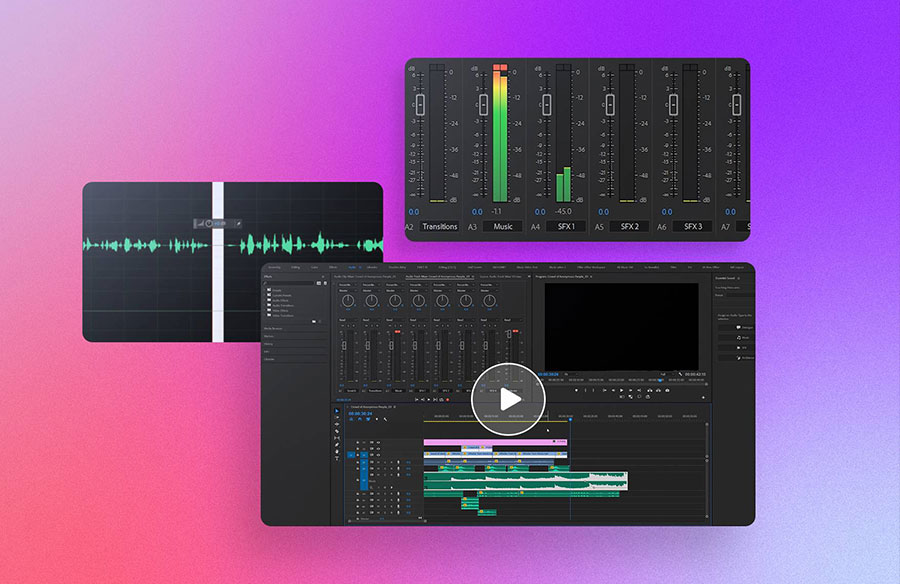
Background noise is any unwanted sound that interferes with the audio in a video, such as traffic, wind, or people talking. These noises can distract viewers and reduce the overall quality of a video, making it difficult to hear important dialogue or sound effects.
For video editors, removing background noise is crucial to ensuring a professional and polished final product. Noise removal can significantly improve viewer engagement and satisfaction, making it a key step in the editing process.
In this article, we will discuss the best five tools to remove background noise from your video.
Tool 1: Wondershare Filmora
Wondershare Filmora is a simple but powerful video editing software that can help you remove background noise from your videos. Here’s a step-by-step guide to using Filmora for noise removal:
Step 1: Upload the Video
Open Filmora to remove background noise from the video and upload the video that you want to clean up. You can do this quickly by dragging and dropping your video onto the timeline. Filmora supports many file types, like MP4, MOV, MP3, WAV, and more. This means you can improve the audio of almost any video, podcast, or clip.

Step 2: Separate the Audio from the Video
To work on the audio separately, you need to detach it from the video. Right-click on the video in the timeline and choose “Audio Detach.” This will create a separate audio file that you can edit on its own.

Step 3: Remove the Background Noise
Right-click on the audio track in the timeline and select “Edit.” This will open up the audio editing menu. Here, you can use the “Denoise” function to reduce background noise. If the noise removal isn’t strong enough at first, you can adjust the slider to “Strong” or “Mid” to increase the effect.

Step 4: Adjust the Audio
After using the denoise feature, you might notice some distortion in the voice or other sounds. To fix this, use the “Equalizer” tool, which is above the Denoise option. The Equalizer lets you change the audio settings to improve the sound quality.


By default, all equalizer settings are set to zero. Focus on the first four settings on the left to control the bass sounds. Lower the leftmost setting and adjust the mid-tones to avoid any robotic sound. You don’t need to adjust the right-side settings, which control high-pitched sounds.
Final Result:
Now, you should notice a big improvement in the audio quality of your video. With Wondershare Filmora, it’s easy to reduce background noise in audio and make your videos sound much better!
Key Features:
- It helps you remove noise based on its specific type.
- It cleans up your audio with efficiency and ease.
- It can meet the different needs of multiple scenes.
Tool 2: AVS4YOU
AVS4YOU is a comprehensive audio editor that supports almost all audio formats. Like other traditional audio editors, AVS4YOU allows you to cut, trim, split, and merge audio clips. In addition to these basic editing functions, it offers a range of intuitive features that help enhance the quality of your audio.
With AVS4YOU, a background noise removal app, you can easily change the sound bitrate to any desired level. The software includes an equalizer for adjusting the volume and tools to remove background noise, such as hissing or crackling sounds.
Features:
- Record audio from any input
- Extract audio from any video file
- Over 20 built-in effects and filters
- Mix and blend multiple audio files
Pros:
- Supports all popular audio formats.
- Easy-to-use interface.
- One-time purchase fee.
- Can convert text to speech.
Cons:
Available only for Windows users.
Tool 3: Notta
Notta is an AI-powered transcription tool that can transcribe audio and video in 58 different languages. It allows users to quickly export subtitles and audio after transcription. The platform is user-friendly and delivers high-quality audio results.
Notta can remove background noise from various audio formats, such as MP3, WAV, AAC, AIFF, and M4A. Just upload your file to the browser, and the AI will separate the vocals from the music in seconds. Notta also offers a free version for transcription and noise removal, with apps available for both iOS and Android devices.

Features:
- Converts voice to text in real-time.
- Supports popular audio and video formats.
- Drag-and-drop tools for easy noise removal.
- No download or installation is needed.
- Available on mobile apps for iOS and Android.
Pros:
- Offers a variety of useful features.
- Compliant with GDPR and CPPA regulations.
- Uses data encryption for security.
Cons:
May have difficulty processing large files.
Tool 4: Kapwing
Kapwing is an easy-to-use online tool for editing audio and video. Whether you want to work on audio, edit videos, or make social media posts, Kapwing has what you need. You can use it to remove background noise from your audio recordings and create subtitles for your videos.
It has a simple design that makes it easy to use. The audio cleanup feature is great for people who make videos or podcasts because it helps make the sound clearer. You can also trim, cut, merge, and add text, images, or subtitles to your videos, making it perfect for basic video editing.

Features:
- Smart Cut: Automatically removes silent sections from your videos to save editing time.
- Magic Captions: Quickly generate captions with AI transcription and choose from different styles and animations.
- Trim with Transcript: Edit videos like a text document by editing the automatically generated transcript.
- AI-Generated Videos: Create videos by providing a text prompt; Kapwing adds B-roll footage, music, and subtitles.
- Canvas Resizing: Easily resize videos to fit different platforms like TikTok, YouTube, and Instagram.
- Background Removal: Remove video backgrounds without a green screen with just a few clicks.
- Real-Time Collaboration: Teams can edit and review projects together in real-time, like in Google Docs.
Pros:
- Easy to use.
- Offers many features to make GIFs, memes, and video presentations.
- The free plan includes many important tools.
- Good at removing background noise.
Cons:
- Low-quality exports
- Missing some important features like undo and transition effects
Tool 5: LALAL.AI
LALAL.AI is a special website that helps you remove background noise and music from audio files. This tool is great because it can do many things! Music makers use it to separate the singing from the background music in a song.
You can use LALAL.AI on almost any device, like Android phones, iPhones, Windows computers, and Mac computers. It’s a super helpful tool for anyone who wants clear sound without any unwanted noise!

Features:
- Easy to Use
- Improves Sound Quality
- Supports Many Formats
- Highly Accurate
Pros:
- Powerful features include a stem splitter, voice cleaner, and voice changer.
- Uses advanced AI technology called Orion for accurate and high-quality stem separation.
- Available on desktop (macOS and Windows) and mobile devices (iOS and Android).
- Free tutorials are available on the LALAL.AI YouTube channel.
- Allows batch processing of up to 20 files at once.
- The voice changer supports every language.
Cons:
- Limitations on the free version include purchasing a package to process files.
- The output quality may vary depending on the complexity of the original file.
Conclusion
Removing background noise is crucial for creating high-quality videos and audio that are clear and engaging. Among the various tools available, AI audio denoiser Wondershare Filmora stands out as a top choice for both beginners and experienced video editors.
With its user-friendly interface and powerful features like the AI Audio Denoise tool, Filmora makes it easy to remove unwanted sounds and improve audio quality in just a few simple steps. Whether you’re editing videos for professional purposes or personal projects, Filmora provides a reliable solution for enhancing your content.







