Video presentations have gained a significant role in contemporary education. Students and researchers often use videos for class assignments, project demonstrations, thesis presentations, online courses, and academic conferences. A prepared video can also be used to convey ideas and create a more effective impression on the audience.
Nevertheless, these recording errors are typical, particularly with smartphones, webcams, or screen-recording programs. In some cases, videos are inverted, flipped, or in reverse. These problems may result in less professional presentations and the audience being distracted by the problems.
Luckily, it is now possible to fix the video orientation without having to use complex editing skills or costly software. With the latest online tools, it is simple to flip the video files right in the browser, which ensures that students and researchers can correct the recording issues in a few minutes and work on conveying their message in an efficient way.
How to Flip a Video Online Without Editing Experience
Video flipping is a straightforward task that can be accomplished by anyone, regardless of a lack of knowledge on how to edit video. The majority of browser-based tools have user-friendly interfaces, which lead a user through every step.
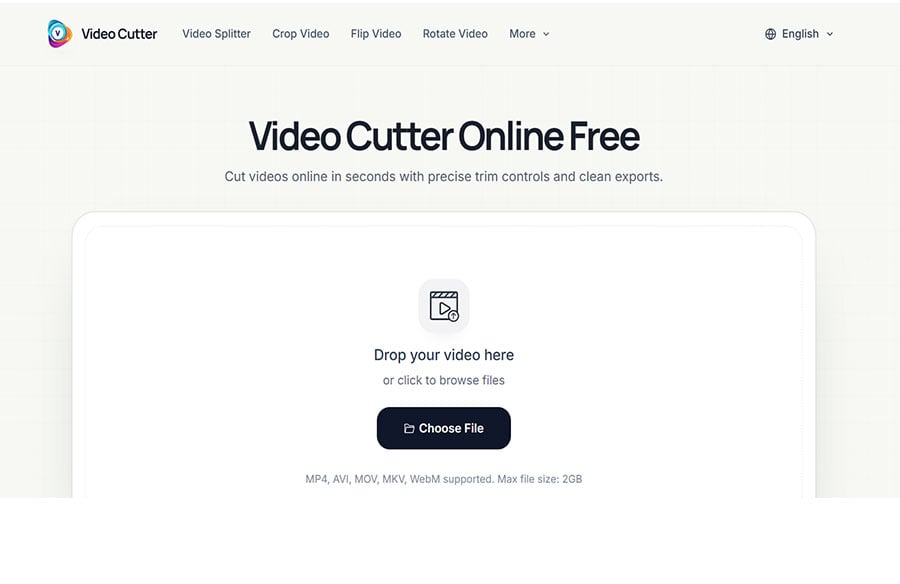
It typically begins by posting the video file to the online editor. After uploading the file, the user will be provided with an option to either invert the video horizontally or vertically depending on the orientation problem. The preview option enables them to preview the outcome prior to storing the final copy.
Once the changes have been verified, the fixed video can be exported and downloaded in minutes. The fact that all this is done online means that one will not have to install a program, master intricate editing or spend hours troubleshooting a basic recording issue.
How a Flip Video Tool Supports Students and Researchers
Correct Recording and Orientation Mistakes Quickly
Presentations are usually taken by students on strict deadlines. When a video is flipped or inverted by mistake, and you need to re-mirror or re-record the whole presentation, it may be a loss of time. A flip video utility can be a fast answer as it fixes the problem without modifying the original material.
Improve Presentation Quality
An oriented video is more professional and easier to follow. In presenting research results, academic projects or even tutorials, proper direction on the video will enable viewers to concentrate on the information being communicated, not technical errors.
Save Valuable Time During Busy Academic Schedules
Between coursework, research activities, and project deadlines, students have limited time for video editing. Online tools make the correction process much easier and enable the user to make corrections fast and proceed with other crucial tasks.
Support a Wide Range of Educational Content
Video flipping may have application in various learning resources such as recorded lectures, research presentations, project demonstrations, online courses and conference submissions.
Essential Video Editing Tips for Academic Presentations
Check Video Before Submission
Always check the full recording before uploading any academic video to make sure that it will appear properly. Early detection of orientation problems may help to avoid last-minute issues and enhance the overall quality of the presentation.
Maintain Clear Framing
Ensure that your face, slides, or demonstration materials are in full view as they are being recorded. Correct framing helps the audience to remain interested and comprehend the material with less effort.
Keep Visuals Professional
Presentations in academics must be based on clarity and communication. Avoid unnecessary visual effects and instead prioritise clean visuals, readable text, and organised presentation materials.
Test Playback on Different Devices
Depending on the devices and platforms, a video can display in a different manner. To verify any display problems, it is possible to play back on a laptop, tablet, or smartphone and identify the problem before sharing the final version.
Why Browser-Based Video Editing Is Ideal for Students
No Software Installation Required
Students share many computers and devices that have little or no storage capacity. Video editing is made easier and more accessible through browser-based editors, which do not require the download of software.
Easy to Learn and Use
Not all students have experience with professional editing software. Online editing applications are easy and user-friendly, enabling users to make fast corrections without the use of technical skills.
Accessible from Anywhere
Due to the online nature of editing, students will be able to use various devices and places to access their projects. This is particularly beneficial in distance learning and group studies.
Fast Solutions for Tight Deadlines
Scholarly assignments usually have rigorous due dates. Web-based editing tools can assist students in making fast changes and preparing their videos quickly and with lower stress during the rush.
Conclusion
Video presentations now form a vital component of academic communication, and better video quality and orientation are more critical than ever. Simple problems like mirrored video or a bottom-up recording can undermine professionalism and distract viewers from the message being conveyed.
Online editing products offer a simple means to correct these issues without having to possess technical expertise. With the help of a trusted flip video tool, students and other researchers will be able to fix the orientation problems fast and provide high quality of their presentation and hand in a perfected video without any troubles. With the increase in digital learning, basic browser-based editing tools will continue to be useful in achieving academic success.